
Why Hotel Guests Complain About Wi-Fi (And How to Fix It)
Wifi solutions for hotels are a critical investment — second only to mattress quality when it comes to what guests care about most. Here’s a quick overview of what makes a hotel Wi-Fi system work:
Top hotel WiFi solutions at a glance:
- Managed cloud-based WiFi – enterprise access points with remote monitoring and 24/7 support
- Captive portals – branded guest login pages with PMS integration for auto-authentication
- VLAN segmentation – separate networks for guests, staff, and operations
- Bandwidth management – fair usage controls to prevent one guest from slowing down everyone else
- WPA3 encryption – modern security standard to protect guest data
- WiFi 6/7 hardware – next-gen access points for high-density, multi-device environments
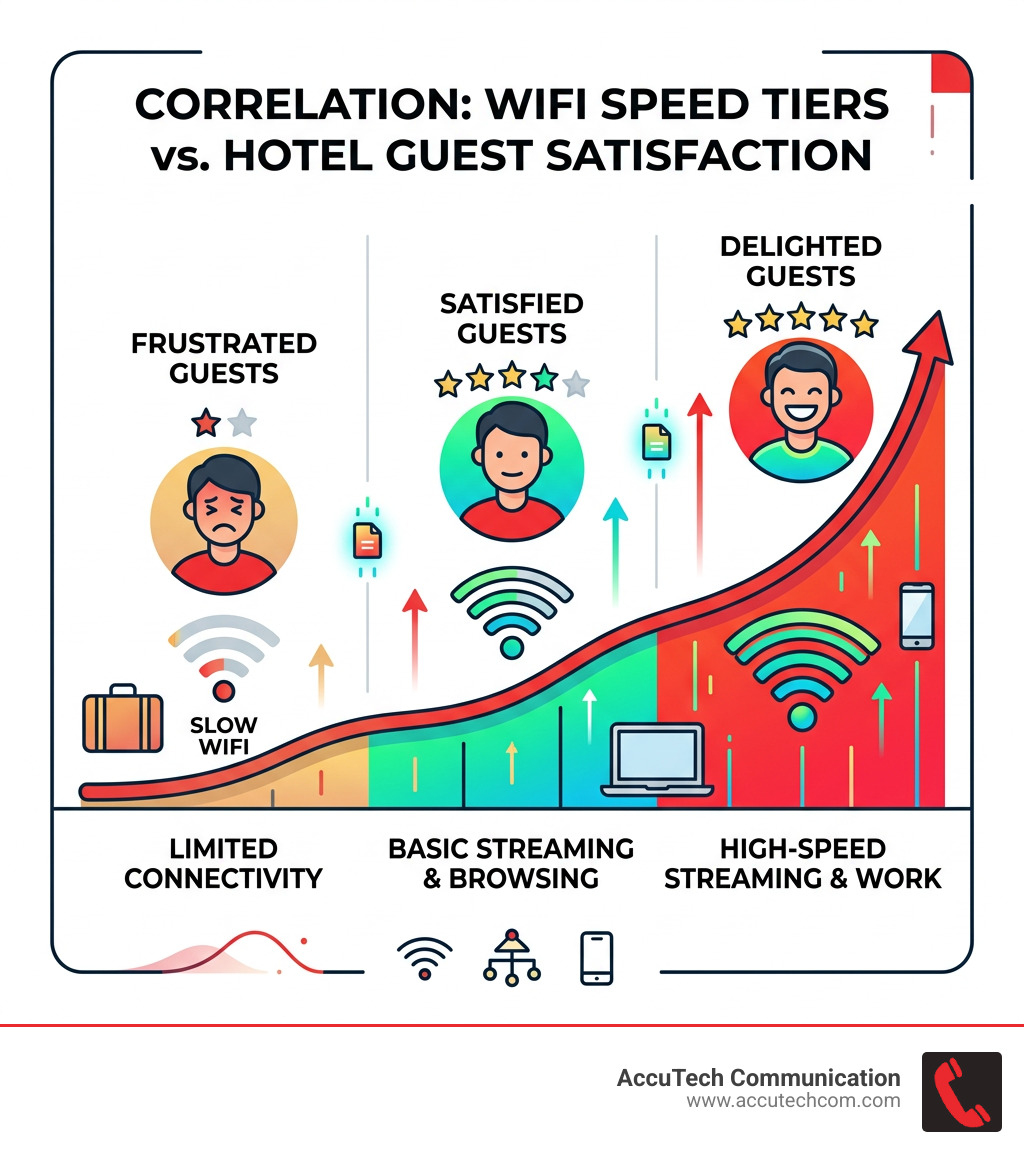
Think about the last time you heard someone compliment a hotel’s Wi-Fi. You probably can’t. That’s the point — good Wi-Fi goes unnoticed. Bad Wi-Fi, on the other hand, ends up in a one-star review.
The numbers back this up. The average hotel guest travels with 2.9 devices. They expect to stream video, join work calls, and stay connected without thinking twice about it. When the connection drops or slows to a crawl, satisfaction scores drop with it — especially for business travelers.
This isn’t just a comfort issue. Hotel Wi-Fi now powers critical systems: property management software, point-of-sale terminals, security cameras, and smart locks all depend on a reliable network. A weak infrastructure doesn’t just frustrate guests — it can bring operations to a halt.
I’m Corin Dolan, owner of AccuTech Communications, and I’ve spent decades helping commercial properties across Massachusetts, New Hampshire, and Rhode Island design and deploy reliable network infrastructure — including wifi solutions for hotels that hold up under real-world demand. In the sections below, I’ll walk you through everything you need to know to choose, design, and implement a system that keeps guests happy and operations running smoothly.
Wifi solutions for hotels basics:
- enterprise wireless network solutions
- managed wifi for business
- wireless network solutions for business
Implementing Enterprise-Grade WiFi Solutions for Hotels
When we talk about wifi solutions for hotels, we aren’t talking about the router you use at home. We are talking about enterprise-grade systems designed to handle hundreds of simultaneous connections across thousands of square feet. For a hotel in Boston or a resort in New Hampshire, this means moving toward a managed Wi-Fi model.
Managed Wi-Fi is a turnkey approach where the design, installation, and ongoing maintenance are handled by professionals. This ensures that your network isn’t just “up,” but optimized. High-quality Wireless Networking Solutions for Hospitality utilize cloud-managed access points (APs). These allow us to monitor the health of every single device on your property from a central dashboard. If an AP in a room in Braintree goes offline, we know about it before the guest even picks up the phone to call the front desk.

Essential Features of Modern WiFi Solutions for Hotels
To stay competitive in the New England hospitality market, your network needs more than just a password. Here are the features that define a high-performing system:
- Captive Portals: This is the “splash page” guests see when they first connect. It’s a powerful marketing tool where you can collect guest emails, promote your hotel restaurant, or offer room upgrades.
- Bandwidth Management: Not all traffic is equal. Bandwidth management ensures that one guest downloading a massive file doesn’t ruin the 4K streaming experience for everyone else on the floor.
- Tiered Access Models: Many hotels now offer a “freemium” model—basic Wi-Fi for free, and a high-speed “Pro” tier for business travelers who need to host video calls or transfer large data sets.
- PMS Integration: By linking your Wi-Fi to your Property Management System (PMS), guests can log in using their last name and room number. This automates the authentication process and ensures only checked-in guests are using your bandwidth.
- 24/7 Monitoring and Support: In the hotel world, “business hours” don’t exist. Guests expect support at 2:00 AM. Using Enterprise-grade hardware solutions combined with a managed service provider ensures that technical issues are resolved proactively.
Future-Proofing with Next-Gen WiFi Solutions for Hotels
As we look toward 2025, the technology is shifting rapidly. We are seeing a major transition to Wi-Fi 6 and Wi-Fi 7. These standards are built specifically for “high-density” environments—places where many devices are packed into a small area, like a hotel ballroom or a crowded lobby in Providence.
Next-gen wifi solutions for hotels also lean heavily on AI-driven radio management. This technology allows the network to automatically adjust its channels and power levels to avoid interference from neighboring buildings or even the hotel’s own appliances. Furthermore, the integration of IoT (Internet of Things) is becoming standard. Your Wi-Fi network is now the backbone for smart thermostats, occupancy sensors, and staff safety buttons. Using High-density hospitality networking equipment ensures that your infrastructure can handle the 6GHz band, which offers a “fast lane” for the newest smartphones and laptops, significantly reducing congestion.
Strategic Design: In-Room vs. Corridor Access Points
One of the most common questions we get at AccuTech Communications is: “Where should we put the access points?” The answer depends entirely on your building’s construction.
Many older hotels in Massachusetts and Rhode Island feature thick, soundproof walls made of brick, concrete, or heavy plaster. These materials are great for guest privacy but terrible for Wi-Fi signals. In these scenarios, “corridor” APs (placed in the hallways) often fail to penetrate into the rooms, leading to “dead spots” near the windows or in the bathrooms.
The modern gold standard is in-room access points. These are small, discreet units that often mount directly onto an existing Ethernet wall plate. By putting the signal source inside the room, you bypass the signal attenuation caused by heavy walls. For new constructions with lighter steel-stud and drywall framing, corridor APs may still be effective, but a professional site survey is required to be sure.
Before any hardware is mounted, we perform a detailed RF (Radio Frequency) optimization study. This involves mapping out the property to ensure seamless roaming—meaning a guest can start a FaceTime call in the lobby and walk all the way to their room on the 5th floor without the call dropping. This level of reliability starts with high-quality Wireless Network Solutions for Business and robust structured cabling that provides the “pipes” for all that data.
For those interested in the technical deep dive, you can Download design guide materials to see how professional engineers plan for hospitality density.
Security and Performance Standards for 2025
Security is no longer optional. With guests accessing banking apps and corporate VPNs, a “guest” network must be locked down tight. We implement several layers of protection to keep your guests safe:
- VLAN Segmentation: We separate the network into “virtual lanes.” Guest traffic never touches the staff network, and the staff network never touches the credit card processing (PCI) network.
- Client Isolation: This prevents guests from “seeing” or connecting to other guests’ devices on the same network. It is a fundamental defense against hackers in public spaces.
- WPA3 Encryption: This is the latest security protocol that provides much stronger protections than the older WPA2 standard.
- DNS Filtering: This blocks guests from accessing known malicious websites, protecting both the user and the hotel’s reputation.
In terms of performance, the “minimum” speed is rising. While 20mbps used to be enough for basic browsing, the 2025 standard for business travelers is 100mbps. If you want to future-proof your property and ensure you never get a negative Wi-Fi review again, Gigabit (1000mbps) is the gold standard. Addressing Wireless Network Problems and Solutions proactively is the best way to maintain these speeds during peak hours.
Pricing Models and Implementation Costs
When evaluating wifi solutions for hotels, it is important to understand the two primary ways these systems are funded: CapEx (Capital Expenditure) and OpEx (Operating Expenditure).
In a CapEx model, the hotel buys all the hardware (routers, switches, APs) and licensing upfront. This requires a larger initial investment but lower monthly costs. In an OpEx or “Managed Service” model, the hotel pays a monthly fee that covers the hardware, licensing, 24/7 support, and periodic hardware refreshes. This is often preferred by hotel owners because it makes costs predictable and ensures the technology never becomes obsolete.
Based on industry averages and publicly available internet data, here is a breakdown of what you might expect for a commercial Wi-Fi implementation. Please note that these are average ranges and do not reflect the specific pricing of AccuTech Communications. Every property is unique, and factors like building age and wall thickness can cause costs to vary by 3x or more.
| Project Phase | Average Cost Range (Industry Data) | Notes |
|---|---|---|
| Site Survey & Design | $1,500 – $5,000+ | Essential for avoiding dead spots. |
| Hardware (per AP) | $150 – $600+ | Depends on Wi-Fi 6 vs Wi-Fi 7. |
| Professional Installation | $200 – $750+ per room | Includes cabling and mounting. |
| Monthly Managed Service | $2 – $10+ per room/mo | Covers 24/7 support and cloud fees. |
Note: All prices mentioned are average costs sourced from publicly available internet data and are not the actual prices of AccuTech Communications.
Frequently Asked Questions about Hotel WiFi
What is the minimum recommended speed for hotel guests?
For a modern guest experience, we recommend a minimum of 20mbps per user for basic streaming and video calls. For business-class hotels, 100mbps is the target to support 4K streaming and large file transfers. Providing a Gigabit (1000mbps) backbone ensures the network doesn’t choke during peak evening hours when everyone is online at once.
Why should hotels separate guest and staff networks?
Security and performance. You don’t want a guest’s malware-infected laptop to have a path to your Property Management System or your office computers. Separating them via VLANs ensures that guest Netflix streaming doesn’t slow down the front desk’s ability to check people in.
How does building construction impact WiFi deployment costs?
Building materials are the biggest variable in cost. A modern hotel with drywall and metal studs allows Wi-Fi signals to pass through easily, requiring fewer access points. A historic hotel in Boston with thick masonry or plaster walls will require an access point in nearly every room to ensure a stable connection, which increases both hardware and labor costs.
Conclusion
At the end of the day, your guests don’t want to think about your Wi-Fi—they just want it to work. By investing in enterprise-grade wifi solutions for hotels, you are investing in your property’s reputation and operational efficiency.
At AccuTech Communications, we’ve been the trusted partner for businesses across Massachusetts, New Hampshire, and Rhode Island since 1993. Whether you are running a boutique inn in the Berkshires or a large-scale hotel in Manchester, we provide the certified network cabling and professional technology design needed to keep you connected. We pride ourselves on reliable service, competitive pricing, and a commitment to quality that has kept us in business for over three decades.
Don’t let a “weak signal” review be the reason a guest chooses the hotel across the street. Get a quote for professional network communications today, and let’s build a network that your guests will never have to complain about again.
