
Bury ethernet cable: Flawless 2025
Why Burying Ethernet Cable is a Smart Move
To bury ethernet cable effectively and safely, follow these key steps:
- Plan Your Route: Map out the path and always call 811 to locate existing utilities before you dig.
- Dig the Trench: Create a trench at least 12-18 inches deep to protect the cable from surface disturbances.
- Install Conduit: Lay durable PVC or metal conduit in the trench for an essential extra layer of protection.
- Pull the Cable: Carefully feed your direct burial rated Ethernet cable through the conduit.
- Connect and Test: Terminate the cable ends and test the connection thoroughly.
- Backfill Safely: Cover the conduit, placing warning tape about 6 inches above it to alert future diggers.
Extending a reliable internet connection beyond the walls of your home or office is a common need. Whether for an outdoor workspace, smart backyard devices, or a detached garage, burying Ethernet cables is often the best solution. It offers superior reliability and speed compared to Wi-Fi, protects your connection from the elements, and keeps wires out of sight.
As the owner of AccuTech Communications, I’ve spent years helping clients build robust network solutions, including securely burying Ethernet cable for reliable outdoor connectivity. My team understands the importance of a well-planned installation to ensure your network performs flawlessly for years.
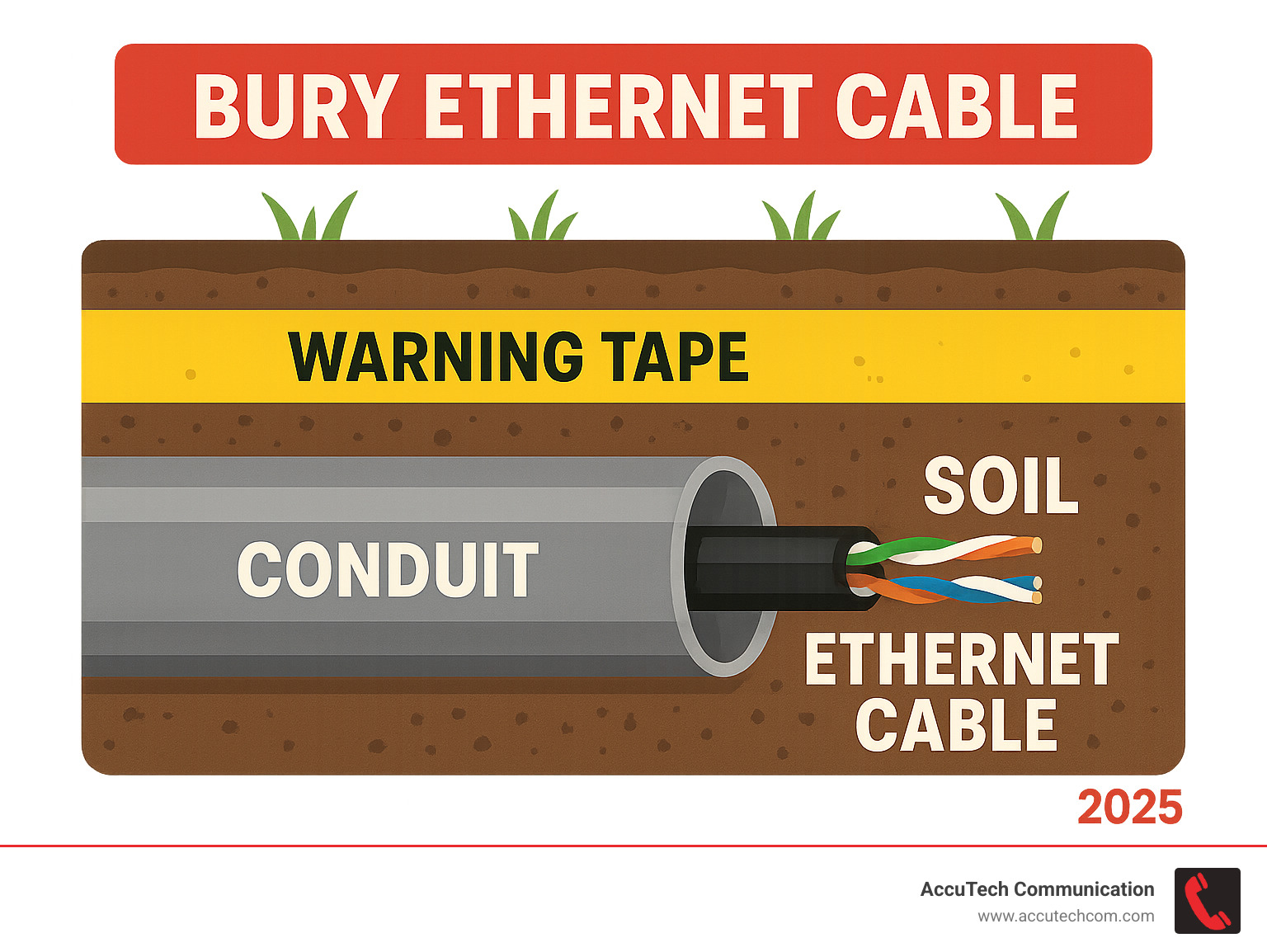
Bury ethernet cable terms to remember:
- does network cable have to be in conduit
- how many network cables in conduit
- installing conduit for network cable
Planning Your Project: Tools, Materials, and Cable Selection
Before digging, a successful project starts with careful planning. This involves mapping your path, gathering the right supplies, and choosing the correct cable. Think of it as preparing for a treasure hunt where the prize is super-fast, reliable internet.
Planning the Cable Route
The first step is to plan the safest and most efficient path for your cable.
- Survey the Area: Walk the proposed path and note any potential obstructions like landscaping, trees, or permanent structures.
- Identify Obstacles: Look for tree roots, large rocks, irrigation lines, or other buried utilities. It is critical to call 811 before you dig to avoid hitting dangerous or costly lines.
- Minimize Turns: Every bend adds resistance and makes pulling the cable harder. Aim for a straight route. If turns are unavoidable, use gentle, sweeping curves instead of sharp 90-degree angles. Add one foot to your length estimate for each turn.
- Mark the Route: Use spray paint or flags to clearly mark your planned trench line to ensure you dig in the right spot.
- Consider Entry/Exit Points: Plan where the cable will enter and exit buildings. These points must be sealed properly to prevent water intrusion. Add about two feet of extra cable at each end for connections, plus an additional three feet at your switch or patch panel. It’s always better to have too much cable than not enough.
Essential Tools and Materials
Having the right tools and materials is key for a successful installation. Here’s a list of what you’ll need to bury ethernet cable:
- Trenching Shovel or Trencher: A narrow-bladed trenching shovel is ideal. For long runs, a mechanical trencher saves time and effort.
- PVC or Metal Conduit: Provides armor for your cable. PVC is cost-effective and easy to work with.
- Conduit Fittings: Elbows, couplings, and adapters to connect conduit sections.
- Measuring Tape: For accurate route planning and cable measurement.
- Fish Tape or Cable Puller: Helps pull the Ethernet cable through the conduit.
- Direct Burial Ethernet Cable: The most important component. More details below.
- RJ45 Connectors: To terminate the ends of your Ethernet cable.
- Crimping Tool: To securely attach RJ45 connectors.
- Cable Tester: Essential for verifying your connection before backfilling the trench.
- Utility Knife or Cable Cutter: For stripping and cutting the cable.
- Gloves and Safety Glasses: Always prioritize personal safety.
- Warning Tape: Placed above the conduit to alert anyone digging in the future.
- Cable Lubricant (Optional): Makes pulling long cables through conduit much easier.
- Silicone Sealant: For waterproofing entry/exit points.
- Pea Gravel (Optional): Can be used in the trench bottom for drainage and protection.
Choosing the Right Direct Bury Ethernet Cable
This is the most critical decision. You cannot bury ethernet cable designed for indoor use. Outdoor and direct burial cables are built to withstand harsh conditions.
First, look for a CMX jacket type, which designates the cable for outdoor and direct burial use. Our outdoor Ethernet cables at AccuTech Communications feature this CMX jacket.
Next, UV resistance is essential. If any part of the cable is exposed to sunlight, it must be UV-resistant to prevent the jacket from cracking. All our exterior Ethernet cables are built to resist both UV and water.
Waterproofing is non-negotiable for buried cables. Look for cables marked as waterproof. Some use a petroleum gel filling, while others use a dry water block tape. Gel-filled cables generally offer superior long-term water resistance.
The category of cable (Cat5e, Cat6, Cat6A) determines its speed and bandwidth.
- Cat5e: Supports 1 Gigabit Ethernet (1 Gbps) up to 100 meters (328 feet).
- Cat6: Also supports 1 Gbps up to 100 meters and 10 Gbps for runs up to 55 meters.
- Cat6A (Augmented): A great choice for future-proofing, supporting 10 Gbps up to 100 meters.
- Cat7A: Supports very high frequencies (up to 1000 MHz), comparable to fiber optic cabling for high-speed data.
Here’s a quick comparison:
| Cable Type | Maximum Speed for 100m (328ft) | Maximum Speed for Shorter Distances | Key Features for Burial |
|---|---|---|---|
| Cat5e | 1 Gigabit Ethernet | 10 Gigabit Ethernet up to 45m | Basic outdoor rating |
| Cat6 | 1 Gigabit Ethernet | 10 Gigabit Ethernet up to 55m | CMX jacket, UV/water-resistant |
| Cat6A | 10 Gigabit Ethernet | 10 Gigabit Ethernet up to 100m | Improved shielding, robust jacket |
Consider shielding (like F/UTP or SFTP) if your cable will be near sources of electrical noise, such as power lines. Proper grounding is crucial for shielded cable.
Always choose cables with solid copper conductors, not Copper Clad Aluminum (CCA). Solid copper offers better performance and is essential for Power over Ethernet (PoE). Our CMX Cat6 outdoor cable uses 23 AWG solid copper conductors with a spline to reduce interference.
Finally, consider Power over Ethernet (PoE) compatibility. Many outdoor devices like security cameras use PoE. Ensure your cable is compatible with PoE+ or PoE++ (4PPoE) if you plan to use this feature.
The Installation Process: A Step-by-Step Guide to Bury Ethernet Cable
With planning complete and materials gathered, it’s time to get the Ethernet cable safely underground. This section covers the physical process, from digging the trench to pulling the cable through its protective conduit.
Digging the Trench to the Correct Depth
Correctly digging the trench is crucial for the longevity of your buried cable.
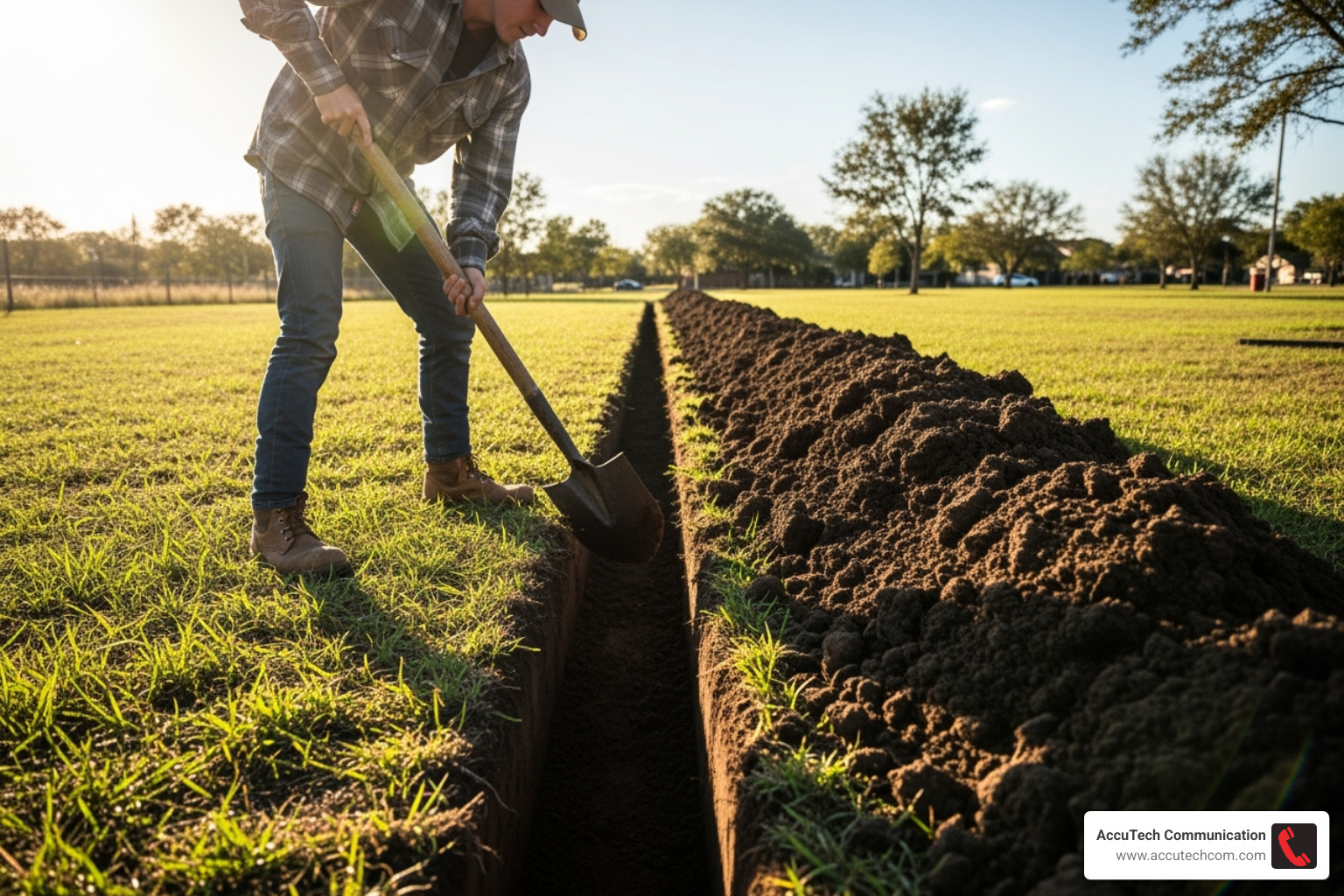
We recommend a trench depth of at least 12 to 18 inches. This depth protects the cable from shovels, gardening tools, and ground movement. In areas with deep ground freeze, consider going 18 to 24 inches deep to keep the cable below the frost line. Always check your local codes for specific depth requirements.
Use a trenching shovel to create a neat, straight trench along your marked path, keeping the depth and width consistent. Ensure the trench bottom is smooth and free of sharp rocks or debris. In rocky soil, adding an inch of pea gravel provides a soft cushion and aids drainage. Pile the excavated soil neatly along one side of the trench for easier backfilling.
Installing Conduit for Maximum Protection
While direct burial cables are tough, we at AccuTech Communications highly recommend using conduit. It’s an extra layer of armor for your cable.
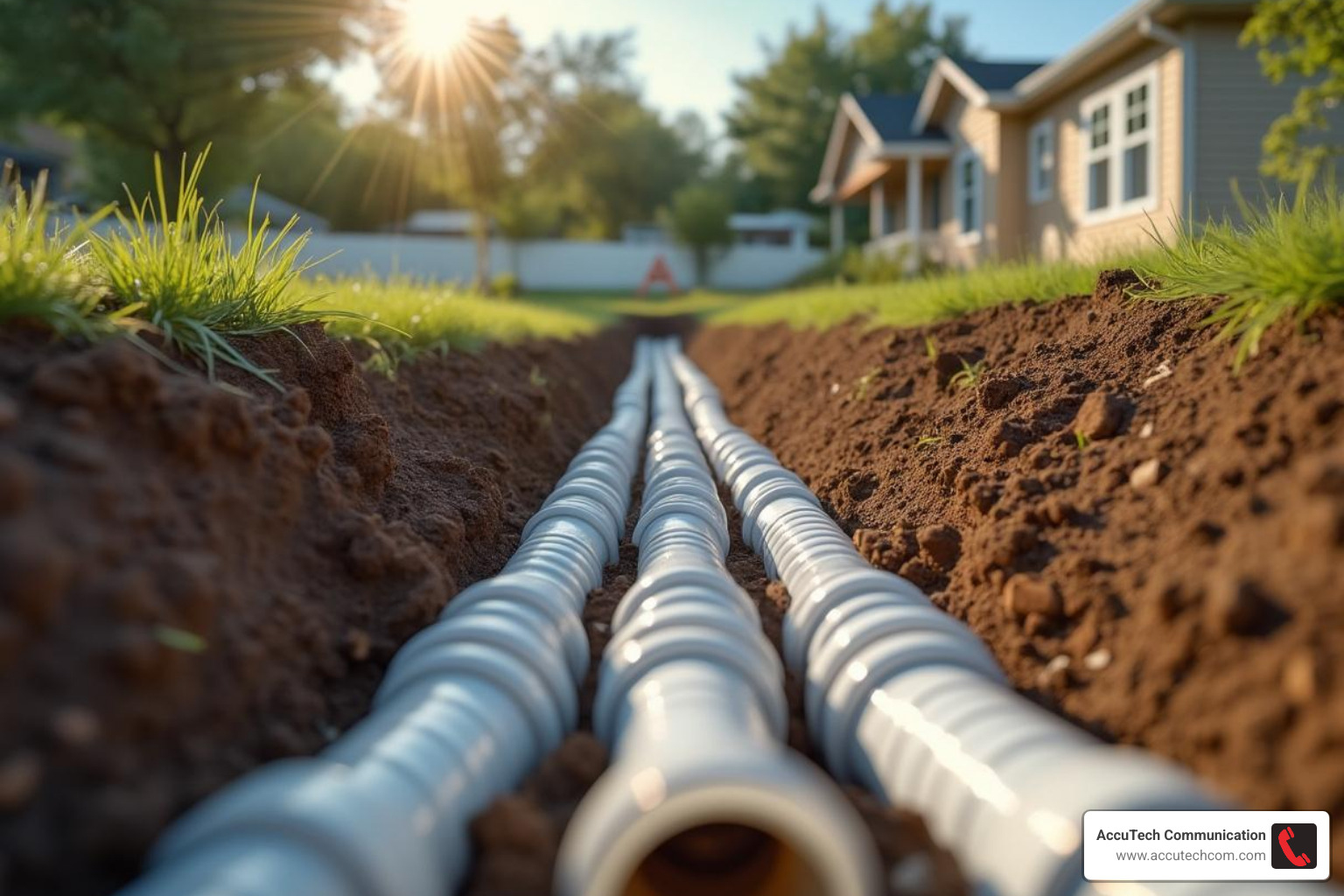
Conduit offers significant benefits:
- Physical Protection: It shields the cable from accidental damage from shovels, critters, or shifting soil.
- Environmental Protection: It creates a barrier against moisture, soil chemicals, and temperature swings.
- Future-Proofing: This is the biggest advantage. If the cable is damaged or needs upgrading (e.g., from Cat6 to Cat6A), you can simply pull a new one through the existing conduit without re-digging the trench.
When assembling, cut conduit sections to length and connect them with fittings like couplings and elbows. For turns, always use sweeping bends (long, gentle curves) instead of sharp 90-degree angles to make cable pulling easier and prevent damage. Aim for no more than two 90-degree bends per 100-foot section. Ensure all connections are watertight, often by gluing PVC fittings. Lay the assembled conduit evenly in the bottom of the trench.
Pulling the Ethernet Cable Through the Conduit
This step requires patience. A helper can make long runs or pulls with bends much smoother.
First, prepare your cable. Unspool enough direct burial Ethernet cable for the entire run, including extra slack at both ends for termination. Keep the cable untangled. Next, feed a fish tape through the conduit from one end to the other. Securely attach the Ethernet cable to the end of the fish tape using electrical tape or a pulling grip.
For long runs, a cable-pulling lubricant can significantly reduce friction. Apply it as the cable enters the conduit. Now, pull carefully and steadily, guiding the Ethernet cable through. Have a helper feed the cable into the starting end to prevent kinks. Avoid yanking or forcing the cable, as this can damage it. Once through, leave plenty of slack (2-3 feet) at both ends for termination.
Final Connections and System Testing
With the cable in the ground, the final steps are to terminate the ends and test the connection. This ensures your hard work results in a fast, reliable network.
How to properly connect and test buried Ethernet cables
Properly connecting an Ethernet cable requires precision to ensure each wire is correctly placed in the RJ45 connector for optimal performance.
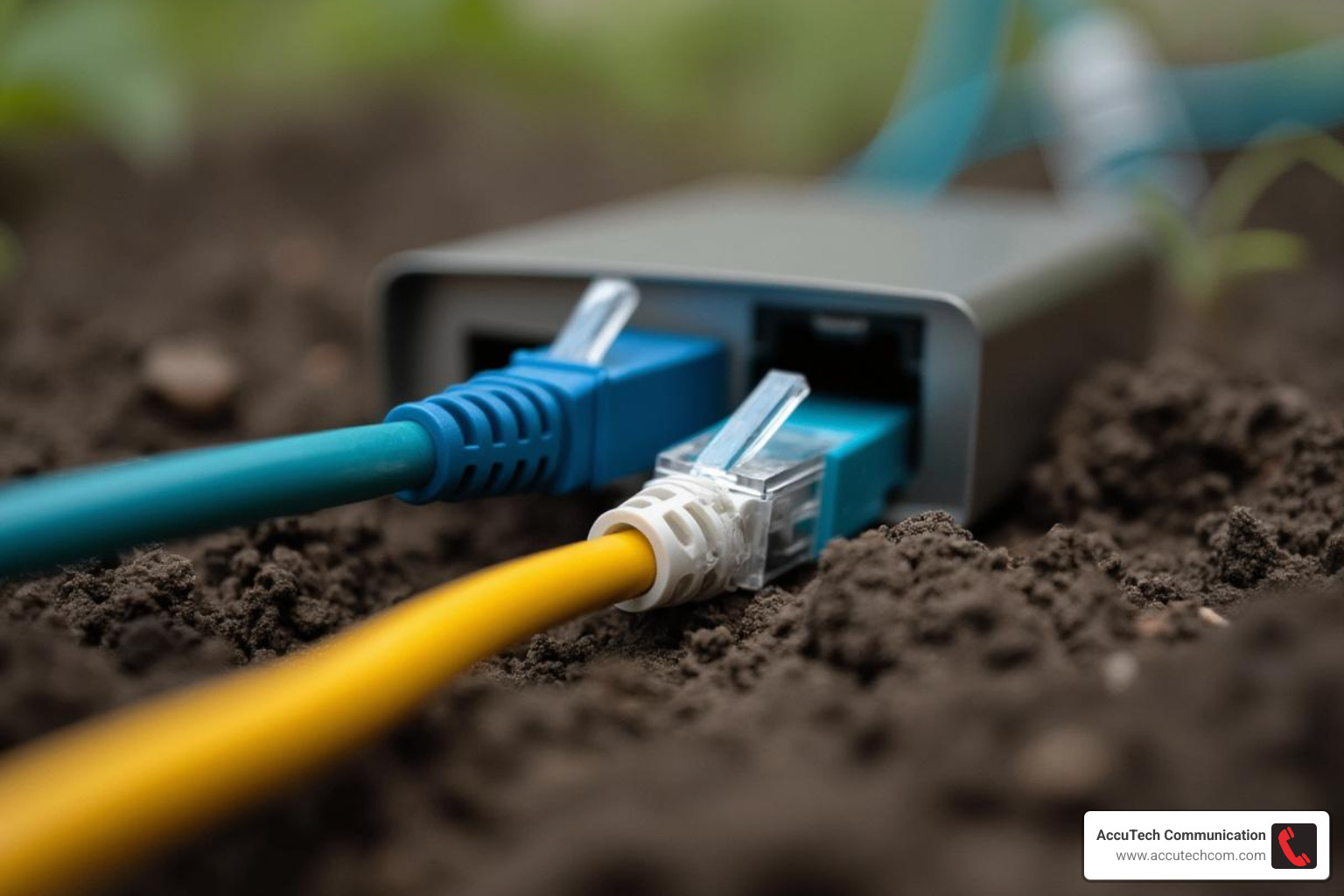
First, use a utility knife to carefully strip about 1-2 inches of the outer jacket from the cable end, being careful not to nick the inner wires.
Next, you’ll see four twisted pairs of wires. You must arrange these wires in a specific order. The T568B standard is most common in the US and Europe, and we recommend using it for consistency. Once arranged, flatten and trim the wires so they are just long enough to reach the end of the RJ45 connector.
Carefully slide the arranged wires into the RJ45 connector, ensuring each wire is in its correct channel and that the outer jacket extends slightly into the connector for strain relief.
Finally, use a crimping tool to make the connection permanent. Place the connector in the tool and give the handles a firm, complete squeeze. This pushes metal pins into the wires, creating a solid connection, and secures the cable in place.
Testing Your New Buried Connection
Before backfilling the trench, you must test the connection. Finding an issue now is far easier than digging everything up later.
Use a dedicated network cable tester for a robust check. A simple laptop connection isn’t enough, as an Ethernet cable might seem to work with only four of the eight wires connected, but this will limit speed and prevent Power over Ethernet (PoE) from functioning correctly.
A cable tester will verify continuity for all eight wires, check for short circuits, and ensure proper pair mapping (i.e., pin 1 on one end connects to pin 1 on the other). If the tester shows any faults like an ‘open circuit,’ ‘short,’ or ‘mis-wire,’ you must re-terminate the affected end(s) until you get a ‘pass’ result. This extra effort is well worth it.
For more detailed information on the technologies that drive seamless network connections, including robust data center solutions, explore our expertise in data center technologies.
Safety First: Avoiding Common Pitfalls
Before celebrating your new connection, let’s cover safety. Burying cables involves digging, which can be hazardous without the right precautions. At AccuTech Communications, safety is our top priority.
The Importance of Calling 811 Before You Dig
This is the single most important safety step when you bury ethernet cable. Do not skip this.
Before putting a shovel in the ground, you must call 811, the free national “Call Before You Dig” hotline. Utility companies will then send technicians to mark the locations of their buried lines (gas, water, electrical, etc.). Hitting a utility line can cause service outages, and striking a gas or electrical line can result in severe personal injury or worse.
In many areas, calling 811 is a legal requirement for any digging project. Failure to do so can lead to hefty fines and liability for damages. Always Call 811 before you dig. It’s for your safety and it’s the law.
Best practices to bury ethernet cable safely
Beyond the 811 call, follow these best practices for a safe and robust installation.
Before backfilling, lay brightly colored warning tape about 6 inches above your conduit. This tape, marked with “Caution: Buried Cable Below,” alerts anyone digging in the area in the future.
When it’s time to backfill the trench, do so in layers, gently compacting the soil as you go. This prevents the ground from settling unevenly later.
Remember to avoid sharp bends in the cable, even when using conduit. Sharp bends can damage the internal conductors, leading to signal degradation or failure, and can make future cable replacement impossible.
Finally, ensure you waterproof entry points into buildings. Use a high-quality silicone sealant where the conduit or cable enters a structure. This is crucial to prevent water from seeping in and causing damage.
Always prioritize your own safety by wearing gloves and safety glasses. Handle tools safely and, if possible, work with a partner.
Frequently Asked Questions about Burying Ethernet Cable
When you’re planning to bury ethernet cable, questions are common. Here are our expert answers to some frequent inquiries.
Can I bury a regular indoor Ethernet cable?
No, you cannot. This is a common mistake that leads to connection failure. Regular indoor Ethernet cables have PVC jackets that are not designed for outdoor conditions.
Sunlight will make the jacket brittle and cause it to crack. Once the jacket is compromised, moisture seeps in and corrodes the copper wires, resulting in a slow, unreliable, or completely failed connection. Indoor cables also lack the toughness to withstand being buried in soil with rocks and roots.
For any outdoor or underground project, you must use a cable specifically designed for it, such as a direct burial or outdoor-rated CMX jacketed cable that is UV-resistant and waterproof.
How far can I run a buried Ethernet cable?
For standard copper Ethernet cables (like Cat5e, Cat6, or Cat6A), the maximum length for reliable performance is 100 meters (about 328 feet). This distance includes any patch cables at either end.
Exceeding this 100-meter limit will likely cause signal degradation, leading to slow speeds or dropped connections. If your project requires a longer run, you have two main options:
- Network Extenders or Repeaters: These devices can boost the Ethernet signal to extend its reach.
- Fiber Optic Cable: For very long distances, fiber optic cable is the ideal solution. It transmits data using light, making it immune to the electrical interference and distance limitations that affect copper cables. It is the gold standard for long-haul outdoor connectivity.
In very hot environments (135°F or higher), the maximum effective length for unshielded copper cable may be reduced to around 250 feet due to increased resistance.
Do I really need to use conduit for direct burial cable?
While “direct burial” rated cables can technically be placed directly in the ground, we at AccuTech Communications always recommend using conduit.
Here’s why it’s a smart investment:
- Superior Protection: Conduit provides an invaluable extra layer of physical protection against sharp rocks, rodents, roots, and accidental shovel strikes.
- Easier Replacement and Upgrades: This is the biggest benefit. If your cable is damaged or you want to upgrade to a faster standard in the future, you can simply pull a new cable through the existing conduit. Without it, you would have to dig a new trench.
- Local Code Requirements: Some local building codes may require conduit for all buried low-voltage cables, regardless of the cable’s rating.
Using conduit provides peace of mind, simplifies future maintenance, and is the wisest long-term decision for a reliable network.
Conclusion
Congratulations! You’ve steerd the steps to bury ethernet cable for a robust, reliable outdoor internet connection. We’ve covered everything from planning your route and choosing the right materials to digging the trench, using conduit for protection, and making that crucial call to 811.
The benefits are significant: improved speed and stability, a clean aesthetic without visible wires, and a connection that’s safe from the elements. The upfront effort is well worth the long-term reliability and performance.
If this project seems like more than you want to handle, or if you require a professional, certified installation for your business, AccuTech Communications is here to help. Since 1993, we’ve been a leader in communications infrastructure, serving businesses across MA, NH, and RI with reliable service and a commitment to quality.
Our expert team can ensure your network infrastructure is installed flawlessly, whether it’s a simple outdoor run or a complex inter-building connection. Contact us for network cabling services and let’s get you connected without the regrets of a DIY project gone wrong.
