
How to run network cable outside in conduit: The 1 Ultimate Guide
Why Run Network Cable Outside in Conduit?
Ever wondered how to run network cable outside in conduit for a shed office, outdoor camera, or Wi-Fi booster? It’s a smart move for extending your network, but getting it right means more than just running a wire.
Here’s a quick overview:
- Plan Your Route: Map the path, noting obstacles and hazards like power lines.
- Choose the Right Gear: Select outdoor-rated Ethernet cable and the correct conduit.
- Prepare the Path: Dig trenches or secure conduit along structures.
- Pull the Cable: Use fish tape or a pull string to guide the cable smoothly.
- Secure and Seal: Fasten the conduit and seal all entry points to keep out moisture.
- Test Your Connection: Always check your network before finalizing the installation.
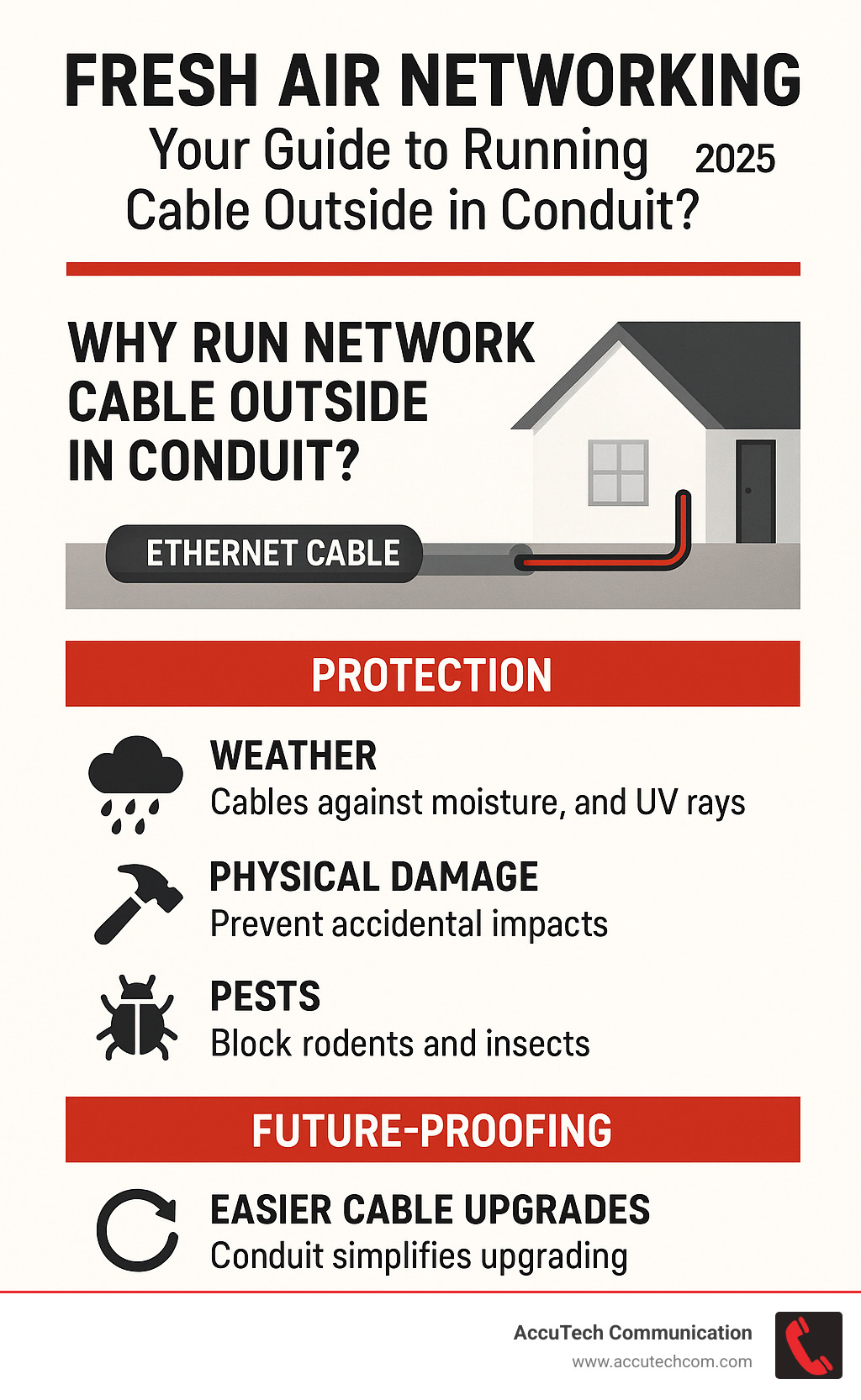
Many people need reliable internet for backyard offices, smart devices, or surveillance cameras, but wireless signals are often flaky outdoors. A wired connection is the solution. Running network cable in conduit protects it from weather, UV rays, animals, and accidental damage. It also makes future upgrades much easier, creating a strong, reliable network that lasts.
As Corin Dolan, owner of AccuTech Communications, I’ve spent years helping businesses and homeowners successfully how to run network cable outside in conduit, ensuring reliable and protected network extensions. My expertise ensures your outdoor networking projects are built to last.
Let’s explore the steps and best practices.
Key how to run network cable outside in conduit vocabulary:
- burying network cable conduit
- does network cable have to be in conduit
- how many network cables in conduit
Planning Your Outdoor Network Project
Before digging or pulling cable, a solid plan is essential. Map out the route, prioritize safety, check local codes, and select the right materials. Proper planning now will save you headaches later.
Why Use Conduit for Outdoor Ethernet?
While direct burial cable is an option, conduit offers superior protection and flexibility. It shields Ethernet cables from outdoor threats, providing:
- Protection from the elements: Conduit guards against UV rays and moisture that can degrade cables.
- Physical damage prevention: It protects cables from lawn equipment and burrowing animals.
- Easier future cable pulls: Once conduit is in place, adding or replacing cables is simple—no more digging. This leads to increased long-term reliability.
Crucial Tip: You must still use outdoor-rated Ethernet cable inside conduit. Indoor cable is not designed for the moisture that can condense inside the pipe and will quickly fail.
Choosing the Right Conduit
Selecting the right conduit is key for a lasting installation.
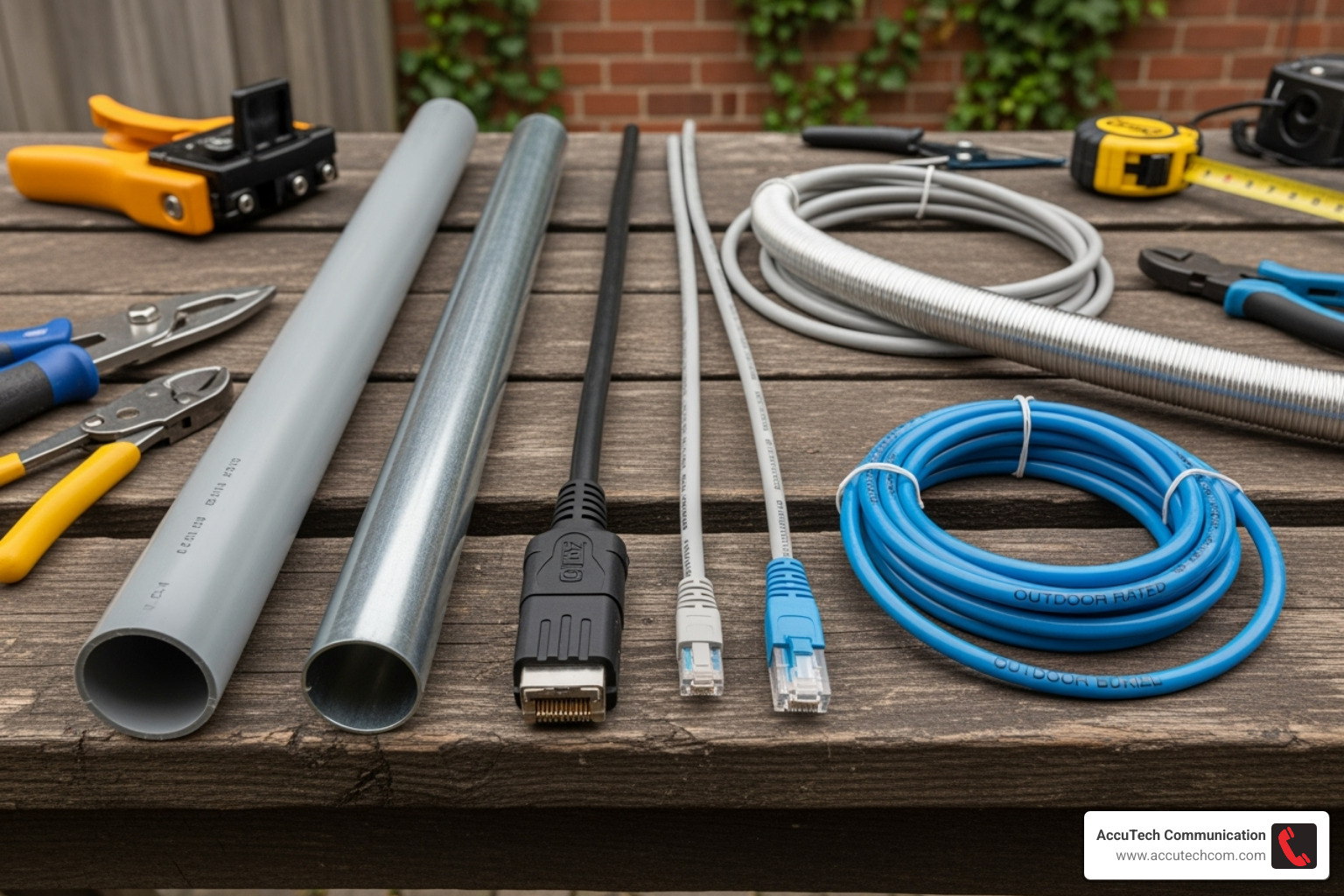
- Rigid PVC: Affordable, durable, and ideal for direct burial or exposed runs (if UV-rated).
- EMT (Electrical Metallic Tubing): Strong and bendable for navigating corners, but not suited for direct burial due to corrosion risk.
- Flexible Non-Metallic Conduit: Useful for tight spots or short runs, but ensure it’s rated for outdoor use.
For conduit sizing, go larger than you think you need. A 1/2-inch conduit fits a single Cat6 cable, but a 3/4-inch conduit is better for two cables or future expansion. At AccuTech Communications, we recommend at least a 3/4-inch conduit for all network cable runs. Adhere to the 40% fill rule: cables should not take up more than 40% of the conduit’s internal area. This prevents overheating, simplifies pulling, and leaves room for future upgrades.
Selecting the Correct Outdoor-Rated Cable
Standard indoor Ethernet cables will not survive outdoors. You need a cable built for the elements.
- Cable Type: Use CMX-rated or direct burial cable. Look for a tough LLDPE (Linear Low-Density Polyethylene) jacket, which offers superior resistance to UV light, moisture, and extreme temperatures compared to standard PVC.
- Shielded (STP) vs. Unshielded (UTP): STP cable has extra shielding to protect against electrical interference (EMI), making it essential when running near power lines. UTP is simpler to install and a good choice where interference is not a concern.
- Speed: Cat6 supports speeds up to 1 Gbps over 328 feet (100 meters) and is great for most applications. For future-proofing, Cat6a supports 10 Gbps, ideal for high-resolution cameras or powerful Wi-Fi access points.
For more information about what we can do for your structured cabling needs, check out our structured cabling services.
Safety, Codes, and Regulations
Safety is paramount. Always follow local rules and regulations.
- Call Before You Dig: Before starting any digging, contact 811, the “call before you dig” hotline. They will mark underground utilities like gas, water, and electric lines to prevent dangerous and costly accidents.
- Electrical Safety: Keep Ethernet cables a safe distance from power lines to avoid interference and safety hazards. If you must run parallel to power lines, maintain at least 8 inches of separation.
- Grounding: Shielded outdoor Ethernet cables require proper grounding to protect your network equipment from static electricity.
- Building Codes: Always follow the National Electrical Code (NEC) guidelines and your local building codes. Check with your city or town’s building department in Massachusetts, New Hampshire, or Rhode Island for specific rules on burial depth (typically 12 inches minimum) or conduit use.
The Step-by-Step Guide to How to Run Network Cable Outside in Conduit
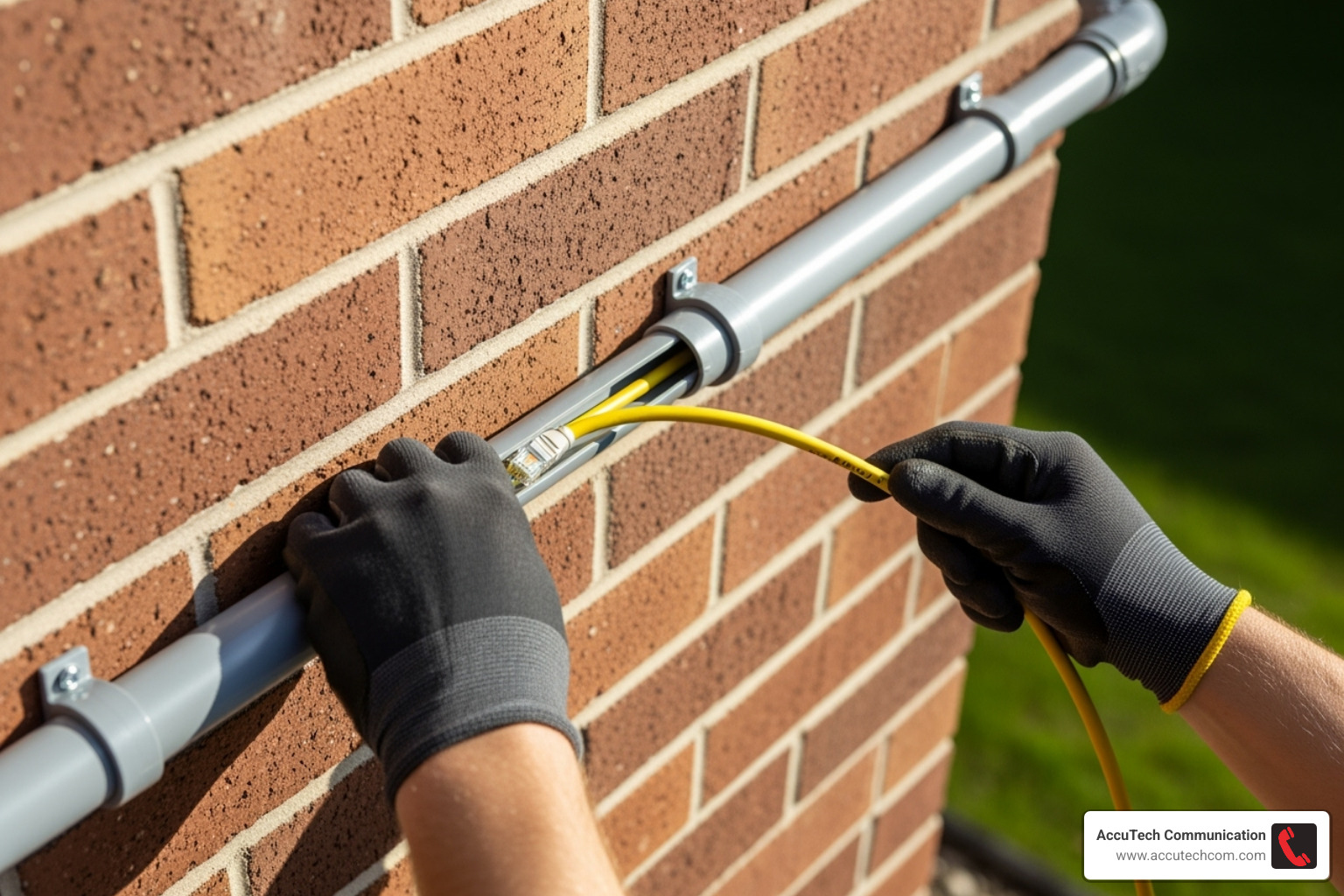
With your plan and materials ready, it’s time to install. Follow these steps for a smooth and successful installation.
Step 1: Gather Your Tools and Prepare the Path
Having the right gear is essential. You’ll need a trenching shovel, a drill with long bits, a PVC cutter, fish tape, and a cable tester. For materials, gather your outdoor-rated Ethernet cable, conduit, fittings, weatherproof junction boxes, and silicone sealant.
- Trenching: Dig your trench at least 12 inches deep to meet code, or 24 inches if crossing a driveway. A layer of pea gravel at the bottom helps with drainage.
- Cutting Conduit: Use a proper PVC cutter for clean cuts and always deburr the edges to prevent slicing the cable jacket.
- Bending Conduit: For PVC, use a heat gun (never an open flame). For EMT, use a proper bender. Remember the NEC rule: no more than 360 degrees of bends between pull points.
- Drilling Entry Holes: Drill from the outside-in to prevent siding blowout. Start with a pilot hole and use a stud finder to avoid surprises in the walls.
Step 2: Pulling the Ethernet Cable Through the Conduit
- Fish Tape Technique: Feed the fish tape through the conduit. Securely attach your cable to the end using electrical tape, ensuring the connection is strong enough for the pull.
- Cable Lubricant: For runs over 50 feet or with multiple bends, apply cable lubricant to the cable as it enters the conduit to reduce friction.
- Pull String Method: This is a pro tip for future-proofing. After pulling your Ethernet cable, use it to pull a new string through the conduit and leave it there for future cable additions.
- Work with a Partner: One person should feed the cable smoothly while the other pulls. If you feel significant resistance, stop and investigate to avoid damaging the cable.
For complex installations, we offer innerduct installation services that can handle the trickiest cable runs.
Step 3: Securing, Terminating, and Testing
Proper finishing is crucial for a reliable connection.
- Securing the Conduit: Use conduit straps every 10 feet and within 3 feet of any junction box or fitting.
- Terminating Cable Ends: Take your time when crimping RJ45 connectors or punching down keystone jacks. A bad termination can cause frustrating connection issues.
- Test Before You Seal: This is the golden rule. Use a cable tester to verify continuity and proper wiring before you backfill the trench and seal the holes. Skipping this step can lead to major rework if a problem is found later.
Step 4: Weatherproofing and Sealing All Connections
This final step protects your installation from the elements.
- Use Weatherproof Junction Boxes: At all entry and exit points, use boxes with gaskets designed to keep moisture out.
- Seal Entry Points: Use quality silicone sealant to completely cover every hole through an exterior wall.
- Create Drip Loops: Before a cable enters a connection point, create a downward loop so that water drips off instead of running into the connection.
- Prevent Water Ingress: Seal all conduit joints with solvent cement (for PVC) and ensure end caps are tight to keep water out of the conduit itself.
Best Practices for a Durable and Future-Proof Installation
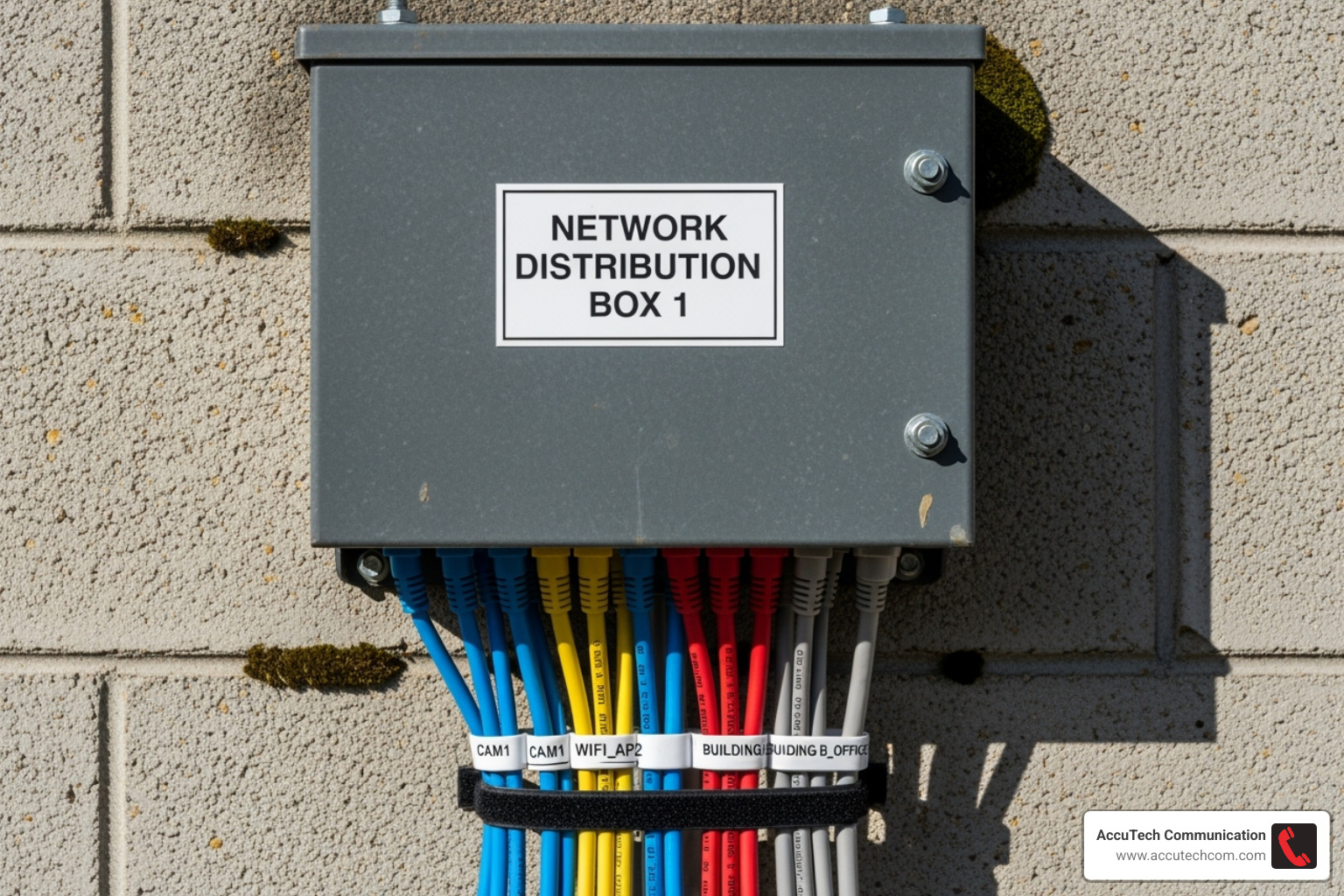
Following best practices ensures your network performs reliably for years and can adapt to future needs.
How to run network cable outside in conduit for easy future upgrades
A little foresight saves significant effort later.
- Leave a pull string: After pulling your cable, leave a new pull string in the conduit for easy future additions or replacements.
- Use larger conduit and respect fill ratios: Opting for a 3/4-inch or 1-inch conduit and adhering to the 40% fill rule provides ample room for expansion.
- Document and label: Sketch a map of your cable’s route, noting depth and junction boxes. Clearly label cables at both ends for easier troubleshooting.
How to run network cable outside in conduit while ensuring electrical safety
Electrical safety is paramount for outdoor installations.
- Ground shielded cables properly: If using shielded cable, ground it at one end only (typically the equipment side) to prevent ground loops, which can damage equipment. Using UTP cable is a simpler way to avoid this issue if the environment allows.
- Use surge protection: Install outdoor-rated surge protectors at building entry points and near powered outdoor devices. For high-risk areas, use lightning arrestors properly connected to an electrical ground.
- Maintain distance from power lines: Keep data cables at least 8 inches away from parallel power lines to prevent electromagnetic interference (EMI). Crossing power lines at a perpendicular angle is best.
Frequently Asked Questions about Outdoor Conduit Installations
Here are answers to some common questions about how to run network cable outside in conduit.
How deep should I bury conduit for an Ethernet cable?
A depth of 12 to 18 inches is generally recommended for low-voltage cables to protect them from landscaping activities. However, you must always check your local building codes, as requirements can vary. Some areas may require deeper burial (e.g., 24 inches) for vehicle traffic or in regions prone to frost heave. Remember to call 811 before you dig.
Can I use a standard indoor Ethernet cable if it’s inside a conduit?
No. This is a common and critical mistake. A conduit does not protect a cable from moisture and condensation that will form inside. An indoor-rated cable’s jacket will degrade, leading to network failure. You must use a CMX-rated or direct burial cable specifically designed for outdoor conditions.
How many Cat6 cables can I fit in a 3/4-inch conduit?
Adhering to the industry-standard 40% fill ratio, you can typically fit two to four standard Cat6 cables in a 3/4-inch conduit. This leaves enough space to make pulling the cables easier, allows for heat dissipation, and provides room for future upgrades. For precise numbers, consult a conduit fill chart based on your specific cable’s diameter.
Conclusion
Successfully running network cable outside in conduit opens up a world of possibilities for your property, from a backyard office to outdoor security cameras. This durable and flexible approach protects your cables from the elements and creates a pathway for future upgrades.
The key to a long-lasting installation lies in the details: choosing outdoor-rated cable, using the right size conduit, and sealing everything against moisture. These steps ensure your network works reliably for years.
While many projects are suitable for DIY, complex installations or those requiring code compliance benefit from professional expertise. AccuTech Communications has been helping businesses across Massachusetts, New Hampshire, and Rhode Island build reliable network infrastructures since 1993. Our team understands the unique challenges of New England weather and local building codes, ensuring your network cabling installation meets professional standards.
Whether you do it yourself or work with our team, you’re investing in connectivity that truly lasts. Here’s to faster, more reliable networks—rain or shine!
