
How to test network cable quality: Ensure Flawless 2025
Why Network Cable Quality Makes or Breaks Your Business Operations
Knowing how to test network cable quality is a critical skill for maintaining reliable business communications. If you’re facing dropped connections, slow data transfers, or intermittent network issues, the problem often lies in your physical cabling infrastructure.
Quick Testing Methods:
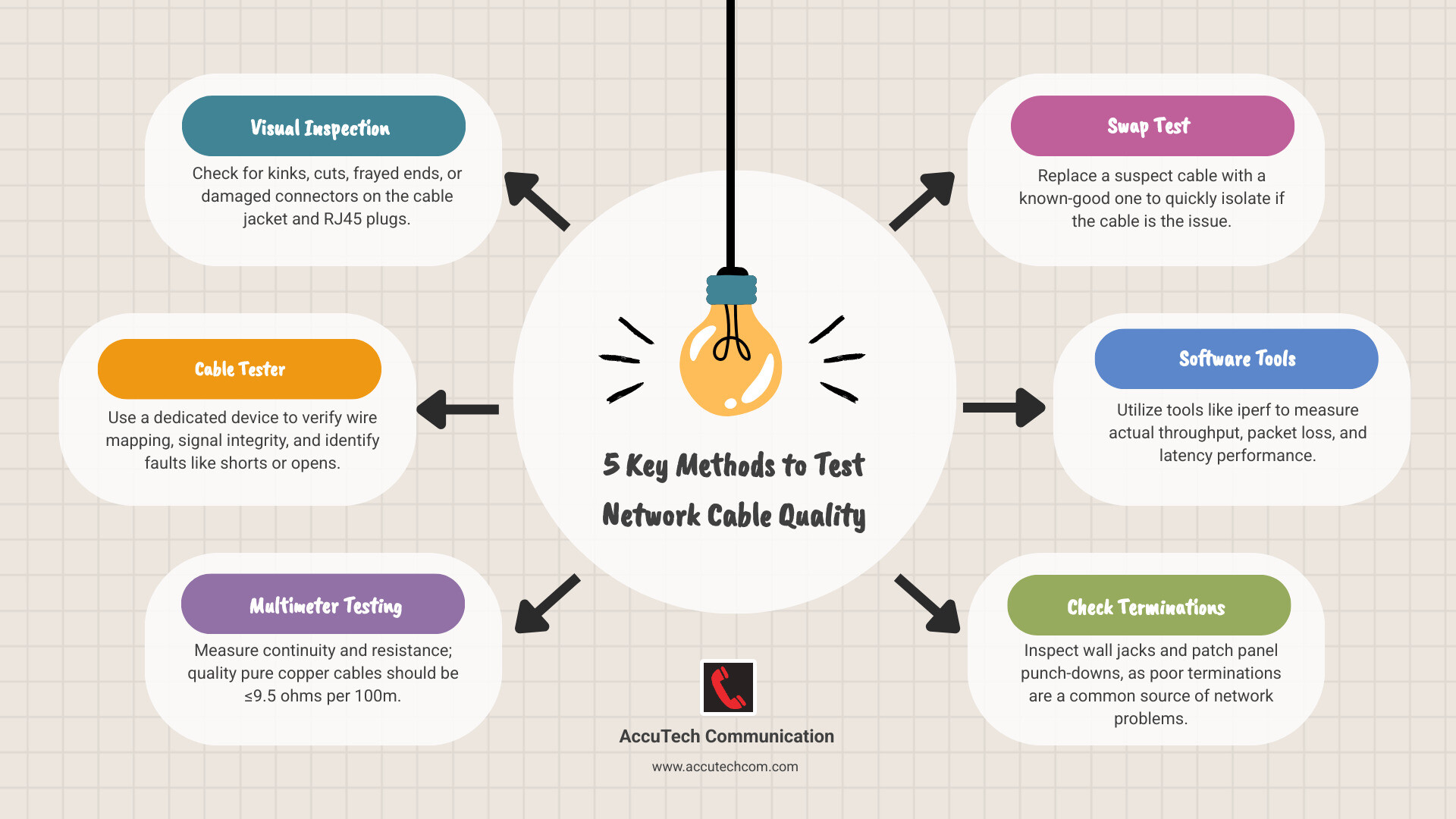
- Visual inspection – Check for kinks, cuts, or damaged connectors
- Cable tester – Use dedicated equipment to verify wire mapping and signal integrity
- Multimeter testing – Measure resistance (should be ≤9.5 ohms per 100m for quality copper)
- Swap test – Replace suspect cable with known-good cable
- Software tools – Use iperf or similar tools to measure actual throughput
Many network problems that seem complex actually stem from simple cable issues. As one network professional noted: “99% of my problems in this building are bad terminations in the wall jacks or at the termination panel, and not in the cables plugging into them.”
Poor cable quality manifests in several ways:
- Devices negotiating slower speeds (100 Mbps instead of 1 Gbps)
- Intermittent connectivity drops
- High packet loss during data transfers
- Complete connection failures
The root causes often include inferior materials like copper-clad aluminum instead of pure copper, poor termination work, or physical damage from improper installation.
I’m Corin Dolan, owner of AccuTech Communications. Since 1993, I’ve helped businesses across Massachusetts, New Hampshire, and Rhode Island solve network infrastructure challenges. My experience has shown that understanding how to test network cable quality is essential for reliable business operations.
Key terms for how to test network cable quality:
Why Test Your Cables? Common Issues and Telltale Signs
If you’re experiencing dropped video calls or slow downloads, don’t blame your internet provider just yet. The culprit might be your network cable. Your cables are the unsung heroes of your digital infrastructure; when they fail, they can bring operations to a halt.
After three decades of providing structured cabling services across Massachusetts, New Hampshire, and Rhode Island, I’ve seen how cable quality issues can masquerade as complex network problems. The good news is that many cable problems are easy to identify once you know what to look for.
Physical damage is often obvious, but sneakier problems like poor termination or inferior materials are harder to spot without knowing how to test network cable quality. The symptoms usually appear as intermittent connectivity, slow data speeds, or packet loss. Sometimes, you’ll see no link lights on your devices—a clear sign of a physical connection issue.
Key Indicators of a Faulty Ethernet Cable
Your cables will often tell you when they’re in trouble. Look for these signs:
- Kinks and sharp bends: Every cable has a minimum bend radius. Forcing it around tight corners can break the delicate twisted pairs inside.
- Frayed outer jacket: The protective sheath is your cable’s armor. Once it’s compromised, moisture, dust, and interference can degrade your signal.
- Broken RJ45 connector clips: These small clips are crucial for a solid connection. A broken one allows the cable to work loose, causing intermittent connection issues.
- Corrosion on pins: Check the metal pins inside the connectors. Discoloration or oxidation can impede electrical contact. You want to see clean, shiny pins.
- Inconsistent network performance: If performance is good one day and poor the next, it often points to a cable that’s barely hanging on.
- Devices negotiating lower speeds: If your 1 Gbps equipment keeps dropping to 100 Mbps, your cable might be the bottleneck. Modern hardware slows down to compensate for poor signal quality.
The Problem with Inferior Cable Materials
Not all cables marked “Cat6” or “Cat5e” perform to standard. Some manufacturers cut corners, and their shortcuts become your headaches.
Copper-Clad Aluminum (CCA) cables are common imposters. They use aluminum cores with a thin copper coating. Since aluminum has 1.7 times the resistance of copper, it causes significant signal loss, especially over longer runs.
Copper-Clad Iron cables are even worse, with iron having roughly seven times the resistance of copper. The high resistance from these materials leads to signal loss over distance that can cripple your network.
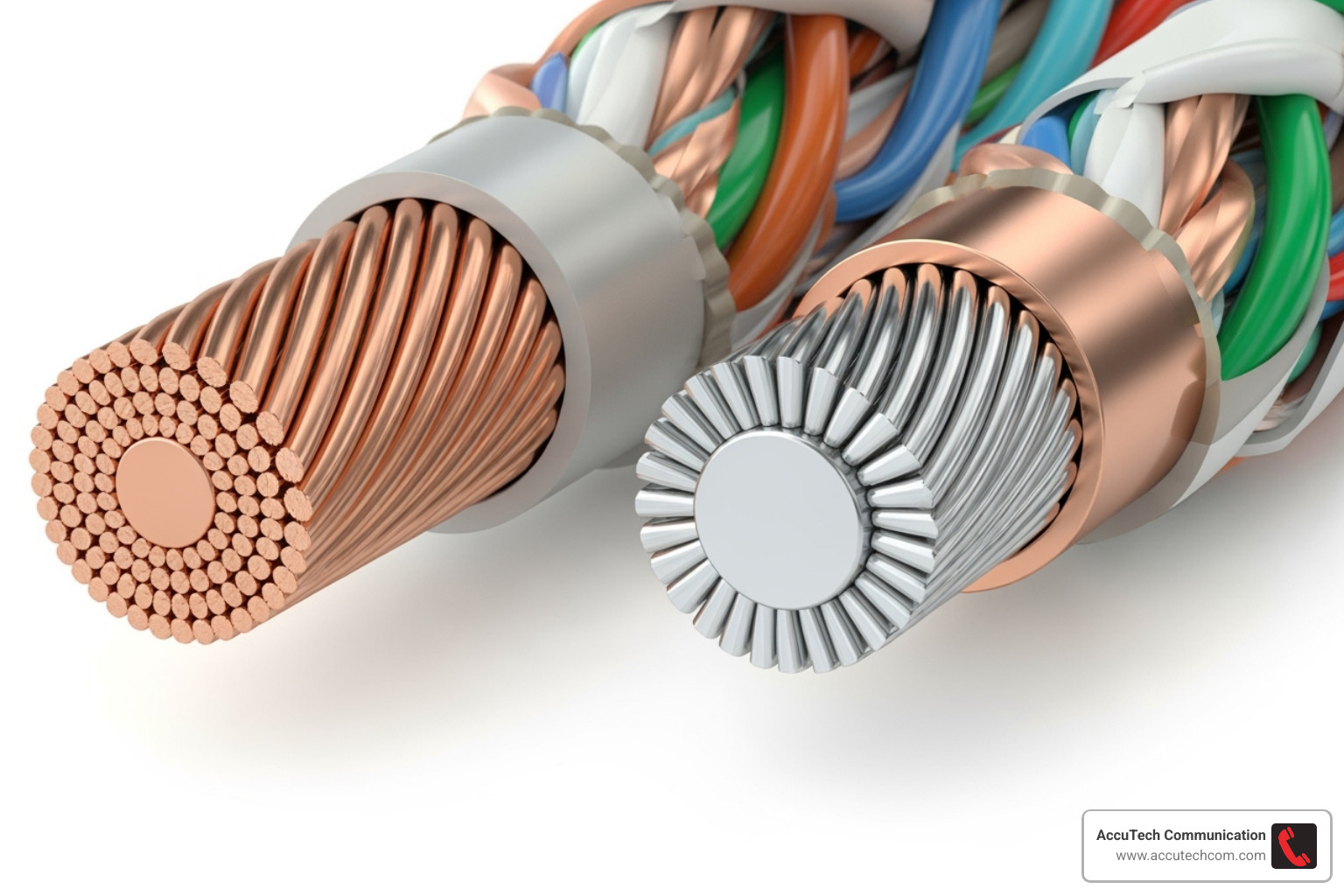
The brittleness and breakage of these materials create more problems. Aluminum and iron are less flexible than copper, making them prone to internal breaks during installation. A cable might test perfectly but fail weeks later as a brittle conductor snaps.
For reference, a quality Cat5e cable has about 28 ohms of resistance per 1000 feet. CCA cables can measure 85 ohms or more, and iron-core cables can exceed 170 ohms. Pushing high-speed data through that much resistance will inevitably degrade performance. Understanding these material differences is key when learning how to test network cable quality.
How to Test Network Cable Quality with a Dedicated Tester
When a visual inspection isn’t enough, or you need proof that your cables meet specifications, it’s time for a dedicated Ethernet cable tester. This is like a comprehensive health checkup for your network infrastructure.
These tools perform verification (it works), qualification (it meets basic standards), and certification (it complies with industry specs like Cat6).
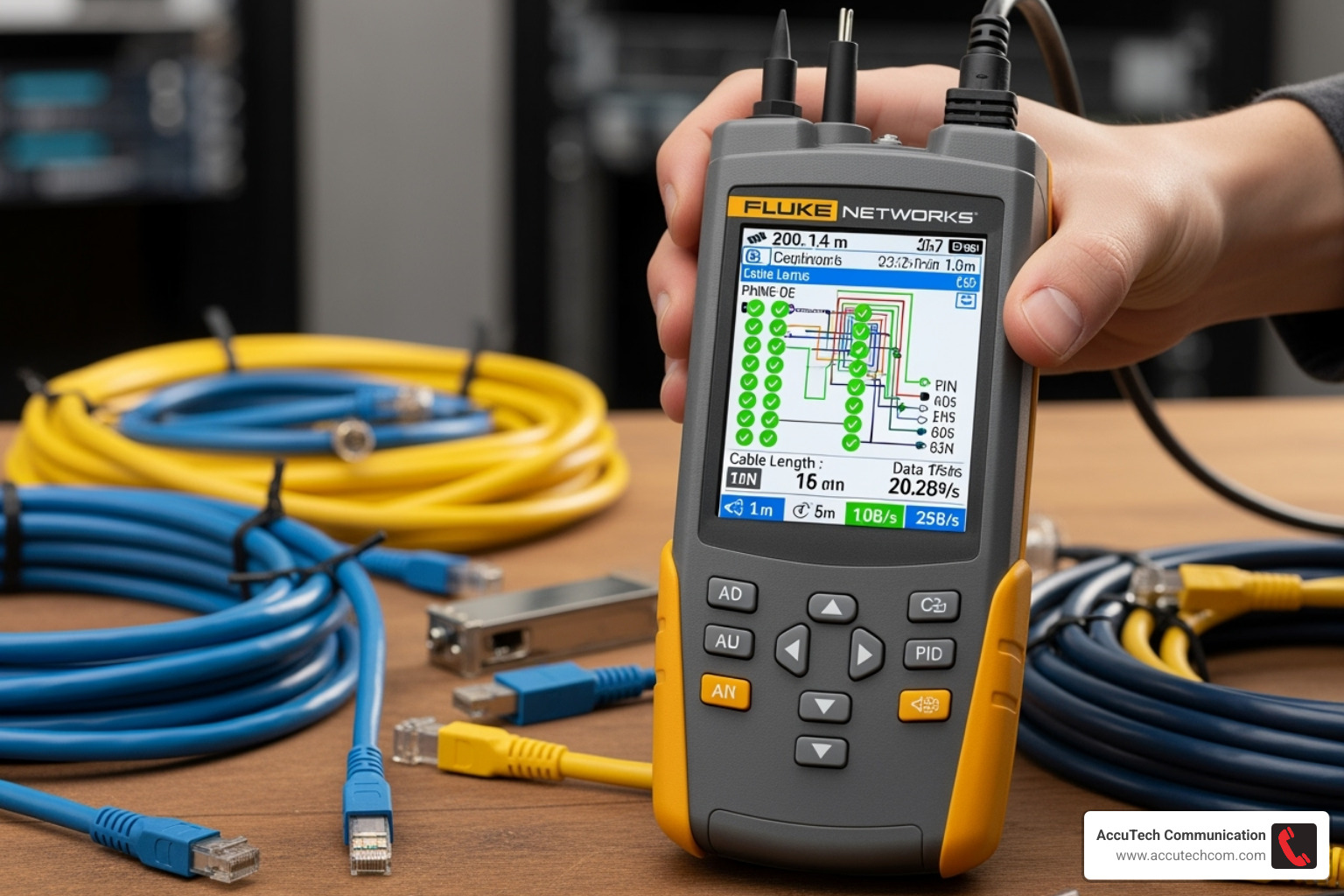
The most sophisticated testers use Time-Domain Reflectometry (TDR), which acts like X-ray vision for your cables, pinpointing fault locations down to the foot. These devices analyze critical performance metrics like wire mapping, crosstalk (NEXT), and attenuation, giving you a complete picture of a cable’s health.
How a Dedicated Ethernet Cable Tester Works
A dedicated tester sends signals down each of the eight wires in an Ethernet cable. A remote unit at the far end either loops these signals back or analyzes them.
The tester first checks the pinout configuration to ensure it follows T568A or T568B wiring standards. It then hunts for common faults like shorts (wires touching) and open circuits (broken wires). It can also detect split pairs, a sneaky problem where wires within a pair are swapped, which increases crosstalk and degrades performance.
Using TDR, professional testers offer distance-to-fault detection. They send a pulse down the cable and measure the time it takes for reflections to bounce back from a break, short, or other anomaly, calculating the exact distance to the problem.
Basic vs. Advanced Testers: What’s the Difference?
Cable testing equipment ranges from simple, inexpensive devices to sophisticated diagnostic systems.
Basic continuity testers are affordable and great for home use or simple troubleshooting. They perform continuity checks and simple wire mapping, quickly identifying opens, shorts, and miswires with LED indicators.
Advanced certification testers, like some professional-grade network testers, are like having a medical lab for your network. They perform bandwidth certification to standards like Cat6 or Cat6a, ensuring cables can handle their rated speeds. These devices measure complex parameters like crosstalk, return loss, and delay skew. They also provide detailed report generation with graphs and pass/fail certification. For businesses serious about network performance, advanced testers are essential. We have more information about different network cable testers and their capabilities.
Testing Terminations: Wall Jacks and Patch Panels
Often, network issues trace back to the connection points—wall jacks and patch panels—where terminations are done by hand.
When we test, we evaluate the full channel: from the switch, through the patch cord, patch panel, installed cable, wall jack, and final patch cord to the device. Each connection is a potential point of failure. Patch cords wear out, keystone jacks require precise punch-down work, and every connection on a punch-down panel must be perfect.

The importance of good termination cannot be overstated. A poor connection introduces signal reflections that can cripple performance. Testing involves connecting the main unit to the patch panel and the remote unit to the wall jack. This evaluates the entire permanent link, helping to pinpoint if the fault is in the cable or at a termination point.
Manual Methods: How to Test Network Cable Quality Without a Tester
You don’t always need a professional tester to diagnose cable problems. There are several practical ways to assess how to test network cable quality using everyday tools and some detective work. These methods are effective for identifying most common cable issues and are a great starting point for troubleshooting during a network cabling installation.
The Power of a Thorough Visual Inspection
Your eyes are your most valuable diagnostic tool. Start by checking the jacket for damage like cuts, nicks, or crushed spots—office chairs are notorious cable killers.
Next, examine the RJ45 connector. Look for cracks in the plastic housing. Bent or broken pins are a common problem; all eight gold-colored pins should be straight and present. Finally, check that the locking tab is intact. A broken tab can lead to a loose connection and intermittent drops. Also, verify the cable category markings (e.g., “Cat5e,” “Cat6”) on the jacket to ensure you’re not using substandard cable.
Using a Multimeter for Continuity and Resistance
A basic digital multimeter is a surprisingly powerful cable diagnostic tool.
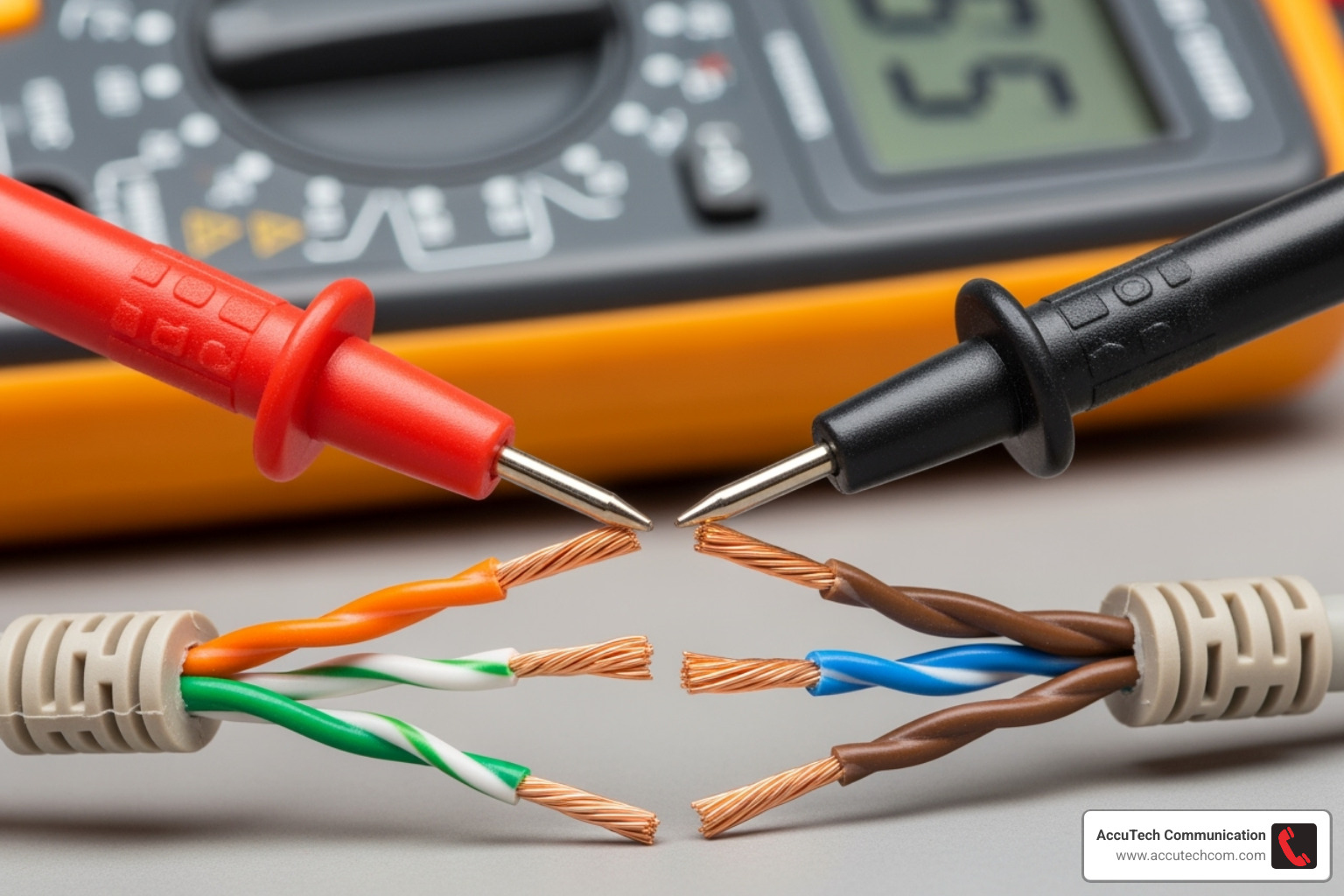
For continuity testing, set your multimeter to continuity mode (speaker icon). Touch the probes to the same colored wire at each end of the cable. A beep indicates a complete circuit; no beep means the wire is broken.
Resistance testing (Ω symbol) reveals cable quality. Measure the resistance of each wire from end to end.
- Cat5e (pure copper): Around 9.5 ohms per 100 meters
- Cat6 (pure copper): Around 7-8 ohms per 100 meters
- CCA/Iron core cables: Significantly higher resistance, indicating inferior materials that will struggle with high-speed data.
Simple Physical Tests for Material Quality
You can often feel the difference between quality and cheap cable.
- Flexibility test: Pure copper cables are supple and flexible. CCA cables feel stiff and brittle and tend to hold their bent shape. This brittleness can lead to internal breaks during installation.
- Flammability test: (Use caution!) A genuine PVC jacket will melt but not ignite easily. A cheap jacket may catch fire quickly and produce black smoke, indicating a safety hazard.
Using Software to Assess Performance
Software tools can measure the real-world performance impact of a suspect cable.
- Network performance tools like iperf measure actual throughput between two computers. If your gigabit network only delivers 200 Mbps, the cable could be the bottleneck.
- Packet loss analysis using your computer’s ping utility can reveal intermittent problems. A continuous ping that shows dropped packets points to cable integrity issues.
- Checking NIC error counters in your computer’s network adapter settings can also help. A rapid increase in errors is a strong sign that your cable is causing problems.
Best Practices for Ensuring and Maintaining Cable Quality
Prevention beats troubleshooting every single time. Think of it like maintaining your car—regular oil changes are much cheaper than replacing an engine. The same principle applies when you’re learning how to test network cable quality and maintain it over time.
The secret to a reliable network starts with proper installation techniques. This means respecting the fundamentals that many installers overlook. Avoiding sharp bends is crucial because Ethernet cables have a minimum bend radius (typically four times the cable’s diameter). Force a Cat6 cable into a tight corner, and you’ll damage those carefully twisted wire pairs inside.
Respecting bend radius isn’t just a suggestion—it’s physics. When you exceed the bend radius, the internal structure changes, introducing signal reflections and crosstalk. We’ve seen expensive network upgrades fail simply because someone zip-tied cables too tightly around a corner.
Securing cables without pinching requires the right approach. Use proper cable management accessories like J-hooks, cable trays, and appropriate tie-wraps. The goal is to support the cable’s weight and route it neatly without creating pressure points that deform the jacket.
Labeling and documentation might seem tedious, but it’s a lifesaver during troubleshooting. Clear, consistent labels at both ends of every cable run mean the difference between a five-minute fix and a two-hour hunt through ceiling tiles.
For critical business networks in Massachusetts, New Hampshire, or Rhode Island, using a certified installer like AccuTech Communications ensures quality from day one. We don’t just run cables—we test and certify every connection to industry standards, giving you documented proof that your infrastructure can handle today’s demands and tomorrow’s growth.
Regular Audits and Maintenance
Even the best installations need ongoing attention. Your network cables don’t exist in a vacuum—they’re subject to environmental changes, physical stress, and the occasional accidental kick from someone crawling under a desk.
Periodic visual inspections should become second nature. Walk through your server room monthly and scan for obvious problems. Look for patch cords that have been yanked, cables showing wear where they pass through tight spaces, or connections that have worked loose over time.
Re-testing critical links makes sense for connections that carry heavy traffic or support mission-critical applications. If your main server connection or internet uplink starts showing performance issues, a quick test with a cable tester can confirm whether the physical layer is still solid.
Cleaning ports and connectors sounds basic, but dust and oxidation are real enemies. A gentle blast of compressed air can clear debris from RJ45 ports, while specialized contact cleaner can restore tarnished connector pins to full conductivity.
Updating documentation after network changes keeps your records accurate and useful. Every time you move equipment, add a new connection, or reroute cables during office renovations, update your network diagrams and cable labels. Future troubleshooting depends on having reliable information about what connects where.
Frequently Asked Questions about Network Cable Testing
Over the years, we’ve fielded countless questions about network cables from businesses across Massachusetts, New Hampshire, and Rhode Island. Here are answers to the most common ones to help you understand how to test network cable quality.
How can I tell if my Ethernet cable is bad just by looking at it?
A careful visual inspection can catch many problems. Look for:
- Obvious damage: Cuts, nicks, or deep gouges in the outer jacket.
- Sharp kinks: Areas where the cable looks crushed or bent too sharply.
- Connector damage: Check the clear plastic RJ45 connector for cracks. Ensure all eight metal pins inside are straight and shiny.
- Broken locking tab: The small plastic clip on the connector is essential for a secure connection. If it’s broken, the cable can easily come loose.
If you spot any of these red flags, you’ve likely found your culprit.
What’s a simple way to test if a cable or a port is the problem?
The cable swap test is the most reliable quick diagnostic without special equipment.
- Take a cable that you know is working correctly.
- Unplug your suspect cable and replace it with the known-good one.
- If your connection problems disappear, the original cable was bad.
- If the problem persists, the issue is likely with the network port on your computer, switch, or router. This test quickly narrows down the source of the problem.
Can a bad Ethernet cable just slow down my internet, or will it stop working completely?
Both are possible, depending on the type of damage.
- Complete Failure: A severed wire or a major short circuit will cause a total loss of connection. The link lights on your devices won’t even turn on.
- Partial Failure: This is often more frustrating. A cable with poor-quality materials, minor damage, or a loose connection might still work, but poorly. This can cause your devices to negotiate a slower speed (e.g., 100 Mbps instead of 1 Gbps), leading to intermittent connection drops, high packet loss, and an internet connection that feels sluggish.
We’ve seen businesses blame their internet provider for slow speeds when a single bad patch cable was the real issue. Testing cable quality is not just about finding dead cables; it’s also about identifying the underperforming ones that cause the biggest headaches.
Conclusion
Learning how to test network cable quality isn’t just about becoming a technical wizard—it’s about protecting your business from the frustrating slowdowns and mysterious connection drops that can derail productivity. Throughout this guide, we’ve walked through everything from spotting a damaged cable with your own eyes to using professional-grade testers that can pinpoint problems down to the exact foot of cable.
The reality is that most network headaches trace back to surprisingly simple issues. A kinked cable here, a poorly terminated wall jack there, or perhaps a cheap copper-clad aluminum cable masquerading as quality Cat6. These seemingly small problems can bring a modern business to its knees.
A reliable network truly is built on a solid physical layer. All the fancy routers, switches, and software in the world can’t overcome a fundamentally flawed cable infrastructure. That’s why taking a proactive approach to testing and maintenance pays dividends in reduced downtime and happier employees.
Whether you’re using a simple multimeter to check resistance, swapping cables to isolate problems, or investing in professional certification equipment, the key is developing a systematic approach. Start with visual inspection, move to basic connectivity tests, and escalate to advanced diagnostics when needed.
For businesses across Massachusetts, New Hampshire, and Rhode Island, don’t let cable quality be the weak link in your technology strategy. Since 1993, we’ve helped countless organizations build network foundations they can truly depend on. Ensure your network’s foundation is solid with our expert services.
And when your business needs demand the ultimate in speed and reliability over long distances, our fiber optic cabling installation services provide the backbone for tomorrow’s network requirements. After all, a network that works seamlessly is one less thing you have to worry about—and that’s exactly how it should be.
