
Internet Wall Port: 1 Ultimate Guide 2025
Why Internet Wall Ports Are Essential for Modern Business Networks
An internet wall port is a physical connection point installed in your wall that allows devices to connect directly to your network using an Ethernet cable. These ports provide a wired alternative to Wi-Fi, offering superior speed, reliability, and security for business-critical applications.
Key facts about internet wall ports:
- Provide stable, high-speed wired internet connections up to 10 Gbps
- Eliminate Wi-Fi interference and signal dropout issues
- Offer improved security compared to wireless connections
- Essential for bandwidth-intensive tasks like video conferencing and large file transfers
- Part of structured cabling systems in commercial buildings
Unlike Wi-Fi connections that can suffer from interference and variable speeds, internet wall ports deliver consistent performance. They’re particularly valuable in healthcare facilities, manufacturing environments, and other sectors where reliable connectivity is mission-critical.
Internet wall ports differ from phone jacks in several important ways. While phone jacks typically use RJ11 connectors for voice communication, internet wall ports use RJ45 connectors and are wired with Cat5e, Cat6, or higher-grade Ethernet cables capable of handling high-speed data transmission.
The foundation of any internet wall port system is structured wiring – a standardized approach to cabling that creates a reliable network infrastructure throughout your building. This system connects wall ports back to a central location where your network equipment resides.
I’m Corin Dolan, owner of AccuTech Communications, and I’ve been designing and installing structured cabling systems and internet wall port networks across Massachusetts, New Hampshire, and Rhode Island since 1993. My team has helped hundreds of businesses upgrade from unreliable wireless connections to robust wired networks that support their critical operations.
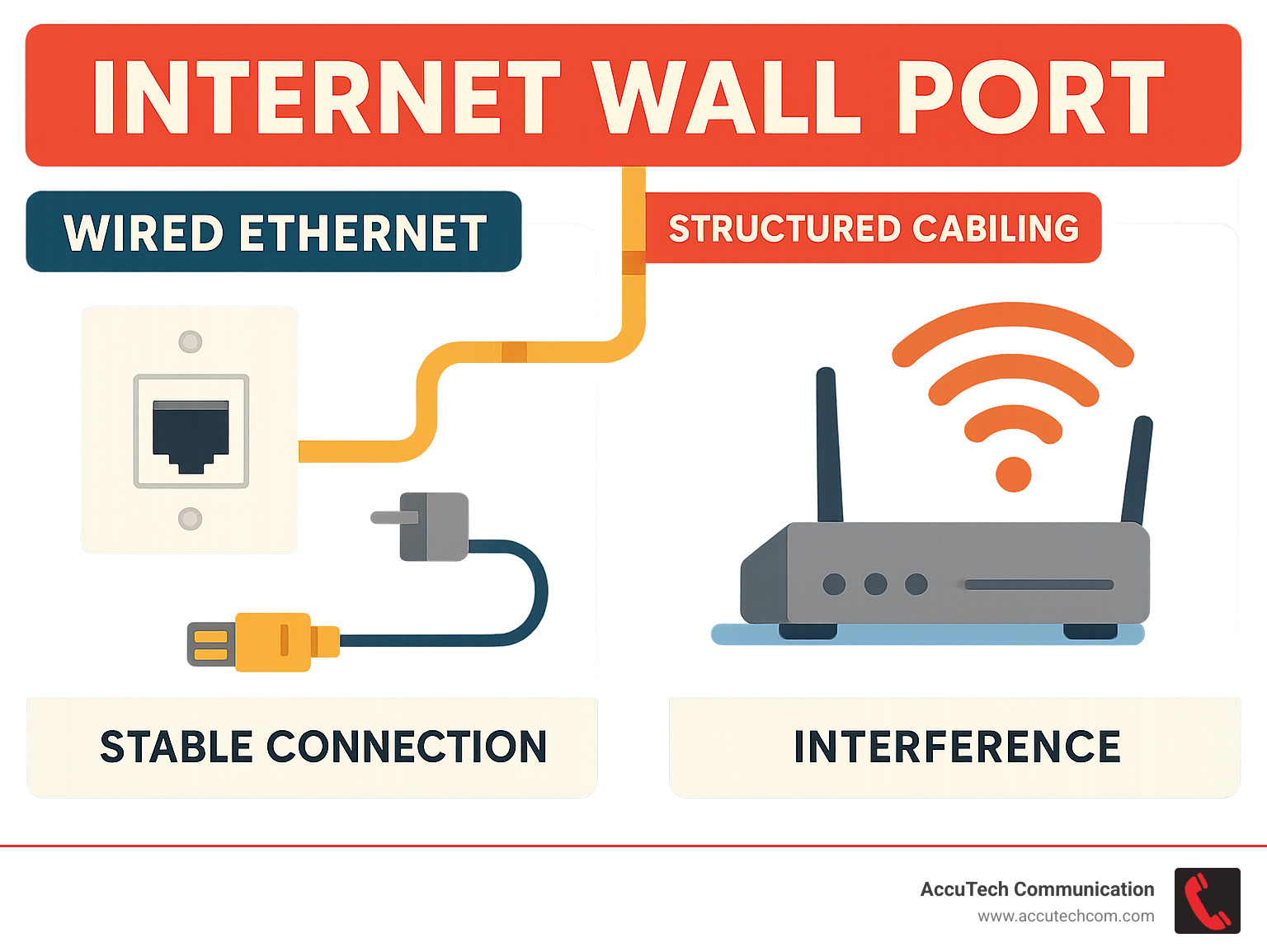
Internet wall port terms to know:
What is an Ethernet Wall Port and Why Is It Superior to Wi-Fi?
Think of an internet wall port as your network’s express lane. While Wi-Fi is like taking surface streets with traffic lights and congestion, an Ethernet wall port gives you direct highway access to your network’s full potential.
An internet wall port serves as the physical gateway where your devices connect directly to your Local Area Network (LAN) using Ethernet cables. This wired networking protocol controls how data moves between devices, creating a dedicated pathway that’s both faster and more reliable than wireless alternatives.
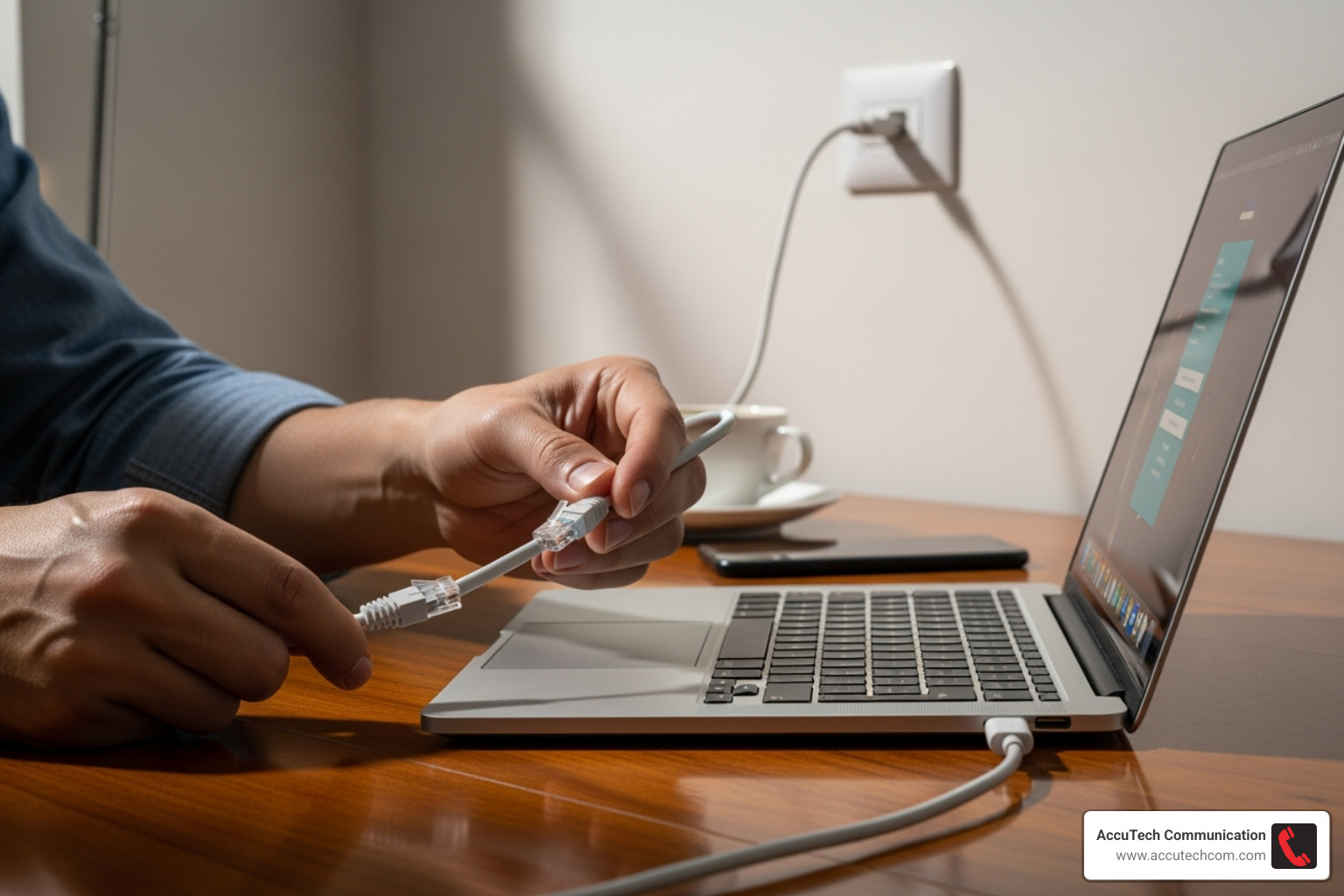
The magic happens through data transmission over copper wires within Ethernet cables. Unlike Wi-Fi signals that bounce around your office and compete for airspace, wired connections provide a high-speed connection that’s yours alone. No sharing bandwidth with the coffee maker’s Wi-Fi or your neighbor’s streaming habits.
Ethernet vs. Wi-Fi: Key Differences
Here’s where things get interesting. Wi-Fi offers the freedom to roam, but Ethernet delivers the performance your business actually needs. It’s like comparing a bicycle to a race car – both get you there, but one does it with serious speed and reliability.
| Feature | Ethernet | Wi-Fi |
|---|---|---|
| Speed | Faster (up to 10 Gbps and beyond) | Slower (up to 1 Gbps, often less in practice) |
| Latency | Lower (less delay in data transmission) | Higher (more delay, impacting real-time apps) |
| Reliability | Highly stable, consistent connection | Prone to interference and signal drops |
| Security | More secure (physical access required) | Vulnerable to interception (though encrypted) |
| Mobility | Limited (device must be tethered by cable) | High (device can move freely) |
| Interference | Immune to radio/signal interference | Susceptible to interference from other devices/signals |
Your computer can actually use both connections at once, giving you the best of both worlds. But when performance matters most, that internet wall port connection will always win the race.
The Advantages of a Wired Connection
Let me share why businesses across New England choose wired connections for their critical operations. After three decades of installing networks, I’ve seen how the right connection can transform a company’s productivity.
Lower latency makes all the difference for real-time applications. When you’re on a video call with clients or using VoIP phone systems, those milliseconds matter. Nobody wants to deal with the awkward “Can you hear me now?” dance during important meetings.
Faster speeds mean your team spends less time waiting and more time working. While Wi-Fi might promise certain speeds, an internet wall port actually delivers them consistently. We’re talking about stable connection speeds that don’t fluctuate based on who’s microwaving lunch in the break room.
The no signal interference benefit is huge in today’s crowded wireless environment. Your Ethernet cable doesn’t care about the dozen Wi-Fi networks from neighboring businesses or that new smart thermostat someone installed. It just works, every single time.
Improved security comes naturally with wired connections. Someone would need physical access to your internet wall port to tap into your network. Try doing that with Wi-Fi – it’s like the difference between needing a key to your front door versus shouting your conversations in the parking lot.
For high-bandwidth tasks like transferring large CAD files, backing up to cloud servers, or running multiple applications simultaneously, Ethernet shines. Gaming consoles, streaming devices, and workstations all perform better when connected directly to your network infrastructure.
This reliability is exactly why we recommend comprehensive structured cabling solutions for our clients throughout Massachusetts, New Hampshire, and Rhode Island. When your business depends on consistent connectivity, an internet wall port isn’t just nice to have – it’s essential. Learn more about how professional installation can benefit your business with our network cabling services.
Understanding the Components of an Ethernet Wall Port System
An internet wall port is more than a simple outlet; it’s a system of components working in concert to deliver reliable network performance. These parts form a structured cabling system, the backbone connecting your port to the central network hub or switch.

The RJ45 connector on your Ethernet cable clicks into the port, completing the circuit for high-speed internet. Understanding these components helps you make better decisions about your network, much like knowing the basics of your car helps with maintenance.
What Are Keystone Jacks?
Here’s where things get interesting. Keystone jacks are the unsung heroes of every internet wall port installation. These small, modular connectors might look simple, but they’re doing some heavy lifting behind that clean wall plate you see every day.
Think of a keystone jack as a translator. On one side, you have the raw Ethernet cable running through your walls – eight individual wires that need to be organized and connected properly. On the other side, you have that neat, professional-looking port where you plug in your device. The keystone jack bridges these two worlds with its ingenious snap-in mechanism.
What makes keystone jacks so brilliant is their modular design. They fit into standardized wall plates and patch panels, which means you can mix and match different types of connections in the same plate. Need Ethernet and phone in the same location? No problem. Want to add another port later? Easy upgrade.
The real magic happens with the color-coded terminals inside each jack. When we’re terminating an Ethernet cable, we match each of the eight wires to specific color codes. There are two main wiring standards we work with: T568A and T568B. Both work perfectly well, but consistency is absolutely crucial – you must use the same standard on both ends of the cable, or you’ll be scratching your head wondering why nothing works.
For a deeper dive into network cables and how they connect everything together, check out What is a Network Cable?.
Choosing the Right Ethernet Cables and Jacks
Here’s where many people get overwhelmed, but it doesn’t have to be complicated. Choosing the right Ethernet cables and matching keystone jacks is like picking the right highway for your journey – you want something that can handle your current traffic and leave room for growth.
Cat5e cables are the reliable workhorses of the networking world. They’ll happily deliver 1 Gbps speeds over distances up to 100 meters, which covers most home and small office needs perfectly. If you’re just looking to get solid, dependable internet to your devices, Cat5e is often the sweet spot for budget-conscious installations.
Cat6 cables step things up a notch. They can handle 10 Gbps speeds, though typically for shorter distances around 55 meters. Beyond that distance, they’ll still cruise along at 1 Gbps. I often recommend Cat6 for clients who want to future-proof their investment – it’s like buying a car with a bigger engine than you need today, knowing you might need that extra power tomorrow.
Cat6a cables are the heavy-duty trucks of Ethernet cables. They maintain that impressive 10 Gbps speed over the full 100-meter distance. These cables are thicker and often shielded to reduce interference, making them perfect for busy environments with lots of electronic equipment or where you need maximum performance.
Cat8 cables are the sports cars – built for extreme performance with speeds up to 25 Gbps and even 40 Gbps over shorter distances. While they’re overkill for most businesses today, they’re becoming essential for data centers and high-performance applications.
The key is matching your keystone jacks to your cable category. A Cat6 cable needs a Cat6 keystone jack to maintain peak performance. It’s also worth considering whether you need shielded jacks for environments with lots of electrical interference, or if standard unshielded jacks will do the job.
For all the technical details on these standards and which might be right for your situation, visit Ethernet Cable Standards.
Common Applications for Your internet wall port
The beauty of an internet wall port lies in its versatility. Over my years of installations across Massachusetts, New Hampshire, and Rhode Island, I’ve seen these ports transform how people work, play, and connect.
Home offices have become the new frontier, especially with remote work becoming so common. A dedicated internet wall port eliminates those frustrating moments when Wi-Fi decides to take a coffee break right in the middle of an important video call. Your computer gets a direct, unwavering connection that keeps you productive and professional.
Gaming enthusiasts absolutely love wired connections. When you’re in the middle of an intense online match, every millisecond of lag can mean the difference between victory and defeat. Connecting your gaming console or PC directly through an internet wall port gives you that competitive edge with ultra-low latency and rock-solid stability.
Smart TVs and streaming devices are another perfect match for wired connections. Nothing ruins movie night quite like buffering during the climactic scene. Whether it’s your smart TV, Apple TV, or streaming box, a wired connection ensures your binge-watching sessions flow smoothly in glorious high definition.
Business environments are where internet wall ports really prove their worth. From connecting workstations and servers to powering VoIP phone systems and security cameras, these ports create the reliable backbone that keeps operations running smoothly. In manufacturing facilities and warehouses, where Wi-Fi signals might struggle with interference or distance, wired connections provide the dependability that mission-critical systems demand.
Data centers represent the extreme end of the spectrum, where massive amounts of data flow between servers at lightning speed. Here, structured cabling systems and internet wall ports aren’t just convenient – they’re absolutely essential for maintaining the performance that powers our digital world.
The common thread across all these applications is the need for stability, speed, and reliability. Whether you’re working from home or managing a complex business network, an internet wall port delivers the consistent performance that wireless simply can’t match. For guidance on wiring your entire home for maximum connectivity, this comprehensive guide offers valuable insights: A guide to wiring your home for ethernet.
How to Install an Internet Wall Port: A Step-by-Step Guide
Installing an internet wall port might seem intimidating at first, but think of it like assembling furniture – with the right tools and patience, most homeowners can tackle this project successfully. The key is understanding that you’re working with low-voltage wiring, which is much safer than electrical work, though we still recommend shutting off power to the work area as a precaution.
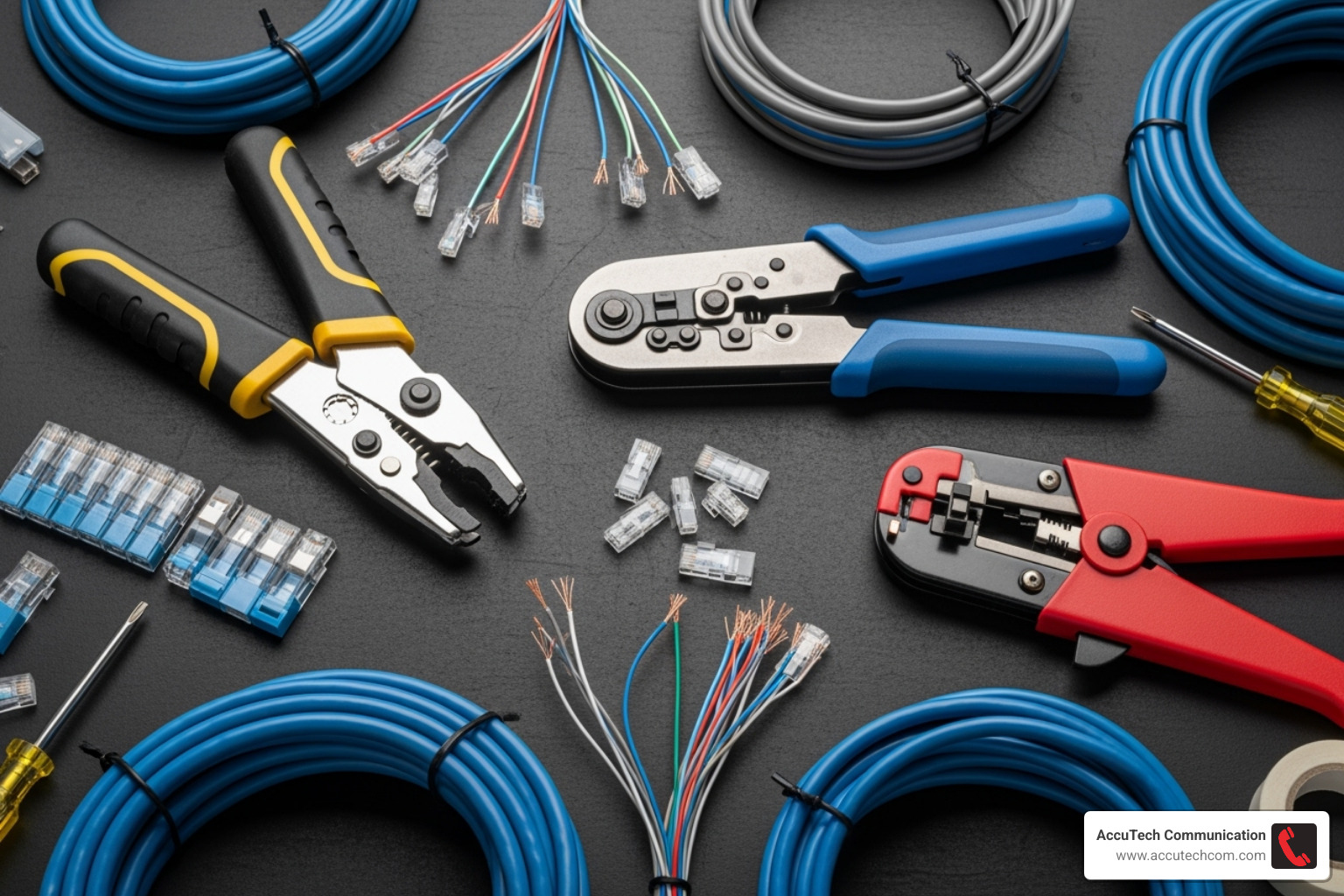
The beauty of installing your own internet wall port is the satisfaction of creating a permanent, professional-grade connection that will serve you for years. Plus, you’ll save money compared to hiring a contractor for simple installations.
Essential Tools and Components
Success starts with preparation, and having the right tools makes the difference between a frustrating afternoon and a rewarding project. I always tell my clients that buying quality tools once is better than buying cheap ones multiple times.
Your shopping list should include bulk Ethernet cable – we recommend Cat6 for the best balance of performance and future-proofing. You’ll also need keystone jacks that match your cable category, wall plates for a clean finish, and a low-voltage mounting bracket to secure everything properly.
The specialized tools are where many DIYers get tripped up. A punch-down tool is absolutely essential – trying to terminate wires without one is like trying to cut paper with a butter knife. You’ll also need a cable stripper designed specifically for network cables, a drywall saw for cutting your opening, and a cable tester to verify everything works before you close up the wall.
Don’t forget the basics: a stud finder to locate wall studs and avoid surprises, fish tape for pulling cables through walls, a Phillips-head screwdriver, and a pencil and ruler for marking your cuts. Having everything ready before you start will make the job flow smoothly.
For complex installations involving multiple rooms or floors, consider exploring our structured cabling installation services, which can handle the heavy lifting while you focus on simpler connections.
The Installation Process Explained
Now comes the fun part – actually installing your internet wall port. The process follows a logical sequence, and taking your time with each step will ensure professional results.
Planning your cable route is like mapping a road trip – you want the most efficient path with the fewest obstacles. Start by tracing the route from your router or switch to your desired wall location. Use your stud finder religiously to identify studs, electrical lines, and plumbing that could complicate your installation. When you must cross electrical wiring, do it at a 90-degree angle to minimize interference.
Cutting the drywall requires a steady hand and patience. Choose a location that makes sense – perhaps near an existing outlet for visual balance. Trace your mounting bracket carefully and cut slowly with your drywall saw. You can always make the hole bigger, but you can’t make it smaller.
Installing the mounting bracket is straightforward once your hole is the right size. These clever devices have wings that flip out behind the drywall, creating a secure anchor point. Make sure it sits flush with the wall surface.
Running the cable is often the trickiest part, especially in finished walls. Feed your bulk Ethernet cable from your network equipment through the walls to your new opening. This might involve some creative problem-solving with fish tape and patience. Leave yourself 6-12 inches of extra cable at the outlet – you’ll thank yourself later during termination.
Stripping the cable jacket requires a delicate touch. Remove about 1-2 inches of the outer sheathing, being careful not to nick the twisted pairs inside. Untwist the pairs gently and straighten the individual wires – they need to lay flat for proper termination.
Terminating the keystone jack is where those color-coded terminals become your best friend. Choose either T568A or T568B wiring standard (consistency is key – use the same standard throughout your installation). Thread each wire into its corresponding colored slot, then use your punch-down tool to seat them securely. The tool will trim excess wire automatically.
Testing your connection is the moment of truth. Connect your terminated keystone jack to the wall plate, then use your cable tester to verify everything works correctly. All lights should illuminate in sequence – if not, double-check your terminations before proceeding.
Securing the wall plate completes your installation. Gently tuck the keystone jack and excess cable into the wall opening, then fasten the wall plate over the mounting bracket. Tighten screws just enough to secure the plate without cracking the drywall.
Congratulations – you’ve successfully installed your internet wall port! For additional guidance on related electrical installations, our guide on how to install electrical conduit covers complementary techniques that might prove useful for future projects.
Troubleshooting and Optimizing Your Connection
Even with a perfectly installed internet wall port, network hiccups can still happen. Don’t worry – most issues are straightforward to diagnose and fix. Think of troubleshooting as detective work: you’re looking for clues to solve the mystery of your misbehaving connection.
The good news is that wired connections are generally much more reliable than Wi-Fi. When problems do occur, they’re usually related to physical connections or cable quality rather than the complex interference issues that plague wireless networks.
Diagnosing a Non-Working internet wall port
When your internet wall port isn’t behaving, you’ll typically encounter one of three main scenarios. No connection means your device doesn’t recognize it’s plugged into a network at all – no network icon, no link light, nothing. Slow speeds are trickier because you’re connected, but performance crawls along at a fraction of what you expect from a wired connection. Finally, intermittent connection issues are perhaps the most frustrating, where your connection drops in and out unpredictably.
The key to successful troubleshooting is working systematically from the simple to the complex. Start by checking physical connections – it sounds basic, but loose cables cause more network problems than you’d think. Ensure your Ethernet cable clicks firmly into both your device and the internet wall port. While you’re at it, check the other end of the cable run at your router, switch, or patch panel. Look closely at the RJ45 connectors for any bent pins or visible damage.
Next, grab a cable tester – this tool is absolutely invaluable for diagnosing wired network issues. A good cable tester will verify that all eight wires in your Ethernet cable are properly connected and that there are no shorts or breaks in the line. If the tester shows problems like open circuits or miswired connections, you’ve found your culprit. For detailed guidance on using these essential tools, check out Using a Cat 6 Cable Tester.
Don’t forget to verify your router or switch port status by checking the LED indicators. Most network equipment shows a solid green or amber light when a port has a good connection. No light or a blinking pattern often indicates trouble. Try connecting a different device or cable to that same port – if it works fine, the issue is with your original cable or internet wall port.
Sometimes the problem lies in the termination itself. Pop open your wall plate and take a look at the keystone jack. Make sure all the colored wires are seated properly in their slots and none have worked loose over time.
Best Practices for Peak Network Performance
Once your internet wall port is working smoothly, a few smart practices will keep it performing at its best for years to come. These aren’t complicated technical tricks – they’re simple habits that make a huge difference in network reliability.
Using high-quality cables is the foundation of good network performance. Cheap cables might save you a few dollars upfront, but they often cause headaches down the road with signal degradation and interference. Invest in proper Cat6 or Cat6a cables, especially for longer runs or when you need maximum bandwidth.
Your cables need some TLC too. Avoid sharp bends and kinks in your Ethernet cables – they’re designed with a specific bend radius in mind. Sharp corners can damage the delicate twisted pairs inside, leading to signal loss. Always route cables with gentle curves, just like you would with a garden hose.
Keep cables away from electrical interference whenever possible. Power lines, fluorescent lights, and large appliances can create electromagnetic interference that degrades network signals. If you must cross electrical lines, do it at a 90-degree angle to minimize interference. Shielded cables like Cat6a can also help protect against these issues.
Proper termination at both ends of your cable run is crucial. Whether you’re punching down wires at the keystone jack or connecting to a patch panel, clean and secure terminations prevent intermittent connections and speed issues.
Here’s a simple practice that pays huge dividends: label everything. Mark each internet wall port with a number or description, then label the corresponding cable at your patch panel or switch. Future you will thank present you when you need to troubleshoot or expand your network. Trust me – trying to trace unmarked cables through walls is nobody’s idea of fun.
Following these straightforward practices ensures your wired network delivers the stable, high-speed performance your business depends on. For businesses across Massachusetts, New Hampshire, and Rhode Island, professional installation makes all the difference. Learn more about The Importance of Professional Cabling Installation for Your Business and how proper setup from the start saves time and headaches later.
Conclusion
Throughout this guide, we’ve explored the remarkable world of internet wall ports and finded why they’re far more than just holes in the wall with cables sticking out. These unsung heroes of modern connectivity deliver the stability, speed, and security that Wi-Fi simply can’t match consistently.
Think about it – while Wi-Fi waves bounce around your space like an excited puppy, getting distracted by walls, microwaves, and your neighbor’s competing network, a wired connection through an internet wall port is like having a dedicated highway straight to your device. No traffic jams, no detours, just pure, reliable performance.
We’ve covered the technical nuts and bolts, from understanding how keystone jacks snap together like networking LEGO blocks to choosing between Cat6 and Cat6a cables (spoiler alert: when in doubt, go with Cat6 for most applications). The installation process, while requiring some patience and the right tools, is entirely manageable for the DIY-inclined among us.
But here’s what really matters: the value of a well-planned wired network extends far beyond just faster internet speeds. It’s about creating a foundation that supports your business operations without the “will it work today?” uncertainty that can plague wireless connections. Whether you’re running a busy medical office where every second counts, or a manufacturing facility where downtime costs real money, a properly installed internet wall port system gives you that peace of mind.
For our neighbors across Massachusetts, New Hampshire, and Rhode Island who need complex installations or business-critical network infrastructure, this is where AccuTech Communications steps in. Since 1993, we’ve been the team that businesses call when they need their network cabling done right the first time. We understand that every business is unique, and we design structured cabling solutions that grow with your needs.
Ready to ditch the Wi-Fi headaches and experience what rock-solid connectivity feels like? Request an Estimate from our team today, and let’s build you a network infrastructure that actually works when you need it most.
