
Office Phone Installation: 7 Powerful Steps for Success 2025
What You Need to Know About Office Phone Installation
Let’s face it – setting up a new phone system for your business can feel overwhelming. But it doesn’t have to be! As someone who’s guided countless businesses through this process, I’m here to explain office phone installation and help you steer your options with confidence.
The business phone landscape has transformed dramatically in recent years. Gone are the days when installing phones meant weeks of disruption and miles of new wiring. Today’s systems offer incredible flexibility, powerful features, and often simpler setup processes than their predecessors.
When considering your office phone installation, the first major decision is choosing between VoIP (Voice over Internet Protocol) and traditional analog systems. VoIP systems run over your internet connection and typically cost between $15-40 per month per user with minimal hardware requirements. Traditional analog systems, while still valuable in certain situations, generally involve higher upfront costs ($150-700 per line) and require more physical infrastructure.
For VoIP systems to perform reliably, your internet connection matters tremendously. You’ll need at least 100 Kbps of upload bandwidth per active phone line. This might sound technical, but it simply means ensuring your internet can handle voice calls without disruption – something we’ll explore in more detail in later sections.
Many small businesses successfully handle VoIP office phone installation themselves, especially when deploying fewer than 20 phones. The process can be surprisingly straightforward – often just plugging phones into your network and following online setup instructions. However, for larger deployments, multi-site businesses, or when using traditional systems, professional installation typically delivers better results and fewer headaches.
Time-wise, most VoIP installations can be completed within a day to a week, depending on the size and complexity of your setup. Traditional systems usually take 1-2 weeks due to the additional cabling and hardware configuration required.
Modern office phone systems deliver far more than just voice calls. Today’s solutions seamlessly integrate with your CRM and business applications, support remote workers, and provide advanced features like auto-attendants, call analytics, and voicemail-to-email – capabilities that simply weren’t possible with older systems.
The best part? Office phone installation doesn’t need to break the bank or disrupt your business. Whether you’re setting up your first system or upgrading existing infrastructure, understanding your options helps you make choices that align perfectly with your business needs and budget.
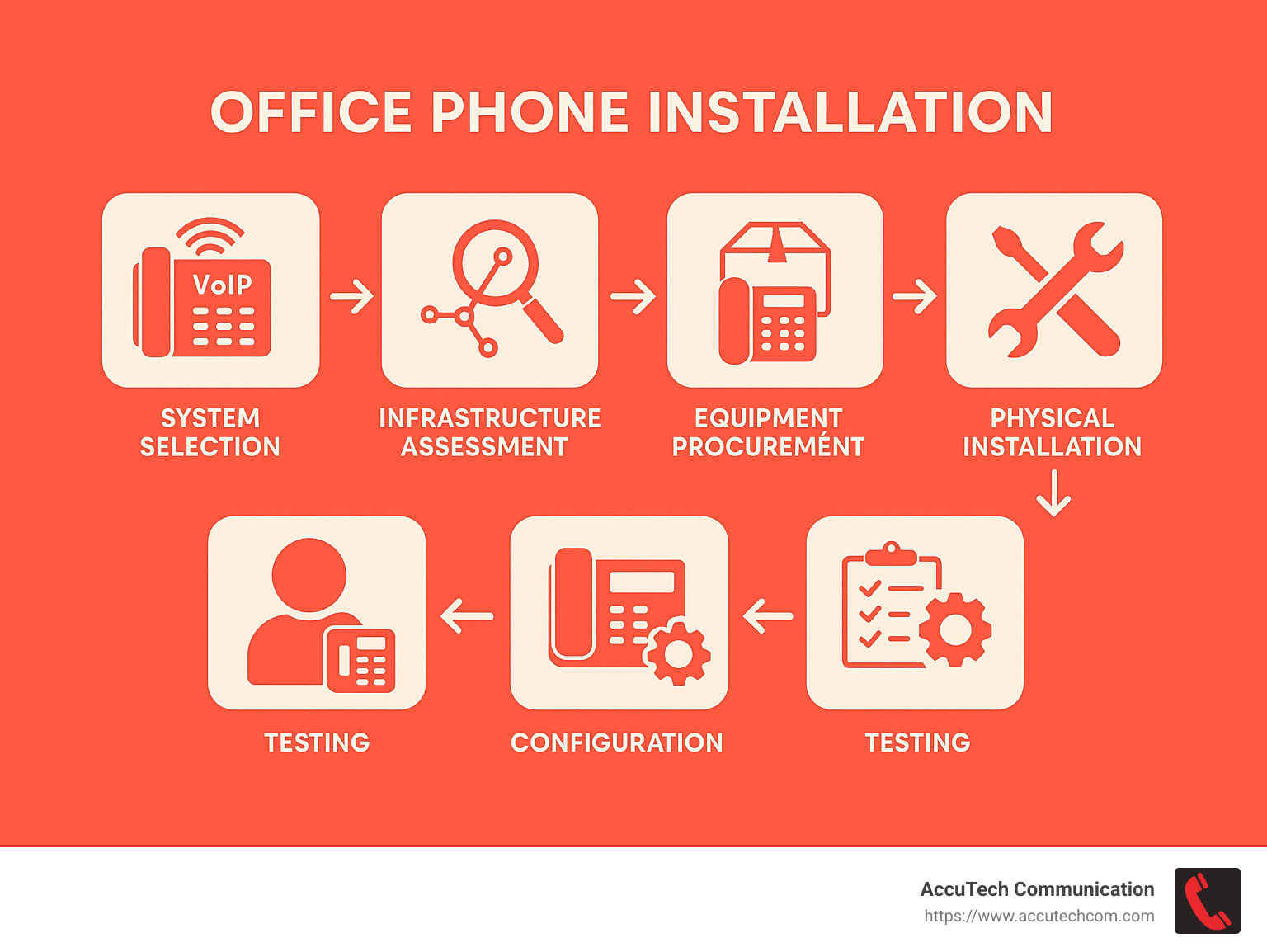
I’m Corin Dolan, owner of AccuTech Communications, and I’ve spent over 25 years managing office phone installation projects across Massachusetts, New Hampshire, and Rhode Island. From small startups to sprawling multi-site enterprises, I’ve seen how the right phone system can transform business communication.
If you’re exploring options for your business, you might find these resources helpful:
– business communications services
– internet phone systems for business
– business phone service near me
In the sections that follow, we’ll dive deeper into each aspect of office phone installation, from choosing between VoIP and analog systems to preparing your network infrastructure and ensuring a smooth deployment. Let’s get your team connected!
Decoding Your Options: VoIP vs. Analog Systems
When planning your office phone installation, you’ll face a crucial fork in the road: VoIP or analog? This decision shapes everything from your initial costs to how your team communicates for years to come.
VoIP (Voice over Internet Protocol) systems have revolutionized business communications by transmitting calls over your internet connection rather than traditional copper phone lines. They’ve become the go-to choice for most modern businesses – and for good reason. According to recent data, while the average U.S. business spends about $405 on business phone line installation, the difference between VoIP and analog options is substantial.
On the other hand, analog systems (sometimes affectionately called POTS – Plain Old Telephone Service) or PBX (Private Branch Exchange) systems have faithfully served businesses for decades. While they’re becoming less common in new installations, they still shine in specific situations.
Let me break down how they compare:
| Feature | VoIP Systems | Analog/PBX Systems |
|---|---|---|
| Initial Installation Cost | Low ($15-40/month) | High ($150-700 per line) |
| Physical Infrastructure | Minimal (uses existing network) | Extensive (dedicated wiring) |
| Internet Dependency | Required | None |
| Advanced Features | Abundant | Limited |
| Scalability | Highly scalable | Less flexible |
| Remote Work Support | Native | Requires add-ons |
| Power Outage Behavior | Requires backup power | Often works during outages |
| Call Quality | Depends on internet quality | Consistent |
| Long-term Costs | Lower | Higher |
As telecommunications expert Anand Malto notes, “Modern phone systems can be installed in as little as a day. The entire process for VoIP deployment is much quicker and easier than traditional systems.”
How VoIP Works & Why It Dominates
VoIP technology is surprisingly neat in its approach. It works by converting your voice into digital data packets that travel over the internet – just like emails or web browsing. This “packetized voice” method open ups tremendous advantages over traditional phone lines.
At the heart of most VoIP systems is SIP (Session Initiation Protocol) trunking, which replaces physical phone lines with virtual connections over your internet service. This dramatically cuts costs since you’re not paying for dedicated copper lines to your building.
When planning your office phone installation with VoIP, bandwidth becomes a key consideration. Each active call needs about 100 Kbps (0.1 Mbps) of upload bandwidth for crystal-clear quality. This means a modest 10 Mbps upload connection could theoretically handle up to 100 simultaneous calls, though you’ll want to leave some breathing room.
Quality of Service (QoS) tagging is another VoIP superpower. This clever technology prioritizes your voice packets over other internet traffic, ensuring your important client call stays clear even while your colleague downloads a massive file. During professional office phone installation, we configure these QoS settings on your router to guarantee consistent call quality.
One practical tip: always connect phones to your network with Ethernet cables rather than relying on Wi-Fi. This wired connection provides the stability your business communications demand, avoiding the occasional hiccups that wireless connections can experience.
When an Analog Line Still Makes Sense
Despite VoIP’s clear advantages, traditional analog lines still deserve a place in specific scenarios during your office phone installation:
Power failure safety is perhaps the most compelling reason to keep some analog service. Traditional phone lines receive power from the telephone company’s central office, often continuing to work during power outages. This makes them invaluable for emergency phones or businesses in areas with unreliable electricity.
Fax machines remain surprisingly common in many industries. While digital faxing exists, many businesses still rely on traditional fax machines that perform best with analog lines. If your organization depends heavily on faxing, maintaining at least one analog line often makes sense.
Alarm panels and elevator phones typically connect via analog lines. While adapters exist to connect these to VoIP systems, many security professionals prefer the reliability of direct analog connections for these safety-critical systems.
If your business is located somewhere with poor internet service or frequent outages, analog lines provide dependable communication that doesn’t rely on internet connectivity – a crucial backup when your primary systems go down.
Finally, certain regulatory requirements in some industries may necessitate traditional phone lines for specific functions or as backups.
I remember working with a local school that maintained a single analog line specifically for their emergency notification system while moving everything else to VoIP. This hybrid approach ensured they met safety regulations while still enjoying modern communications tools throughout the campus.
The good news? You don’t have to choose just one. Many businesses successfully implement hybrid solutions that leverage the strengths of both technologies, giving you the best of both worlds for your office phone installation.
Pre-Install Checklist for Seamless Office Phone Installation
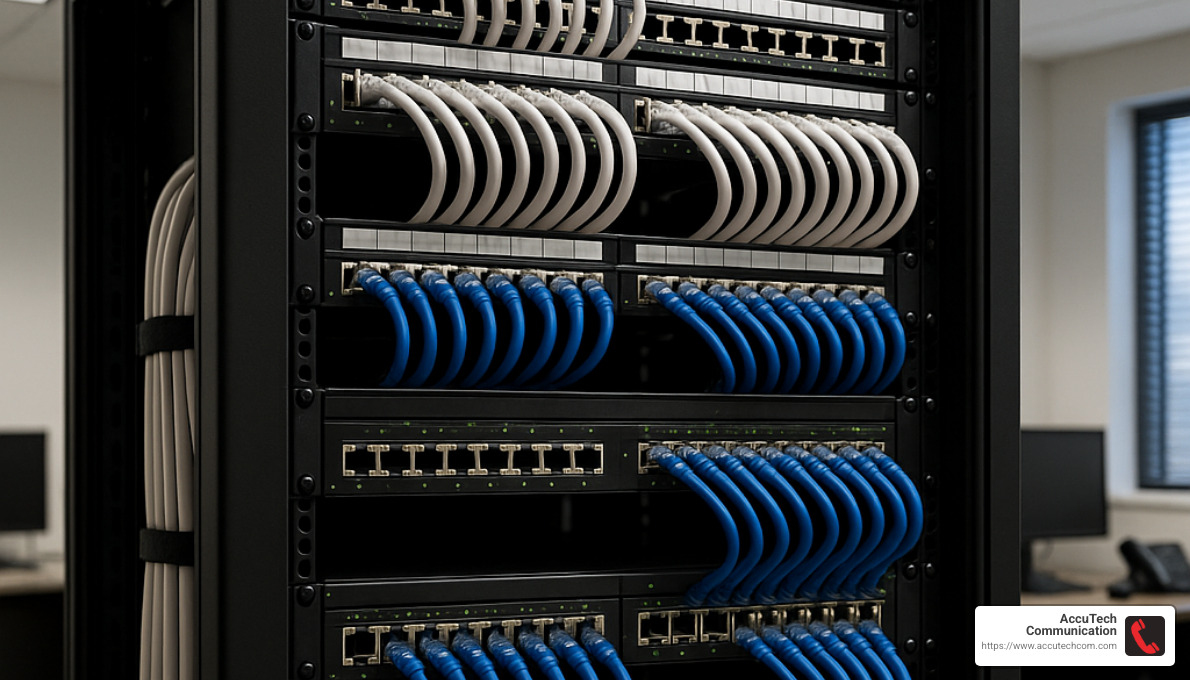
The excitement of getting a new phone system can quickly turn to frustration if you skip the preparation phase. I’ve seen it happen too many times – businesses eager to upgrade their communications rush through planning, only to encounter preventable headaches later. Let’s make sure that doesn’t happen to you by covering everything you need to check before your office phone installation begins.
Network Cabling Assessment
Your network infrastructure is like the foundation of a house – if it’s not solid, everything built on top will have problems. For a successful VoIP office phone installation, start by examining your cabling situation.
Modern voice traffic performs best with Cat6 or newer cabling. While your existing Cat5 might technically work, we often find that businesses who upgrade their cabling during installation enjoy much better call quality and fewer technical issues down the road. It’s a bit like changing your oil before a long road trip – preventative maintenance that pays off.
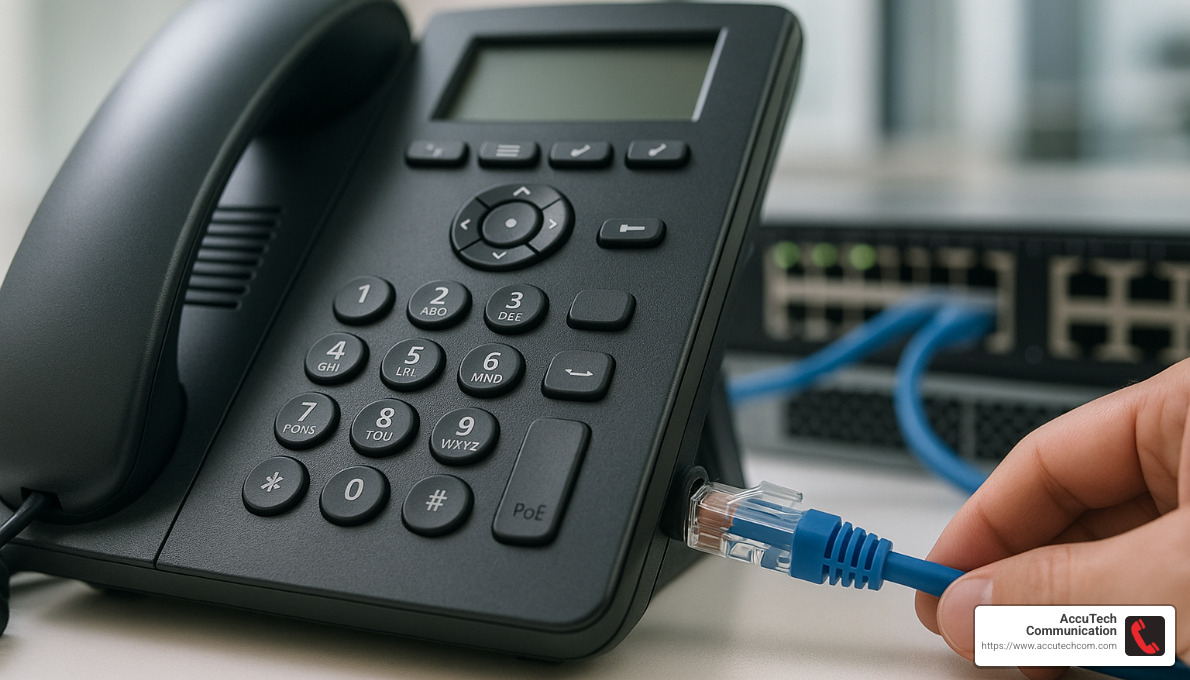
Power over Ethernet (PoE) switches are another game-changer for office phone installation. These clever devices deliver both data and power through a single Ethernet cable, eliminating the clutter of power adapters under desks and simplifying your setup considerably. Just last month, we helped a law firm in Providence switch to PoE, and their office manager couldn’t stop raving about how much cleaner their workspaces looked afterward.
Taking time to document your current network layout is invaluable. Knowing where your switches, routers, and patch panels are located helps identify potential bottlenecks before they cause problems. Similarly, creating a separate VLAN for voice traffic isolates your calls from other network traffic, making it easier to prioritize what matters most – your business communications.
I remember when we installed a new phone system for a busy pharmacy in Boston. They were having terrible call quality issues before we arrived. By implementing a dedicated voice VLAN, we reduced their incoming call problems by 40% and saved their staff about two hours of troubleshooting time every day. The pharmacist told me it was the first time in months they could clearly hear their elderly customers without asking them to repeat themselves.
For more comprehensive guidance on the installation process, our detailed Business Phone System Installation guide covers everything you need to know.
Testing Your Connection for Office Phone Installation
Before proceeding with your VoIP office phone installation, test your internet connection properly. Think of this as checking the weather before a road trip – it helps you prepare for potential challenges ahead.
Standard internet speed tests don’t tell the whole story for voice traffic. Instead, use VoIP-specific speed tests that simulate actual call data. For smooth calling, ensure you have at least 100 Kbps of upload bandwidth for each concurrent call you expect to handle. A 20-person office with perhaps 5-10 people on calls simultaneously needs at least 1 Mbps of dedicated upload capacity.
Voice quality depends on three key factors beyond just speed. First, latency (the delay in data transmission) should stay under 150 milliseconds – anything higher creates those awkward pauses that make conversations feel unnatural. Second, jitter (variation in packet delivery time) should remain under 30 milliseconds to avoid choppy, robot-sounding calls. Third, packet loss should be less than 1% – even small amounts can make words drop out of conversations.
We recently worked with an accounting firm in Massachusetts that had attempted their own phone system installation. Their calls sounded terrible during busy hours, but fine in the early morning. Our testing revealed significant jitter on their connection during peak times. After configuring proper QoS settings on their router, their call quality issues disappeared completely. The firm’s managing partner told me it was like “finally cleaning a dirty window you’d gotten used to looking through.”
Site Survey & Infrastructure Prep
A thorough site survey before your office phone installation saves time, money, and frustration. This step is like having a good map before a journey – it helps you anticipate obstacles and plan accordingly.
Creating or updating your structured cabling map shows where all network cables run, which ports they connect to, and which workstations they serve. This documentation becomes invaluable not just during installation, but for years afterward during troubleshooting or when making changes to your system.
Clear labeling of patch panels might seem tedious, but this small effort pays enormous dividends. I’ve seen technicians spend hours tracing unlabeled cables that could have been identified in seconds with proper labeling. It’s like putting labels on your kitchen spice rack – a small investment that prevents daily frustration.
Documenting your Main Distribution Frame (MDF) and Intermediate Distribution Frame (IDF) locations creates a clear picture of your network’s nerve centers. This information helps technicians understand your environment quickly and make better recommendations for your specific setup.
Testing existing cables through certification identifies problems before they affect your phone system. We recently found several damaged cables during a pre-installation survey for a real estate office in New Hampshire. Replacing these before installing their new phones prevented what would have been mysterious call quality issues affecting just certain desks.
Don’t forget to verify your power backup systems. A proper UPS (Uninterruptible Power Supply) for network equipment maintains phone service during brief power outages. One manufacturing client told me this simple preparation saved them thousands in lost orders during a recent storm – their competitors were unreachable, but their phones kept ringing.
As one of our network specialists often says, “Don’t just stick up access points spread 100 feet apart and hope for the best.” Proper RF planning and propagation analysis ensures consistent coverage and call quality for wireless phone deployments, especially in buildings with challenging layouts or materials that block signals.
Taking the time to properly prepare for your office phone installation might seem like delaying the excitement of your new system, but it actually accelerates the path to trouble-free communications. Like measuring twice before cutting once, this preparation ensures your installation goes smoothly and your new phone system delivers all the benefits you’re expecting.
Step-by-Step Office Phone Installation Guide
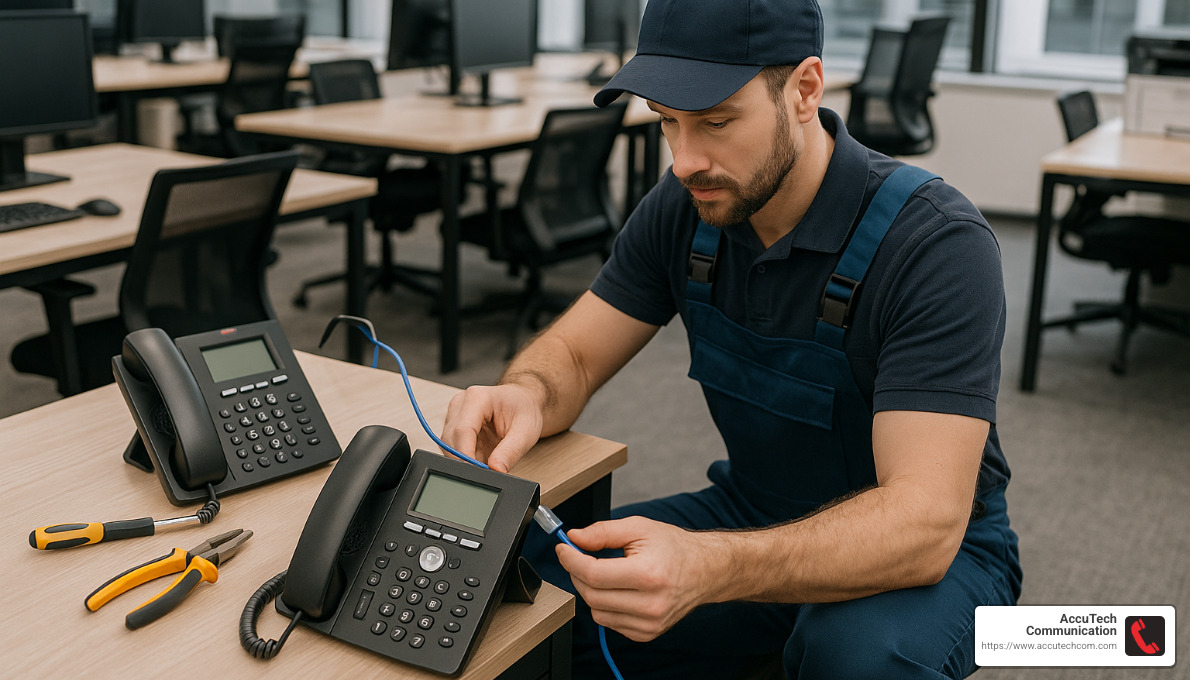
You’ve done all the prep work, and now it’s time for the exciting part – actually installing your new office phone system! Whether you’re rolling up your sleeves for a DIY project or working alongside professionals, understanding what happens during office phone installation will help the process go smoothly.
Equipment Unboxing and Inventory
The moment those boxes arrive is a bit like Christmas morning for tech enthusiasts! Start by unpacking everything and taking inventory. Match each item against your order to ensure nothing’s missing. While it might be tempting to dive right in, take a moment to inspect each component for shipping damage – addressing this early saves headaches later.
I always recommend organizing phones by their intended location before you start. This simple step can save you from running back and forth across the office during installation. While you’re at it, go ahead and connect the handsets to their base units with the provided coiled cords – they typically ship detached to prevent damage.
“The most common mistake I see is people rushing through the unboxing process,” says Mike, one of our senior technicians. “Then they’re scrambling later trying to figure out if they’re missing components or where everything should go.”
System Provisioning and Configuration
Before plugging in a single phone, you’ll need to set up the brains of your system. Log into your provider’s administration portal (or your on-premises PBX interface) to begin configuring the system.
Create user accounts for everyone who’ll need a phone, assigning appropriate permissions based on their role. When setting up extensions, follow a logical pattern – perhaps by department or location – to make it easier for staff to remember each other’s extensions.
Next comes programming your call flows. Think about how you want calls to be routed through your business. Will the receptionist handle all calls, or will you use an auto-attendant? Will certain departments have ring groups where multiple phones ring simultaneously? This is where you make those decisions.
Don’t forget about E911 registration – this critical safety step ensures emergency services know exactly where to respond if someone dials 911 from any phone in your system. Also, check that all phones and system components have the latest firmware for security and optimal performance.
One often overlooked aspect is recording professional greetings. As James Bucki of The Balance wisely notes, “Write and rehearse auto-attendant scripts in a quiet environment or hire a professional. There are two types of callers: people who are unfamiliar with your company and will need guidance, and callers who know exactly who they need to speak to and know their extension.”
DIY Office Phone Installation: Tools & Timeline
If you’ve decided to handle the office phone installation yourself, you’ll need a few essential tools: an Ethernet cable tester to verify connections, a punch-down tool if you’re installing any new network jacks, cable management supplies to keep things tidy, and a label maker to identify cables and phones.
For a small office with 5-10 phones, budget about 2-4 hours for physical installation. Medium offices with 10-20 phones might take 4-8 hours, plus another 1-2 hours for configuration and testing. These estimates assume you’ve done proper preparation and have all your equipment ready to go.
The actual installation is straightforward: connect each phone to its network jack, and if you have PoE (Power over Ethernet) switches, your phones will power up automatically. Without PoE, you’ll need to connect power adapters to each phone. Once powered, most modern IP phones will download their configuration automatically from your system. The final step is verifying that each phone registers correctly with the system and can make and receive calls.
Professional Office Phone Installation: When to Call an Expert
While DIY installation works for many small businesses, certain situations definitely call for professional help with your office phone installation.
If you’re deploying more than 20 phones, the complexity increases significantly, and professionals can ensure proper configuration while minimizing downtime. Multi-site installations require expertise in networking and call routing between locations – getting this wrong can lead to dropped calls and frustrated customers.
Businesses needing complex integrations with CRM systems, ERP software, or other business tools should consider professional installation to ensure everything works together seamlessly. Similarly, if you’re in an industry with specific regulatory requirements like healthcare or finance, professional installers can help ensure your system meets all compliance standards.
Even if none of these apply, consider your internal resources. If your IT team is already stretched thin, outsourcing the installation might be the most cost-effective solution.
I remember working with a Rhode Island healthcare provider who needed to upgrade their phone system while maintaining strict HIPAA compliance. Our team not only handled the physical installation but also configured appropriate security measures and provided specialized staff training on compliant communication practices – something they simply couldn’t have managed internally.
If you’re looking for qualified professionals in your area, check our guide to Business Phone System Installers Near Me.
Number Porting & Go-Live Day
The final phase of your office phone installation involves transitioning from your old system to the new one – and this requires careful planning to avoid business disruption.
Start by completing LOA (Letter of Authorization) forms to authorize the transfer of your existing phone numbers to your new provider. Be aware that number porting typically takes 2-3 weeks to complete, so plan accordingly. Many businesses use temporary numbers during this transition period to ensure business continuity.
To achieve zero-downtime during the switch, set up call forwarding from your old system to your new one. This ensures you don’t miss important calls while waiting for number ports to complete.
Before declaring your installation complete, run through a comprehensive testing checklist: verify dial tone and call quality on all phones, test inbound and outbound calling, confirm all programmed features like transfer and conference calling work properly, check voicemail setup and access, test your auto-attendant and call routing, and verify emergency calling functionality.
“We used temporary phone numbers to keep inbound calls flowing during number porting when we upgraded a client’s system in Worcester,” explains Sarah, one of our project managers. “This strategy eliminated any business disruption during the three-week porting process. The client was thrilled that their customers never experienced any issues reaching them.”
With careful planning and attention to detail, your office phone installation can be completed with minimal disruption to your business operations, setting you up for years of reliable communications.
Budget, Features & Scaling: Making the Numbers Work
Let’s talk money—because at the end of the day, your office phone installation needs to make financial sense for your business. Having helped hundreds of companies steer this process, I’ve seen how proper planning prevents those painful “I wish someone had told me about this cost” moments.
Cost Factors to Consider
The price tag for your office phone installation isn’t just about the phones themselves. Several key elements will influence your total investment.
Modern VoIP systems typically cost between $15-40 per user monthly, with minimal upfront expenses. This subscription model has dramatically changed how businesses budget for phone systems. Traditional PBX systems, by contrast, require a larger initial investment but may have lower ongoing costs.
The quality of desk phones makes a significant difference in your budget. Basic VoIP phones start around $75 each, while those sleek executive models with color touchscreens can run $300+. For many of our clients, a mix of phone types based on employee roles makes the most sense—not everyone needs that fancy touchscreen!
Don’t forget about potential infrastructure upgrades. Your existing network might need some attention to handle voice traffic properly. Power over Ethernet (PoE) switches are worth considering—they’ll power your phones through the same cables that carry data, eliminating the clutter of power adapters at every desk.
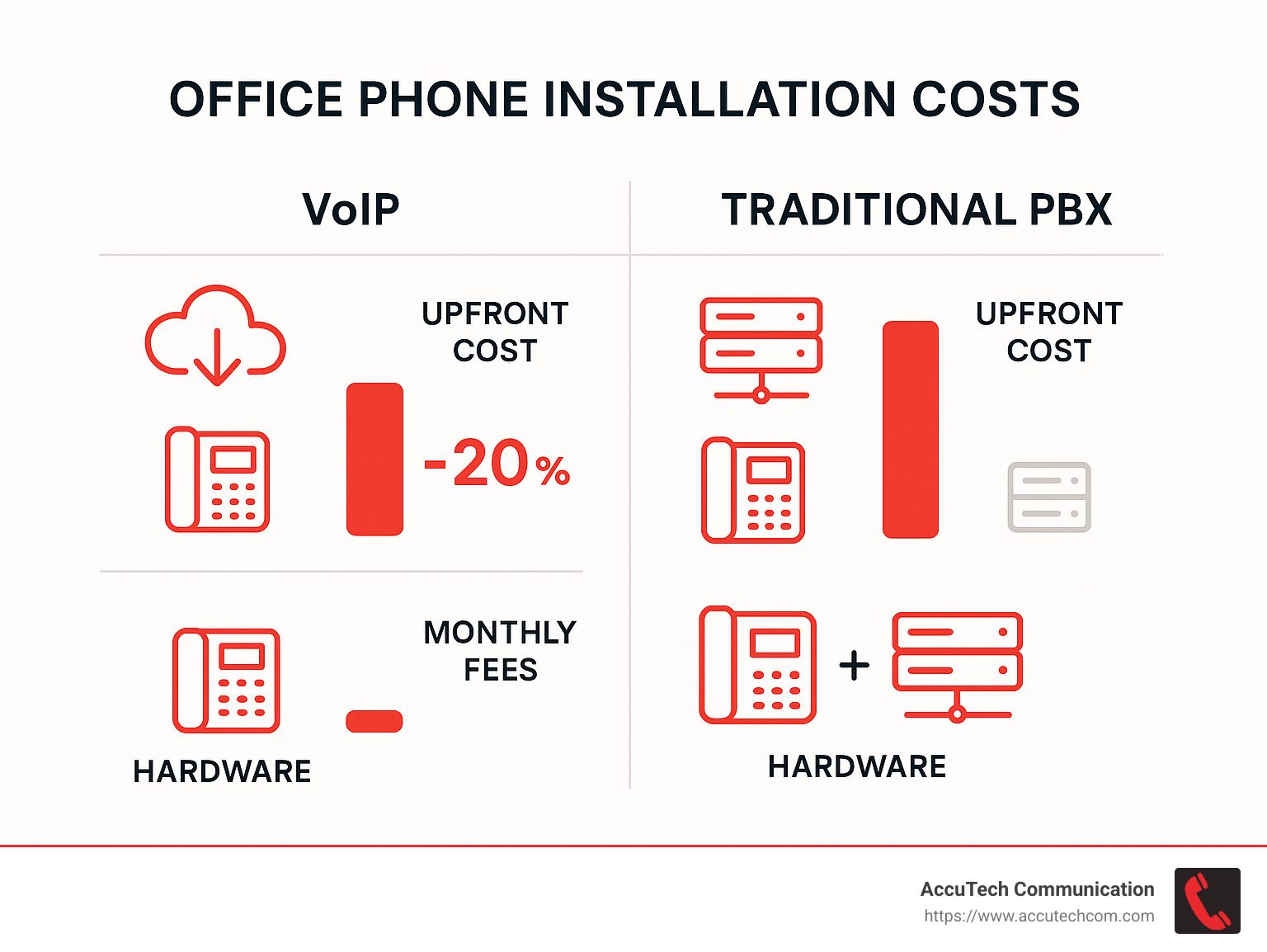
Installation complexity plays a major role too. A straightforward setup for a single office is relatively simple, but multi-site deployments or integrations with other business systems will increase both complexity and cost. According to recent data from Angi’s cost guide, professional installation services average $65-125 per hour depending on your location and system complexity.
Ways to Save on Installation
I’m a big believer in smart spending rather than just cheap options. Here are some insider tips I share with our clients to help them save without cutting corners.
VoIP systems generally deliver more bang for your buck than traditional setups. The cloud-based nature means lower upfront costs and often lower maintenance expenses too. One retail client of ours in Providence saved nearly 60% on their monthly phone expenses by switching from a legacy system to a modern VoIP solution.
Be realistic about your line count. Many businesses overestimate how many lines they actually need. Modern systems efficiently handle multiple calls per line, so you rarely need a 1:1 ratio of lines to employees. When we helped a small law firm in Waltham with their office phone installation, we finded they were paying for twice as many lines as they needed. By right-sizing their system and using softphone applications for part-time staff, they cut their communications costs by nearly 40%.
Consider “bring your own device” options where appropriate. Many systems allow employees to use softphones on existing computers or mobile devices. This approach works especially well for remote workers or staff who are frequently away from their desks.
Bundling services can open up significant savings too. Many providers offer discounts when you combine internet and phone services. And if you’re confident in your choice, negotiating an annual contract instead of month-to-month billing typically saves 10-15%.
Must-Have Features in 2025
The phone systems of today do far more than just make calls. As you plan your office phone installation, these modern features should be on your must-have list:
A professional auto-attendant creates that crucial first impression when customers call. It efficiently routes calls while giving your business a polished, professional feel regardless of your company size. Even our smallest clients find this feature transforms how they’re perceived by callers.
Voicemail-to-email functionality has become indispensable. Having voicemails automatically transcribed and sent to email means your team can process messages more efficiently—scanning text is much faster than listening to recordings. As one client told me, “This feature alone saved our reception team over 5 hours per week.”
Call analytics provide valuable insights into your communication patterns. Understanding call volumes, peak times, and typical durations helps optimize staffing and improve customer service. When a manufacturing client examined their call data, they finded they were understaffed on Mondays but overstaffed on Fridays—a simple scheduling adjustment improved both employee satisfaction and customer response times.
Mobile integration is no longer optional. Your team needs to make and receive business calls on their personal devices while maintaining your business caller ID. This capability has become essential in our hybrid work world.
AI-powered features are quickly becoming standard. From intelligent call routing to voice assistants that can handle basic customer inquiries, these tools are revolutionizing business communications. They’re worth considering even if you don’t implement them immediately in your office phone installation.
Growing from 5 to 50 Lines Without Headaches
Planning for growth from the beginning will save you significant pain later. I’ve seen too many businesses outgrow their phone systems within a year, forcing them to start over.
Choose a system with flexible licensing that allows you to add users without major reconfiguration. Cloud-based systems excel here—adding users often requires nothing more than a few clicks in an online portal and perhaps ordering additional phones.
Think ahead with your network infrastructure. When installing PoE switches, consider models with more ports than you currently need. The minimal additional cost upfront can save you from having to replace equipment as you grow.
Develop standardized training materials for your phone system. This might seem like a small detail, but having ready-to-go training templates makes onboarding new employees much smoother as your team expands.
An educational institution we worked with in New Hampshire provides a perfect example of scaling done right. They implemented a cloud phone system that initially served just 12 staff members. When enrollment increased by 52% over the next two years, they seamlessly expanded to 30 lines without any service disruption or major additional investment. Their foresight in choosing a scalable system paid dividends as they grew.
With thoughtful planning and the right system, your office phone installation can deliver excellent value today while accommodating your future needs. And remember—the cheapest option rarely delivers the best value over time.
Integrations, Security & Compliance Essentials
Modern office phone installation isn’t just about getting dial tone anymore—it’s about creating a complete communications ecosystem that works harmoniously with your other business tools while keeping your data secure. Let’s explore how your phone system can become a central hub for your business operations.
CRM and Business Tool Integration
The magic really happens when your phone system talks to your other business applications. Imagine a customer calls, and before you even pick up, their complete history with your company appears on your screen. That’s the power of integration.
When we set up a manufacturing client in Providence with CRM integration, their customer service team was initially skeptical. Two weeks later, they couldn’t imagine working without it. “It’s like having a photographic memory for every customer interaction,” their supervisor told us.
Modern phone systems can seamlessly connect with:
CRM platforms that display caller information instantly, eliminating the awkward “who am I speaking with?” moments and allowing your team to greet callers by name with their history at their fingertips.
Analytics dashboards that combine phone metrics with other business data to give you the complete picture of customer interactions and team performance—not just pieces of the puzzle.
Calendar applications that automatically update your phone status when you’re in meetings or set to “away,” ensuring calls route appropriately without manual intervention.
Ticketing systems that create support tickets directly from calls, maintaining the complete customer journey in one place and preventing details from falling through the cracks.
Email and messaging platforms that bring all communications into a unified interface, eliminating the need to juggle multiple applications throughout the day.
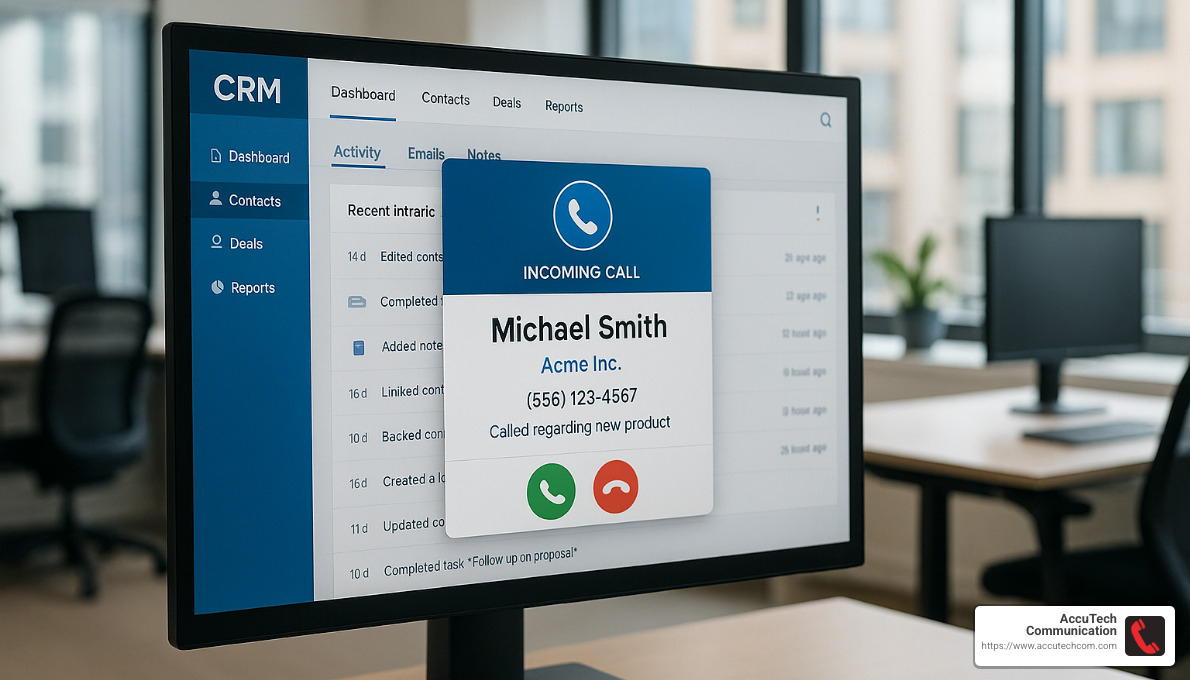
“Displaying customer details on incoming calls via CRM integration saves our client’s sales team an average of 45 seconds per call in lookup time,” explains our solutions architect. “With over 200 calls per day, that adds up to over 15 hours of recovered productivity weekly.”
For more information on connecting your phone system with your business applications, visit our Phone Services for Business page.
Locking Down Your Voice Data
Your phone conversations contain valuable—and often sensitive—information that needs protection. Security shouldn’t be an afterthought in your office phone installation.
The days when phone security meant locking the server room door are long gone. Modern VoIP systems require modern security approaches. During a recent installation for a financial services firm in Boston, we finded their previous provider had left default passwords unchanged on their entire system—essentially leaving their front door wide open to intruders.
Properly securing your voice communications starts with firewall configuration that specifically accounts for voice traffic. Many firewalls include SIP Application Layer Gateway (ALG) features that, counterintuitively, often need to be disabled for optimal VoIP performance—something many IT generalists miss.
Multi-factor authentication provides crucial protection for system administration. When a small New Hampshire retailer’s phone system was compromised, the attackers racked up thousands in international calling charges overnight. MFA would have prevented the breach entirely.
Role-based permissions ensure employees can access only what they need. Your receptionist likely needs different system access than your IT manager. We recommend creating specific roles that align with job functions rather than giving everyone the same access level.
Encryption of both signaling (via TLS) and voice streams (via SRTP) protects your conversations from eavesdropping. This is especially important for businesses using WiFi phones or with remote workers connecting from public networks.
“We strongly recommend changing default passwords to unique strong passwords that aren’t easy to guess,” advises our security specialist. “This simple step prevents many common security breaches.”
Compliance Considerations
Depending on your industry, your office phone installation may need to meet specific regulatory requirements. These aren’t just bureaucratic hoops—they protect your customers and your business.
HIPAA compliance affects healthcare providers and their business associates. When we installed a multi-site phone system for a dental practice group in Massachusetts, we implemented specialized call recording with automatic redaction and encryption. This allowed them to maintain quality monitoring while still protecting patient information.
PCI DSS requirements impact any business taking credit card information over the phone. A restaurant chain we worked with needed a specific call flow that paused recording when card details were being shared, then resumed afterward—all transparent to their staff.
GDPR and other data privacy laws have changed how businesses handle customer information, including recorded calls. These regulations affect not just how you record calls but how long you store them and how customers can request access to or deletion of their data.
E911 compliance ensures accurate location information reaches emergency services. This becomes especially complex with remote workers or multi-building campuses. We recently helped a college update their system to provide building-specific location data to emergency responders.
The compliance landscape keeps evolving, and your phone system needs to evolve with it. Working with a knowledgeable partner helps you stay ahead of requirements rather than scrambling to catch up after an audit.
Futureproofing Your Office Phone Installation
Technology changes quickly, but your office phone installation represents a significant investment that should serve you for years to come. Planning for the future now saves headaches later.
I remember visiting a client who had invested heavily in an expensive proprietary phone system just before cloud communications took off. Within three years, they were struggling with a system that couldn’t integrate with their newer business applications and couldn’t support their growing remote workforce. Let’s make sure that doesn’t happen to you.
API and webhook support might sound technical, but think of them as future-proofing insurance. These connection points allow your phone system to integrate with new applications that might not even exist yet. A manufacturing client uses these to connect their phone system with their custom production tracking software—a connection the phone system designers never specifically planned for.
Unified communications platforms bring voice, video, chat, and file sharing into one ecosystem. During the pandemic, businesses with these systems in place adapted to remote work almost overnight, while others struggled with cobbled-together solutions.
Regular software updates keep your system current with new features and security patches. Ask potential providers about their update schedule and policy. Some of the best systems we install receive monthly updates with new capabilities at no additional cost.
Equipment lifecycle planning helps you budget for eventual hardware replacement. While cloud systems reduce hardware dependency, desk phones typically have a 5-7 year useful life before they start showing their age.
Flexible licensing allows your system to grow and change with your business. A retail client with seasonal staffing fluctuations saves thousands annually with a system that allows them to adjust user counts monthly rather than committing to annual licenses.
“The most future-proof installations we’ve completed focus on flexible cloud platforms that can adapt to changing business needs rather than static hardware-centric solutions,” notes our senior systems engineer.
The right technology partner doesn’t just install a phone system—they help you build a communications foundation that can evolve with your business for years to come.
Frequently Asked Questions about Office Phone Installation
How much bandwidth do I really need per active call?
The question of bandwidth is one of the most common concerns businesses have when considering office phone installation. The short answer? You need about 100 Kbps (0.1 Mbps) of upload bandwidth for each concurrent call you expect to have.
Think of it this way: if your office regularly has 10 people on calls at the same time during busy periods, you should aim for at least 1 Mbps of dedicated upload bandwidth just for voice traffic. But here’s where many businesses make a mistake – that’s the bare minimum.
For truly crystal-clear calls that don’t drop or sound choppy when someone starts downloading a large file, we typically recommend adding a 50% buffer. So for those 10 concurrent calls, 1.5 Mbps would be a much safer target.
“I’ve seen too many businesses struggle with call quality simply because they calculated the exact minimum bandwidth needed,” shares our senior network engineer. “Then someone starts a video download, and suddenly customer calls start breaking up. That extra buffer makes all the difference.”
Remember though, raw speed isn’t everything. Your connection’s health matters just as much – keep latency under 150 milliseconds and jitter below 30 milliseconds for professional-quality calls. Properly configured Quality of Service (QoS) settings on your router will prioritize those important customer calls even when other network activities are competing for bandwidth.
Can I keep my existing phone numbers when I switch systems?
Yes! Keeping your existing phone numbers is absolutely possible through a process called number porting. This applies whether you’re moving from traditional landlines, cell phones, or another VoIP provider.
Number porting typically takes 2-3 weeks to complete, which surprises many business owners who expect it to happen instantly. During this period, you’ll need to submit a Letter of Authorization (LOA) to your new provider and keep your old service active to ensure a smooth transition.
One strategy we’ve used successfully with hundreds of businesses across Massachusetts and Rhode Island is implementing temporary numbers during the transition. This approach lets you set up and test your new system completely while calls still come through on your old system. Once everything is working perfectly and porting completes, you simply discard the temporary numbers (or keep them as additional lines if they prove useful).
“When we switched systems last year, keeping our main number was non-negotiable,” explains the office manager of a Boston accounting firm. “AccuTech set us up with temporary numbers for testing, and our clients never experienced any disruption when the permanent numbers transferred over.”
This approach eliminates the stress of wondering if calls will drop during the transition – something especially important if your phone is your business lifeline.
What ongoing maintenance should I budget for?
Many businesses focus entirely on the initial office phone installation costs without considering the long-term maintenance picture. This can lead to budget surprises down the road.
Your monthly service fees will typically range from $15-40 per user for VoIP services, depending on which features you need. Most cloud-based systems include software updates in this subscription, which is one of their major advantages over traditional systems that might require paid upgrades.
Hardware has a longer but still finite lifespan. Quality desk phones typically last 5-7 years (though we’ve seen many last a decade or more with proper care). A good rule of thumb is to budget about 15-20% of your initial hardware investment annually for replacements due to damage, wear and tear, or occasional coffee spills.
Security shouldn’t be overlooked either. Regular security audits of your phone system help protect your business communications from increasingly sophisticated threats. These can be performed internally if you have the expertise, or by consultants who specialize in VoIP security.
“One maintenance task that pays huge dividends is conducting periodic test calls,” recommends our support manager. “Just 20 minutes every few months can catch subtle audio issues before they become problems that impact customer calls. It’s like changing the oil in your car – a little preventive maintenance prevents much bigger headaches.”
Don’t forget that your phone system relies on your network infrastructure, so include voice requirements in your overall IT maintenance planning. A network upgrade might be necessary every few years to keep everything running smoothly as your business grows and technology evolves.
Conclusion
Office phone installation has come a long way from the days of complex wiring and hardware-heavy setups. What once took weeks can now often be completed in a single day. The evolution of business phone technology has made modern systems more accessible, feature-rich, and cost-effective than ever before.
Throughout this guide, we’ve explored the crucial differences between VoIP and traditional analog systems, walked through the preparation steps that set you up for success, and outlined a methodical approach to installation that works whether you’re handling it yourself or bringing in professionals.
Your phone system is far more than just a tool for making calls. Today’s systems serve as the backbone of your business communications—integrating with your CRM, supporting your remote workforce, providing valuable analytics about customer interactions, and scaling smoothly as your business grows.
One of the most important takeaways is that proper planning prevents problems. Taking the time to test your network thoroughly, clearly document your specific business needs, and choose a system with the features you’ll actually use (rather than paying for bells and whistles you’ll never touch) will save you countless headaches down the road.
Many businesses find that their communication needs evolve over time. The good news is that modern systems are designed with flexibility in mind, allowing you to add users, incorporate new features, and adapt to changing work environments without starting from scratch.
Since 1993, our team at AccuTech Communications has been helping businesses across Massachusetts, New Hampshire, and Rhode Island transform their communications infrastructure. We’ve seen how the right phone system can improve customer service, boost team collaboration, and ultimately contribute to business growth.
Whether you’re a small office looking to upgrade from an outdated system or a multi-site enterprise needing a comprehensive unified communications platform, our certified technicians have the expertise to guide you through every step of the office phone installation process.
To learn more about how we can help with your business communication needs, visit our Business Phone Systems page or reach out for a no-obligation consultation. We’re always happy to answer questions and help you determine the best approach for your specific situation.
