
Office Phones: 5 Best Powerful Picks for 2025 Success
The Evolution of Modern Office Communication
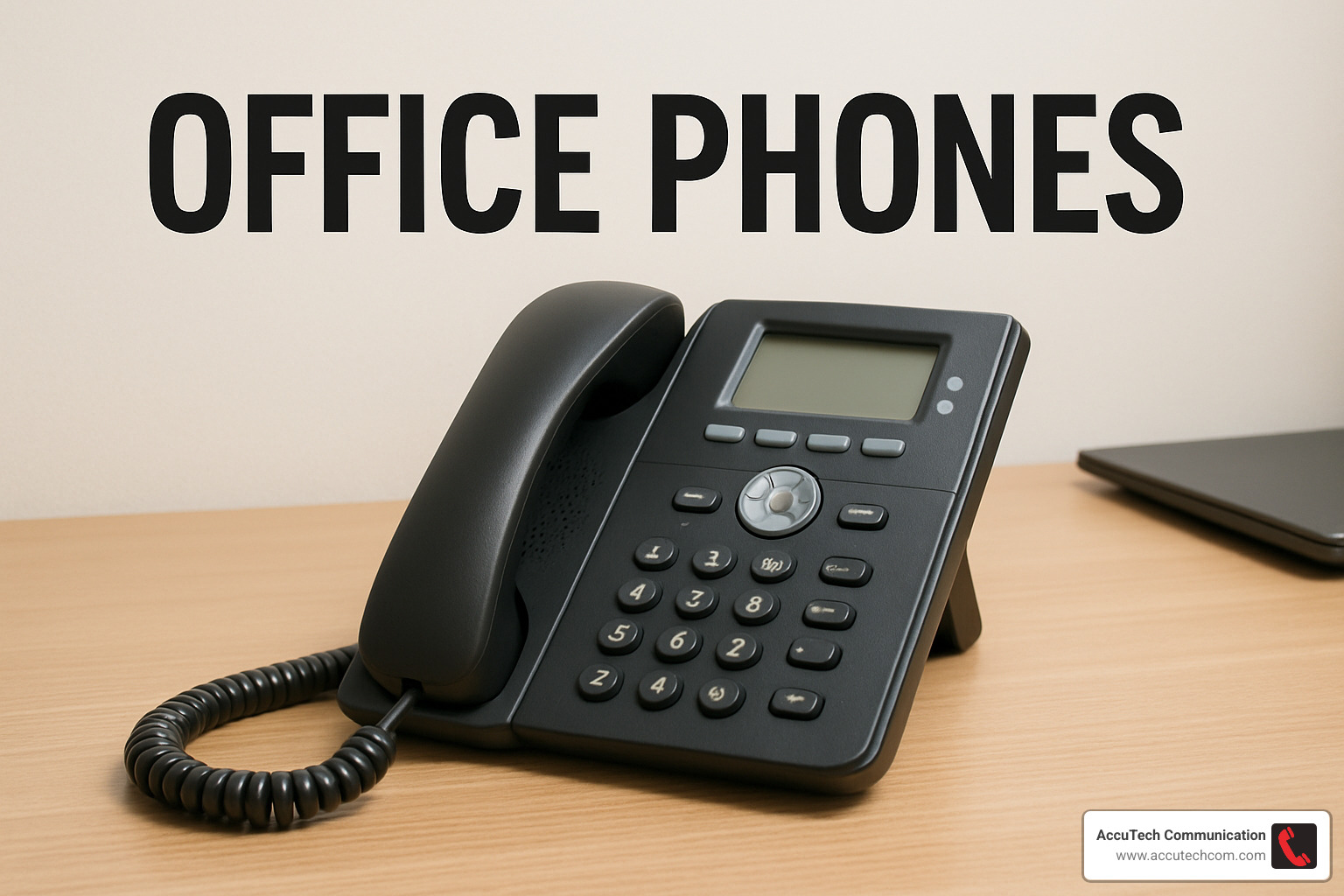
Office phones are specialized telecommunications devices designed for business environments, featuring multiple lines, call forwarding, voicemail, and advanced conferencing capabilities. Unlike regular home phones, they support extension dialing, automated attendants, and integration with other business tools.
Types of Office Phone Systems:
- Multiline Systems – Support up to 8-10 lines on a single device
- PBX (Private Branch Exchange) – Allow internal extension dialing and automated routing
- VoIP (Voice over Internet Protocol) – Use internet connectivity for calls with advanced features
- Hybrid Solutions – Combine on-premise hardware with cloud capabilities
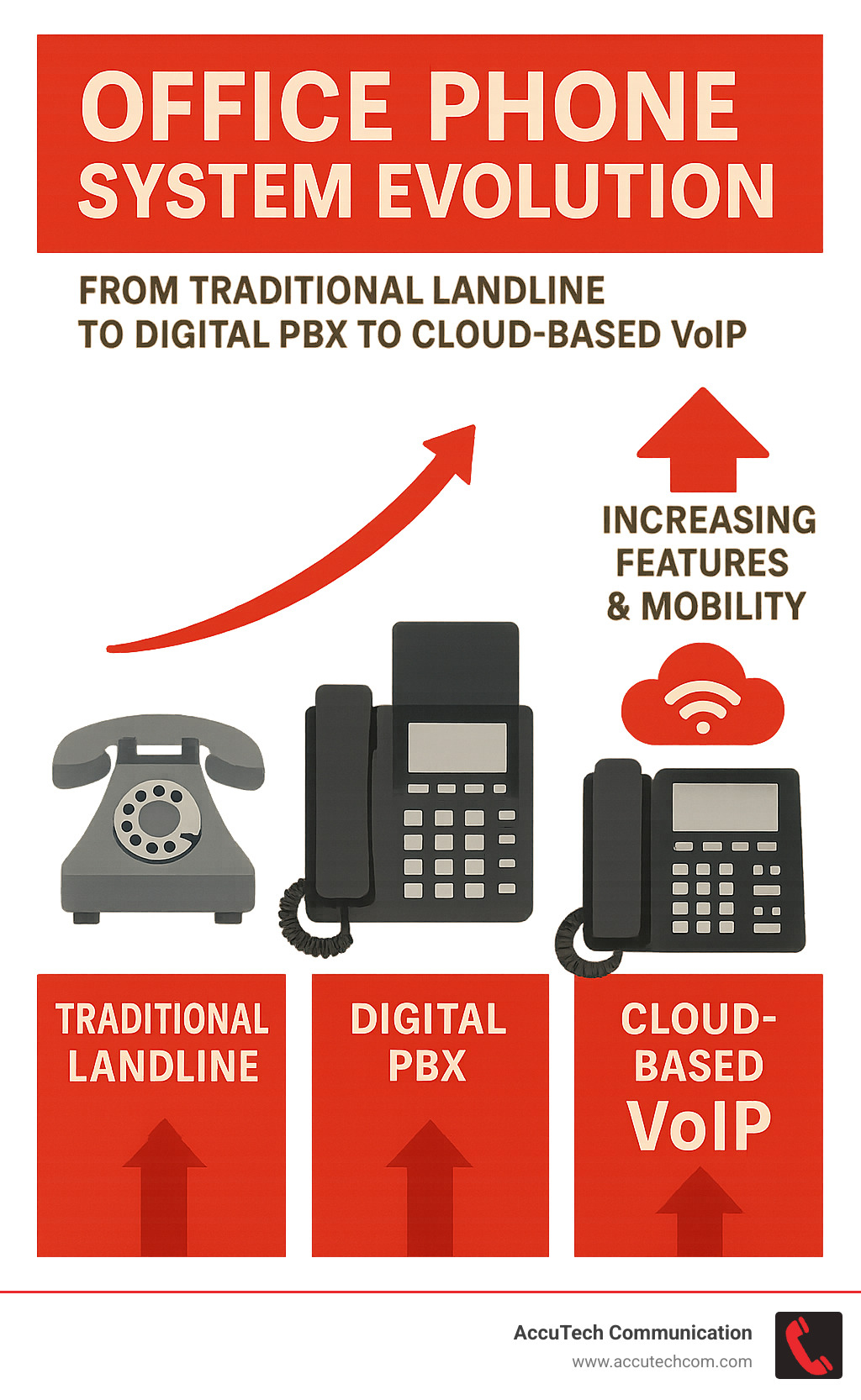
Today’s business environment demands communication systems that can adapt to both in-office and remote work scenarios. Modern office phone systems have evolved far beyond the simple desk phones of the past, now offering seamless integration with CRM software, mobile applications, and video conferencing platforms.
With the shift toward digital change, VoIP technology has become the standard for most businesses, providing crystal-clear audio quality and advanced features that traditional landlines simply can’t match. DECT cordless office phones now offer impressive range capabilities of up to 300 meters, providing flexibility for staff who need to move throughout office spaces.
When selecting an office phone system, businesses should consider:
- Current and future team size
- Number of locations
- Remote work requirements
- Integration needs with existing software
- Budget constraints (initial setup vs. ongoing costs)
I’m Corin Dolan, owner of AccuTech Communications with over 25 years of experience designing and implementing office phones and unified communications systems for businesses across New England. My team specializes in creating custom office phone solutions that grow with your business while providing the reliability modern organizations demand.
Office phones terms made easy:
– business communications services
– office phone installation
– internet phone systems for business
Understanding Office Phones 101
Ever wondered why that phone on your desk at work looks so different from the one in your kitchen? Let’s explain office phones and explore what makes them the backbone of business communication.
Think of office phones as the professional athletes of the phone world – they’re built to handle non-stop action all day, every day. Unlike your home phone, these communication powerhouses are designed specifically for business environments where calls are constant and features like transferring, conferencing, and handling multiple lines simultaneously are absolute necessities.
How do office phone systems work?
Behind every smooth-running office phone system is some pretty clever technology. Traditional systems create dedicated circuits for each call (like having a private highway for your conversation), while modern VoIP systems transform your voice into digital packets that zip across the internet.
The magic happens when these components work together:
Your system establishes connections through signaling protocols when you dial – in VoIP systems, SIP (Session Initiation Protocol) handles this handshaking. Virtual phone lines called SIP Trunks connect your system to the outside world through the internet, replacing those bundles of physical copper wires from yesteryear. Meanwhile, your network’s routers and switches direct calls exactly where they need to go, whether to Bob in accounting or a client across the country.
The physical handsets on desks and conference rooms are what most people think of as “the phone,” but many systems now also include softphones – software apps that let you make calls right from your laptop or smartphone.
A client from Worcester put it perfectly: “Think of our PBX as a traffic controller – it receives all calls and routes them precisely where they need to go, without tying up our receptionist.”

Office phones vs regular phones
Your home phone is like a bicycle, while an office phone system is more like a fleet of delivery trucks – they’re built for entirely different purposes.
Office phones come packed with business-critical features that you rarely need at home: call transfers to get customers to the right department, conference calling for team meetings, call parking to put someone on hold while you find the right person, and intercom functionality for quick internal communication.
Unlike consumer phones, business systems grow with your company. Adding new phones and lines is straightforward, not a complete system overhaul. The auto attendant feature acts as your tireless virtual receptionist, professionally greeting and routing callers 24/7.
For warehouses and retail spaces, overhead paging capabilities let you quickly locate staff or make announcements. Extension dialing means reaching colleagues with just a few digits instead of full phone numbers. Direct Inward Dialing (DID) allows callers to reach specific people directly, while rollover service ensures that when one line is busy, calls automatically bounce to the next available line – no missed opportunities.
According to research published in the Journal of Small Business Management, businesses using advanced phone systems with proper call routing experience 23% higher customer satisfaction ratings compared to those using basic systems. It turns out that how quickly and efficiently you handle calls directly impacts how customers perceive your business.
From DECT cordless solutions offering mobility around your workplace to cloud PBX systems enabling seamless remote work, modern office phones have evolved dramatically to support today’s hybrid work environments. For a deeper dive into the science behind call quality, check out this research on how office phone systems work.
Key Buying Factors & Feature Comparison
Shopping for office phones can feel overwhelming with all the options out there. After helping hundreds of Massachusetts, New Hampshire, and Rhode Island businesses find their perfect communication solutions since 1993, we’ve learned what really matters when choosing a phone system.
Essential Features for Modern Office Phones
Think of your office phones as the backbone of your customer interactions. The right features can transform how your business communicates.
Most of our clients find that voicemail-to-email has become indispensable in today’s hybrid work environment. Imagine checking your voice messages right from your inbox, complete with audio attachments you can listen to anywhere. As one Boston attorney told us, “This feature alone saves our team about 45 minutes daily. We can prioritize return calls based on the transcribed content without dialing in to check messages.”
Clear caller ID display helps your team prepare before answering, while built-in conferencing capabilities eliminate the need for separate services when hosting multi-party calls. For businesses with mobile staff, look for mobility features that let calls transfer seamlessly between desk phones and cell phones.
Don’t overlook security. Strong encryption protocols for VoIP calls protect your conversations from eavesdropping, and proper E911 compliance ensures emergency services can locate callers accurately within your building. Many of our clients also value CRM integration that connects their phone system with customer databases for smoother client interactions.
Finally, consider scalability – can the system grow as your business expands? The last thing you want is to outgrow your investment in a year.
Corded vs cordless office phones
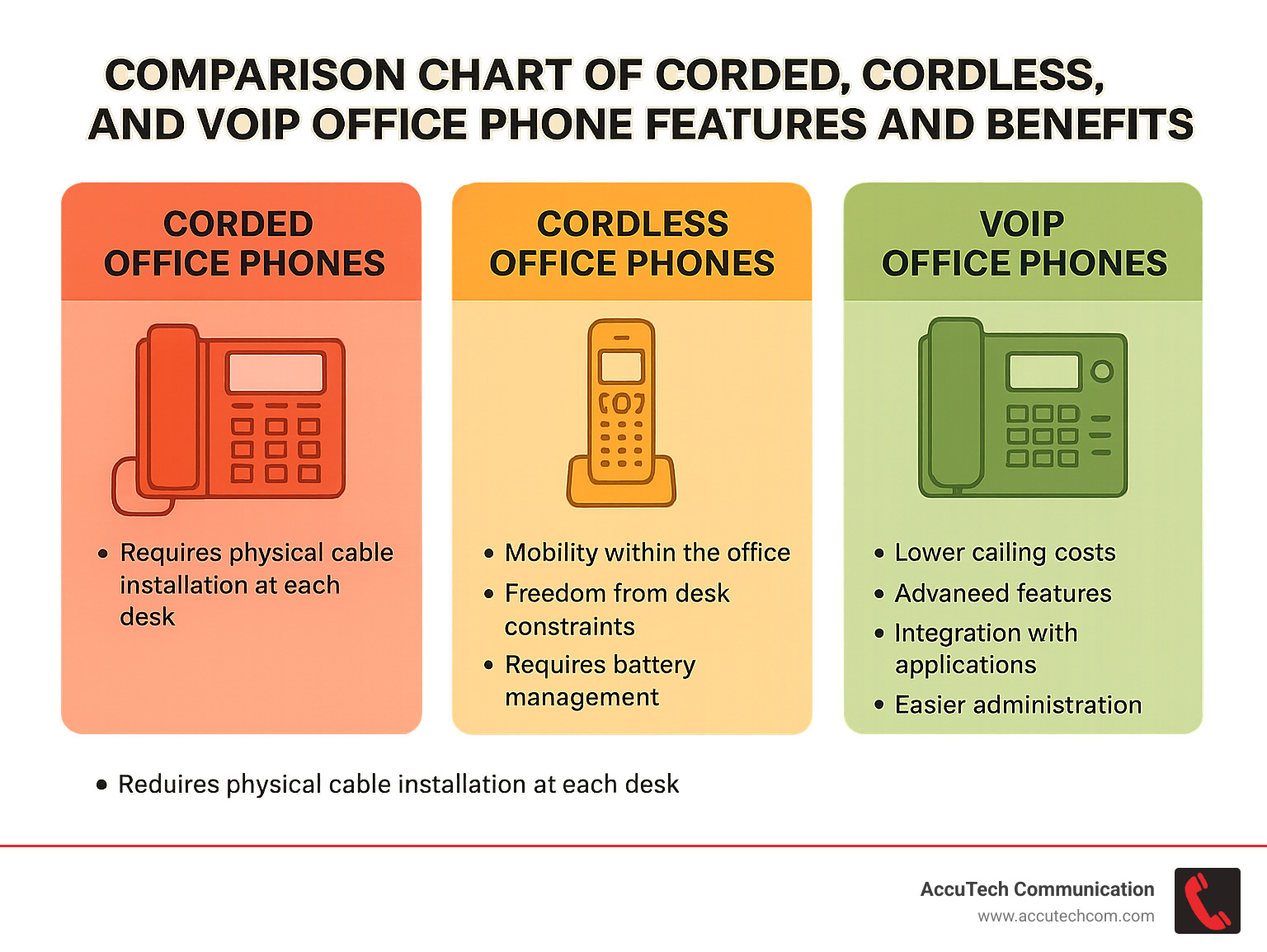
The choice between corded and cordless office phones often comes down to how your team works.
Corded phones offer rock-solid reliability with no interference concerns or batteries to manage. They typically provide larger displays with more features and come at a more budget-friendly price point. The trade-off? You’re tethered to your desk and need physical cable installation at each workstation.
Cordless options give your team freedom to move. With DECT technology, modern cordless office phones can maintain clear connections up to 300 meters from their base – perfect for warehouse supervisors, retail managers, or healthcare professionals who can’t stay desk-bound. These phones operate on a dedicated 1.9 GHz frequency band that experiences less interference than the crowded 2.4 GHz used by many wireless devices.
One manufacturing client shared, “Our floor managers used to miss important calls because they couldn’t hear the phone from the production floor. With cordless DECT phones, they’re always reachable without being chained to their desks.”
VoIP office phones explained
Voice over Internet Protocol has revolutionized business communications by sending calls over the internet instead of traditional phone lines. If you’re considering VoIP office phones, here’s what you should know:
Your internet connection becomes your lifeline for calls, so bandwidth matters. Each concurrent call typically needs 85-100 Kbps in each direction. For perspective, a 10-person office should have at least 1 Mbps dedicated just to voice traffic for clear calls.
Quality of Service (QoS) settings on your network help prioritize voice data over other traffic, preventing those awkward call glitches when someone starts downloading a large file. Many of our clients also appreciate softclient applications that let their team make and receive calls on computers or mobile devices using their business numbers – perfect for remote work days.
VoIP systems typically offer lower long-distance costs, advanced features like visual voicemail, presence indicators showing who’s available, and simpler administration through web portals. Plus, they integrate beautifully with other business applications you already use.
For more details about internet-based phone systems, check out our Internet Phone Systems for Business page.
Best for Small Teams: The 4-Line Corded Desk Solution
When you’re running a small business with 5-15 employees all working under one roof, you don’t need a complicated enterprise phone system with bells and whistles you’ll never use. That’s where a 4-line corded desk solution really shines – giving you just the right mix of professional features without overwhelming your team or your budget.
These systems are perfect for the small law office, the growing accounting firm, or the family-run restaurant that needs to sound professional when clients call. One of our restaurant clients in Sudbury put it perfectly: “We needed something simple but professional for taking reservations and managing vendor calls. The 4-line system has been perfect—easy for staff to use and reliable during our busiest hours.”
What makes these office phones so ideal for small teams? For starters, they’re remarkably easy to set up. Most systems can be up and running in just a few hours, even if you’re not particularly tech-savvy. This means less downtime for your business and less frustration for you and your team.
The cost factor is another big advantage. These multi-line systems give you professional-grade communication tools without requiring a significant upfront investment. You get all the essential business features you need:
Speakerphone capabilities let your team multitask during calls, call transfer ensures messages reach the right person, and intercom functionality makes internal communication a breeze. Plus, features like caller ID with call waiting and a basic auto-attendant system give your small business a more professional appearance to callers.
Perhaps best of all, these systems grow with you. As your team expands, you can add more phones to the system, typically supporting up to 8-10 lines total. This scalability ensures your initial investment continues to serve you well even as your business evolves.
The 4-line corded solution works particularly well for small retail stores, professional service offices, medical practices, restaurants, and non-profit organizations. Basically, any small business that wants to maintain a professional phone presence without diving into complex telecommunications systems.
When it comes to installation, these systems typically connect to either traditional phone lines or a small-business VoIP service. Our AccuTech team handles all the cabling and setup details, ensuring your system is properly configured for your specific business needs – whether that’s routing calls to different departments or setting up voicemail for your team members.
For small teams looking for simplicity, reliability, and professionalism in their communications, the 4-line corded desk solution offers the perfect balance.
Best for Mobile Workplaces: Cordless DECT Bundle
If your team is constantly on the move throughout your workplace, a cordless DECT office phone system might be your perfect match. Picture your warehouse supervisor answering an important client call while checking inventory, or your retail manager handling a vendor issue while helping customers on the sales floor. That’s the freedom DECT technology delivers.
DECT (Digital Improved Cordless Telecommunications) isn’t just any wireless technology—it’s specifically designed for voice communications in busy environments. While standard cordless phones might leave you with static or dropped calls, DECT delivers crystal-clear audio even as you roam.
What makes DECT special? For starters, these systems offer impressive 300-meter range in open areas—that’s nearly the length of three football fields! This means your staff can wander freely throughout large facilities while staying connected. And unlike consumer-grade cordless phones, DECT handsets offer robust battery life with 8+ hours of talk time and several days on standby, easily lasting through the busiest shifts.
One of my favorite features to highlight with clients is the seamless handoff capability. As your team moves between coverage areas, calls transfer automatically between base stations without dropping—no awkward “let me call you back” moments necessary.

A warehouse manager in Marlborough recently told me, “Before we got these DECT phones from AccuTech, our team wasted 30-40 minutes daily trudging back to their desks for calls. Now they’re always reachable, and our productivity numbers show it.”
When we design DECT systems for our clients, we look for several key features that make life easier for mobile teams. Expandable base stations ensure complete coverage even in larger facilities. Ruggedized handsets stand up to the inevitable drops in active environments. Headset support keeps hands free for other tasks, while intercom and push-to-talk features enable instant team communication. In noisy settings, vibration alerts ensure no important calls are missed.
We’ve implemented these systems across numerous industries with great success. Retail managers can supervise staff while remaining accessible for important calls. Healthcare professionals can respond quickly without being tethered to a nursing station. Warehouse teams coordinate shipments from anywhere in the facility. Manufacturing supervisors stay connected across production floors. Hotel staff remain reachable throughout sprawling properties.
At AccuTech Communications, we don’t just sell you phones and walk away. We carefully design DECT systems with multiple base stations strategically positioned to eliminate dead zones, ensuring complete coverage throughout your facility. Because when your team is mobile, your communication system should keep pace—not hold you back.
Best for Hybrid Offices: Wi-Fi VoIP Desk Phone
Remember when changing your desk meant a service call to move your phone line? Those days are gone! For today’s flexible workplaces where employees split time between home and office, Wi-Fi VoIP desk phones are a game-changer. These modern office phones blend the familiar feel of a traditional desk phone with the flexibility needed for our new hybrid reality.
I recently helped a marketing agency in Boston transition to this setup, and their creative director told me: “Our team works from everywhere now. With Wi-Fi phones and the companion mobile app, clients call one number and reach the right person whether they’re at their desk, on the couch, or at a coffee shop. It’s seamless.”
What makes these phones special is their incredible adaptability. They connect directly to your existing Wi-Fi network—no need to run Ethernet cables to every desk. Just plug into a power outlet, connect to Wi-Fi, and you’re up and running. This plug-and-play deployment makes reconfiguring your office layout a breeze.
Most modern models support dual-band Wi-Fi (both 2.4GHz and 5GHz), letting you choose the optimal connection for voice quality in your particular environment. The 5GHz band often provides clearer calls in offices with lots of wireless devices competing for bandwidth.
One feature my clients particularly love is hot-desking capabilities. Team members can log into any phone in the office to receive their calls, making these phones perfect for shared workspaces and flexible seating arrangements. Gone are the days of being tied to one specific desk!
The color touchscreens on these devices make navigating features intuitive—check voicemail, transfer calls, or set up conference calls with a few taps. Many models even include video-ready options with built-in cameras and larger displays, eliminating the need for separate video conferencing equipment for quick face-to-face chats.
Perhaps most importantly for hybrid work, these systems seamlessly integrate with desktop and mobile softphone apps. This softphone integration ensures employees receive calls whether they’re at their desk, working from home, or on the road—all while presenting a unified business identity to callers.
When implementing Wi-Fi VoIP phones, you’ll want to ensure your wireless network can handle voice traffic properly. Our AccuTech team can assess your current Wi-Fi infrastructure, recommend any necessary upgrades, and configure Quality of Service (QoS) settings to prioritize voice traffic for crystal-clear calls.
These solutions are particularly valuable for:
– Businesses embracing flexible work arrangements
– Companies with limited network cabling infrastructure
– Organizations wanting to future-proof their communications
– Offices that frequently reorganize desk arrangements
– Teams that need to stay connected while moving throughout the workspace
Want to learn more about internet-based phone systems that support hybrid work? Visit our Internet Phone Systems for Business page for additional details.
Best for Rapidly Growing Firms: Modular PBX + SIP
When your business is on a growth trajectory, your phone system needs to keep pace without becoming a bottleneck. That’s where a modular PBX system with SIP trunking truly shines – it’s like buying a phone system that can grow up alongside your company.
Think of a modular PBX as the “Lego set” of office phones – you start with a solid foundation and add pieces as you expand. Many of our clients who began with just 10-15 employees have scaled to teams of 100+ without needing to replace their core system.
Scalable expansion slots are the secret sauce here. One manufacturing client in Worcester told us, “We just pop in a new card whenever we hire another department. No disruption, no downtime – it’s actually the least stressful part of our growth.”
The beauty of these systems extends beyond just adding phones. With direct-dial extensions, every employee, department, or function gets their own unique number. Your callers can reach exactly who they need without playing the transfer game, and as you add new team members, they simply join your existing extension structure.
When clients call your business, they’ll be greeted by a sophisticated auto attendant that creates that big-company impression while efficiently routing calls. As your organizational chart evolves, updating the menu is simple – no need to re-record everything from scratch.
What really sets these systems apart is their CRM integration capabilities. When a customer calls, their information automatically pops up on screen, and call details get logged directly into your customer database. A financial services firm we work with estimates this saves their team about 45 minutes of manual data entry per person daily.
On-site control with cloud flexibility gives you the best of both worlds. The hardware lives in your building (giving you security and reliability), while SIP trunking provides the cloud connectivity for cost-effective calling and remote work support.
SIP Trunking: The Growth Enabler
SIP trunking replaces traditional copper phone lines with virtual connections over the internet. For growing businesses, this offers tremendous advantages:
You’ll see immediate cost savings by eliminating expensive traditional lines while dramatically reducing long-distance charges. One client cut their monthly phone bill by 62% after switching to SIP trunks.
The scalability is best – need more lines for a seasonal rush or new department? We can add them in hours, not weeks, and there’s no physical installation required.
For disaster recovery, SIP trunking is a lifesaver. When a severe storm knocked out power to a client’s main office, their calls automatically rerouted to mobile devices and their secondary location. Customers never knew there was an issue.
Perhaps most valuable for expanding businesses is the geographic flexibility. You can maintain local numbers in multiple cities regardless of where your physical office is located. This allows you to establish presence in new markets before committing to physical locations.
This solution is particularly well-suited for:
– Companies regularly adding new team members
– Businesses planning additional locations
– Organizations needing sophisticated call routing
– Companies that value detailed call reporting and analytics
– Businesses wanting on-premises security with cloud connectivity
For more technical information about telephone technology fundamentals, the How Stuff Works: Telephone resource provides helpful background. Of course, our AccuTech team is always happy to explain everything in plain language – no technical jargon unless you ask for it!
Best All-in-One Cloud Suite: Hosted Office Phones & Apps
Remember when business phone systems required closets full of equipment, miles of wiring, and a dedicated technician just to add a new extension? Those days are thankfully behind us with today’s cloud-based office phone solutions.
Cloud phone systems have revolutionized how businesses communicate by delivering enterprise-level features without the traditional hardware headaches. As one of our clients, a growing marketing agency in Cambridge, told me: “It’s like we jumped ahead ten years in technology overnight, but somehow it’s actually easier to use!”
What makes these systems so appealing is their subscription approach—you pay a predictable monthly fee rather than investing thousands upfront in hardware that will eventually become obsolete. Office phones become just another service, like your internet or your CRM, that you can scale up or down as needed.
Zero hardware investment is a major selling point. Beyond the desk phones themselves (which many providers include in their packages), there’s no need for on-premises equipment. This frees up both capital and physical space in your office. One small accounting firm in Worcester converted their former “server room” into a much-needed break room after moving to the cloud!
With cloud systems, you can establish a global presence almost instantly. Need a Boston number for your New Hampshire business? Or perhaps a toll-free number for nationwide clients? Your system can include virtually any area code or country code you need, regardless of where you’re physically located.

The comprehensive analytics available with cloud solutions provide invaluable business intelligence. You’ll gain insights into call volumes, peak hours, response times, and customer interaction patterns through intuitive dashboards. One retail client used these analytics to adjust staffing patterns, significantly reducing missed calls during their busiest periods.
Perhaps my favorite feature to show clients is the remote administration portal. Need to add a new employee? Change your holiday greeting? Redirect calls during an emergency? All of this can be done through a simple web interface—no technical expertise required. As one office manager put it: “I used to have to submit a ticket and wait days for changes. Now I make them myself in minutes.”
Reliability concerns? Most reputable providers offer Service Level Agreements guaranteeing 99.9%+ uptime. In fact, cloud systems often deliver better reliability than traditional phone systems since they’re hosted in redundant data centers rather than relying on equipment in your office that could be affected by local power outages.
Modern cloud systems deliver true unified communications by integrating:
– Voice calls (from desk phones, computers, or mobile devices)
– Video conferencing and screen sharing
– Team messaging and presence indicators
– File sharing and collaboration tools
This integration means your team can seamlessly transition between communication methods based on what works best for each situation—all within the same platform.
Cloud solutions are particularly well-suited for businesses with multiple locations, significant remote workforce, or rapid growth projections. They’re also ideal for organizations wanting to minimize IT overhead while maximizing communication capabilities.
For Massachusetts businesses considering cloud phone systems, our team at AccuTech Communications can help you evaluate options and implement the perfect solution. Learn more about our Business Phone Systems in Massachusetts.
Deploying & Securing Your System
Getting your office phones up and running isn’t just about unboxing equipment and plugging it in. It’s about creating a solid foundation for your business communications that will serve you reliably for years to come. After helping hundreds of Massachusetts businesses implement phone systems since 1993, we’ve learned a thing or two about doing it right.
Installation Steps for Success
Think of your phone system installation like building a house—you need a solid foundation before adding walls and a roof. We always start with a thorough assessment of what you have and what you need. This means walking your space, understanding your workflow, and planning for future growth before we even begin the physical installation.
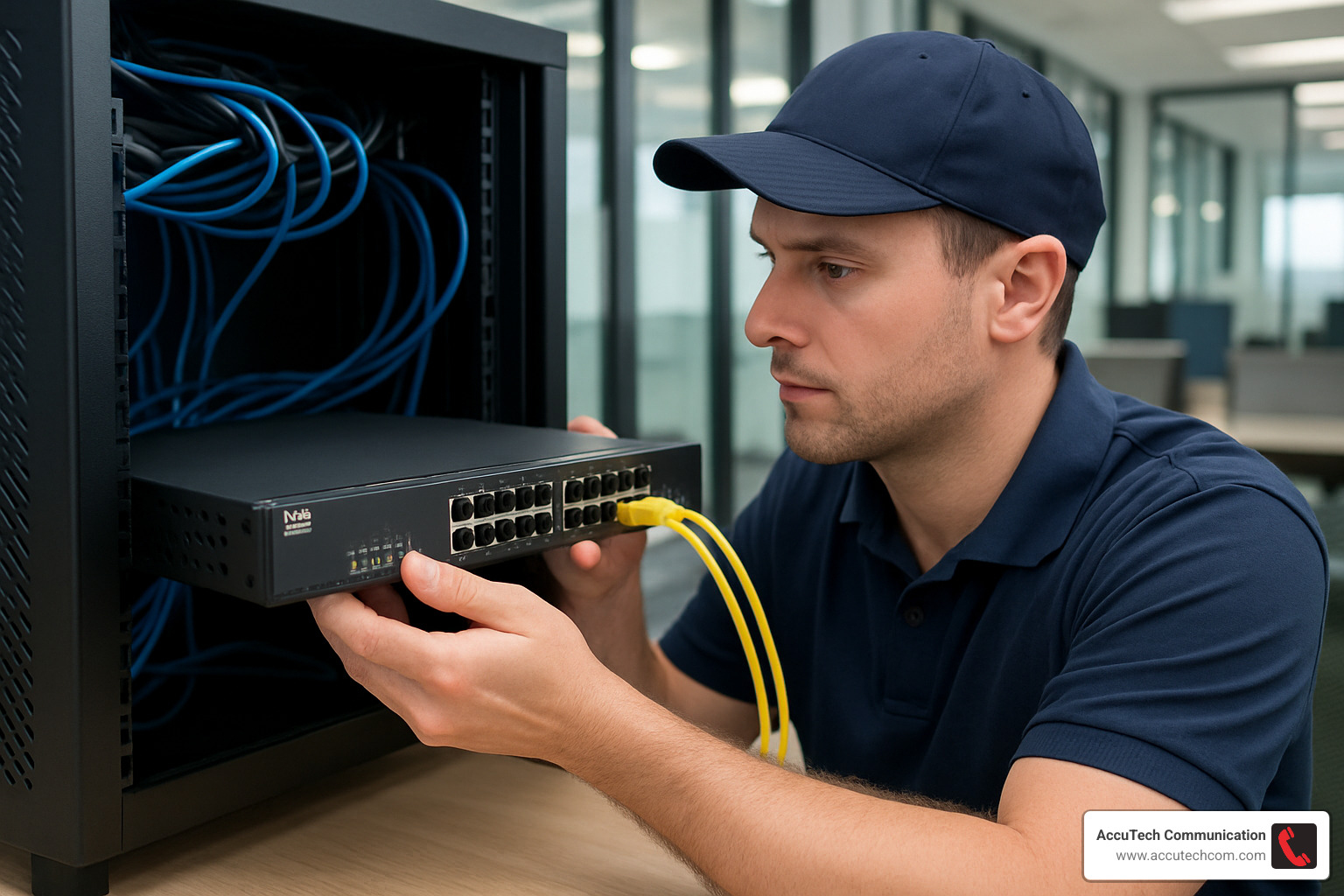
The backbone of any reliable system is proper cabling. For modern VoIP office phones, we typically use Cat6 or Cat6a Ethernet cabling—it costs a bit more upfront but saves headaches down the road when your bandwidth needs increase. We’re meticulous about labeling and organizing cables too, which might seem fussy until you need to troubleshoot something at 4:30 on a Friday afternoon!
Power over Ethernet (PoE) technology has been a game-changer for office phone installations. It allows phones to receive both power and data through a single Ethernet cable, which means fewer wires cluttering desks and no need for power outlets at every phone location. As one client put it, “My office looks so much cleaner without all those extra cords, and I gained back six power outlets!”
Getting your network ready for voice traffic is crucial for call quality. This means setting up Quality of Service (QoS) to prioritize voice packets, creating separate VLANs for voice and data, and configuring your router and firewall correctly. These behind-the-scenes adjustments make the difference between crystal-clear calls and conversations that sound like you’re talking through a drive-thru speaker in a thunderstorm.
Before we consider any installation complete, we update all firmware on your devices. This step is often overlooked but prevents compatibility headaches and security vulnerabilities from day one.
Security Considerations
As office phones have become more integrated with IT networks, they’ve also become potential entry points for security threats. Protecting your communications isn’t optional anymore—it’s essential.
Encryption is your first line of defense. We ensure that both your calls and the signaling data that controls them are encrypted to prevent eavesdropping. Think of it as having your conversations in a soundproof room instead of shouting across a crowded restaurant.
Proper firewall configuration acts as your security guard, keeping the bad guys out while letting legitimate traffic flow freely. We carefully tune these settings to protect your system without hampering performance.
E911 compliance isn’t just about following regulations—it could literally save lives. Modern office phone systems must provide accurate location information to emergency services, which is particularly important if you have a multi-floor office or campus environment. We take this seriously and ensure your system meets all requirements.
A healthcare client in New Hampshire once told me, “With HIPAA breathing down our necks, security wasn’t negotiable when upgrading our phones. AccuTech’s implementation included encryption at every level and gave us detailed documentation for our compliance records. That peace of mind alone was worth the investment.”
Strong password policies and regular system updates might seem like basic IT hygiene, but they’re surprisingly effective at preventing security breaches. We help you establish these practices from day one and make them easy to maintain.
Maintenance and Support
Even the best office phone system needs ongoing care to deliver consistent performance. Think of it like a car—regular maintenance prevents breakdowns and extends its lifespan.
We take a proactive approach with remote monitoring that allows us to spot potential issues before they affect your business. As one client joked, “It’s a bit spooky—sometimes AccuTech calls me about a problem before I even know we have one!”
Firmware updates deliver new features and critical security patches, but they need to be tested before deployment. Our team handles this process carefully to prevent any disruption to your business operations.
Having a solid backup and recovery strategy is your insurance policy against hardware failure or other disasters. We ensure you can get back up and running quickly if something goes wrong.
User training is often overlooked, but it’s crucial for getting full value from your system. We offer both initial and ongoing training to make sure your team knows how to use all those features you’re paying for. As one Massachusetts business owner put it, “We were only using about 20% of our system’s capabilities until AccuTech showed us what we were missing.”
For businesses across Massachusetts, New Hampshire, and Rhode Island, our local technicians provide that irreplaceable human touch when needed, backed by our remote support capabilities. When something needs hands-on attention, we can be there quickly—not days later like those national providers.
A properly deployed and secured office phone system isn’t just about making calls—it’s about creating a reliable, secure foundation for your business communications that grows with you and adapts to whatever challenges come your way.
Frequently Asked Questions about Office Phones
What does an extension actually do in an office phone system?
Think of an extension in your office phone system as a personal shortcut – it’s simply a 3-4 digit number that belongs specifically to one phone, person, or department. Extensions make life easier in so many ways that once you’ve used them, you’ll wonder how you ever managed without them.
Extensions let your team call each other with just a few quick digits instead of dialing complete phone numbers. They’re the backbone of efficient internal communication. When customers call your main number, they can either be directed through your auto-attendant (“For Sales, press 2”) or dial extensions directly if you have DID (Direct Inward Dial) numbers set up.
One of the handiest features is how extensions can be grouped together. We often create “hunt groups” for our clients where calls can ring multiple phones either all at once or in a specific order until someone picks up. Your team can even answer calls ringing on other extensions within their group, perfect for when someone steps away from their desk.
I remember setting this up for a medical practice in Worcester, and their office manager told me: “With extensions, our staff can quickly transfer patients to the right department without putting them on hold to look up numbers. It’s made our office much more efficient.”
Many of our clients also appreciate that we can set distinctive ring patterns for internal versus external calls, helping their staff immediately know which calls to prioritize.
How much should a small business budget for office phones per month?
Budgeting for an office phone system is a bit like asking “how much should I spend on a car?” – it really depends on what features you need and how you plan to use it. While I can’t give you specific pricing (since every business has unique needs), I can help you understand what factors will affect your monthly costs.
If you’re considering a cloud or hosted system, you’ll typically have a per-user monthly fee that includes most features. You might also need to factor in desk phone costs (either purchased outright or rented monthly), any premium add-ons like call recording or advanced analytics, and possibly upgrading your internet bandwidth to ensure call quality.
For on-premises systems, your monthly costs might include equipment financing (if you’re spreading the hardware cost over time), the actual phone lines (either traditional or SIP trunks), and ongoing maintenance and support.
The good news? Most businesses we work with find that modern VoIP systems actually save them money compared to traditional landlines – often reducing monthly telecom expenses by 30-50% while delivering far more features.
A retail business owner in Woburn recently told me: “We were surprised to find that upgrading to a modern system actually reduced our monthly phone costs while adding features we never had before, like the ability to take business calls on our smartphones.”
How do you transition from legacy landlines to VoIP without downtime?
Moving from traditional landlines to VoIP office phones without disrupting your business is something we’ve perfected over the years. It’s a bit like changing the engines on an airplane while it’s still flying – tricky, but absolutely possible with the right approach.
Our process at AccuTech starts with a parallel deployment. We set up your new VoIP system alongside your existing phones, which gives your team time to get comfortable with the new technology while your business continues running on the old system. This training period is crucial for a smooth transition.
Well before the actual cutover date, we begin the number porting preparation. This administrative process takes time, so we start early to avoid delays. When it’s time for the final switch, we typically schedule it during off-hours – usually overnight or on weekends – to minimize any potential disruption.
During the transition period, we can actually configure calls to ring on both old and new systems simultaneously. This redundancy ensures that no important calls fall through the cracks. And of course, we always have contingency plans ready for any unexpected issues, including the ability to quickly revert to the original system if necessary.
I recently helped a law firm in Waltham through this process, and their IT director told me: “We were concerned about potential disruption to client communications, but the parallel deployment approach meant our attorneys could get comfortable with the new system before we fully switched over. The actual cutover happened on a Saturday night, and by Monday morning, everything was working perfectly.”
The key to a successful transition isn’t just technical expertise – it’s careful planning and clear communication every step of the way. That’s been our approach since 1993, and it’s why businesses across Massachusetts, New Hampshire, and Rhode Island trust us with their critical communication systems.
Conclusion
Choosing the right office phone system isn’t just about technology—it’s about finding the perfect communications partner for your business journey. Throughout this guide, we’ve explored how today’s business phone landscape offers something for every organization, from straightforward desk phones to sophisticated cloud platforms.
I’ve seen how the right phone system can transform a business. One manufacturing client told me, “It’s like our whole team suddenly got closer together, even though we’re in three different buildings!” That’s the power of matching your specific needs to the right solution.
For small teams, those 4-line corded systems provide all the essentials without overwhelming you with features you’ll never use. They’re straightforward, reliable, and give your business that professional touch customers notice.
If your team is constantly on the move—whether in a warehouse, retail floor, or hospital—DECT cordless office phones keep everyone connected without chaining them to a desk. That 300-meter range is a game-changer for mobile workplaces.
The rise of hybrid work has made Wi-Fi VoIP desk phones increasingly popular. These flexible devices bridge the gap between traditional office work and remote arrangements, ensuring your team stays connected regardless of where they’re working on any given day.
For businesses experiencing rapid growth, modular PBX systems with SIP trunking provide the scalability to expand without replacing your entire infrastructure every few years. As one client put it, “We doubled our staff and barely had to touch our phone system—it grew right along with us.”
And for organizations ready to accept a fully unified approach, cloud-based suites integrate your office phones with video, messaging, and collaboration tools across all devices. The monthly subscription model also eliminates those painful hardware replacement cycles.
No matter which path you choose, proper deployment and ongoing security are essential for protecting your investment and your business communications.
Since 1993, we at AccuTech Communications have been helping businesses across Massachusetts, New Hampshire, and Rhode Island steer these choices. Our team doesn’t just install systems—we build relationships, ensuring your communications technology supports your business goals today and tomorrow.
Whether you’re replacing an aging system, setting up a new location, or just exploring options to reduce costs, we’re here to help with honest advice and dependable service. Our commitment to quality, fair pricing, and exceptional support has made us the trusted choice for businesses throughout New England.
Ready to find how the right office phone system can transform your business communications? Learn more about our complete business phone systems and reach out for a friendly, no-pressure consultation with our team.
