
Why Your Business Needs Commercial Security Cameras
Commercial security cameras protect your business from theft, provide liability protection, monitor operations, and improve workplace safety. Here’s what matters most when choosing a system:
- Crime Prevention: Visible cameras deter criminal activity and reduce losses from theft
- Evidence Collection: High-resolution footage provides clear documentation for incidents
- Operational Oversight: Monitor productivity, safety compliance, and workflow efficiency
- System Integration: Connect cameras with access control and alarm systems for comprehensive protection
- Storage Options: Choose between local NVR/DVR recording and cloud backup based on your needs
- Professional Installation: Proper placement and configuration ensure reliable coverage across your facility
The numbers tell a sobering story. Small businesses lose between $25,000 to $33,000 every minute to shoplifters, according to the University of Florida National Retail Security Survey. With burglaries occurring every 12 seconds in the United States and costing businesses $3.4 billion annually, effective surveillance isn’t optional—it’s essential for protecting your assets, employees, and bottom line.
Modern commercial security cameras do far more than record video. They integrate AI-powered analytics that detect specific threats, provide real-time alerts, and even help optimize operations by tracking customer flow and identifying safety hazards. Whether you’re protecting a healthcare facility in Massachusetts, a manufacturing plant in New Hampshire, or a retail location in Rhode Island, the right camera system becomes a critical part of your security infrastructure.
Beyond theft prevention, surveillance systems help businesses meet OSHA safety compliance requirements, reduce insurance premiums, and resolve liability disputes. They provide concrete evidence when incidents occur and create accountability across your organization. For businesses handling sensitive information or valuable inventory, cameras offer peace of mind that operations are secure 24/7.
Choosing the right system requires understanding the differences between IP and analog cameras, selecting appropriate storage solutions, and ensuring proper integration with your existing security measures. Environmental factors matter too—cameras protecting outdoor areas in New England need weatherproofing rated for harsh winters, while indoor systems require different considerations.
I’m Corin Dolan, owner of AccuTech Communications, and I’ve been helping businesses across Massachusetts, New Hampshire, and Rhode Island implement reliable commercial security cameras and integrated communication systems since 1993. Our team understands how surveillance systems connect with network infrastructure to deliver the comprehensive protection your business needs.
The Strategic Value of Commercial Security Cameras
When we talk to business owners in Boston or Worcester, the conversation usually starts with theft. It makes sense—the University of Florida National Retail Security Survey highlights that the financial drain from shoplifting is constant and aggressive. But the strategic value of commercial security cameras goes much deeper than just catching a “five-finger discount” in progress.
First, there is the power of deterrence. A visible, professional camera system acts as a psychological barrier. Most opportunistic criminals will skip a building in Waltham or Providence if they see high-quality cameras pointed at the entry points. It’s about making your business a “hard target.”
Furthermore, these systems are vital for employee safety. In industrial settings or large office complexes, cameras ensure that staff are following safety protocols. If an accident does occur, having a record is essential for surveillance-cameras-for-small-business to protect the company from unfair liability claims.
Finally, don’t overlook the “insurance “bonus.” Many commercial insurance providers in the New England area offer premium reductions for businesses that implement professional-grade surveillance and alarm systems. By documenting your commitment to safety and loss prevention, you aren’t just saving your inventory; you’re saving on your fixed monthly costs.
Types of Business Surveillance and Their Use Cases
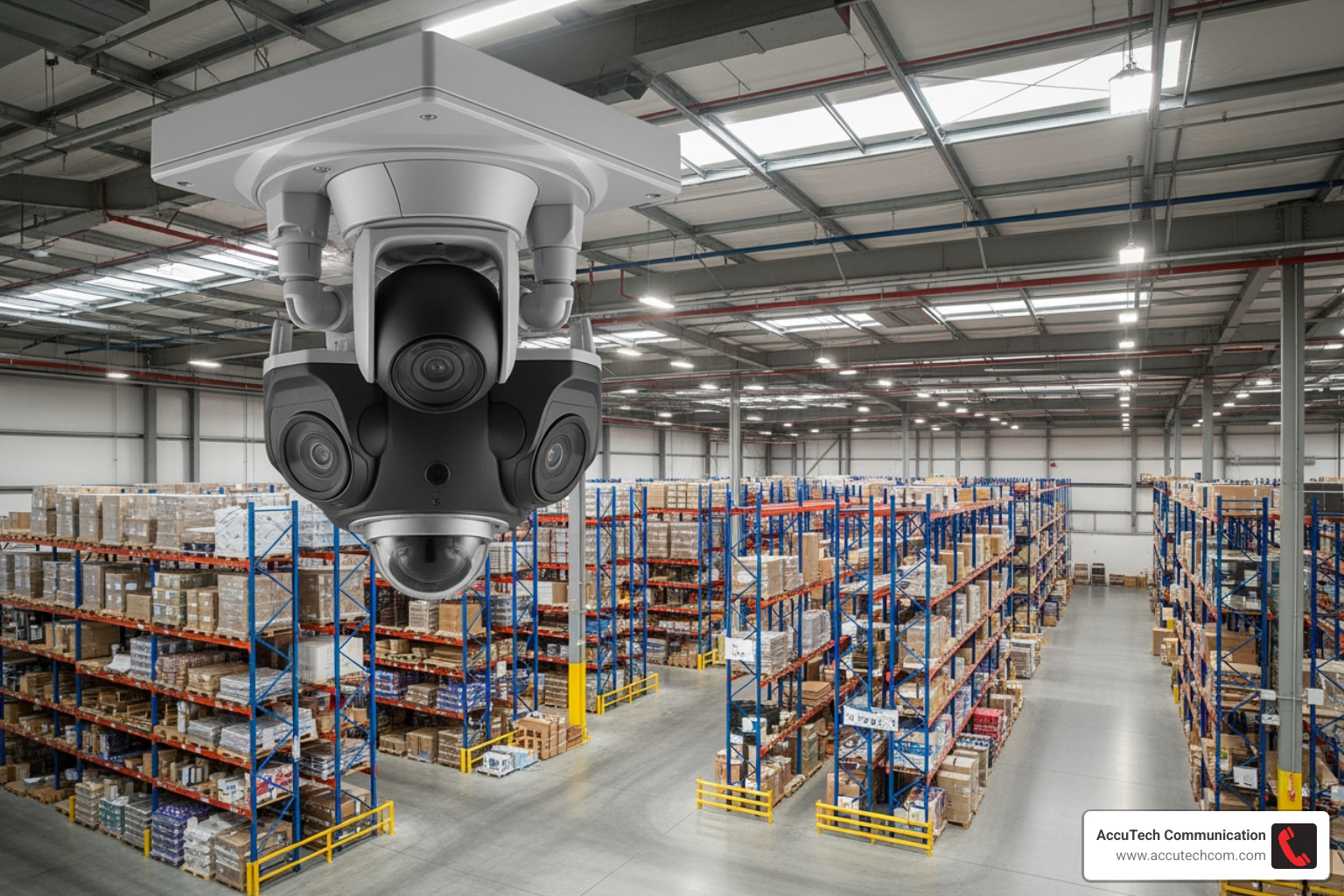
Not all cameras are created equal. If you put a camera designed for a small hallway into a massive warehouse in Manchester, NH, you’re going to end up with a lot of “blind spots” and very little useful footage.
Here is a breakdown of the hardware we typically see in the field:
- Dome Cameras: These are the “black bubbles” you see on ceilings. They are discreet and, because of the dome shape, it’s hard for people to tell exactly which way the lens is pointing. They are perfect for retail and office lobbies.
- Bullet Cameras: These are highly visible and point in one fixed direction. They are great for “deterrence” because everyone knows they are being watched.
- Turret Cameras: These feature a ball-and-socket joint. We love these for business-camera-systems because they offer incredible flexibility. You can adjust the angle easily after installation without needing to take the whole housing apart.
- PTZ (Pan-Tilt-Zoom) Cameras: These are the heavy hitters. They can move, tilt, and zoom in on specific details. Modern PTZs often feature “auto-tracking,” where the camera follows a person or vehicle moving across a parking lot.
- Fisheye/Panoramic Cameras: These provide a 360-degree view. One of these can often replace three or four standard cameras, which is a great way to save on business-security-systems-cost and cabling.
- LPR (License Plate Recognition): Essential for businesses with gated parking or shipping docks. These cameras are specifically tuned to capture high-speed, reflective license plates even in total darkness.
- Thermal Imaging: Used in high-security perimeters or industrial sites to detect heat signatures. These are “see-in-the-dark” masters that can even detect fire risks before a smoke alarm goes off.
Comparing Analog and IP Commercial Security Cameras
If your business is still running on an old analog system from the early 2000s, you’re essentially watching a grainy home movie while the rest of the world is in 4K.
| Feature | Analog Systems (CCTV) | IP Systems (Network) |
|---|---|---|
| Resolution | Usually maxes out at 0.4 Megapixels | 4K, 8MP, and up to 12MP |
| Cabling | Coaxial cable (bulky) | Single Cat6 cable (PoE) |
| Power | Requires separate power source | Power over Ethernet (PoE) |
| Scalability | Limited by DVR ports | Highly scalable via network |
| Remote Access | Limited/Difficult | Seamless via Apps/Web |
| Analytics | Basic motion detection | Advanced AI (Face, Object, Vehicle) |
While analog systems are technically “hybrid” now (because they digitize footage for storage), they simply cannot compete with video-surveillance-camera-system technology. IP cameras use a single network cable to send both power and data. This makes installation cleaner and allows for much higher resolutions. In a commercial setting, resolution is “king.” You need to be able to zoom in and see a face or a SKU number on a box, not just a blurry shape moving across the screen.
Advanced AI Analytics in Commercial Security Cameras
The “brain” of the camera has evolved. We are no longer just recording “dumb” video. Modern security-video solutions use AI to understand what they are seeing.
For example, OSHA standards require rigorous safety documentation. AI cameras can automatically flag when an employee enters a “no-go” zone without a hard hat or high-visibility vest.
Other key AI features include:
- Person & Vehicle Identification: The system ignores a stray cat or a tree blowing in the wind but sends an immediate alert to your phone if a person enters the premises after hours.
- Heat Mapping: Retailers use this to see which aisles customers spend the most time in. It’s a security tool that doubles as a marketing tool!
- Object Tracking: If a package is moved from a loading dock, the camera can “lock on” to the person who moved it and follow them through the facility.
- Facial Recognition: This can be integrated with access control to allow known employees into a building without them ever needing to pull out a badge.
Storage, Integration, and Environmental Factors
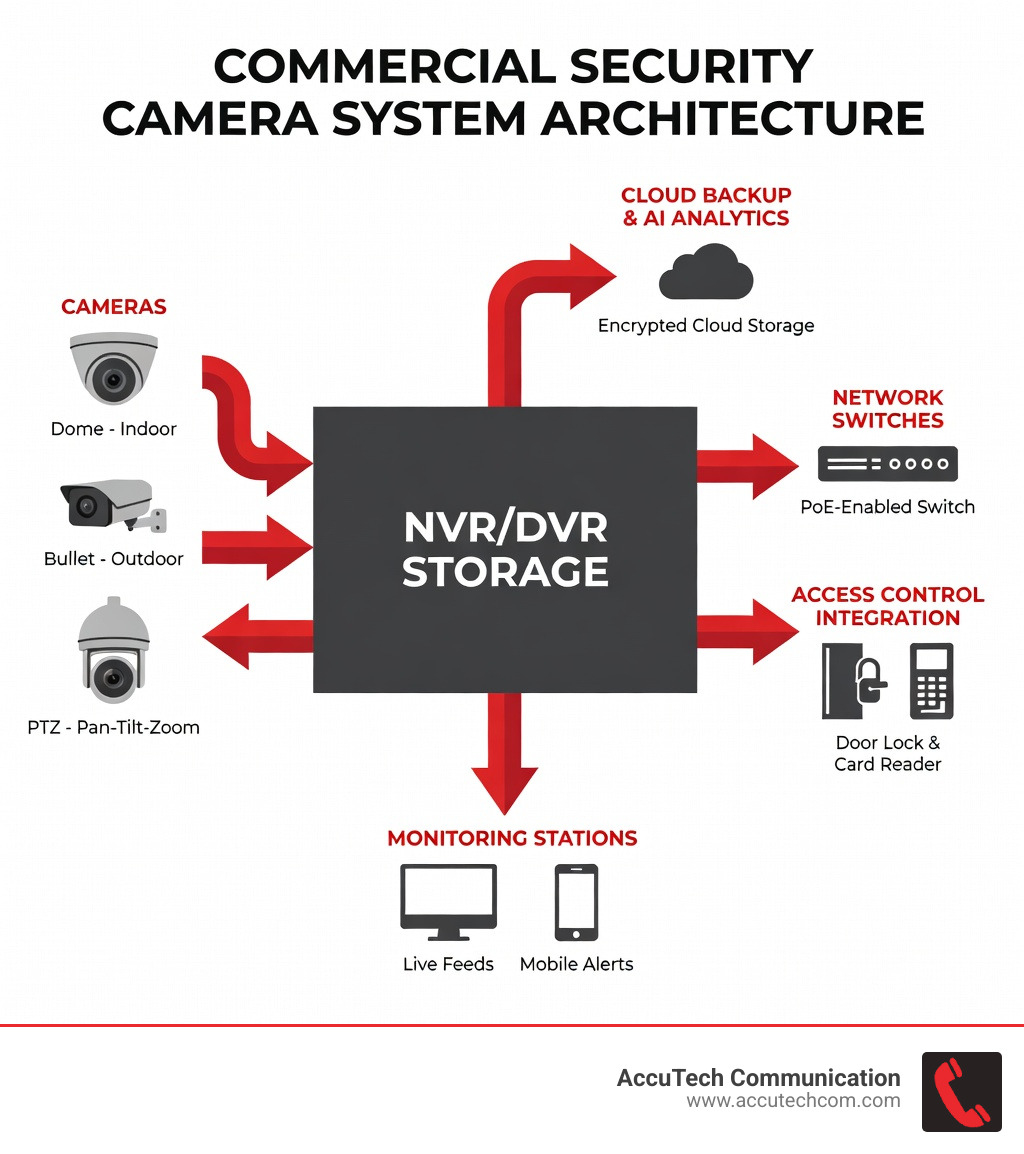
Where does all that video go? You have two main choices: local storage (NVR) or the cloud.
Local NVR (Network Video Recorder) storage is the gold standard for many New England businesses. It’s fast, secure, and doesn’t require a monthly subscription fee. However, we always recommend a Cloud Redundancy plan. If a burglar breaks into your office in Sudbury or Woburn and steals the NVR itself, your evidence is gone. Cloud backup ensures that even if the hardware is destroyed, the footage is safe.
Integration is the next step in a “pro” setup. Your commercial security cameras shouldn’t live on an island. They should be “talking” to your other systems. For example:
- Access Control: When someone swipes a badge at the back door, the nearest camera should “bookmark” that video for easy review later.
- Alarm Systems: If a glass-break sensor goes off, the VMS (Video Management System) can automatically bring the relevant camera feed to the front of the screen for your security-camera-monitoring team.
Finally, we have to talk about the New England weather. Our winters are no joke. For outdoor cameras, we look for IP67 weatherproofing (which means it can handle a blizzard) and IK10 vandal resistance. An IK10 rating means the camera can take a literal hammer blow and keep recording.
Investment and Implementation in New England
Installing a commercial system is not a “plug-and-play” weekend project. In Massachusetts, Rhode Island, and New Hampshire, there are specific codes and standards that must be met.
We ensure all systems are NDAA-compliant (National Defense Authorization Act), which is a requirement for many government-adjacent contracts and ensures the hardware is secure from foreign cyber-threats. We also prioritize ONVIF compatibility, which is basically a “universal language” that allows different brands of cameras and recorders to work together. This “future-proofs” your investment—if you want to add a different brand of camera three years from now, you won’t have to rip out your entire system.
Professional installation also means proper network cabling. You can have the most expensive camera in the world, but if it’s running on cheap, uncertified cable, the feed will drop or lag. We provide cctv-catv-installation-services that ensure your infrastructure is as robust as the cameras themselves.
Average Pricing for Commercial Security Cameras
We know you want to know the “bottom line.” While we can’t give you an exact quote without seeing your facility, we can share some internet average data to help you budget.
Note: These are average industry costs sourced from publicly available internet data and do not reflect the specific pricing of AccuTech Communications.
- Small Business Entry-Level (4-8 Cameras): You might see ranges from $1,000 to $4,000+. This usually covers basic NVR storage and standard IP cameras.
- Mid-Sized Commercial Setup (16-32 Cameras): These systems often range from $5,000 to $15,000+. This includes higher-resolution cameras, larger storage capacity, and basic AI features.
- Enterprise/Industrial Grade: For large warehouses or multi-location offices, costs can easily range from $12,000 to $50,000+ depending on the need for specialized hardware like thermal imaging or fiber-optic backbones.
Installation labor and monthly monitoring fees are additional factors. A good rule of thumb is that the high end of these ranges is often 3x the “base” price once you factor in advanced analytics, specialized mounting, and high-retention storage.
Frequently Asked Questions about Business Surveillance
Is cloud or local storage better for commercial use?
For most businesses, a hybrid approach is best. Local NVR storage provides the speed needed for high-resolution 24/7 recording without hogging your internet bandwidth. Cloud storage serves as a vital backup for “event-based” clips (like motion alerts), ensuring you have evidence even if the local hardware is damaged.
What is the difference between professional-grade and DIY systems?
DIY systems are often designed for light residential use. They rely on Wi-Fi (which can be jammed or drop out) and often have weak cybersecurity. Professional-grade systems are hardwired (PoE), NDAA-compliant, and built to run 24/7 for a decade or more. If your business depends on the footage, go pro.
How often should commercial security systems be maintained?
We recommend a professional check-up at least twice a year. This includes cleaning the lenses (spiders love to build webs over IR sensors!), checking cable connections, and—most importantly—updating the firmware to protect against new cyber threats.
Conclusion
At the end of the day, your security system is only as good as the network it sits on. Since 1993, AccuTech Communications has been the trusted partner for businesses across Massachusetts, New Hampshire, and Rhode Island. Whether you are in the heart of Boston or out in Worcester, we provide the certified network cabling and infrastructure expertise needed to make your commercial security cameras perform at their peak.
Don’t leave your “Office Watch” to chance. From Marlborough to Sudbury and beyond, we are here to help you build a surveillance strategy that actually works.
Ready to secure your facility? Schedule a consultation for professional network cabling installation with AccuTech Communications today.
