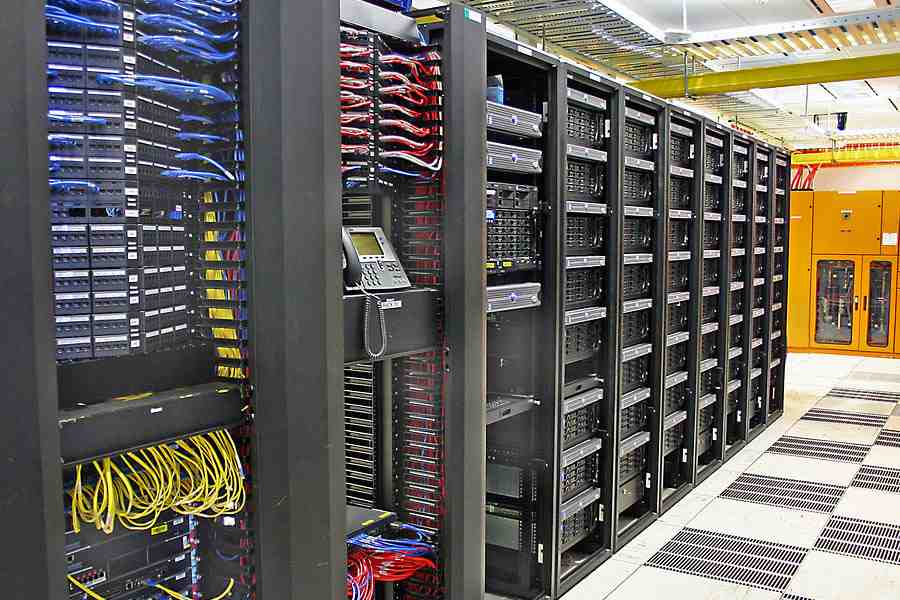
Why Data Network Installation Matters for Modern Businesses
Data network installation is the foundation of business connectivity in today’s digital economy. Whether you’re running a healthcare facility, manufacturing plant, or multi-location office, your network infrastructure determines how efficiently your teams communicate, access critical data, and serve customers.
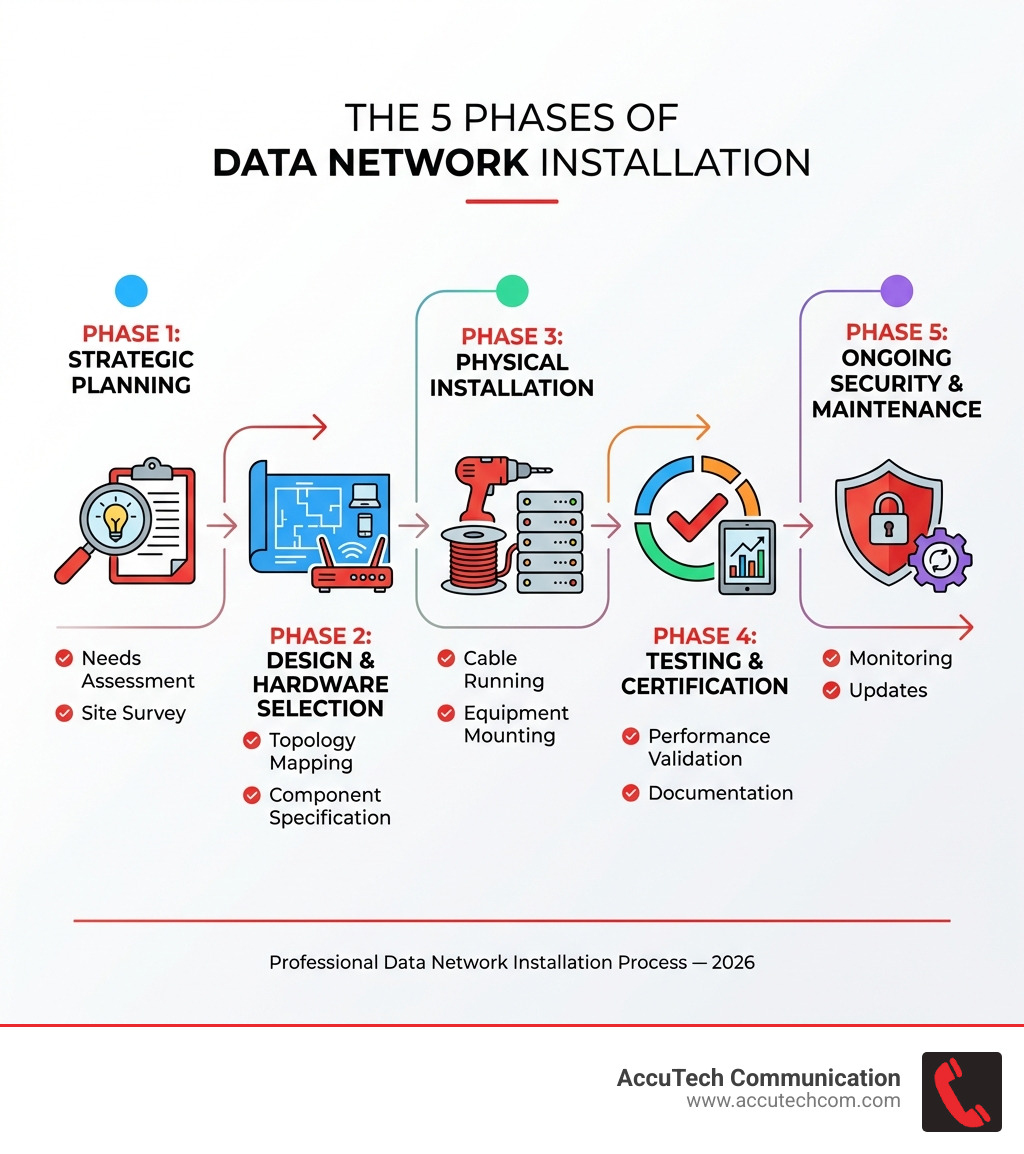
Quick Overview: What Data Network Installation Involves
- Planning & Design – Assessing your business needs, choosing network types (wired, wireless, or hybrid), and mapping topology
- Hardware Selection – Specifying routers, switches, firewalls, cabling types (Cat6, Cat6a, fiber optic), and supporting components
- Physical Installation – Running cables through walls and ceilings, mounting equipment racks, terminating connections
- Testing & Certification – Verifying performance, speed, and reliability through comprehensive testing
- Security & Maintenance – Implementing firewalls, access controls, and ongoing monitoring for long-term performance
The stakes are high. According to industry research, network downtime costs enterprises an average of $5,600 per minute. A poorly installed network creates bottlenecks, security vulnerabilities, and costly interruptions that compound over time.
The good news? With proper planning and professional execution, your network becomes a competitive advantage rather than a liability.
I’m Corin Dolan, owner of AccuTech Communications, and I’ve been helping businesses across Massachusetts, New Hampshire, and Rhode Island build reliable network infrastructure since 1993. Throughout my career specializing in data network installation for commercial clients, I’ve seen how a well-designed cabling system transforms business operations and sets the stage for future growth.
Similar topics to Data network installation:
- Commercial Cabling Company
- Fiber optic trenching
- commercial cable company
Phase 1: Strategic Planning and Design
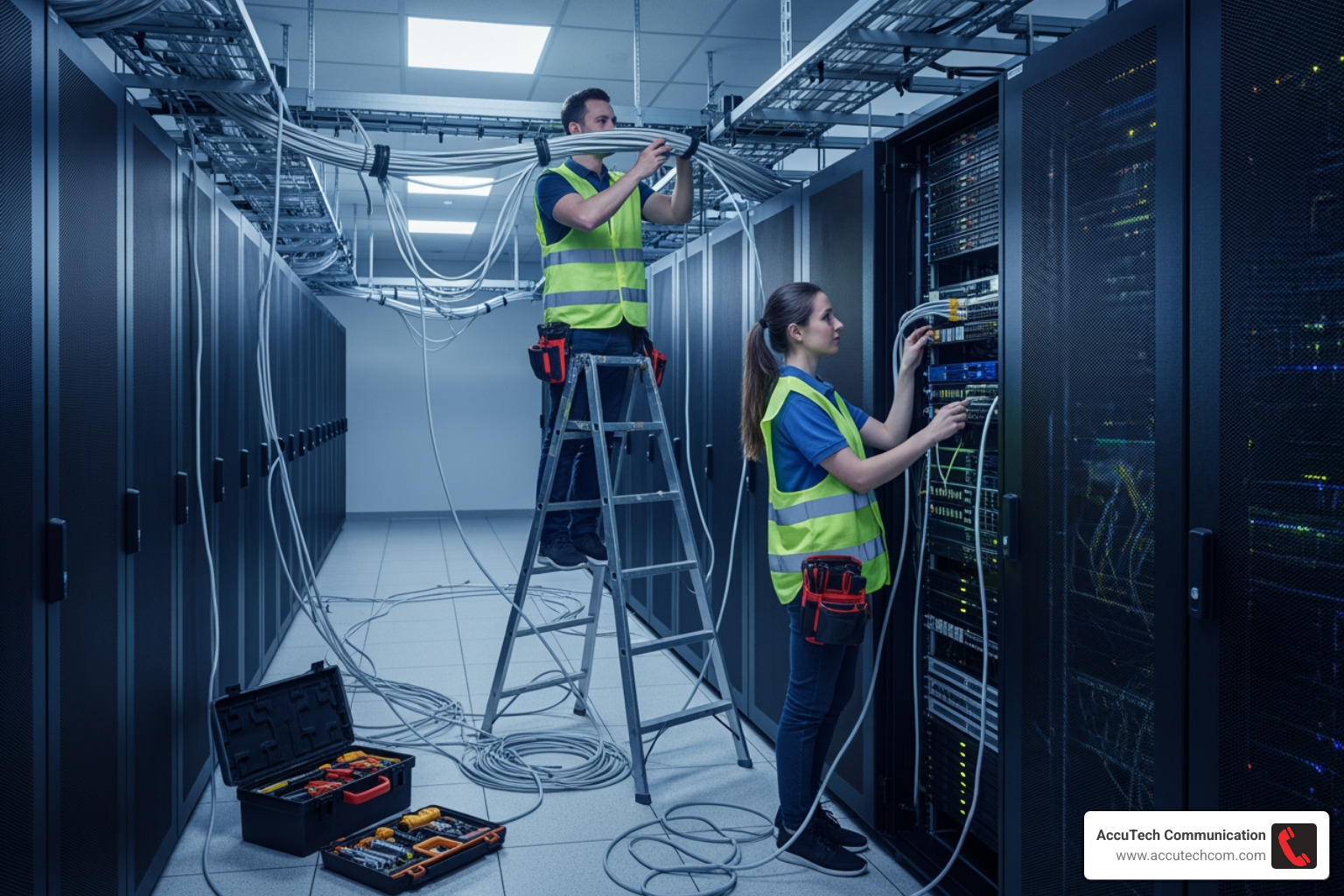
Before pulling any cables, the first and most crucial step in any data network installation is meticulous planning and design. This phase ensures your network meets current needs and can adapt to future demands, much like a blueprint for a house.
We begin with a comprehensive needs assessment, understanding your business size, operational requirements, and long-term goals. Your answers guide our decisions on performance requirements, such as speed, bandwidth, and acceptable latency for critical applications. Security needs are also paramount from the outset, ensuring your data is protected from day one.
Budgeting is a practical consideration. We work with you to understand your financial framework, helping specify components that offer the best value without compromising performance. Crucially, we plan for scalability. A well-designed network anticipates increasing user counts and data demands, preventing costly overhauls.
A detailed site survey is an integral part of this phase. Our team evaluates your physical space, identifying potential obstacles, existing infrastructure, and optimal pathways for cabling. This helps us determine the most effective network topology.
Network topology refers to the arrangement of different elements in a network. Common types include:
- Star topology: All devices connect to a central hub or switch. This is common in office environments due to its ease of management and fault isolation.
- Mesh topology: Every device is connected to every other device, offering high redundancy and reliability, often used for critical backbones.
- Hybrid topology: Combines two or more different topologies, allowing for custom solutions that leverage the strengths of each.
The right topology significantly impacts network performance, reliability, and future expansion.
Choosing the Right Network Type for Your Business
Selecting the appropriate network type is a pivotal decision. We typically consider wired, wireless (Wi-Fi), and hybrid networks, each offering distinct advantages for different business scenarios.
- Wired networks: These use physical cables to connect devices, offering superior speed and improved security. A wired network is faster as signals don’t pass through walls. They provide a stable, predictable connection, ideal for stationary devices requiring high bandwidth like servers and desktops. The main drawback is the lack of mobility and cabling effort.
- Wireless (Wi-Fi) networks: These transmit data over radio waves, enabling devices to connect without cables. Wi-Fi offers excellent flexibility and mobility for laptops, smartphones, and tablets. However, this flexibility comes with drawbacks, including compromised security. These networks also tend to run slower and can be impacted by obstructions like walls or filing cabinets. Most wireless networks run at about half their projected speed.
- Hybrid networks: For most modern businesses, a hybrid approach offers the best of both worlds. We often implement wired connections for critical devices and leverage Wi-Fi for mobile users, balancing speed, security, flexibility, and cost.
Here’s a quick comparison to help visualize the differences:
| Feature | Wired Networks | Wireless (Wi-Fi) Networks | Hybrid Networks |
|---|---|---|---|
| Speed | Generally faster, more consistent | Can be slower, prone to interference | Optimized for specific needs, combines strengths |
| Security | More secure, harder to intercept data | Less secure, easier to intercept data | Improved security for critical wired segments |
| Cost | Higher initial installation for cabling | Lower initial installation, ongoing security costs | Balanced, depending on wired/wireless ratio |
| Mobility | Low, devices are tethered | High, devices can move freely | High for mobile devices, stable for stationary ones |
Essential Hardware and Cabling Components
A robust network relies on carefully selected hardware and the right cabling. Here are the essential components we consider for any data network installation:
- Routers: These direct data packets between networks (like your internal network and the internet) to their intended destination.
- Switches: Within your local network, switches connect devices, sending data only to the intended device to reduce congestion.
- Firewalls: Essential for security, firewalls monitor and control network traffic, acting as a barrier against external threats.
- Wireless Access Points (WAPs): For Wi-Fi networks, WAPs connect to your wired network and broadcast a wireless signal.
- Network Interface Cards (NICs): These hardware components allow a device to connect to a network and are often integrated into the motherboard.
- Servers: Centralized computers that store data, manage network resources, or run applications for multiple users.
- Patch Panels: Crucial for structured cabling, they provide a centralized location for terminating network cables, making management and troubleshooting easier. You can find More info about structured cabling services.
When it comes to cabling, the choice depends on your speed requirements, distance, and environment:
- Copper Cabling:
- Cat5e: Supports 1 Gigabit per second (Gbps) up to 100 meters. A budget-friendly option, but limited for modern business needs.
- Cat6: Supports 1-10 Gbps up to 55-100 meters, excellent for most mid-sized business applications.
- Cat6a: Supports 10 Gbps up to 100 meters, ideal for data-intensive environments.
- Fiber Optic Cabling: Offers superior bandwidth and distance capabilities.
- Single-mode: Supports 100+ Gbps over 10+ kilometers, used for long-distance, high-bandwidth connections.
- Multi-mode: Supports 100 Gbps up to 2 kilometers, suitable for shorter distances within buildings. Fiber optic cable installation is expected to grow by 10% year-over-year through 2027, reflecting its increasing importance. You can get More info about fiber optic cabling installation.
- Coaxial cables: Less common in modern LANs, they are still used for specific applications like video conferencing systems.
Cost Considerations for Data Network Installation
Understanding the financial investment is a key part of planning. All prices mentioned here are average costs sourced from publicly available internet data and are not the actual prices of AccuTech Communications. We always provide custom quotes based on your specific project scope and requirements.
Network installation costs vary based on business size, complexity, and chosen technologies:
- Small businesses (e.g., 10-20 employees): Basic installations might range from $1,500 to $7,000.
- Mid-size businesses (e.g., 25-100 employees): Comprehensive systems could range from $6,000 to $30,000.
- Enterprise installations (e.g., 100+ employees or multi-site): Complex deployments can range from $20,000 to $150,000+.
These ranges are broad because several elements contribute to the total cost:
- Hardware costs: The price of routers, switches, firewalls, and access points. Higher performance equipment costs more.
- Labor costs: The expertise and time for design, installation, configuration, and testing, especially for complex structured cabling.
- Cable type costs: Fiber optic and specialized plenum-rated cables are more expensive than standard copper.
- Future maintenance budget: It’s wise to allocate funds for ongoing maintenance to prevent costly downtime.
The Professional Data Network Installation Process
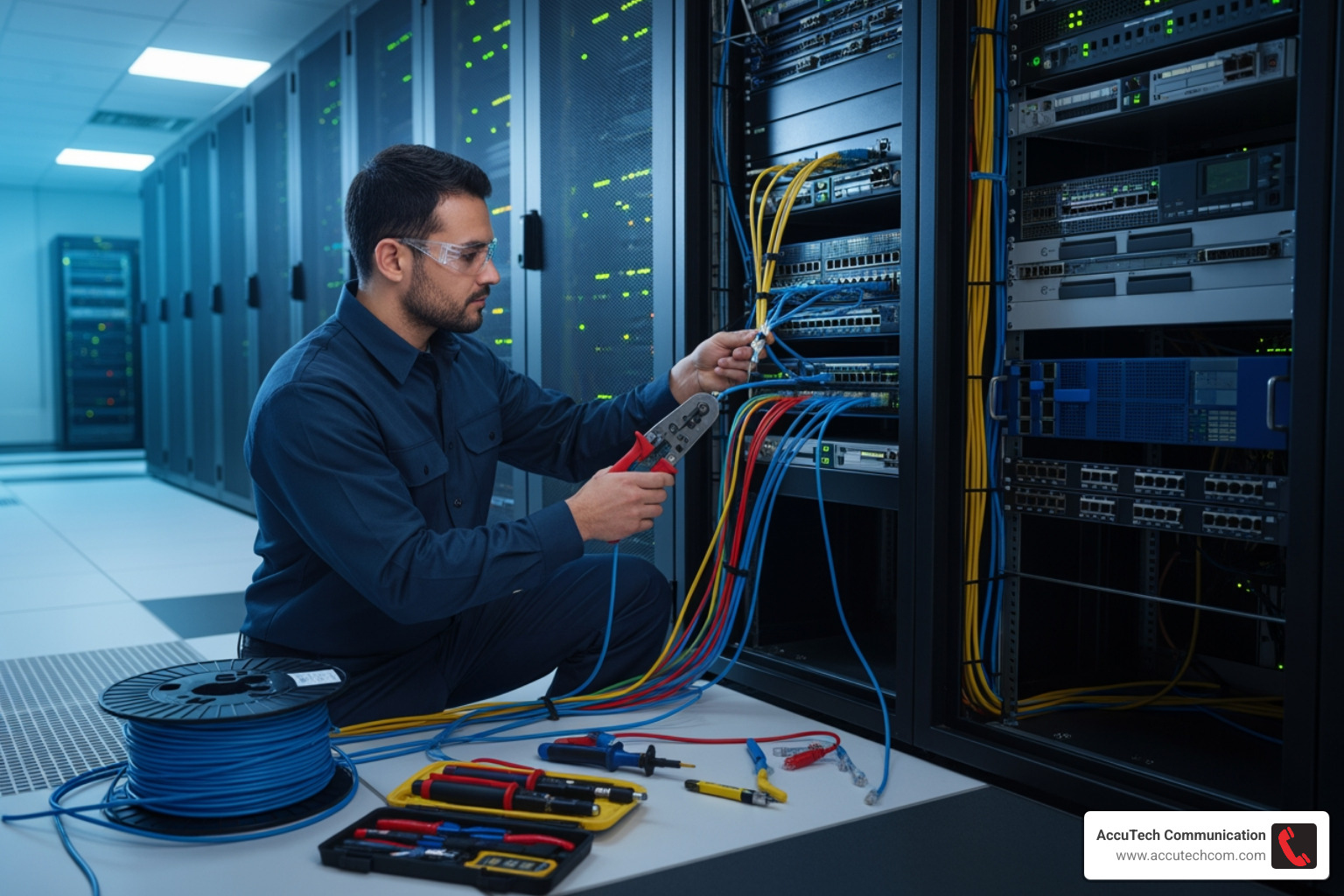
Once the planning and design are complete, we move into the physical data network installation process. This is where the blueprint comes to life, demanding precision, expertise, and adherence to industry standards. Our approach focuses on structured cabling, which organizes your network infrastructure into a streamlined, manageable system, ensuring optimal performance and ease of maintenance.
The process involves carefully establishing cable pathways through walls, ceilings, and floors, often utilizing conduits or cable trays to protect the cabling. We then run the chosen cables—be it copper or fiber—from the central network closet to each designated data outlet. Mounting hardware, such as network racks and cabinets, is strategically placed to house switches, patch panels, and other equipment securely.
Cable termination is a critical step where each cable is precisely connected to jacks, patch panels, or other hardware. This requires specialized tools and techniques to ensure reliable connections. Wall plates are installed at user locations, providing a clean and accessible interface for devices. Throughout this phase, meticulous labeling and comprehensive documentation are paramount. Every cable, port, and connection is clearly identified, which is invaluable for future troubleshooting, maintenance, and upgrades.
Key Steps in a Professional Data Network Installation
Let’s break down the fundamental steps we follow during a professional data network installation:
Step 1: Running and Pulling Cable
This involves carefully routing cables through the building’s infrastructure. We ensure proper bend radius is maintained for all cables, especially fiber optics, to prevent signal degradation. We also avoid running cables parallel to electrical wiring to minimize electromagnetic interference (EMI). Cable protection in high-traffic areas is implemented to safeguard against physical damage.
Step 2: Terminating and Connecting Hardware
Once cables are in place, they are precisely terminated. For copper cables, this means using punch-down tools to connect wires to patch panels or wall jacks, and crimping tools for RJ45 connectors. Fiber optic cables require specialized tools for fusion splicing or connecting to pre-terminated connectors. All network hardware, including switches, routers, and firewalls, is then securely mounted in racks or cabinets and connected to the newly terminated cabling.
Step 3: Rigorous Testing and Certification
This is where we verify that everything works as it should. We don’t just connect and hope for the best; we rigorously test every single connection. This typically includes:
- Continuity testing: Ensuring there are no breaks or shorts in the cable.
- Performance testing: Measuring signal strength, latency, and bandwidth to confirm the cable meets its specified performance standards.
- Certification testing: For commercial installations, we often provide certification reports that guarantee the cabling meets industry standards (e.g., TIA/EIA), providing assurance of quality and performance. We use a network test tool that can handle 8P (RJ45) and 6P (RJ11 and RJ12) connections. This lets us know if your network is set up properly before we get all your devices hooked up.
Step 4: Finalizing Documentation
A complete documentation package is essential. This includes “as-built” drawings detailing cable layouts, equipment locations, and port assignments. We also provide comprehensive test results and a clear labeling scheme for all cables and components. This documentation is a critical asset for ongoing maintenance, troubleshooting, and future network modifications.
Ensuring Success: Best Practices and Common Pitfalls
A successful data network installation goes beyond simply connecting devices; it’s about building a foundation that is reliable, efficient, and resilient. This requires adhering to best practices and vigilantly avoiding common pitfalls.
Best Practices for a Reliable and Efficient Installation:
- Superior Cable Management: This is non-negotiable. Using cable ties, straps, and trays to organize cables neatly prevents tangling, improves airflow, simplifies troubleshooting, and makes future maintenance a breeze. We avoid tight bundling that creates kinks or stress points, allowing for service loops for future access.
- Maintaining Proper Bend Radius: Cables, especially fiber optics, have a minimum bend radius. Exceeding this can damage the cable’s internal structure, leading to signal loss or complete failure.
- Minimizing Electromagnetic Interference (EMI): Running network cables too close to electrical power lines, fluorescent lights, or heavy machinery can introduce noise and degrade network performance. We maintain proper separation and cross cables at 90-degree angles when routing paths intersect to minimize EMI.
- Following Industry Standards: We strictly adhere to industry standards like TIA/EIA cabling standards. These standards ensure interoperability, performance, and future compatibility, providing a framework for consistent, high-quality installations.
- Comprehensive Labeling and Documentation: Labeling both ends of every cable run, using consistent naming conventions, and creating detailed layout diagrams simplify troubleshooting and maintenance significantly.
Potential Hazards and How We Mitigate Them:
- Electrical Risks: When working in walls or near power sources, there’s always a risk of electrical shock. We always disconnect power at the breaker before any work involving electrical wiring or cutting into walls.
- Structural Risks: Running cables can involve drilling through walls or ceilings. We carefully assess building structures to avoid load-bearing elements and ensure that any penetrations are properly sealed to maintain structural integrity and fire ratings.
- Fire Safety: Poor cabling practices can pose fire hazards. We use fire-rated cables (plenum or riser) in appropriate areas and ensure penetrations are properly sealed to prevent fire and smoke spread.
- Personal Safety: Installations can involve working at heights, in confined spaces, or with power tools. Our technicians are trained in safety protocols, wear appropriate personal protective equipment (PPE), and follow all safety guidelines.
Common Mistakes to Avoid:
- Inadequate Planning: Rushing the planning phase is a recipe for disaster. It leads to unexpected issues, costly rework, and a network that doesn’t meet business needs.
- Poor Cable Management: This is a major culprit for network instability and makes identifying issues incredibly difficult. A tangled mess of cables might save a few minutes during installation but costs hours in troubleshooting.
- Ignoring Scalability: Failing to plan for future growth means your network quickly becomes obsolete, requiring expensive upgrades sooner than anticipated.
- Insufficient Testing: Skipping thorough testing leaves you with an unreliable network where performance issues can surface at any time.
Professional vs. DIY Installation for Businesses
When considering data network installation, many businesses ponder whether to attempt a DIY approach or hire professionals. While DIY might seem appealing for cost savings, for commercial clients in Massachusetts, New Hampshire, and Rhode Island, the complexities almost always warrant professional expertise.
When DIY Installation Might Be Appropriate (Rarely for Commercial): For commercial settings, DIY is rarely suitable. Perhaps for an extremely small, non-critical home office setup with just a couple of devices, one might consider it. But even then, the risks often outweigh the perceived savings.
When to Hire Professional Network Installers (Always for Commercial): For any business beyond the simplest home office, professional network installers are essential. Here’s why:
- Commercial Installations: These involve intricate planning, adherence to building codes, and often require specialized equipment and expertise that DIYers simply don’t possess.
- Complex Environments: Multi-floor offices, warehouses, manufacturing facilities, or campuses with multiple buildings demand sophisticated design and installation techniques to ensure seamless connectivity.
- Certified Performance: Professional installers provide certified installations, guaranteeing that your cabling system meets industry standards for speed, reliability, and future compatibility. This often includes a warranty on their workmanship.
- Code Compliance: Commercial installations must comply with local and national building codes, fire safety regulations, and electrical standards. Professionals are well-versed in these requirements, avoiding costly fines or safety hazards.
- Experience and Efficiency: Our team brings decades of experience to every project, ensuring efficient installation, minimizing disruption to your operations, and providing a robust, long-lasting solution.
While the initial cost of professional services might be higher than a DIY attempt, the long-term benefits of reliability, scalability, security, and reduced downtime far outweigh the expense. As a business in Massachusetts, New Hampshire, or Rhode Island, partnering with a certified expert like AccuTech Communications ensures your network foundation is built for performance and growth.
Post-Installation: Security, Maintenance, and Monitoring
The data network installation isn’t complete when the cables are run and devices are connected. To ensure your network remains robust, secure, and performs optimally, ongoing security integration, maintenance, and monitoring are absolutely critical.
How Network Security is Integrated into the Installation Process: Security isn’t an afterthought; it’s baked into our design from the start. During installation, we integrate:
- Firewalls: Configured to protect your network perimeter.
- VLANs (Virtual Local Area Networks): Used for network segmentation, isolating different types of traffic or departments to improve security and performance.
- Access Control: Implementing policies to restrict network access based on user roles and device types.
- WPA3 Encryption: For wireless networks, we deploy the latest WPA3 encryption standards to secure your Wi-Fi signals. We also follow network security best practices from trusted sources to fortify your network from the ground up.
Ongoing Maintenance and Monitoring Requirements: A newly installed network requires continuous care to thrive. Our recommendations include:
- Firmware Updates: Regularly updating firmware on routers, switches, and access points patches security vulnerabilities and improves performance.
- Hardware Lifecycle Management: Proactive replacement of aging hardware prevents unexpected failures and ensures your network can keep up with evolving demands.
- Performance Monitoring: Tools like Wireshark or PRTG allow us to monitor network traffic, identify bottlenecks, and ensure service level agreements (SLAs) are met. This includes checking signal strength, latency, and bandwidth.
- Proactive Troubleshooting: Continuous monitoring allows us to detect anomalies and address potential issues before they impact operations. Regular security audits, for example, are essential to identify and mitigate new threats.
By integrating security from the installation phase and implementing a robust maintenance and monitoring plan, we help ensure your network remains a reliable and secure asset for your business.
Frequently Asked Questions about Data Network Installation
Navigating data network installation can bring up many questions. Here, we address some of the most common inquiries we receive from businesses in Massachusetts, New Hampshire, and Rhode Island.
How long does a commercial network installation take?
The duration of a commercial network installation varies significantly based on several factors:
- Project scope: A small office with a few data drops will be much quicker than a multi-floor enterprise building requiring extensive structured cabling.
- Building size: Larger premises naturally take more time to cable and equip.
- Number of connections: More workstations, access points, and server connections mean more labor.
- New construction vs. retrofit: Installing in a new building is often faster as walls are open. Retrofitting an existing building, especially one with solid walls, can be more complex and time-consuming due to the need to run cables through finished spaces.
- Complexity: Factors like specialized environments (e.g., industrial settings), fiber optic runs, or integration with complex existing systems add to the timeline.
Generally, a simple small business network might take 1-2 days. More complex mid-sized installations could span a week or two, while large enterprise or multi-site projects can require several weeks, or even months, for comprehensive planning and execution. We work to minimize disruption by carefully planning installation phases, working during off-hours when possible, and implementing temporary solutions to ensure your business remains operational.
What are the most critical components of a business network?
While every component plays a role, the most critical for a stable and efficient business network include:
- Routers: Your gateway to the internet and director of traffic between networks.
- Switches: The backbone of your local area network, connecting all your wired devices efficiently.
- Firewalls: Your first line of defense against cyber threats, protecting your network perimeter.
- Structured Cabling: The physical infrastructure (copper and fiber optic cables, patch panels, wall plates) that underpins all wired connectivity, ensuring reliable data transmission.
- Reliable Hardware: Investing in business-grade routers, switches, and access points ensures longevity and performance.
These core components, when properly installed and configured, form the resilient foundation upon which all your business operations depend.
Can I mix different types of network cables?
While technically possible to connect different cable types (e.g., connecting a Cat5e device to a Cat6 network), it’s generally not recommended for optimal performance and introduces potential issues:
- Compatibility Issues: All network components will operate at the speed of the lowest common denominator. If you have a Cat6 network but use a Cat5e cable for one connection, that segment will be limited to Cat5e speeds, potentially creating a bottleneck.
- Performance Bottlenecks: Mixing cables can lead to inconsistent performance across your network, making it difficult to troubleshoot speed issues.
- Best Practices for Cable Consistency: For commercial installations, we always recommend using a consistent cable type (e.g., all Cat6a or all fiber optic) throughout your network infrastructure. This ensures uniform performance, simplifies management, and supports future upgrades more seamlessly. If different cable types are necessary due to specific requirements (e.g., fiber for long backbones, copper for desktop connections), they should be logically segregated and clearly documented.
Conclusion
The importance of a well-executed data network installation cannot be overstated for businesses in today’s interconnected world. It’s the silent powerhouse that drives your daily operations, facilitates communication, and safeguards your valuable data. From the initial strategic planning and design to the meticulous physical installation, rigorous testing, and ongoing maintenance, every step is crucial for building a network that is not just functional, but truly transformative.
We’ve explored the fundamental steps, the different types of cables and hardware, best practices for ensuring reliability, and common pitfalls to avoid. We’ve also highlighted the critical role of security integration and continuous monitoring in maintaining a healthy, high-performing network.
For businesses across Massachusetts, New Hampshire, and Rhode Island, partnering with a certified expert like AccuTech Communications ensures your network foundation is built for performance and growth. With over 30 years of experience, we bring the expertise and dedication needed to create a robust, scalable, and secure network infrastructure that empowers your business to thrive.
Find out more from a leading network cabling company and let us help you solve the complexities of your next data network installation project.