
What is an Example of Network Communication: Top 3 Insightful
What is an example of network communication? This question often arises when businesses seek to understand how computers and devices exchange data. A great example is the DNS request within a client-server model. When a user types a website URL, the device (client) requests information from a DNS server, showcasing a seamless data exchange. This model underpins many essential network communications in daily operations.
Understanding ‘network communication’ is crucial for businesses. It improves connectivity and improves efficiency across various sectors like healthcare. Using client-server frameworks, businesses can streamline processes, ensuring data is shared accurately and securely. Here are some key points:
– Client-Server Model: The foundation of many network communications.
– DNS Requests: Crucial for web browsing and data retrieval.
– Efficient Data Exchange: Vital for modern business operations.
As Corin Dolan, I have guided many businesses through optimizing their communications infrastructures. With years of experience at AccuTech Communications, helping clients with queries like ‘what is an example of network communication,’ I’m here to ensure your systems are reliable and up-to-date.
Quick what is an example of network communication definitions:
– how do networks communicate
– data communication and networking
– what is networking and communication
What is an Example of Network Communication?
When we talk about network communication, a few terms often come up. Let’s explore them with simple explanations and examples.
Client-Server Model
The client-server model is like a restaurant. You (the client) order food, and the kitchen (the server) prepares it. In network terms, your computer (client) requests data, and a server processes and sends it back. It’s the backbone of many internet services.
A common example is a DNS request. When you type a website address, your computer sends a request to a DNS server to find the IP address. This simple act is a perfect illustration of the client-server model in action.
ARP (Address Resolution Protocol)
Think of ARP like a phonebook. It helps your computer find the physical address (MAC address) of a device on your local network. When your computer wants to send data, it first checks the ARP table to match IP addresses with MAC addresses. This is crucial for local network communication.
eMule and Peer-to-Peer Networks
eMule is a file-sharing program that relies on a different model called peer-to-peer (P2P). Imagine a group of friends sharing books. Each friend (or peer) can both take and give books. In P2P, every computer is both a client and a server, sharing files directly without a central server.
While eMule is an example of P2P, the client-server model is more structured and often used in business settings for its reliability and control.
Why It Matters
Understanding these models helps in choosing the right technology for your needs. For example, businesses often prefer the client-server model for its security and efficiency, while peer-to-peer might be used for decentralized or community-driven applications.
In summary, network communication can take different forms, each suited to specific needs. Whether it’s finding a website through DNS or sharing files with eMule, knowing these models helps improve how we connect and share data.

Types of Network Communication Models
When it comes to network communication, understanding the different models is key. Each serves different needs and has distinct advantages.
Client-Server Model
The client-server model is like a library. You (the client) request a book, and the librarian (the server) finds it for you. This model is central to many online services, providing a structured way to manage data and resources.
Key benefits include:
- Centralized Control: Servers manage data, making it easier to maintain and secure.
- Scalability: Adding more clients doesn’t disrupt the server’s ability to serve.
A classic example is a web browser accessing a website. The browser (client) sends a request to a web server, which processes it and sends back the webpage.
Peer-to-Peer Model
Peer-to-peer (P2P) is like a potluck dinner. Everyone brings a dish and shares it with others. In this model, each computer (peer) can both request and provide resources. There’s no central server, making it flexible and resilient.
Benefits include:
- Decentralization: No single point of failure.
- Resource Sharing: Efficient use of network resources.
Applications like eMule and BitTorrent use P2P for file sharing, allowing users to share files directly without a central server.
Hybrid Model
The hybrid model combines elements of both client-server and peer-to-peer. It’s like a community library where members can both borrow books and donate new ones. This model offers the best of both worlds, providing flexibility and control.
Advantages include:
- Flexibility: Can adapt to different network needs.
- Improved Resource Utilization: Balances load between clients and servers.
Hybrid models are often used in complex systems where both centralized management and decentralized resource sharing are needed.
Understanding these models helps in choosing the right approach for your network needs, whether it’s the structured control of client-server, the flexibility of peer-to-peer, or the adaptability of hybrid systems.
Common Network Protocols
In network communication, protocols are the rules that guide how data moves from one place to another. Think of them like traffic signals for the internet. They ensure that data gets to where it needs to go safely and efficiently.
HTTP (Hypertext Transfer Protocol)
HTTP is the backbone of the web. When you browse a website, your browser uses HTTP to request web pages from a server. It’s like asking a librarian for a book and getting it delivered to your reading table.
- Purpose: Transfers web pages and related files.
- Use: Browsing websites, loading images, and videos.
UDP (User Datagram Protocol)
UDP is fast but less reliable than other protocols. Imagine sending a postcard without worrying if it gets lost. UDP sends data quickly without checking if it arrives correctly.
- Purpose: Fast data transfer without error-checking.
- Use: Streaming video, online gaming.
TCP (Transmission Control Protocol)
TCP is like sending a certified letter. It ensures that data packets arrive in the right order and without errors. If something goes wrong, TCP resends the data.
- Purpose: Reliable data transfer with error-checking.
- Use: Email, file transfers, web browsing.
ARP (Address Resolution Protocol)
ARP is the detective of network protocols. It helps find the physical address (MAC address) of a device based on its IP address, like finding someone’s home address using their name.
- Purpose: Resolves IP addresses to MAC addresses.
- Use: Local network communication.
DNS (Domain Name System)
DNS is the internet’s phone book. When you type a website name, DNS translates it into an IP address, so your computer knows where to find it.
- Purpose: Converts domain names to IP addresses.
- Use: Accessing websites, sending emails.
Each of these protocols plays a crucial role in network communication. They ensure that data is transferred efficiently and accurately across different networks, supporting everything from web browsing to video streaming. Understanding these protocols helps in troubleshooting network issues and optimizing communication systems.
Examples of Network Communication in Everyday Life
Network communication is all around us, often in ways we don’t even notice. Let’s explore some common examples that make our daily tasks easier and more connected.
Wi-Fi Network
Your home Wi-Fi network is a perfect example of network communication. It connects all your devices—like smartphones, laptops, and smart TVs—allowing them to access the internet without cables. This is made possible through a router, which connects your Local Area Network (LAN) to the Wide Area Network (WAN) provided by your Internet Service Provider (ISP).
- How it Works: The router acts as a central hub, directing data between your devices and the internet.
- Use: Streaming movies, online gaming, and browsing social media.
Web Browsing
When you browse the internet, you’re engaging in network communication. Your device sends requests to web servers using the HTTP protocol, asking for web pages and other resources. The server then sends the requested content back to your device.
- How it Works: Your browser acts like a librarian, fetching information from various servers across the globe.
- Use: Reading news, shopping online, and watching videos.
File Sharing
File sharing is another everyday example of network communication. Whether you’re sending a document to a coworker or sharing photos with friends, data packets travel across networks to reach their destination. This can be done through email, cloud services, or peer-to-peer networks.
- How it Works: Data is broken into packets and sent over the network, then reassembled at the receiving end.
- Use: Collaborating on projects, backing up files, and sharing media.
Printing
Printing over a network is a handy feature in both homes and offices. When you send a document to a network printer, your device communicates with the printer using network protocols. This allows multiple users to share a single printer, reducing costs and clutter.
- How it Works: Your computer sends a print job to the printer’s IP address, which processes and prints the document.
- Use: Printing documents, reports, and photos from any device on the network.
Each of these examples showcases network communication in action, making our lives more efficient and connected. Whether you’re checking emails or streaming your favorite show, network communication is the key that makes it all possible.
Frequently Asked Questions about Network Communication
What is Network Communication?
Network communication is the exchange of data between devices over a network. It can be wired, like using Ethernet cables, or wireless, like Wi-Fi. This communication allows devices to share information and resources, making tasks like browsing the internet or sending emails possible.
- Wired Communication: Uses physical cables to connect devices. It’s reliable and often faster, like when you plug your computer directly into the router.
- Wireless Communication: Uses radio waves, like Wi-Fi or Bluetooth, to connect devices without cables. It’s convenient for mobile devices and allows flexibility in movement.
What are the Types of Communication Networks?
Communication networks come in various forms, each serving different organizational needs. Here are a few common types:
- Chain Network: Information flows in a linear sequence from one person to another. Think of it as a relay race, where each person passes the baton (information) to the next.
- Wheel Network: A central figure acts as the hub, communicating with all other members. Imagine a manager relaying information to a team, where the manager is the hub.
- All-Channel Network: Everyone can communicate freely with everyone else. It’s like a group chat where all participants can share information directly.
These networks help organizations structure how information is shared, ensuring efficient communication and decision-making.
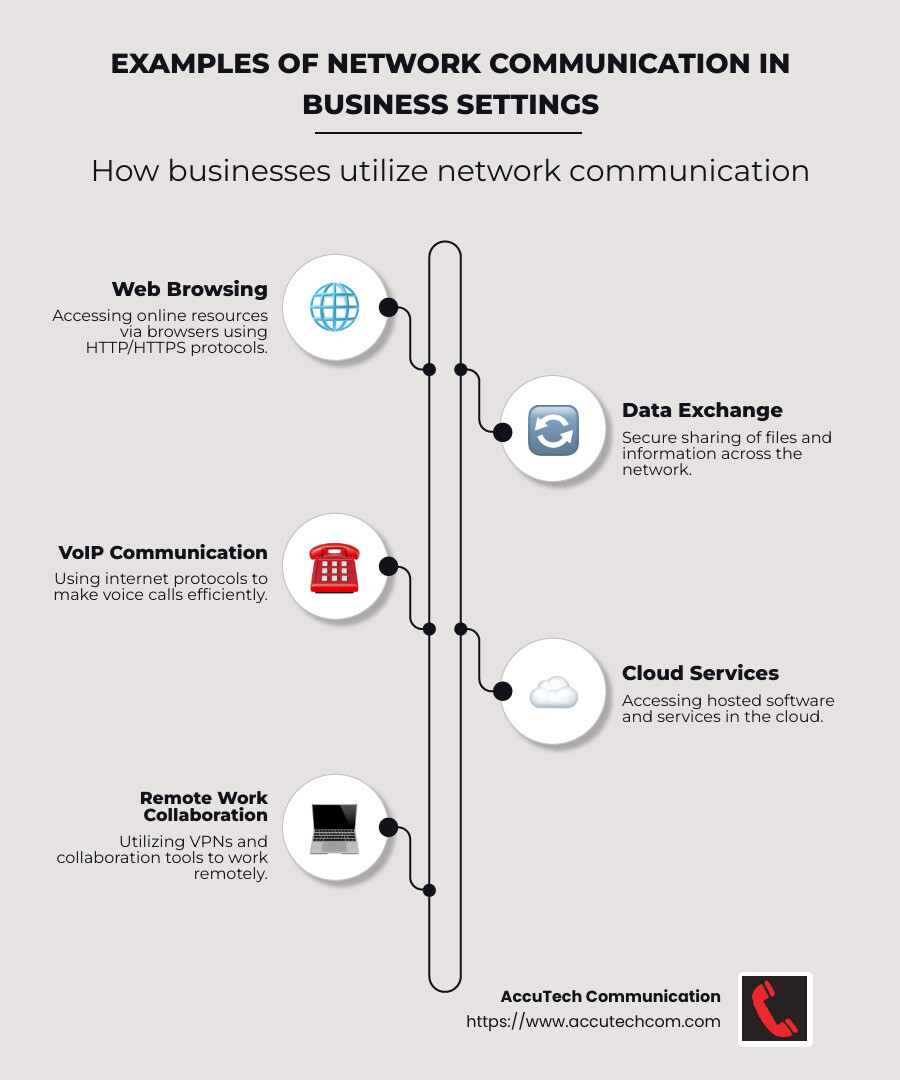
What is an Example of Network Communication in Business?
In business, network communication is critical for smooth operations and collaboration. Here are a couple of examples:
- Business Phone Systems: Modern businesses often use VoIP (Voice over Internet Protocol) systems. These systems use network communication to make phone calls over the internet, reducing costs and increasing flexibility.
- Data Center Technologies: Businesses rely on data centers to store and manage vast amounts of data. These facilities use network communication to connect servers and storage devices, ensuring data is accessible and secure.
AccuTech Communication provides solutions like business phone systems and data center technologies to help businesses maintain efficient and reliable communication networks. Whether it’s setting up a new phone system or optimizing a data center, effective network communication is key to business success.
Conclusion
At AccuTech Communications, we understand that reliable network communication is the backbone of modern business operations. Since 1993, we’ve been committed to providing certified service that businesses in Massachusetts, New Hampshire, and Rhode Island can trust. Our expertise in network cabling, business phone systems, and data center technologies ensures that your business stays connected and efficient.
Competitive pricing is one of our core principles. We believe that every business deserves top-notch communication solutions without breaking the bank. Our team of skilled technicians and engineers works closely with clients to design and implement network solutions that meet their unique needs. Whether you’re a small business or a large corporate campus, we tailor our services to fit your requirements and budget.
By choosing AccuTech Communications, you’re not just getting a service provider; you’re gaining a partner dedicated to your success. Our long-standing relationships with clients are a testament to our unwavering commitment to quality and customer satisfaction.
Ready to strengthen your business’s communication network? Contact us today to learn how we can help you achieve seamless and secure network communication. Your success is our priority.
