
Datacenter Move: Top Strategies for Success in 2024
Datacenter move is a crucial step for businesses seeking to improve efficiency, reduce costs, and adapt to changing technological landscapes. Whether relocating on-premises centers, migrating to the cloud, or opting for a hybrid model, a well-planned data center move ensures minimal disruption and maximizes operational benefits. Key factors to consider include:
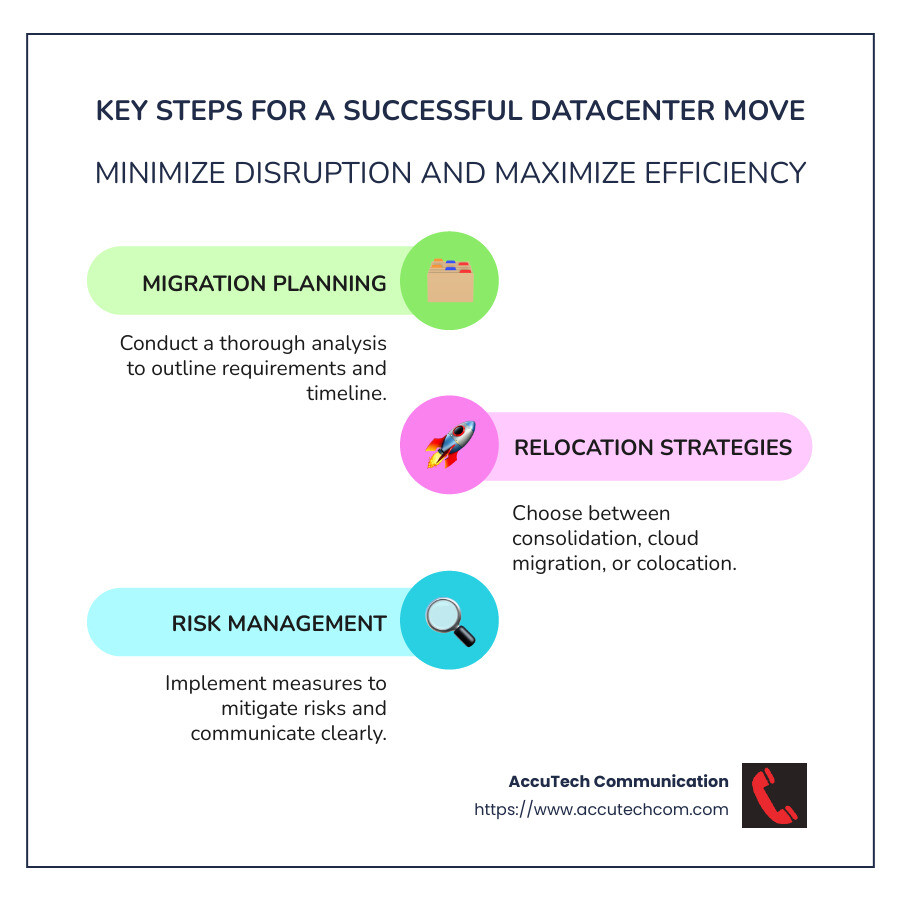
- Migration Planning: Effective project management and thorough analysis are vital.
- Relocation Strategies: Choose between consolidation, cloud migration, or colocation.
- Risk Management and Downtime: Mitigate risks with careful planning and clear communication.
My name is Corin Dolan, and with extensive experience at AccuTech Communications, I’ve been dedicated to helping businesses steer the complexities of datacenter move since 1993, ensuring seamless transitions custom to specific operational needs.
Datacenter move terms you need:
– data center migration plan document
– network relocation
– server relocation
Understanding Datacenter Moves
Starting on a datacenter move can feel overwhelming, but breaking it down into clear goals and steps makes it manageable. Let’s explore the essentials of understanding this process.
Migration Goals
Every datacenter move begins with defining clear migration goals. Are you aiming to reduce operational costs, improve performance, or improve security? Perhaps your goal is to consolidate multiple data centers into one streamlined location. Whatever the purpose, having a defined goal helps guide every decision throughout the move.
Asset Inventory
A detailed asset inventory is your best friend during a datacenter move. Start by cataloging all physical and virtual assets. This includes servers, storage devices, applications, and networking equipment. Knowing what you have helps in planning the logistics and understanding dependencies between systems.
Here’s a quick checklist of what to include in your asset inventory:
- Servers and Hardware: List all physical servers and hardware components.
- Applications: Document all applications, noting their criticality and interdependencies.
- Data and Storage: Identify where data resides and its importance.
- Network Infrastructure: Map out network configurations and connectivity.
Optimization Opportunities
A datacenter move is the perfect time to optimize your IT infrastructure. This could mean virtualizing certain workloads, migrating to cloud solutions, or simply updating outdated hardware. By taking advantage of optimization opportunities, you can improve efficiency and potentially lower costs.
Consider the following optimization strategies:
- Virtualization: Reduce physical footprint by consolidating workloads onto virtual machines.
- Cloud Migration: Explore moving certain applications or data to the cloud for increased flexibility.
- Hardware Upgrades: Replace or retire outdated equipment to boost performance and reliability.

By understanding your migration goals, conducting a thorough asset inventory, and identifying optimization opportunities, you can ensure a smoother, more successful datacenter move. Up next, we’ll explore the specific steps to execute this move effectively.
Steps for a Successful Datacenter Move
Now that you have a clear understanding of your migration goals and an inventory of your assets, it’s time to dive into the steps necessary for a successful datacenter move. This involves developing a detailed migration plan, understanding downtime implications, and defining a clear migration path.
Migration Plan
A solid migration plan is the backbone of any successful datacenter move. This plan should outline every step of the process, from preparation to execution. Here’s a breakdown of what to include:
- Timeline and Schedule: Determine how long each phase will take and set realistic deadlines. The test migration phase will help provide a rough estimate of the overall timeline.
- Resource Allocation: Assign tasks to specific team members and ensure everyone knows their responsibilities.
- Backup Strategy: Always have a backup of critical data and applications before starting the move. This ensures you can recover quickly if something goes wrong.
- Validation and Testing: Include steps for validating systems before and after the move to catch any issues early. This is crucial for minimizing risks.
Downtime Implications
Downtime is an inevitable part of any datacenter move, but it doesn’t have to be disruptive. Proper planning can help minimize its impact:
- Communication: Inform stakeholders, including support teams and end-users, about potential downtime well in advance. Transparency helps manage expectations and reduces frustration.
- Off-Peak Scheduling: Whenever possible, schedule the move during off-peak hours to minimize the impact on operations.
- Contingency Plans: Prepare for unexpected delays or issues. Having a contingency plan can help you respond swiftly to minimize downtime.
Migration Path
The migration path is the roadmap of your datacenter move. It outlines the sequence of steps needed to transfer your assets from the old location to the new one.
- Phased vs. Big Bang Approach: Decide whether to move everything at once (Big Bang) or in phases. Each approach has its pros and cons. A phased approach may reduce risk but could extend the timeline, while a Big Bang move is quicker but riskier.
- Dependencies and Interdependencies: Identify and manage dependencies between applications and systems. This ensures that critical services remain functional throughout the move.
- Testing the Path: Conduct test migrations to ensure the path is viable. Testing helps identify potential pitfalls and provides an opportunity to refine the process.
By carefully planning your migration, understanding the implications of downtime, and mapping out a clear migration path, you can execute a smooth and efficient datacenter move. Next, let’s dig into the various strategies you can adopt to make this move even more effective.
Datacenter Move Strategies
When it comes to a datacenter move, choosing the right strategy is crucial. Two common approaches are the “Big Bang” and phased moves. Each has its own set of advantages and challenges, and the choice largely depends on your specific needs and resources.
“Big Bang” vs. Phased Approach
Big Bang Approach
In a “Big Bang” move, everything is transferred in one go. This method is faster and less time-consuming, as you’re essentially moving the entire infrastructure in one fell swoop. However, it carries a higher risk. Everything needs to work perfectly on the move day. If something goes wrong, like a network failure, you might have to revert to the old setup, which can be costly and time-intensive.
Phased Approach
A phased move involves relocating the datacenter in smaller, manageable steps over a longer period. This approach allows for meticulous testing and validation at each stage, significantly reducing risk. It also enables learning and adjustments as you go. However, it’s more time-consuming and requires more human resources.
Risk Management
Managing risk is a critical part of any datacenter move. Here’s how you can mitigate potential issues:
- Pre-Move Testing: Conduct test migrations using backups or less critical applications. This helps identify potential problems before the actual move.
- Detailed Documentation: Keep thorough records of all systems and interdependencies. This can help troubleshoot issues quickly if they arise.
- Backup Plans: Always have a fallback plan. This could mean having backup hardware or a temporary data storage solution.
Time Considerations
Time is a crucial factor in planning a datacenter move. Here’s how to manage it effectively:
- Set Realistic Timelines: Use the test migration to gauge how long the actual move will take. This helps set realistic expectations and avoid surprises.
- Schedule Wisely: Plan the move during off-peak times to minimize disruption. Weekends or holidays might be ideal, but ensure you have the necessary personnel available.
- Allocate Resources Efficiently: Make sure you have enough team members and external support to meet your timeline. Assign clear roles and responsibilities to avoid bottlenecks.
Choosing between a “Big Bang” or phased approach, managing risks, and considering time factors are all essential parts of planning a successful datacenter move. With these strategies in mind, you can make informed decisions that align with your organization’s needs and capabilities.
Next, we’ll explore best practices to ensure your move goes off without a hitch.
Best Practices for Datacenter Moves
Moving a datacenter is like solving a complex puzzle. Each piece must fit perfectly for the whole to function seamlessly. Here are some best practices to ensure your datacenter move is smooth and successful.
Detailed Inventory
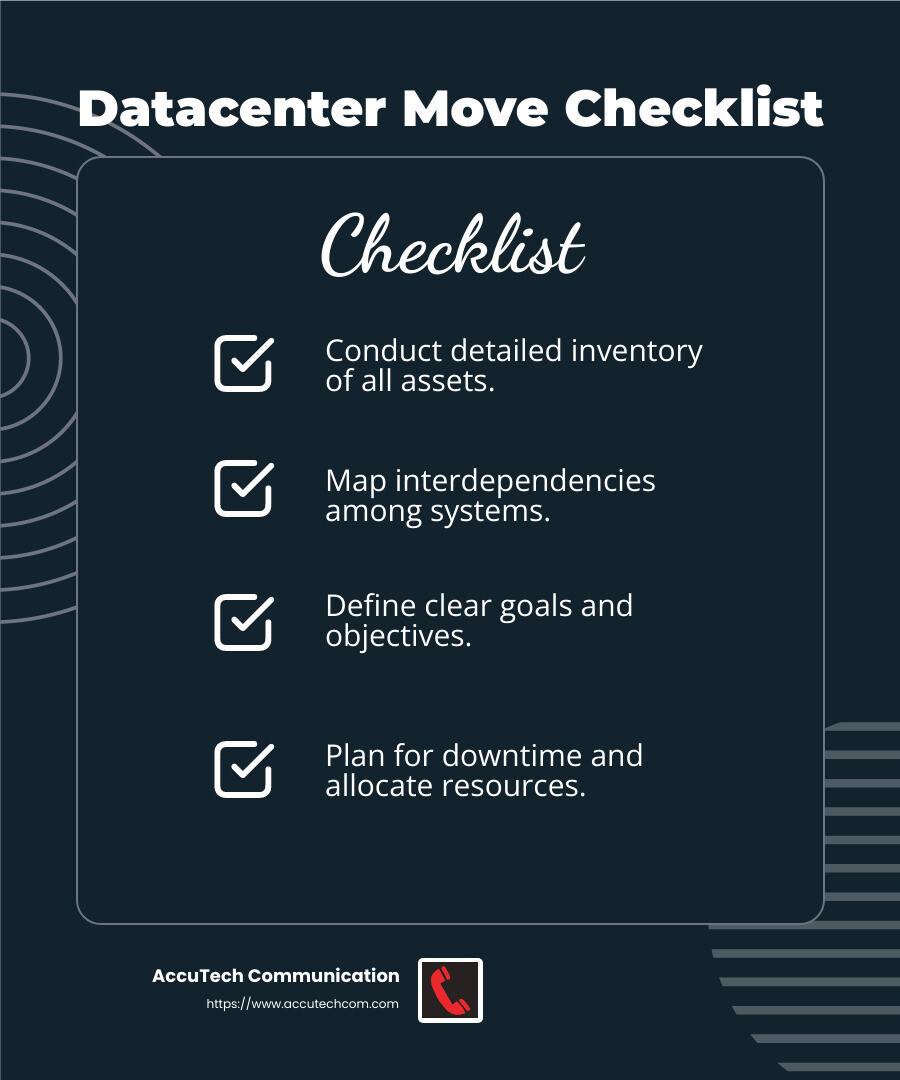
Before anything else, conduct a detailed inventory of all assets. This is your foundation.
- Catalog Everything: List all hardware, software, applications, and data. Include unstructured, structured, critical, and sensitive data. Don’t forget network maps and security environments.
- Understand Interdependencies: Map out how different systems and applications interact. This will help avoid surprises during the move.
Migration Checklist
A migration checklist is your roadmap. It keeps you on track and ensures nothing is overlooked.
- Define Goals and Objectives: Clearly outline what you aim to achieve with the move. Is it an upgrade, consolidation, or something else?
- Plan for Downtime: Identify which systems can afford downtime and which cannot. This helps in scheduling and resource allocation.
- Include All Steps: Document every action, from preparation to post-move verification. This includes pre-move testing and backup plans.
Project Management
Effective project management is crucial for a successful move.
- Assign Roles and Responsibilities: Everyone involved should know their tasks. This prevents confusion and ensures accountability.
- Use Tools for Coordination: Tools like TDS TransitionManager can help manage the complexities of the move. They provide real-time updates and facilitate communication among stakeholders.
- Learn from Past Moves: Document lessons learned from previous relocations. This knowledge can help avoid repeating mistakes.
Moving a datacenter doesn’t have to be daunting. By following these best practices—conducting a detailed inventory, creating a comprehensive migration checklist, and employing robust project management—you can steer the complexities with confidence.
Up next, we’ll tackle some frequently asked questions about datacenter moves, including costs and timelines.
Frequently Asked Questions about Datacenter Moves
Moving a datacenter can seem overwhelming, but understanding the key components can make it manageable. Here are answers to some common questions about a datacenter move.
How much does it cost to move a data center?
The cost of moving a data center varies widely based on several factors:
- Labor: Skilled technicians and project managers are essential. Their expertise ensures a smooth transition, but it comes with a cost. According to an Insight survey, unexpected challenges can lead to increased expenses if not properly managed.
- Equipment: Consider whether existing equipment can be reused or if new purchases are necessary. Outdated equipment might need replacement to meet modern standards, adding to the cost.
- Logistics: Transportation of sensitive equipment requires secure methods, sometimes involving specialized packing and security escorts.
How long does it take to move a data center?
The timeline for a datacenter move is influenced by:
- Planning Time: Proper planning is crucial and can take several months. This includes creating a detailed inventory and setting clear migration goals.
- Execution Time: The actual move can vary from a few days to weeks. It depends on the size of the data center and the chosen strategy—whether it’s a “Big Bang” approach or a phased move. Each has its own time implications, with phased moves generally being more time-consuming but less risky.
What are the steps for data center migration?
A successful data center migration involves several key steps:
- Migration Goals: Clearly define what you want to achieve. This could be upgrading infrastructure, enhancing security, or improving efficiency.
- Asset Identification: Conduct a thorough inventory of all assets, including servers, switches, and storage arrays. Understanding dependencies between these assets is crucial.
- Optimization: Use the migration as an opportunity to optimize your setup. This might involve consolidating servers, updating software, or improving network configurations.
By addressing these questions and understanding the factors involved, you can better prepare for a successful datacenter move. Up next, we’ll conclude with how AccuTech Communications can support your data center technologies with certified service.
Conclusion
A datacenter move can be a complex endeavor, but with the right partner, it becomes a manageable task. At AccuTech Communications, we specialize in simplifying this process for businesses in Massachusetts, New Hampshire, and Rhode Island. Since 1993, we’ve provided certified, reliable service in network cabling and data center technologies, ensuring our clients experience minimal downtime and maximum efficiency during their moves.
Our team of skilled technicians and engineers understands the intricacies of data center relocations. We use our expertise to help you achieve your migration goals, whether that’s upgrading your infrastructure, enhancing security, or improving overall efficiency. Our services are custom to meet your unique needs, ensuring a seamless transition to your new data center.
What sets us apart is our commitment to quality and competitive pricing. We work closely with you to create a detailed migration plan, identify all assets, and optimize your setup. Our certified service ensures that every step of your data center move is handled with precision and care.
If you’re planning a datacenter move, trust AccuTech Communications to make it easy and efficient. Learn more about our services and how we can support your business communication needs today.
