
Burying Network Cable Conduit: Ultimate 3-Phase
Why Burying Network Cable Conduit is the Smart Choice for Reliable Outdoor Connectivity
Burying network cable conduit is the most effective way to extend your network outdoors. It protects your investment from damage and ensures long-term reliability, whether you’re connecting a detached garage, powering outdoor Wi-Fi, or linking buildings. Buried conduit offers superior protection against physical damage, weather, rodents, and accidental cuts.
Essential Steps for Burying Network Cable Conduit:
- Plan your route – Survey the area, measure distance, and call 811 to locate utilities.
- Dig the trench – A minimum of 8-10 inches deep is required for conduit.
- Install conduit – Use PVC Schedule 40 or 80 with cemented, watertight joints.
- Pull the cable – Use outdoor-rated Ethernet cable with fish tape and lubricant.
- Make connections – Terminate inside weatherproof boxes and use surge protectors.
- Backfill safely – Place warning tape 6 inches above the conduit before covering.
The conduit approach also provides tremendous future-proofing value. As one networking professional noted, “The most expensive cable in the world, on a per foot basis, is the one that is 1″ too short.” With proper conduit installation, you can easily upgrade to faster cables or add more lines without costly re-excavation. It acts as a robust shield, preventing headaches from physical damage, moisture, and even rodents known to chew on cables.
I’m Corin Dolan, owner of AccuTech Communications, and since 1993, I’ve helped businesses across Massachusetts, New Hampshire, and Rhode Island design and install reliable network infrastructure. Proper planning and execution of buried conduit projects save businesses thousands in future costs while ensuring uninterrupted connectivity.
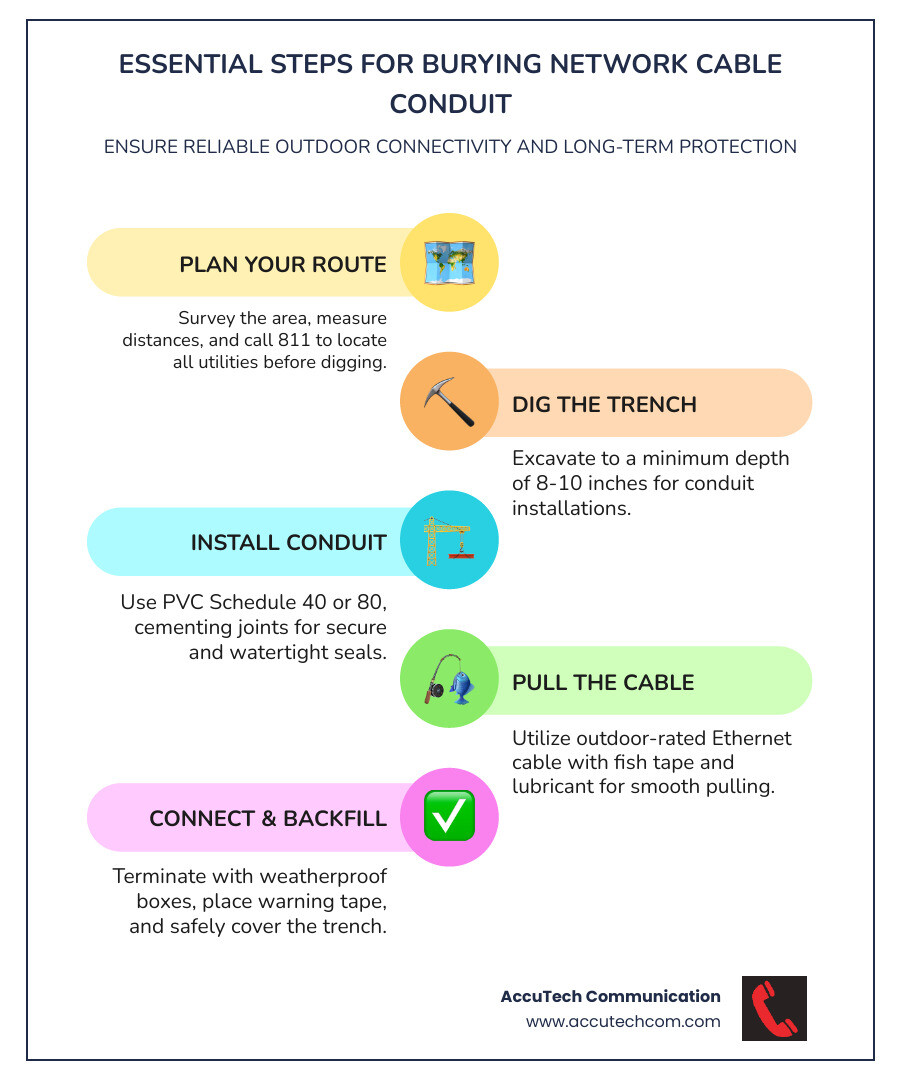
If a job is worth doing, it’s worth doing right the first time. Using conduit ensures a safe, effective, and long-lasting installation that can eliminate 95% of potential problems down the line.
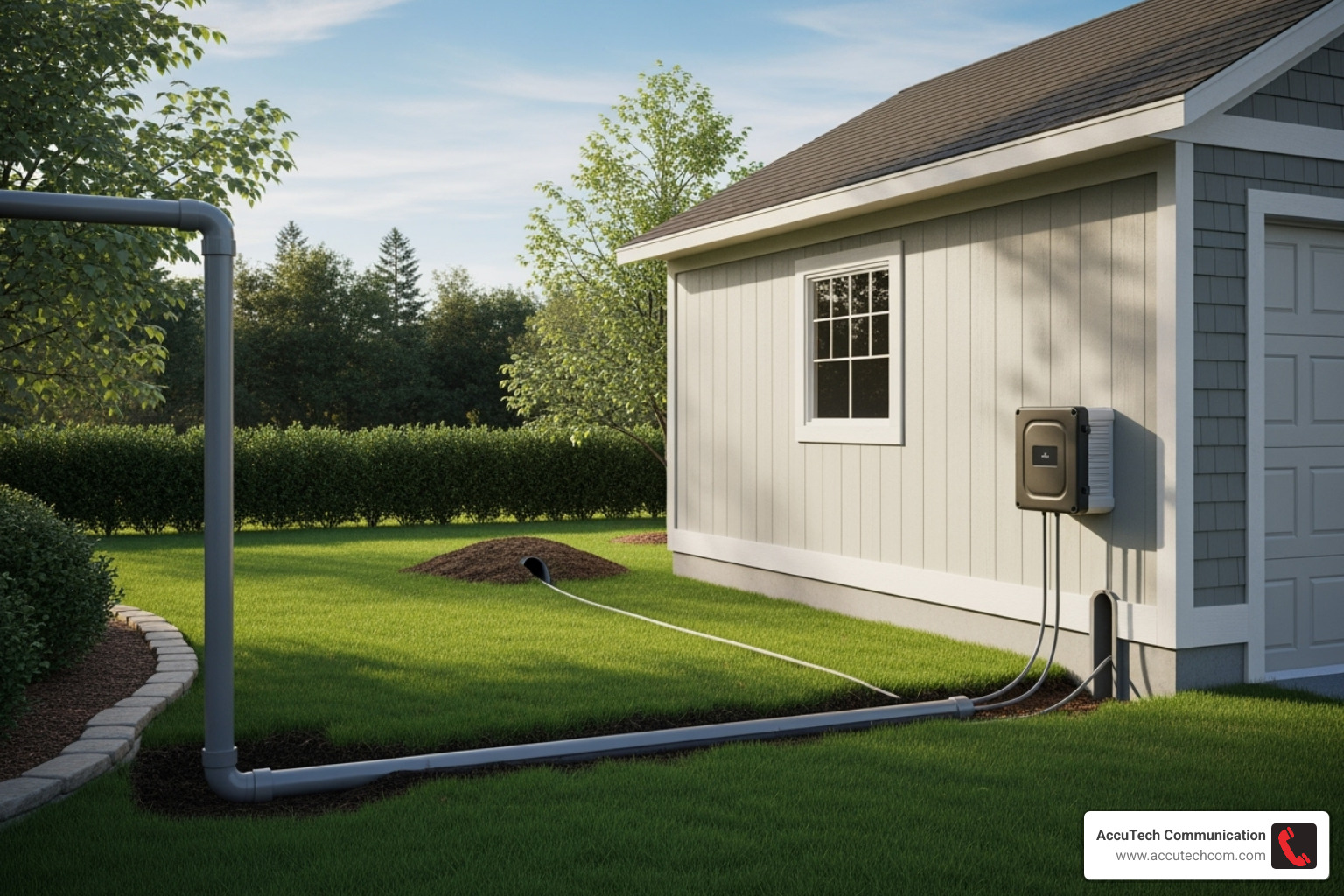
Phase 1: Planning, Trenching, and Preparation
Meticulous planning is the foundation of a successful project, saving you time, money, and headaches. Getting this phase right ensures everything else falls into place.
Essential Tools and Materials Checklist
Having the right tools and materials ready makes the process of burying network cable conduit much smoother. Here’s what you’ll need:
- Shovel or Trenching Machine: For digging. A trenching machine is a back-saver for long distances.
- Measuring Tape or Wheel: Crucial for accurately measuring your route to determine material needs.
- PVC Conduit (Schedule 40 or 80): The protective shield for your cable. Schedule 80 is tougher and recommended for areas with potential traffic or digging.
- Conduit Fittings and Glue: Couplings, gentle “sweeps” for turns, and PVC cement for watertight seals.
- Fish Tape or Pull String: Essential for pulling cable through the conduit.
- Outdoor-Rated Ethernet Cable: A CMX or direct burial rated cable is a must, as conduit can still get damp inside.
- Waterproof Connectors/Junction Boxes: Vital for protecting cable ends and connections from moisture.
- Safety Gear: Non-negotiable! Always use gloves, safety glasses, and sturdy footwear.
- Warning Tape: Bright underground tape placed above your conduit to warn future diggers.
- Cable Lubricant: Makes pulling cable through conduit significantly easier, especially on long runs.
- Utility Knife/Deburring Tool: For preparing cable ends and smoothing cut conduit edges.
How to Plan the Optimal Conduit Route
Careful route planning is the most critical step. It’s about finding the smartest, safest, and most efficient path from A to B.
First, survey your property and sketch out the ideal path. Avoid obstacles like tree roots, garden beds, or areas with poor drainage. The goal is to minimize bends and turns, as sharp bends make pulling cable difficult and can cause damage. Always use two gentle 45-degree bends instead of one sharp 90-degree elbow. The National Electrical Code (NEC) limits you to 360 degrees of bends (four 90-degree turns) between pull points.
Next, accurately measure the total distance of your run, accounting for detours and elevation changes. Don’t forget to calculate cable slack by adding a few extra feet at each end for connections, service loops, and potential ground shifts from freeze/thaw cycles.
For safety, maintain power line separation. Running network cables close to high-voltage lines can cause electromagnetic interference (EMI). Keep unshielded network cables at least 16 inches away from 120V+ AC circuits. Most importantly, never run low-voltage communication cable in the same conduit as high-voltage power cable. This is a violation of the NEC/NFPA 70 and a serious fire hazard.
Finally, and this is a step you cannot skip: Call before you dig to locate utilities! This free service prevents you from hitting underground power, gas, or water lines. Just dial 811—it’s a simple call that prevents costly and dangerous accidents.
For those curious about how planning scales up for larger projects, you can learn more from our resources on More info about Telecommunications Construction.
Trenching Best Practices
With your route planned and safety calls made, it’s time to dig. Proper trenching is fundamental to protecting your conduit for years to come.
Start by marking the path with spray paint or a string line to ensure a straight trench.
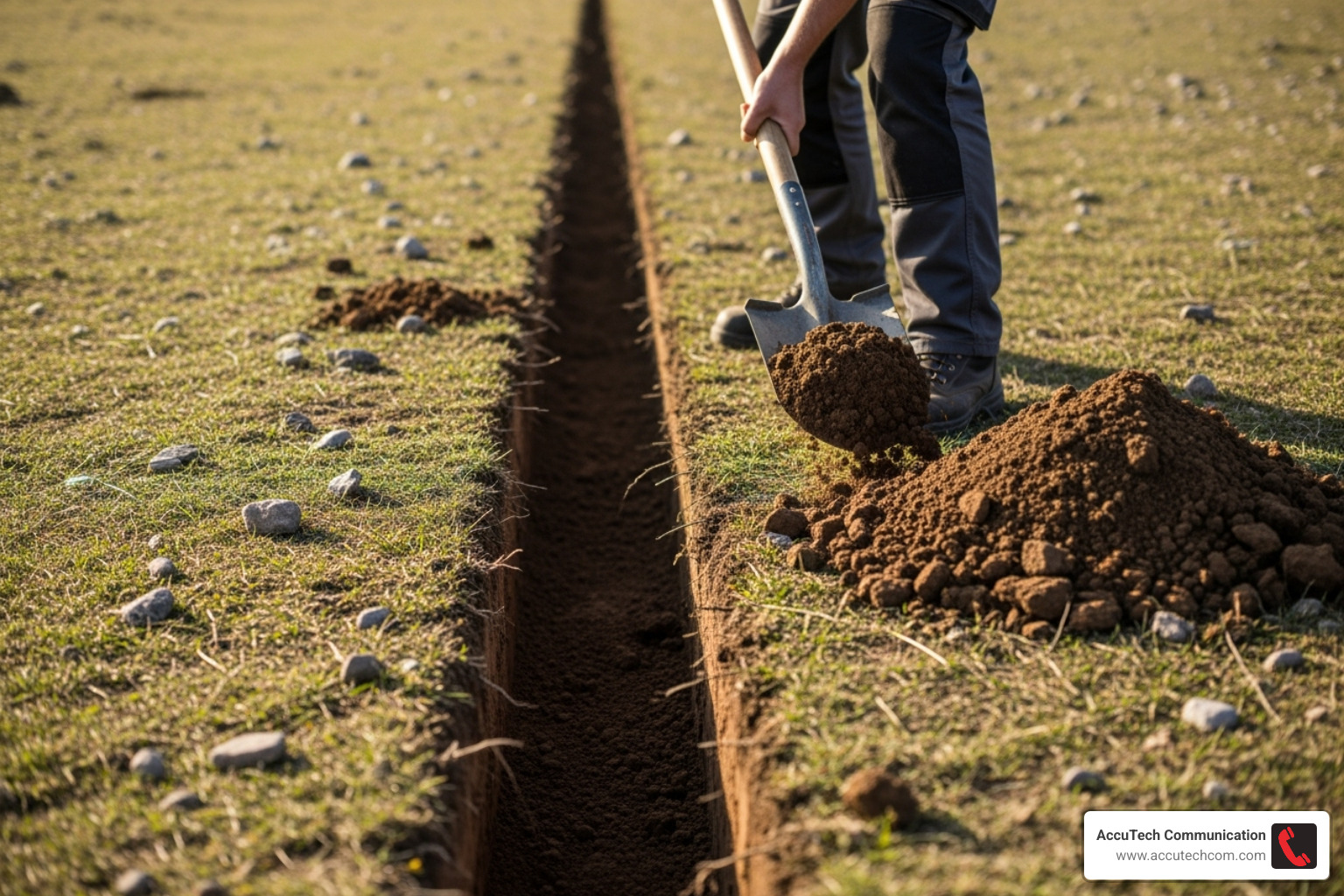
For burying network cable conduit, the recommended depth is at least 8 to 10 inches. Without conduit, you’d need to dig 18 to 24 inches deep. However, always check your local building codes, as they are the final authority on burial depths in your area.
In colder climates, consider the frost line. Burying your conduit below the frost line provides excellent protection against ground movement caused by freezing and thawing.
Finally, ensure the trench has a smooth bottom, free of sharp rocks or debris. For added protection and drainage, we recommend bedding with sand or pea gravel. A 1 to 2-inch layer creates a stable, well-drained bed for your conduit.
Phase 2: The Ultimate Guide to Burying Network Cable Conduit and Cable
With the trench prepared, it’s time to install the conduit and pull the cable. This phase requires attention to detail to ensure a robust and reliable connection.
Choosing the Right Conduit for Burying Network Cable
Selecting the right conduit is critical for burying network cable conduit. PVC is typically the best choice for low-voltage network cabling due to its balance of durability, cost, and ease of installation.
Here’s a comparison of common conduit types:
| Conduit Type | Cost | Durability | Ease of Installation | Best Use Cases |
|---|---|---|---|---|
| PVC Schedule 40 | Low | Good (Corrosion-resistant) | Very Easy | General underground/outdoor, residential, non-vehicular areas. Lightweight and easy to cut/glue. |
| PVC Schedule 80 | Moderate | Excellent (Thicker walls) | Easy | Areas prone to physical damage (e.g., near driveways), industrial, commercial where extra protection is needed. |
| IMC (Intermediate Metallic Conduit) | High | Superior (Physical protection) | Moderate (Requires special tools) | Industrial settings, where maximum physical protection or shielding is required. Can be expensive. |
| Flexible Plastic | Low-Moderate | Varies (Less durable) | Very Easy | Short, curved runs, tight spaces. Not ideal for long, straight runs or heavy physical stress. |
For most applications, we recommend PVC Schedule 40 or Schedule 80. When assembling sections, use PVC solvent cement to create a strong, watertight bond at every joint. This is crucial, as all underground conduit will eventually accumulate some moisture. For bends, always use wide sweeps instead of 90-degree elbows. Sweeps have a larger radius, which drastically reduces friction and strain on the cable during pulling and helps prevent damage. The NEC allows a maximum of 360 degrees of bends between pull points.
For conduit sizing, we recommend a minimum of ¾-inch trade size. A good rule is to aim for a maximum 40% initial fill ratio, which leaves ample space for future upgrades.
Selecting the Best Ethernet Cable for Your Conduit
Even when burying network cable conduit, the cable inside matters. Standard indoor cables will quickly deteriorate in the underground environment.
We always use outdoor-rated (CMX) or, ideally, direct burial rated cable. Both have a CMX jacket for UV and moisture resistance, but direct burial cable includes additional water-blocking measures like water-blocking tape or gel-filling. These features are critical because underground conduits often accumulate moisture over time.
For performance, Cat6A Ethernet cable is our recommendation for new installations, as it supports 10Gbps speeds up to nearly 300 feet. This provides robust bandwidth for current and future needs. The choice between shielded vs. unshielded cable depends on the environment. Shielded cable mitigates electrical interference but requires proper grounding. For most residential runs, unshielded direct burial Cat6A is more cost-effective and easier to install.
Regardless of type, always choose cables with solid copper conductors. Avoid Copper Clad Aluminum (CCA) cables due to their inferior performance and incompatibility with Power over Ethernet (PoE). Speaking of PoE, Cat5e and higher cables support it, which is great for powering outdoor devices like cameras or Wi-Fi access points. Be aware of NEC bundling restrictions for PoE cables to prevent heat buildup.
For more details on selecting the right outdoor cabling, see our insights on More info about Outdoor Network Cable.
Best Practices for Pulling Cable
Pulling cable through conduit can be tricky, but the right techniques make it manageable.
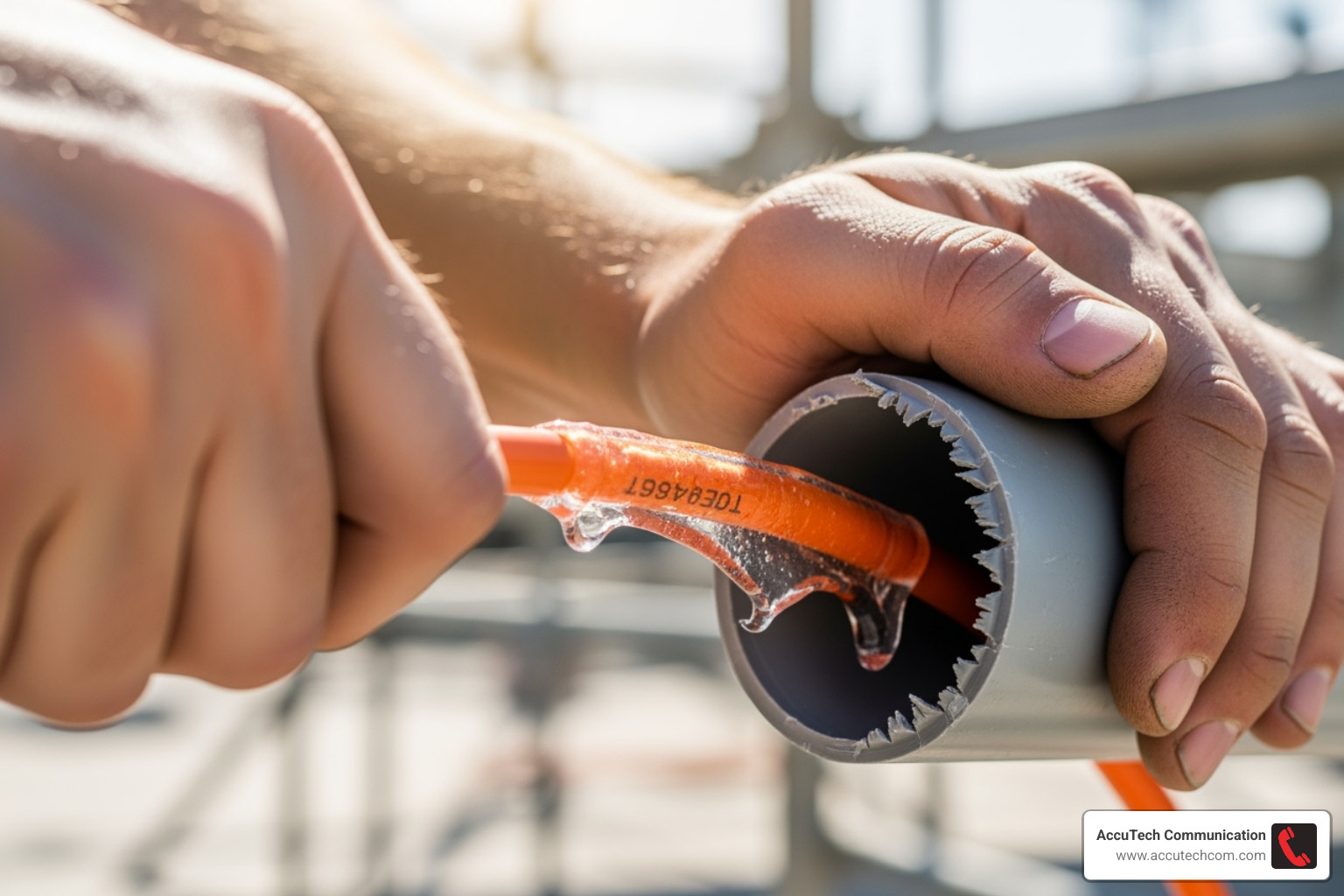
First, attach the cable to the fish tape by stripping the wire ends, looping them through the eyelet, and taping them into a smooth pulling head. For longer runs, a pull string is invaluable. You can use a shop-vac to suck a string with a light object attached through the conduit. Then, attach the cable to the string and pull.
Next, apply cable lubricant liberally to the cable as it enters the conduit. This drastically reduces friction, making the pull easier and preventing damage. It’s essential for long runs or those with multiple bends.
Always pull slowly and steadily, avoiding jerks that can stretch or damage the cable’s internal conductors. Having a helper feed the cable on one end while you pull from the other ensures a smooth, controlled process.
Finally, a pro tip: pull a second string for future use. Attaching a new pull string as you pull your cable leaves a messenger line in the conduit, making future upgrades or replacements incredibly easy.
Phase 3: Final Connections, Testing, and Future-Proofing
With the cable in the ground, it’s time for the final steps: making perfect connections, testing the system, and ensuring your setup is ready for the future.
Terminating and Protecting Your Connections
Proper termination is key to performance. We carefully terminate cables with keystone jacks or field plugs, ensuring wire twists are maintained right up to the connection point, which is critical for Cat6A and 10 Gigabit speeds.
Next, we protect these connections from the elements using weatherproof junction boxes at both ends of the run. We seal the boxes with an outdoor sealant like silicone to keep out moisture, dirt, and pests. A small drain hole at the bottom can also help release any condensation.
If you’re using shielded cable, proper grounding is an essential extra step. The cable’s shield must be connected to a proper ground at both ends to drain away electrical interference and provide maximum protection.
To defend against electrical surges, especially when connecting separate buildings, we install Ethernet surge protectors at each end. These devices must be connected to a proper electrical ground to effectively stop surges from damaging your network equipment.
After making all connections, we perform thorough testing for connectivity and speed with specialized cable testers. This confirms the connection is solid and can handle the expected speeds before we cover up our work.
Finally, it’s time to backfill the trench. Before doing so, we always place warning tape about 6 inches above the conduit. This bright tape alerts anyone digging in the future to the buried utility below, preventing accidental cuts. We then carefully backfill the trench, compacting the soil as we go.
Long-Term Maintenance and Upgrades
This is where burying network cable conduit truly proves its value. Unlike direct burial cable, which is difficult and costly to change, conduit provides a permanent, protected pathway for your network.
The primary benefit is the value of conduit for future access. If a cable is damaged or you want to upgrade to faster technology like fiber optics, easy cable replacement is possible. You simply use the existing conduit to pull the new cable without any new digging.
Conduit also makes adding more cables simple. If you planned ahead and used a slightly larger conduit, you can easily pull additional lines through the existing pathway.
This highlights a golden rule: use larger conduit for expansion. We often recommend going one size up from what you currently need, such as using ¾-inch or 1-inch conduit for a single cable. This small upfront investment pays huge dividends later.
To complete the installation, seal conduit ends where they enter buildings using expandable foam or duct seal compound. This prevents water, insects, and rodents from getting inside.
For businesses looking to truly future-proof their infrastructure, specialized innerduct can offer even more flexibility. Learn more about creating these advanced pathways with our More info about Innerduct Installation Service Company.
Frequently Asked Questions about Burying Network Cable Conduit
Here are answers to the most common questions we hear from customers considering burying network cable conduit.
How deep should I bury network cable conduit?
The standard depth is 8 to 10 inches when using conduit. This is deep enough for protection from most surface activities. However, the most important rule is to always check your local building codes, as they are the final authority and requirements can vary. If possible, burying below the local frost line offers superior protection against ground shifting from freeze-thaw cycles.
Can I run power and network cables in the same conduit?
Absolutely not. This is a strict rule for two critical reasons. First, it violates the National Electrical Code (NEC) and is a serious fire and safety hazard. Second, high-voltage power lines create electromagnetic interference that will severely degrade your network performance, causing slow speeds and dropped connections. Always use separate conduits and maintain proper spacing between them.
Do I still need outdoor-rated cable if I’m using conduit?
Yes, 100%. This is a common misconception. While conduit provides excellent physical protection, it is not perfectly waterproof. Over time, all underground conduits will accumulate some moisture from condensation or small leaks. Standard indoor cable is not designed to handle this moisture and will quickly degrade, causing your network to fail. Using outdoor-rated (CMX) or direct-burial cable with its tougher, moisture-resistant jacket is essential insurance for a long-lasting, reliable connection.
Conclusion: Ensure a Flawless and Future-Proof Installation
As we’ve seen, burying network cable conduit is the gold standard for extending a network outdoors. It’s about creating a connection that is built to last.
By planning carefully, choosing the right materials, and using proper installation techniques, you are building a protected pathway for your data. This ensures your connection is safe from physical damage and, most importantly, incredibly easy to upgrade for years to come. It’s a smart investment that prevents future headaches and re-digging.
Here at AccuTech Communications, we’ve helped businesses and homeowners across Massachusetts, New Hampshire, and Rhode Island with their network infrastructure since 1993. We know from experience that proper conduit installation saves time, money, and frustration down the road, ensuring your connectivity is flawless and ready for the future.
Ready to start your outdoor network project? We’re here to make sure it’s done right the first time. Explore our Network Cabling Installation services to see how we can help you achieve a perfect, future-proof connection.
