
Business Phone System Repairs: Top 5 Proven Fixes 2025
Business phone system repairs are an integral part of maintaining seamless communication and ensuring operational efficiency. Businesses encountering issues with their phone systems often face disrupted communications, affecting their ability to serve clients and collaborate internally. Here’s a quick look at core aspects of phone system repairs:
- Common Issues: Connectivity, hardware, and software glitches.
- Troubleshooting: Identifying problems through diagnostics and error codes.
- Solutions: DIY fixes vs. calling professionals.
In today’s world, reliable phone systems are more important than ever. They are the backbone of business operations, particularly for industries like healthcare that depend on robust communication channels. Without prompt and effective troubleshooting and repairs, businesses risk significant downtime and loss of productivity.
I’m Corin Dolan, with decades of experience at AccuTech Communications, specializing in business phone system repairs. My career has been dedicated to ensuring businesses maintain efficient, uninterrupted communications systems.
Business phone system repairs terms to know:
– business phone system installation
– business phone solutions ma
– business communication systems
Common Business Phone System Issues
Business phone systems are crucial for maintaining smooth operations. But like any technology, they can experience issues. Let’s explore some common problems you might encounter:
Connectivity Problems
One of the most frequent issues is connectivity problems. This can manifest as dropped calls, poor call quality, or the inability to connect at all. These issues often stem from network congestion, faulty cabling, or outdated equipment.
Example: A healthcare facility in Massachusetts faced persistent connectivity issues, disrupting their ability to communicate with patients. Upon investigation, it was found that outdated cabling was the culprit. Replacing the cables resolved the issue, restoring reliable communication.
Hardware Failures
Hardware failures are another common problem. Components like handsets, switches, or routers can fail, causing disruptions. Signs of hardware issues include static on the line, buttons not working, or the system not powering on.
Tip: Regular inspections and maintenance can help catch hardware issues early. Look for signs like physical damage or overheating components.
Software Glitches
Software glitches can cause unexpected behavior in phone systems. This might include features not working, slow performance, or system crashes. These issues are often due to outdated software or conflicts with other systems.
Example: A business in Boston experienced frequent system crashes. After updating the system software and ensuring compatibility with other applications, the issues were resolved.
Understanding these common issues is the first step in maintaining a reliable phone system. In the next section, we’ll dive into how business phone system repairs can address these problems effectively.
Business Phone System Repairs
When your business phone system starts acting up, it’s crucial to address the issues promptly to keep operations running smoothly. Let’s explore how to identify and fix common problems.
Identifying the Problem
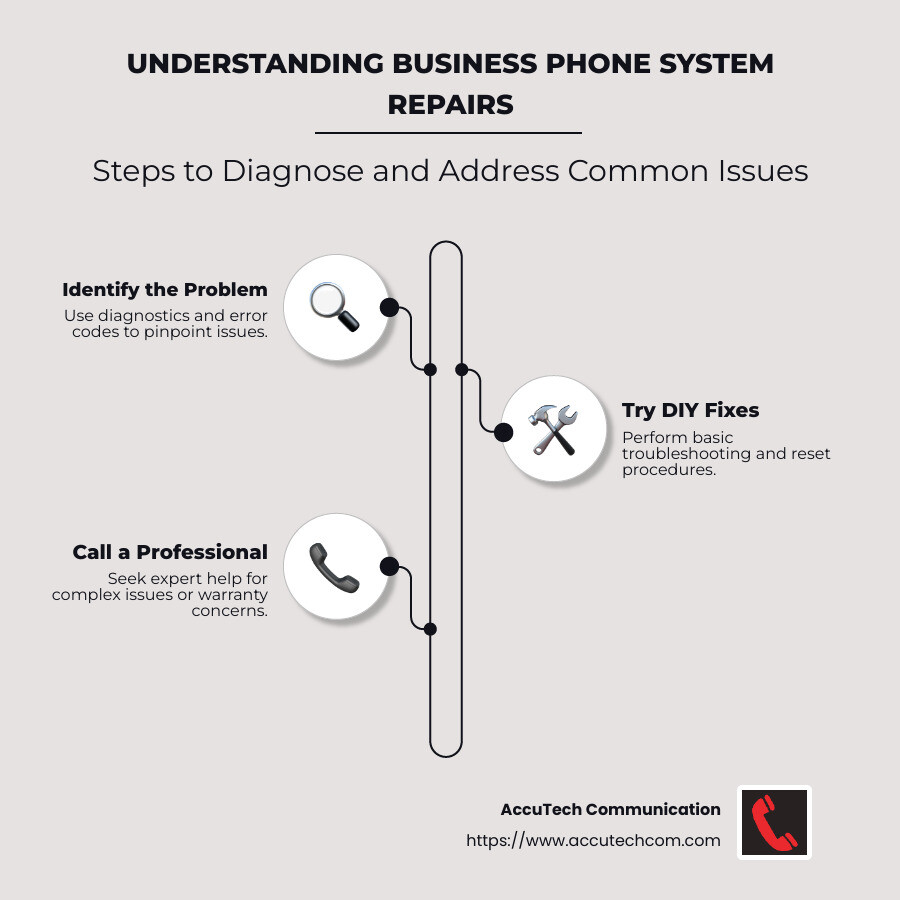
The first step in business phone system repairs is identifying the problem. This often involves diagnostics and recognizing error codes. Many modern systems come with built-in diagnostic tools that can help pinpoint the issue. For instance, error codes displayed on your phone system can offer clues about what’s wrong.
Example: If you’re seeing an error code related to connectivity, it might indicate a network issue. Check your cabling and connections to ensure everything is secure and functioning.
DIY Fixes
Some issues can be tackled with basic troubleshooting steps and DIY fixes. Here are a few you can try:
- Check Connections: Ensure all cables are securely connected. Loose connections can cause call quality issues.
- Restart the System: Sometimes, a simple reset can resolve minor software glitches. Turn off your phone system, wait a few seconds, and then power it back on.
- Update Software: Outdated software can lead to glitches. Make sure your system is running the latest version to avoid compatibility issues.
- Test Handsets and Components: Swap out handsets or other components to identify faulty hardware.
Tip: Always refer to the user manual for specific reset procedures and troubleshooting steps custom to your system.

Maintenance and Repair Services
While DIY fixes are useful, some problems require professional repair services. Regular maintenance can prevent many issues before they start. Scheduled system checks and updates ensure your system is always in peak condition.
Case Study: A company in New Hampshire experienced frequent connectivity drops. Regular maintenance visits helped identify and replace a failing router, preventing future disruptions.
In the next section, we’ll discuss when it’s time to call in the professionals for more complex repairs and maintenance.
Professional Repair Services
When to Call a Professional
Sometimes, business phone system repairs go beyond what a DIY fix can handle. Here’s when you should consider calling in the experts:
Complex Issues
If your phone system is showing persistent problems that don’t resolve with basic troubleshooting, it’s time to seek professional help. Complex issues such as recurring connectivity drops, persistent error codes, or hardware failures often require a trained technician to diagnose and fix.
Example: A business in Massachusetts struggled with intermittent call drops. After several unsuccessful DIY attempts, they called in a professional who finded a faulty network switch. The switch was replaced, and their system was back to normal.
Expert Assistance
Professional technicians have the expertise and tools to quickly identify and resolve issues. They can offer insights into problems that might not be obvious to an untrained eye. Their experience with various systems means they can provide solutions custom to your specific setup.
Tip: When your system’s performance is critical to your business operations, expert assistance ensures that repairs are done right the first time, minimizing downtime.
Cost-Effective Solutions
While hiring a professional might seem costly, it can actually save money in the long run. Experts can often fix problems more efficiently, reducing the risk of further damage. They can also advise on cost-effective solutions that might involve upgrading certain components rather than replacing the entire system.
Case Study: A Rhode Island business faced mounting repair costs for their aging phone system. A professional assessment revealed that a partial upgrade would be more economical than continued repairs, saving the company money over time.
Warranty Considerations
If your phone system is under warranty, attempting DIY repairs might void it. Professional repair services ensure that any work done complies with warranty terms. This means that if further issues arise, they can be addressed without additional cost under the warranty.
Reminder: Always check your warranty terms before attempting any repairs yourself. It’s better to let a professional handle it if there’s a risk of voiding the warranty.
In the next section, we’ll explore preventative maintenance tips to keep your business phone system running smoothly.
Preventative Maintenance Tips
Keeping your business phone system in top shape isn’t just about fixing issues when they arise. It’s about preventing them in the first place. Here are some simple yet effective preventative maintenance tips.
Regular Updates
Updating your phone system software is crucial. Manufacturers often release updates to fix bugs, improve security, and add new features. Make it a habit to check for updates regularly and install them promptly. This keeps your system running smoothly and reduces the risk of vulnerabilities.
Tip: Set up automatic updates if your system supports it. This way, you won’t miss any important improvements.
System Checks
Regular system checks can help catch potential issues before they become major problems. Schedule routine inspections of your hardware and software. Look for signs of wear and tear, loose connections, or unusual noises.
Checklist:
– Inspect all cables and connections.
– Test call quality and connectivity.
– Check for any error messages or alerts.
Regular checks mean you can address minor issues before they escalate into costly repairs.
Backup Solutions
Imagine losing all your important call data due to a system failure. Not a pleasant thought, right? That’s why having a reliable backup solution is essential. Regularly back up your system settings and call logs to a secure location.
Best Practice: Use cloud-based backup solutions for automatic, offsite backups. This protects your data even if your physical system is compromised.
These simple preventative maintenance steps can help you avoid unexpected downtime and keep your business phone system running efficiently.
Next, we’ll dive into some frequently asked questions about business phone system repairs, helping you understand when your system might need attention.
Frequently Asked Questions about Business Phone System Repairs
What are the signs that my business phone system needs repair?
If you’re experiencing frequent dropped calls, poor sound quality, or connectivity issues, it might be time for business phone system repairs. Other signs include:
- Error Messages: If your system displays error codes or messages, it could indicate a software issue.
- Hardware Malfunctions: Unresponsive buttons, damaged handsets, or faulty wiring might signal hardware problems.
- Lag and Delays: Delays in call connections or voice transmission often point to network or configuration issues.
Keeping an eye out for these signs can help you address problems early, preventing more significant disruptions.
How long does a typical phone system repair take?
The time it takes to repair a business phone system can vary based on the issue’s complexity. Simple fixes, like replacing a faulty handset or resetting the system, might only take a few hours. However, more complex issues, such as network configuration problems or major hardware failures, could take several days to resolve.
For instance, AccuTech Communication offers 24/7 support to ensure that urgent issues are addressed promptly, minimizing downtime for your business.
Can regular maintenance prevent phone system issues?
Absolutely. Regular maintenance is key to preventing many common phone system issues. By keeping your system updated and conducting regular checks, you can catch potential problems before they escalate.
- Software Updates: Ensure your system software is always up to date to benefit from bug fixes and security patches.
- Routine Inspections: Regularly inspect your hardware for signs of wear and tear, and test your system’s performance.
According to industry experts, businesses that invest in regular maintenance experience fewer disruptions and extend the lifespan of their phone systems.
With these insights, you’re better equipped to manage your phone system effectively, ensuring smooth and uninterrupted business communications.
Next, we’ll explore how AccuTech Communications can provide reliable service for Massachusetts businesses.
Conclusion
At AccuTech Communications, we understand that a reliable phone system is the backbone of effective business communication. For over 30 years, we’ve offered certified, reliable service to businesses across Massachusetts, New Hampshire, and Rhode Island. Our commitment to quality and competitive pricing has made us a trusted partner for business phone systems and network cabling.
Whether you’re dealing with connectivity issues, hardware malfunctions, or software glitches, our team is here to help. We specialize in business phone system repairs, ensuring that your communication infrastructure is always running smoothly. Our expert technicians are trained to diagnose and resolve issues efficiently, minimizing downtime and keeping your business connected.
We also emphasize the importance of preventative maintenance. Regular updates, system checks, and backup solutions are essential to avoid potential disruptions. By investing in maintenance, you not only prevent issues but also extend the lifespan of your phone system, saving your business time and money in the long run.
For businesses in Massachusetts looking for a reliable partner in telecommunications, AccuTech Communications is here to support you. Our comprehensive services and dedication to quality ensure that your business operations remain seamless and efficient.
To learn more about how we can assist with your business phone system needs, visit our business phone systems page.
Your communication network is vital to your business’s success. Let us help you keep it strong and reliable.
