
Cabling Networking: 10 Proven Ways for Powerful Success 2025
The Foundation of Modern Business Connectivity
Cabling networking is the physical infrastructure that connects computers, servers, and other devices to form a functional network, enabling data transmission throughout an organization. It serves as the backbone of all digital communications in any business environment.
Quick Guide to Network Cabling Types:
| Cable Type | Best For | Max Distance | Speed Capacity |
|————|———-|————–|—————-|
| Cat5e | Basic office needs | 100 meters | Up to 1 Gbps |
| Cat6/6a | Modern workplaces | 100 meters | Up to 10 Gbps |
| Fiber Optic | Long distances/high speed | 10+ kilometers | Up to 100+ Gbps |
| Coaxial | Legacy systems | 500 meters | Up to 10 Mbps |
Behind every successful business communication system lies a well-designed network cabling infrastructure. Whether you’re setting up a new office, expanding your current space, or upgrading outdated systems, understanding the fundamentals of network cabling is essential for making informed decisions.
The right cabling solution does more than just connect your devices—it provides:
- Reliability for mission-critical applications
- Scalability to grow with your business needs
- Performance that meets bandwidth-intensive demands
- Future-proofing for emerging technologies
Many businesses don’t realize that nearly 70% of network issues stem from cabling problems. Proper installation and selection of appropriate cable types can eliminate these headaches before they begin.
I’m Corin Dolan, owner of AccuTech Communications with over 30 years of experience designing and implementing cabling networking solutions for businesses across Massachusetts, New Hampshire, and Rhode Island. My team and I have helped hundreds of organizations build robust, future-proof network infrastructures that support their growth objectives.

Basic Cabling Networking terms:
– Network Cabling Contractor Near Me
– internet cable installer
– cable contractor companies
Understanding the Building Blocks of a Network
When you think about cabling networking, it helps to understand what’s actually happening inside those cables snaking throughout your office. Think of them as the circulatory system of your business—carrying vital information instead of blood.
Copper cables work like tiny electrical highways. When data travels through copper conductors, it moves as electrical signals that bounce back and forth at incredible speeds. These signals face challenges along the way, though. Impedance (measured in ohms) acts like resistance on this highway, potentially slowing things down. Attenuation is like a hill that makes signals gradually weaker the further they travel. And then there’s EMI (Electromagnetic Interference)—imagine this as unwanted radio chatter from other devices that can muddy your signals.
“The twist rate per inch in UTP affects both interference rejection and cost,” as one of our techs often tells clients. It’s amazing how something as simple as how tightly wires are twisted together can make such a difference in performance!
Fiber optic cables take a completely different approach. Instead of electricity, they use pulses of light traveling through thin strands of glass or plastic. It’s like sending morse code with a flashlight, but at the speed of light! This gives fiber some impressive advantages:
- It’s completely immune to electromagnetic interference (no more worrying about running cables near fluorescent lights)
- It can transmit data much further—kilometers instead of meters
- It offers dramatically higher bandwidth capacity
- It’s nearly impossible for someone to “tap” into, making it more secure
According to scientific research on electromagnetic interference, choosing the right cable type and installing it properly can prevent most EMI headaches before they start. This is something we take seriously at AccuTech—proper planning prevents poor performance!
Why Network Cabling Still Matters in 2024
“But wait,” you might be thinking, “isn’t everything wireless now?” While wireless technology has come a long way, cabling networking remains the backbone of serious business infrastructure. Here’s why:
Today’s cloud applications demand rock-solid connections that don’t fluctuate. Video conferencing (which we’re all doing so much more of these days) requires consistent bandwidth without the hiccups that can plague wireless networks. IoT sensors and smart building systems often work best with wired connections for reliability. And if your business has strict uptime targets—like financial services, healthcare, or e-commerce—the stability of proper cabling is simply non-negotiable.
One of our clients, an IT director at a financial firm in Boston, put it perfectly: “We tried going wireless for everything, but when it came to our trading floor, the milliseconds of extra latency and occasional interference issues were simply unacceptable. We went back to a premium cabling networking solution and haven’t had issues since.”
Predictable, low latency is the secret sauce for many critical applications. When you need to know exactly how long it will take data to travel from point A to point B—without variation—properly installed network cabling delivers every time. For real-time applications like voice calls, video, or financial transactions, those consistent milliseconds make all the difference between a smooth experience and a frustrating one.
The truth is, wireless and wired solutions work best when they complement each other. The best networks we design use both technologies strategically, putting each to work where it makes the most sense.
Main Types of Cabling Networking
When planning your network infrastructure, you’ll encounter several cable types, each bringing unique strengths to your connectivity puzzle. Let’s explore the options that could work best for your business needs.
Twisted Pair Cabling
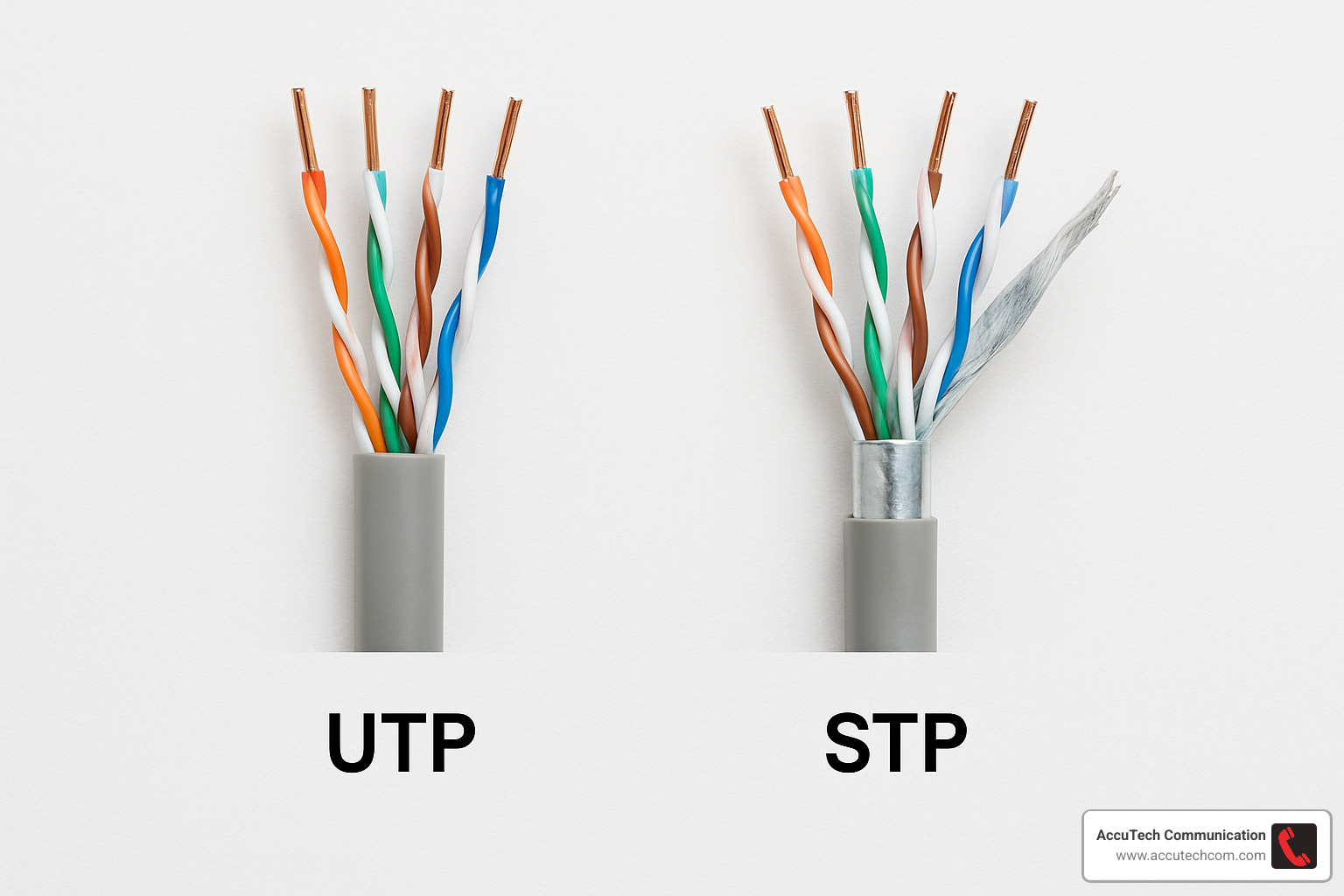
Walk into any modern office, and you’ll likely find twisted pair cables running behind the scenes. These workhorses contain eight copper wires arranged in four twisted pairs inside a protective jacket—a simple design that delivers reliable performance.
UTP (Unshielded Twisted Pair) cables are the friendly, budget-conscious option that most small businesses choose. They’re easier to install and more flexible than their shielded cousins. Meanwhile, STP (Shielded Twisted Pair) cables wear an extra layer of metal protection, making them perfect for environments where electrical equipment might create interference with your data.
Coaxial Cable
Though they’ve taken a back seat to newer technologies, coaxial cables still have their place in the Cabling Networking world. With their distinctive design—a copper core surrounded by insulation, a conductive shield, and an outer jacket—they excel in specific scenarios.
You’ll still find coax handling cable television signals, supporting legacy network installations, and connecting security camera systems. The RG-6 variety handles high-frequency applications beautifully, while RG-59 typically serves video needs.
Fiber Optic Cable
When speed and distance matter most, fiber optic cabling shines—literally! These amazing cables transmit data as pulses of light through thin glass or plastic strands.
Single-mode fiber features a thinner core that allows light to travel directly, making it perfect for connections spanning kilometers. Its cousin, multi-mode fiber, has a larger core that works wonderfully for shorter distances within buildings or campus environments.
As one of our clients recently told us, “Once we switched our main connections to fiber, it was like going from a country road to a superhighway.” That’s the kind of change proper Cabling Networking can deliver.
Powerline Networking
Sometimes, the best cable path is the one that’s already there. Powerline networking cleverly uses your existing electrical wiring to carry network signals. While not our first recommendation for business environments, it can be a lifesaver in historic buildings where pulling new cable would be prohibitively expensive or structurally challenging.
Cabling Networking for Small Offices
Small businesses need practical solutions that balance performance and cost. For our clients in Marlborough, Sudbury, and throughout Metro-west Boston, we typically suggest:
Cat5e or Cat6 drops for each workstation, usually one or two per desk. These provide reliable connectivity for everyday business needs without breaking the budget. We also recommend building in PoE (Power over Ethernet) capability for your VoIP phones and wireless access points—one cable doing two jobs is always efficient!
Remember the “90-meter rule” for horizontal cable runs. Exceeding this distance can lead to performance issues that are frustrating to diagnose later.
One small business owner in Waltham learned this lesson the hard way: “We tried saving money by having our general contractor handle the network cabling. Six months of connectivity headaches later, we had to call in the professionals to redo everything.”
Want to explore more options? Visit our detailed guide on Types of Network Wiring.
Cabling Networking for Campus & Industrial Sites
Larger facilities and industrial environments face unique challenges that require specialized Cabling Networking approaches.
For campus environments in Worcester or manufacturing sites throughout Massachusetts, we recommend backbone fiber connections between buildings. These provide the bandwidth and reliability needed for cross-campus communication. In harsher environments, armored cable provides the durability needed to withstand physical stress and environmental factors.
Don’t forget lightning protection for any connections that run between buildings—Mother Nature doesn’t care about your uptime goals! For manufacturing clients, we also implement corrosion-resistant solutions that stand up to chemicals, humidity, and temperature fluctuations.
A manufacturing client in Rhode Island provides a perfect example of proper planning. We installed armored fiber optic cabling between their buildings with comprehensive lightning protection. Five years and several lightning strikes later, they’ve maintained impressive 99.99% uptime—proof that investing in the right Cabling Networking solution pays dividends for years to come.
Ethernet Cable Categories Explained
Let’s solve the mystery behind those cryptic “Cat” numbers you see on cabling networking products. Think of these categories as the “horsepower ratings” for your network cables—they tell you exactly what kind of performance you can expect.
| Category | Max Frequency | Speed Support | Max Distance | Best Use Case |
|---|---|---|---|---|
| Cat5e | 100 MHz | 1 Gbps | 100m | Basic office networking |
| Cat6 | 250 MHz | 10 Gbps | 55m | Modern office environments |
| Cat6a | 500 MHz | 10 Gbps | 100m | Future-proof installations |
| Cat7 | 600 MHz | 10 Gbps+ | 100m | High interference areas |
| Cat8 | 2000 MHz | 25/40 Gbps | 30m | Data centers, server rooms |
While there are technically eight Ethernet cable categories in existence (Cat1 through Cat8), you’ll rarely see anything below Cat5e in modern installations. It’s like how you don’t see many people using flip phones anymore—the technology has simply moved on.
A challenge in cabling networking is something called “alien crosstalk”—which sounds like a sci-fi movie but is actually interference between neighboring cables. Higher category cables combat this problem with improved shielding and more sophisticated twist rates in the wire pairs. It’s like having better insulation in your home—it keeps the outside noise where it belongs.
The current standards from ANSI/TIA recognize categories 5e through 8, with each step up offering better performance for increasingly demanding applications. For a deeper dive into cable identification, the Ethernet Cable Identification resource provides excellent visual references.
Choosing the Right Category for Your Next Upgrade
When our Massachusetts clients ask which cable is right for them, I don’t just throw out the highest category. Instead, we have a conversation about several key factors:
Budget realities matter—there’s typically a 15-30% price jump between categories. Higher categories cost more but offer peace of mind that your investment will stand the test of time.
Future bandwidth needs should guide your decision. I remember a client who installed basic cabling just before video conferencing became essential to their business—they ended up paying twice when they had to upgrade everything two years later.
Device capabilities play a role too. There’s no need for Formula 1 cables if your computers are still running at sedan speeds. However, your application mix might vary across departments—your design team handling large files needs more bandwidth than your administrative staff.
A story that sticks with me is from a financial services client in Boston. They chose Cat6a throughout their office despite their current equipment only supporting 1 Gbps connections. Their IT director explained it perfectly: “We refresh our computers every three years, but our cabling infrastructure needs to last 15+ years. The premium for Cat6a made sense for our long-term strategy.”
That’s the wisdom I share with all our clients across New Hampshire, Massachusetts, and Rhode Island—invest in your foundation, because everything else sits on top of it.
Want to learn more about what makes up network cabling? Visit our detailed guide on What is Network Cabling?
Structured Cabling Demystified
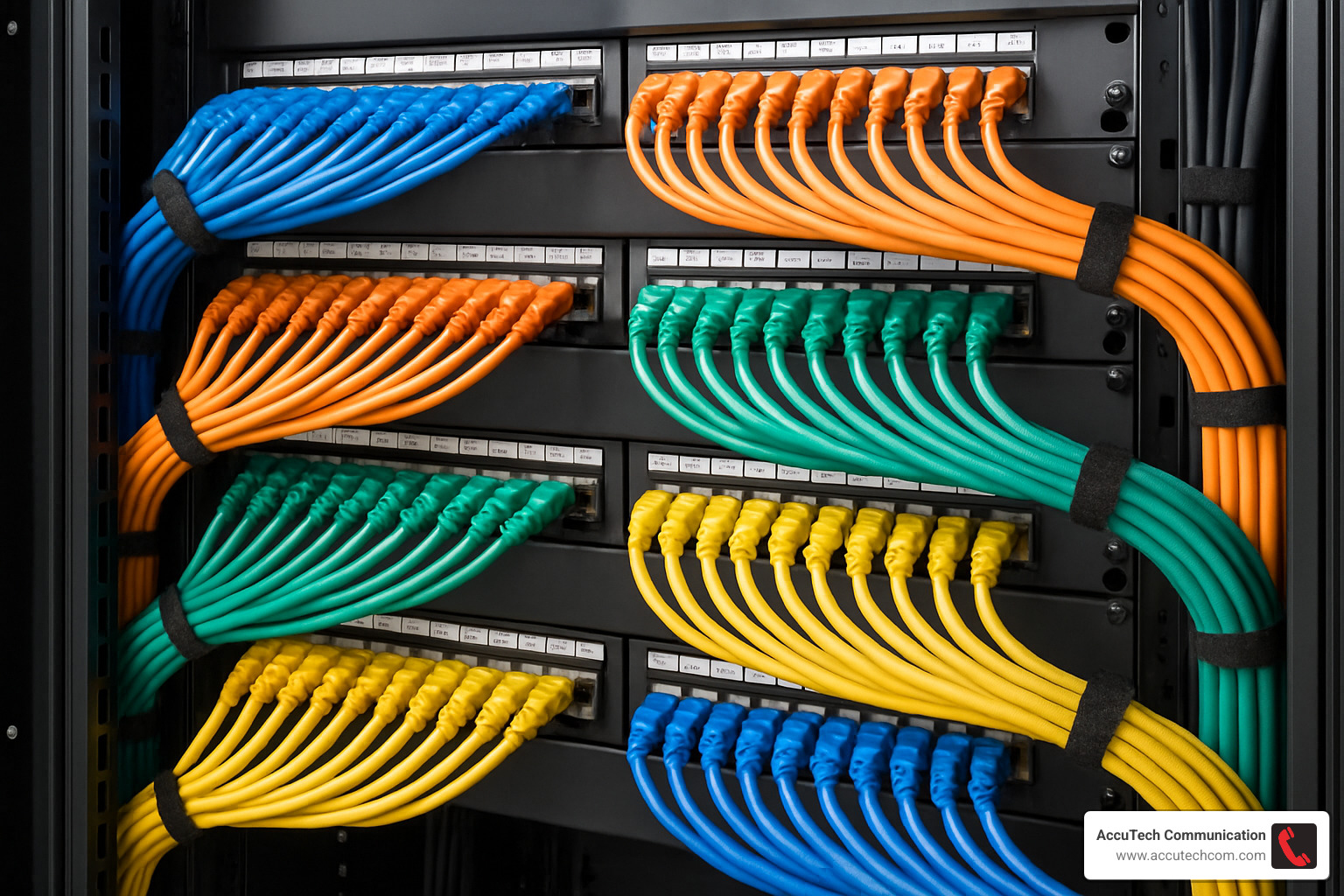
Think of structured cabling as the circulatory system of your building’s network—it keeps everything flowing smoothly and predictably. It’s not just about having cables; it’s about having them organized in a thoughtful, standardized way that makes your entire network more reliable and easier to manage.
When I walk clients through their first structured cabling project, I often see that “aha” moment when they realize we’re not just installing wires—we’re creating an organized framework that will serve them for years to come.
Structured cabling follows industry standards like ANSI/TIA-568 and ISO/IEC 11801, which break your network into six logical subsystems:
Your entrance facility is where external services (like your internet provider’s lines) enter the building. Think of it as your network’s front door. The equipment room houses your servers and core network gear—the brains of your operation. Backbone cabling connects these central areas to telecommunications rooms throughout your building, which in turn connect to individual workspaces through horizontal cabling. Finally, work area components include the outlets and patch cords that connect to your actual devices.
A client in Framingham once told me, “I used to dread when someone needed to move desks—it meant hours of cable tracing and network disruption. With structured cabling, it’s just a quick patch panel change, and they’re back to work in minutes.”
For a deeper dive into these services, check out our Structured Cabling Services page.
Backbone vs Horizontal: Where Each Cable Lives
When we talk about cabling networking, understanding where different cables belong helps you visualize how data moves through your building:
Backbone cabling (sometimes called vertical cabling) works like the main highways of your network. These cables typically run between floors through vertical risers, connecting your telecommunications rooms, equipment rooms, and entrance facilities. We often use fiber optic cable here because it handles higher bandwidth and longer distances beautifully.
One of my manufacturing clients in Worcester had been struggling with slow file transfers between buildings until we upgraded their backbone to fiber. The improvement was so dramatic their production manager actually called to thank me—a rare occurrence in our line of work!
Horizontal cabling, on the other hand, functions like local roads, connecting individual workspaces to the nearest telecommunications room. Industry standards limit these runs to 90 meters of actual cable, with additional short patch cords at each end. Most offices use twisted pair copper cabling for these connections.
Cross-connects in your telecommunications rooms serve as the junction points between these two systems, allowing for flexible reconfiguration without disturbing the permanent cabling.
Benefits Beyond Orderliness
A properly implemented structured cabling system delivers benefits that go far beyond just looking tidy in your server room.
Faster moves, adds, and changes might be the most immediately noticeable advantage. When Sarah from accounting needs to switch desks with Mike from sales, you won’t spend hours tracing cables through ceilings and walls. Instead, a quick change at the patch panel gets them both back to work quickly.
Reduced downtime becomes apparent the first time you troubleshoot an issue. Instead of playing “follow the spaghetti,” you can quickly isolate problems to specific segments of your network. As one IT manager in Woburn told me, “What used to take us half a day now takes minutes.”
Your equipment will thank you for the improved airflow that comes with properly managed cables. Better cooling means longer hardware life and fewer temperature-related failures.
Don’t underestimate the value of aesthetics either. When potential clients or investors tour your facility, neat, professional cabling makes a subtle but powerful impression about how you run your business.
For regulated industries, compliance requirements often include documentation and standardization of network infrastructure. Structured cabling makes meeting these requirements straightforward rather than a scramble during audits.
The investment in structured cabling pays dividends throughout your network’s lifecycle. As one healthcare IT director in New Hampshire put it, “It’s the difference between building on a solid foundation versus quicksand. Everything we’ve added to our network since the structured cabling installation has been easier, faster, and more reliable.”
Installation Best Practices & Common Mistakes
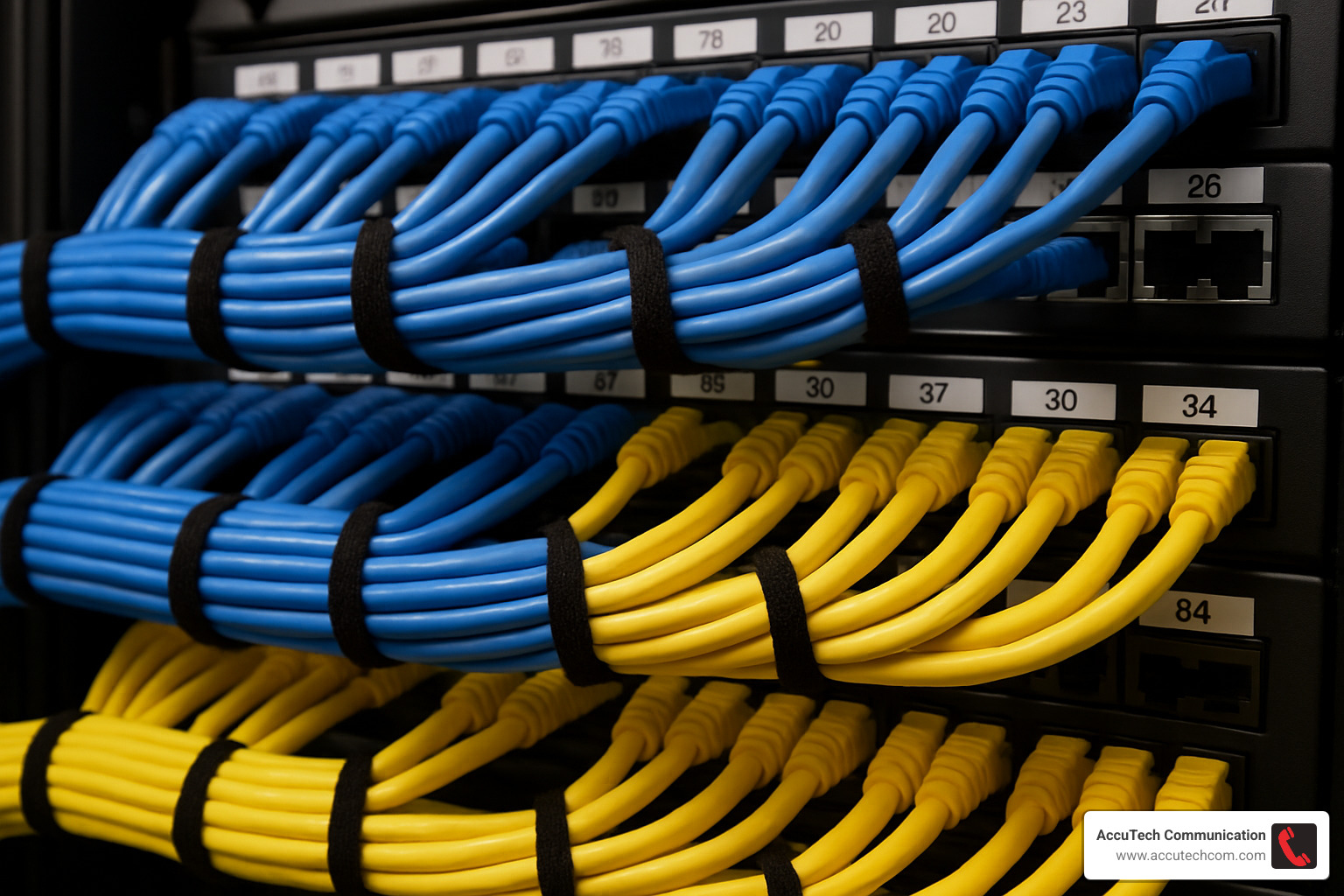
Ever walked into a server room and felt that immediate sense of calm when seeing perfectly arranged cables? That’s no accident. The beauty of well-executed cabling networking goes far beyond aesthetics—it directly impacts your network’s performance and longevity.
Think of your cabling system as the circulatory system of your business. When installed properly, data flows smoothly and reliably. When corners are cut… well, let’s just say the headaches begin.
Before our team at AccuTech runs a single cable, we start with comprehensive planning. We’ve learned (sometimes the hard way!) that documenting pathways, cable types, and outlet locations beforehand saves countless hours of frustration later. One of our clients in Worcester laughed when I showed up with detailed floor plans and elevation drawings, but called me three months later to thank us when they needed to expand their network without any disruption.
Proper clearances are non-negotiable in quality installations. Keep network cables at least 3 feet from fluorescent lights and maintain separation from electrical cables. As I often tell clients, “Your data and electricity should be like awkward exes at a party—aware of each other but maintaining a healthy distance.”
The bend radius of a cable isn’t just a suggestion—it’s physics. Excessive bending damages the internal structure and degrades performance. Similarly, yanking cables during installation with too much pull tension can stretch and damage the conductors inside. We train our technicians to treat cables with respect—they’ll be serving your business for potentially 15+ years!
Labeling might seem tedious, but trust me, your future self will thank you. Every cable should have clear, consistent labels at both ends. I still remember helping a client in Sudbury who had inherited an unlabeled network. What should have been a 30-minute fix turned into a two-day forensic investigation!
Proper cable support prevents sagging and stress over time. Cables should be supported every 4-5 feet in horizontal runs using appropriate J-hooks or cable trays. And always leave plenty of slack—this gives you flexibility for future changes and prevents stress on terminations.
After installation comes the moment of truth: testing and certification. We use professional-grade equipment to verify that every link meets or exceeds relevant standards. As one satisfied client in Marlborough told us, “The comprehensive test reports AccuTech provided gave us confidence that our new infrastructure would support our applications without issues.”
Finally, document everything. Detailed records of your installation, including test results, become invaluable when troubleshooting or planning expansions. Think of it as the owner’s manual for your network’s foundation.
For more details about our meticulous installation approach, visit our page on Network Cable Installations.
Top 5 Cabling Networking Errors to Avoid
After 30+ years in the business, I’ve seen some doozies when it comes to installation mistakes. Here are the five most common errors we encounter:
Over-tightening cable ties is like putting your network in a too-tight necktie—it might look neat, but it’s suffering! Excessive pressure deforms cables and degrades performance. We prefer hook-and-loop fasteners where possible for a gentler approach.
Mixing T568A and T568B pinouts within the same network is asking for trouble. These termination standards might both work individually, but inconsistency creates confusion and potential connection issues. Pick one standard and stick with it throughout your facility.
I once walked into a telecommunications room where the previous installer had seemingly tried to set a record for maximum conduit fill capacity. Overstuffed pathways not only damage cables but make future additions nearly impossible. Follow NEC guidelines for appropriate fill ratios—typically 40% maximum.
With shielded cabling, proper grounding is essential. An ungrounded shield doesn’t just fail to protect—it can actually act as an antenna and increase interference problems! I’ve seen many installations where beautiful, expensive shielded cable was installed but never properly grounded, essentially wasting money.
Lastly, forgetting to include service loops (extra slack) is a rookie mistake that even veterans sometimes make. Without adequate slack, future changes become difficult or impossible. A good rule of thumb: leave at least 3 feet of slack at patch panels and 12 inches at work area outlets.
“Test every segment as you install it,” is our mantra at AccuTech. This approach catches issues before walls are closed up or ceilings are finished. It’s much easier (and cheaper) to fix problems during installation than after everything is buttoned up.
Performance, Security & Scalability Impact
Your cabling networking choices do much more than just connect devices—they fundamentally shape how your entire business technology ecosystem performs. Let’s explore how these hidden pathways influence your daily operations.
Performance Impact
Think of your cabling infrastructure as setting the ultimate speed limit for your digital highway. No matter how powerful your servers or sophisticated your software, they can’t outperform the physical medium carrying your data.
Maximum bandwidth is perhaps the most obvious limitation. When your marketing team tries to upload that 4K product video and it’s crawling along, the culprit might be outdated Cat5 cabling rather than your internet service.
Latency issues often manifest in frustrating ways—those awkward pauses during video calls or the lag when accessing cloud applications. Quality cabling minimizes these delays and reduces jitter (those annoying variations in delay that make video calls choppy).
Reliability concerns become apparent when connections randomly drop or transfer speeds fluctuate throughout the day. As one of our healthcare clients in Worcester put it: “We didn’t realize how much time we were wasting on troubleshooting until we upgraded our cabling—suddenly our IT team could focus on improvements instead of just keeping things running.”
Security Considerations
Many organizations overlook how their cabling networking choices impact security posture. This oversight can create unexpected vulnerabilities.
Physical access remains one of the most straightforward security concerns. Exposed cables in public areas invite tampering or accidental damage. We recently helped a law firm in Providence secure their network by relocating exposed cables and implementing lockable patch panel enclosures.
EMI eavesdropping sounds like something from a spy movie, but it’s a genuine concern in sensitive environments. Unshielded cables can actually broadcast data as electromagnetic signals that sophisticated attackers might intercept without physical access to your network.
Fiber security advantages make it the clear choice for transmissions requiring the highest level of protection. Unlike copper, fiber doesn’t emit electromagnetic radiation and is extraordinarily difficult to tap without detection. For a financial services client in Boston, we implemented tamper-evident labels on all patch panels and fiber intrusion detection systems for their most sensitive connections.
Scalability for Growth
The true test of a good cabling networking design comes when your business needs to expand or evolve.
Excess capacity planning prevents painful rework later. Smart designs include spare pathways, additional fiber strands, and extra copper runs to accommodate growth. When a manufacturing client in New Hampshire needed to quickly add a new production line, the extra capacity we’d built into their network saved weeks of disruption.
Modular components allow your network to grow incrementally without wholesale replacement. Structured cabling systems with well-designed patch panels and intermediate distribution frames make additions straightforward and cost-effective.
Future-ready media choices pay dividends for years. As one IT director told us: “The premium we paid for Cat6a instead of Cat5e seemed significant at the time, but five years later, we’re still well under our bandwidth ceiling while our competitors are ripping out and replacing.”
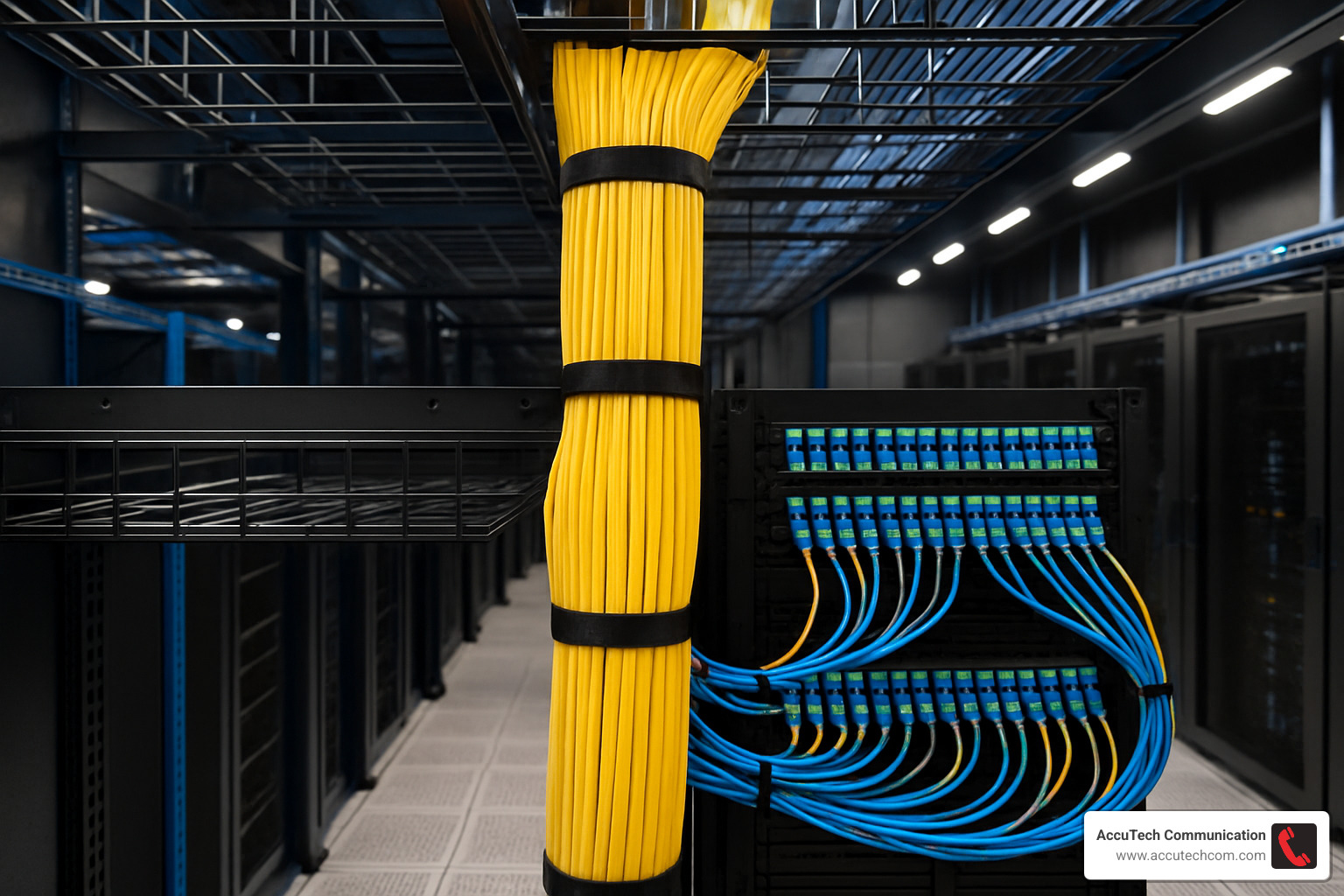
When we design networks for clients across Massachusetts, New Hampshire and Rhode Island, we’re not just thinking about today’s needs but building a foundation that supports tomorrow’s growth. The right cabling networking infrastructure transforms from a utility into a genuine competitive advantage.
Wired vs. Wireless: When to Choose Each
In today’s connected workplace, the “wired vs. wireless” debate isn’t really about choosing one over the other – it’s about knowing when each shines brightest. Most modern networks I design for businesses across Massachusetts and New Hampshire use both technologies strategically.
Think of your network like transportation in a city. Sometimes you need highways (wired connections) for reliable, high-speed travel. Other times, you need the flexibility of walking paths (wireless) to reach places where roads don’t go.
Your wired Cabling Networking infrastructure offers several distinct advantages:
The latency on a properly installed Ethernet connection is consistently lower than even the best Wi-Fi. For applications where milliseconds matter – like financial trading, medical systems, or competitive gaming – those wired connections are irreplaceable. Plus, wired connections deliver rock-solid reliability that doesn’t waver when the break room microwave runs or when twenty people join a video call simultaneously.
Security teams also appreciate that physical access to the network requires, well, physical access to a cable. And perhaps most importantly for daily operations, wired connections deliver the same performance at 9 AM Monday as they do at 2 AM Saturday.
Of course, wireless technology has its own compelling strengths:
The mobility factor is obvious – your team can work from conference rooms, lounges, or outdoor spaces without hunting for an Ethernet port. This flexibility extends to your office design too, as furniture arrangements aren’t dictated by cable drop locations. Many clients also appreciate the cleaner aesthetics of fewer visible cables, and the ease of connecting visitors’ devices without needing to provide physical network access.
“Wireless networks add flexibility but don’t fully replace wired cabling; a hybrid of wired for high-bandwidth stability and wireless for mobility is often ideal,” as one of our network architects often explains to clients.
I remember working with a Worcester law firm where this hybrid approach worked perfectly. We installed dedicated wired connections at each attorney workstation where security and performance were non-negotiable, while creating comprehensive Wi-Fi coverage for their conference rooms and common areas where mobility took priority. The result? The best of both worlds.
Integrating Cabling Networking with Wi-Fi for the Best of Both Worlds
Creating this harmonious integration requires thoughtful planning:
Your wireless access points need strategic placement with Cat6a or fiber backhaul connections. These aren’t just any network drops – they’re the critical highways that carry all that wireless traffic back to your network core.
Power budgets matter too. Modern access points with multiple radios, advanced security features, and higher throughput need more power than older models. A properly designed PoE+ (Power over Ethernet Plus) system ensures your wireless network doesn’t literally run out of juice.
Centralized controller placement on your wired network backbone provides easier management and more consistent policies. And perhaps most noticeable to users, properly cabled APs enable seamless roaming as people move throughout your facility.
When I’m designing these integrated networks for clients in Boston, Providence, or anywhere in between, I’m considering several interconnected factors: How many people need coverage and where? What are their bandwidth demands? Should guest wireless traffic be completely separate from the corporate network? And who’s going to manage all this equipment day-to-day?
As an IT director at one of our New Hampshire clients put it: “Our wireless network is only as good as the cabling infrastructure supporting it. Investing in premium Cabling Networking for our AP backhaul made a noticeable difference in wireless performance.”
The best networks I’ve helped build over my career don’t force a choice between wired and wireless – they thoughtfully integrate both technologies where each performs best. This balanced approach delivers the reliability, security, and performance your business demands, with the mobility and flexibility your team expects.
Maintenance & Future-Proofing Your Cabling Investment

Think of your cabling networking infrastructure as you would a home’s foundation—it needs to be solid, reliable, and built to last for decades. Most businesses should expect their cabling to serve them for 15-20 years, making it one of your longest-lasting technology investments. That’s why proper maintenance isn’t just good practice—it’s essential for protecting your investment.
Maintenance Best Practices:
I’ve seen countless businesses overlook simple maintenance until something goes wrong. Don’t wait for that moment! Walk through your server room quarterly and look for visible cable damage, strain, or unauthorized connections. These visual inspections often catch problems before they cause downtime.
Beyond the basics, consider scheduling annual certification testing of critical pathways. These tests can identify subtle degradation long before it affects performance. For our clients with fiber optic installations, we recommend OTDR (Optical Time Domain Reflectometer) testing annually—it’s like an x-ray for your fiber, showing issues invisible to the naked eye.
Temperature and humidity matter more than you might think. I once visited a client whose patch panel looked like it belonged in a sauna—the room regularly hit 90°F! We installed proper climate controls, and their intermittent network issues disappeared almost immediately. Aim to keep your equipment rooms between 68-75°F with 40-60% relative humidity.
Perhaps most importantly, keep your documentation current. Every time you make a change, update your records. When troubleshooting at 2 AM, accurate documentation becomes priceless. One of our Boston clients maintains a digital twin of their entire cabling networking infrastructure—complete with photos, test results, and change history—that’s saved them countless hours during expansions.
Future-Proofing Strategies:
The most cost-effective approach to future-proofing isn’t complicated—it’s simply installing better cabling than you currently need. The labor cost of installation is the same whether you’re pulling Cat5e or Cat6a, but the capacity difference is enormous. The small premium for higher-grade cable pays dividends for years.
“We always regret not pulling extra cables when the walls were open,” a client in Worcester told me recently. They saved a few hundred dollars during their initial build-out but spent thousands later when they needed additional drops. When we’re installing in new construction, we always recommend including spare conduit pathways—they’re inexpensive during construction but invaluable later.
Modular systems offer another path to future-readiness. Patch panels that can accept different connector types allow you to gradually upgrade from copper to fiber without replacing your entire infrastructure. One financial services client in Boston has been evolving their network for over a decade using the same modular frame system—adding 10G, then 40G, and now 100G connections as needed.
For more insights on how proper cabling supports business growth, visit our article on Why Network Cabling is Crucial for Business Growth.
Troubleshooting Cabling Networking Issues Fast
Even perfectly maintained networks occasionally have issues. When problems arise, having the right approach saves precious time.
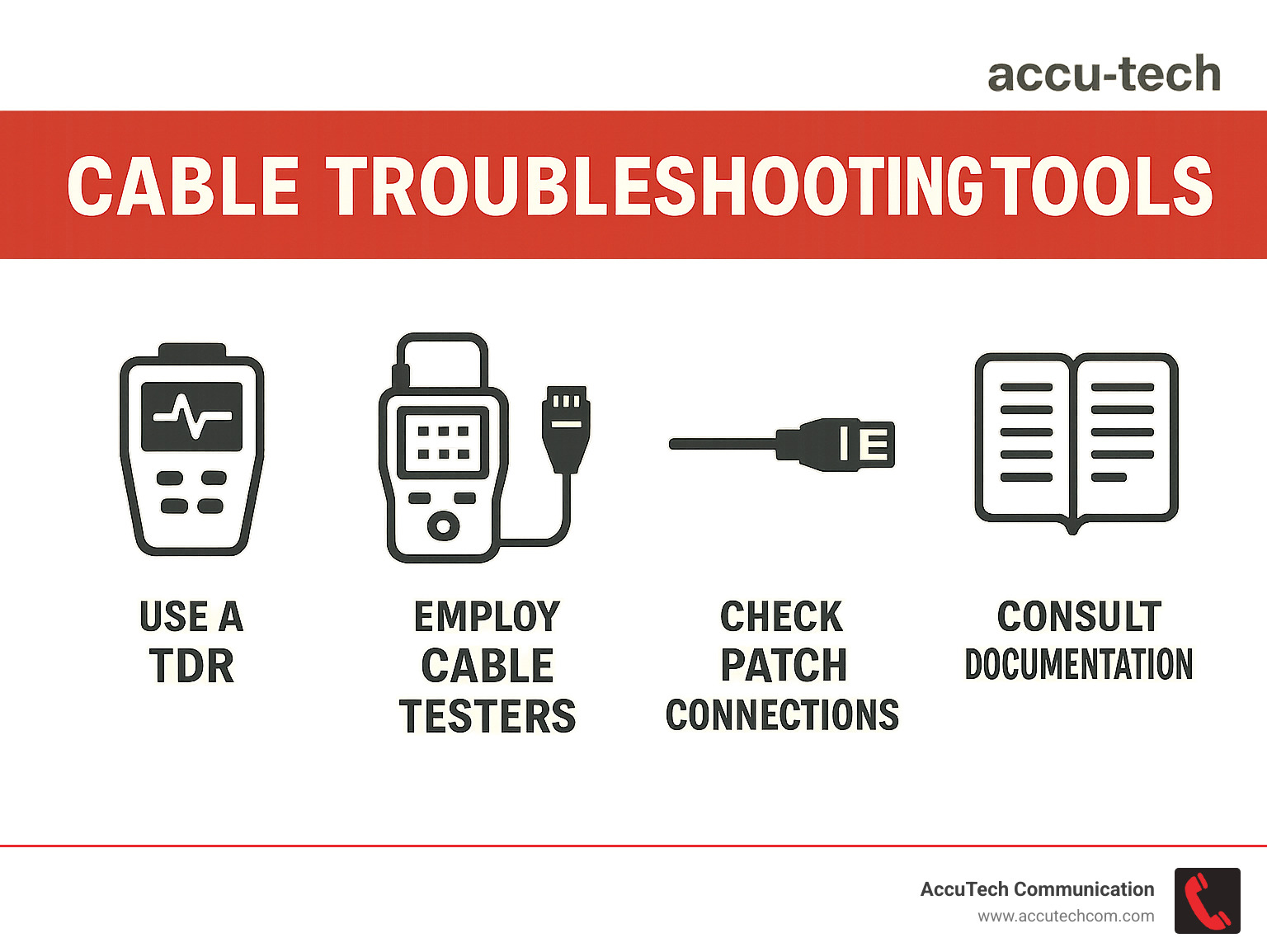
Start with the simplest explanation—patch connections are responsible for roughly 80% of cable failures in my experience. A loose connector or damaged patch cord is much more likely than a problem with your permanent links. One quick tip: listen for the “click” when connecting RJ-45 plugs—if you don’t hear it, the connection isn’t secure.
For more complex issues, the right tools make all the difference. A quality cable tester will quickly verify terminations and identify common faults. For harder-to-find issues, TDR (Time Domain Reflectometer) technology can pinpoint breaks or damage down to the meter, even inside walls or ceilings.
Color-coding and consistent labeling dramatically speed troubleshooting. As one system administrator in Waltham told us: “When our phone system went down, we identified and replaced the faulty patch cord in under five minutes because of AccuTech’s comprehensive labeling system.”
When performing thermal imaging inspections of network closets, we often find hot spots on PoE switches or improperly bundled cables that indicate potential issues. These preventative checks can identify problems before they cause system failures. In cabling networking, an ounce of prevention truly is worth a pound of cure.
For businesses looking to optimize their maintenance approach, check out our comprehensive Network Cable Services page for professional options that keep your infrastructure running smoothly.
Frequently Asked Questions about Cabling Networking
What is the maximum length for a copper Ethernet run?
I get this question all the time when helping clients plan their office layouts. The industry standard maximum length for a copper Ethernet cable run is 100 meters (328 feet). This isn’t just a random number—it’s carefully calculated to ensure reliable signal transmission.
This 100-meter limit typically breaks down into:
– 90 meters (295 feet) for the permanent link (the cable running from the wall jack to the patch panel)
– 10 meters (33 feet) for patch cords (the combined length of cords at both ends)
When I worked with a manufacturing client in Worcester, they wanted to connect their main office to a detached warehouse about 150 meters away. Exceeding the standard distance would have caused packet loss and frustrating intermittent connections. Instead, we implemented fiber optic cabling for that run—problem solved!
If you’re facing longer distances in your facility, don’t worry. You have several options:
Fiber optic cabling is the gold standard for longer runs. Unlike copper, which degrades over distance, fiber can transmit data for kilometers without signal loss. Ethernet extenders can also work in a pinch, or you might consider adding intermediate network switches to create a series of compliant segments.
Can wireless ever fully replace structured cabling?
“Can’t we just go wireless for everything?” It’s a question I hear more frequently as wireless technology improves. While Wi-Fi 6E and upcoming standards offer impressive capabilities, the reality is that cabling networking remains essential for several key reasons:
Reliability is perhaps the biggest factor. Wired connections don’t suffer from interference, congestion, or signal attenuation through walls. When a Boston-based financial services firm tried going fully wireless, they quickly finded that during peak usage times, performance became unpredictable—not acceptable for time-sensitive transactions.
Security considerations also favor wired infrastructure. Physical connections require actual access to the building, while wireless signals can potentially be intercepted from outside your walls.
Performance is another area where cables shine. Wired connections deliver consistent, predictable throughput without the variability of wireless. For applications like video production, CAD/CAM, or medical imaging, this consistency is crucial.
As one IT director memorably told me: “Wireless is like the branches of a tree—convenient and flexible. But you still need the trunk and roots—your wired infrastructure—to support everything.” I couldn’t have said it better myself!
How do I know if I need shielded or unshielded twisted pair?
The shielded versus unshielded question often confuses even experienced IT managers. The decision between shielded (STP) and unshielded (UTP) twisted pair cabling depends entirely on your specific environment.
Consider shielded cabling when you’re installing near sources of electromagnetic interference like motors, power lines, or heavy machinery. I recently worked with a manufacturing client in Rhode Island whose network kept experiencing mysterious slowdowns. Their cables ran parallel to heavy machinery power lines, creating interference. Switching to properly grounded shielded cabling eliminated the problem completely.
Shielded cabling is also recommended when working with sensitive equipment, in regulated industries with strict compliance requirements, or when implementing high-speed networks (10 Gbps+) over longer distances.
Unshielded cabling is typically sufficient for standard office environments where electromagnetic interference is minimal. It’s also generally less expensive and easier to install, making it the go-to choice for most business settings. For a typical professional office in Marlborough or Sudbury, UTP is usually more than adequate.
One critical note: shielded cabling must be properly grounded to be effective. I’ve seen installations where improper grounding actually created more problems than it solved! The shield can act as an antenna, collecting and amplifying interference if not correctly terminated.
Need help determining the right solution for your environment? Our team at AccuTech Communications can evaluate your specific needs and recommend the appropriate cabling type for your situation.
Conclusion
When it comes to supporting your business technology needs, a robust cabling networking infrastructure isn’t just important—it’s essential. Think of it as the foundation of your digital building. When built properly, it quietly supports everything from your daily operations to your long-term growth plans, providing the reliability and performance your business deserves.
Throughout this guide, we’ve explored the many facets of network cabling. Now, let’s reflect on what truly matters for your business:
Your cabling infrastructure represents a long-term investment. The decisions you make today will likely stay with you for 15-20 years, supporting multiple generations of equipment and technology. That’s why planning for future needs—not just current requirements—is so critical.
Industry standards exist for a reason. They ensure compatibility, performance, and safety across your network. Following these standards isn’t just about compliance—it’s about protecting your investment and ensuring everything works harmoniously together.
I can’t stress enough how important documentation becomes when you’re troubleshooting an issue at 2 AM or bringing in a new IT team member. Comprehensive records of your network layout, cable types, and testing results save countless hours and frustration down the road.
When it comes to materials, the difference between standard and premium cabling often represents a tiny fraction of your overall project cost—yet this small investment delivers outsized returns in reliability and longevity. As we often tell our clients: “You’ll forget the small premium you paid for quality cabling, but you’ll never forget the downtime caused by cutting corners.”
Here at AccuTech Communications, we’ve been helping businesses throughout Massachusetts, New Hampshire, and Rhode Island build reliable network infrastructures since 1993. Our team of certified technicians brings decades of experience to every project, ensuring your installation is done right the first time.
Whether you’re setting up a new office in downtown Boston, expanding your manufacturing facility in Worcester, or upgrading your technology infrastructure in Providence, we understand the unique challenges businesses in our region face. From harsh New England winters that affect outdoor cabling to historic buildings with unique installation challenges, we’ve seen it all—and solved it all.
Ready to build a network infrastructure that truly supports your business goals? Visit our Network Cable Services page to learn more about our comprehensive solutions, or reach out for a personalized consultation. Let’s build something that lasts.
