
Home Data Cable Installation: Unleash Flawless 2025
Why a Wired Network is Your Home’s Digital Superhighway
Home data cable installation transforms your residence into a high-performance digital hub that wireless networks simply can’t match. For streaming 4K content, online gaming, or running a home office, a wired network delivers superior speed, reliability, and security. Unlike Wi-Fi, which can suffer from interference and distance limitations, wired connections provide consistent gigabit speeds with minimal latency. A wired network is also more secure, as data isn’t broadcast through the air, and it future-proofs your home for increasing internet speeds.
Essential Steps for Home Data Cable Installation:
- Plan your network layout and choose a central hub for equipment.
- Select the right cable (Cat6 or Cat6a for future-proofing).
- Run cables through walls using proper routing techniques.
- Terminate connections with keystone jacks (T568B standard).
- Test all connections to verify performance.
- Connect to a network switch to complete the infrastructure.
I’m Corin Dolan, owner of AccuTech Communications. Since 1993, I’ve helped homeowners with home data cable installation projects across Massachusetts, New Hampshire, and Rhode Island. A well-planned wired network is the foundation of any reliable home or business communication system.
Easy home data cable installation glossary:
Phase 1: Planning Your Project and Gathering Supplies
Before cutting or pulling cable, meticulous planning is the most crucial step in any home data cable installation. A good plan saves time, money, and future headaches.
First, define your needs. Identify rooms that require a wired connection, such as home offices, media rooms, or gaming setups. Also, plan for stationary devices like smart TVs, desktop computers, and Wi-Fi access points that benefit from a wired “backhaul.”
Next, plan the network layout, starting with a central hub. This is where your modem, router, and network switch will be located. A utility closet or basement is often ideal. From this central point, plan your cable runs to each location. A key strategy is to run more cables than you think you’ll need; adding extra drops now is far easier than doing it later.
Finally, carefully measure your cable runs. Allow for extra length for routing around corners and for a “service loop” at each end for easier termination and future adjustments. Remember: “measure twice, cut once!”
Choosing the Right Network Cable
The type of network cable is a fundamental decision for your home data cable installation. For residential use, the primary options are Cat5e, Cat6, and Cat6a, which all use Unshielded Twisted Pair (UTP) technology to reduce interference.
| Cable Type | Speed Capability | Max Length for 10 Gbps | Max Length for 1 Gbps | Cost (Relative) |
|---|---|---|---|---|
| Cat5e | 1 Gbps | 45 meters | 100 meters | Low |
| Cat6 | 10 Gbps | 55 meters | 100 meters | Medium (+20% vs Cat5e) |
| Cat6a | 10 Gbps | 100 meters | 100 meters | Higher |
Note: The maximum cable length for Cat5e, Cat6, or Cat6a Ethernet cable is 100 meters (328 feet) for gigabit speeds. Higher speeds have shorter maximum lengths for Cat6.
For most homes, Cat6 is a great choice, balancing cost and performance. For true future-proofing, Cat6a is the best option, as it supports 10 Gbps speeds over the full 100-meter distance.
Also, consider the cable’s jacket type. Riser (CMR) rated cable is for general in-wall and vertical runs. If cables pass through air circulation spaces (plenums), you must use Plenum (CMP) rated cable for fire safety. For more details, see our guide on Types of Cables in Computer Network.
Essential Tools and Materials for Installation
Having the right tools is essential for a successful home data cable installation. Here is a list of what you’ll need:
- Bulk Ethernet Cable: Cat6 or Cat6a on a spool.
- Keystone Jacks & Wall Plates: RJ45 jacks and plates to house them.
- Network Switch: To connect all your wired devices.
- Patch Panel (Optional): For a clean, organized central hub.
- Cable Stripper/Cutter & Punch-down Tool: For terminating cables.
- Cable Tester: To verify connections.
- Drywall Saw & Drill with Bits: For creating openings and pathways.
- Fish Tape or Glow Rods: For pulling cables through walls.
- Stud Finder, Measuring Tape, Marker: For planning and marking.
- Label Maker & Velcro Cable Ties: For organization and cable management.
For sourcing high-quality materials, buy them in bulk by contacting AccuTech Communication.
The Complete Guide to Home Data Cable Installation
With your plan and tools ready, it’s time for the physical home data cable installation. This phase requires patience and the right techniques for a clean, professional result.
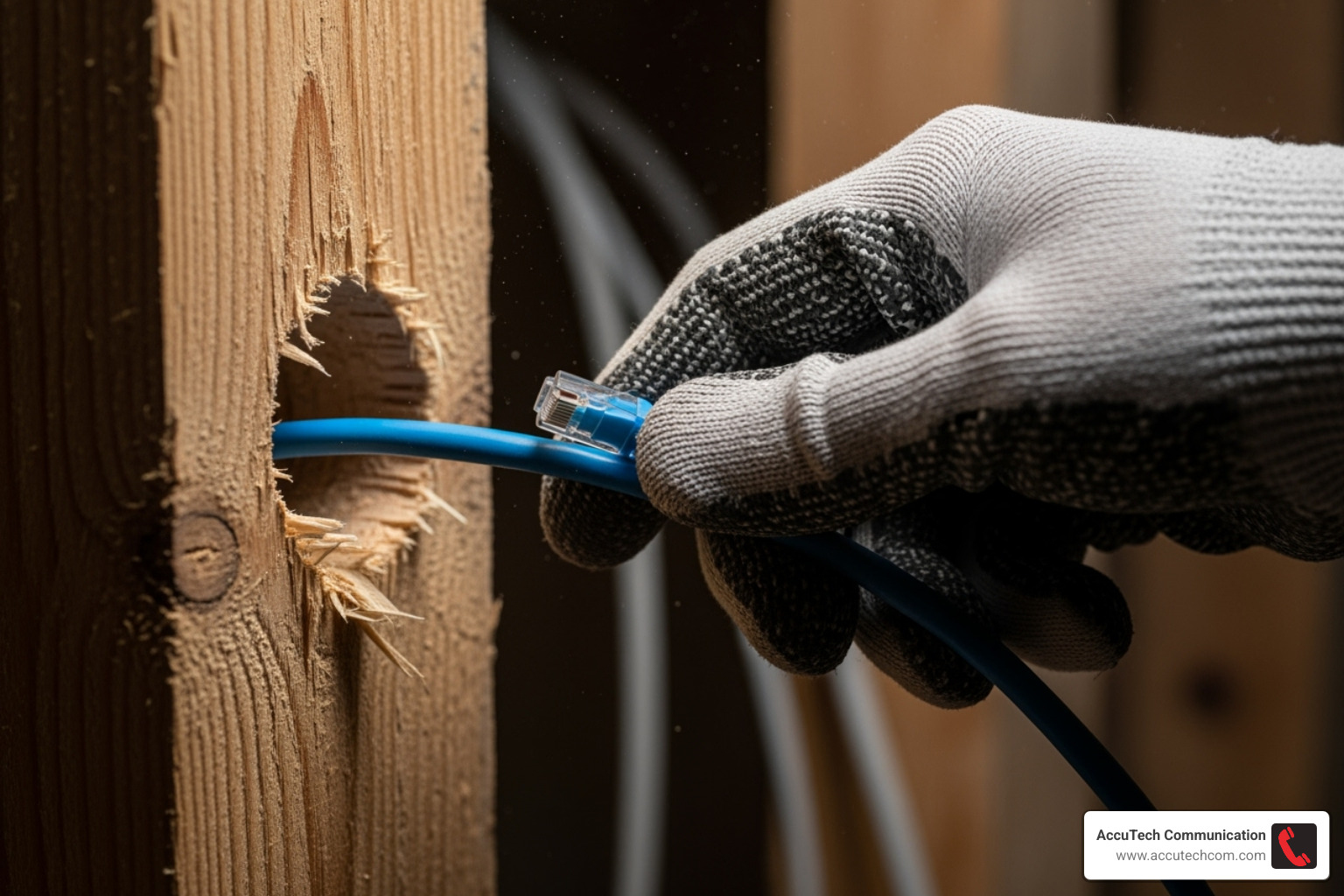
Safety first! Before drilling or cutting, turn off power at the breaker box for any circuits near your work area. While low-voltage cable is safe, accidentally hitting live electrical wiring is dangerous.
Use a stud finder to locate studs and plan the clearest path for your cables. For vertical runs, drill holes through the top plate (from the attic) and sole plate (from the basement). A long drill bit like a ship auger is ideal for this. When running the cable, use glow rods or fish tape to guide it through wall cavities. Pull the cable gently, avoiding sharp bends or force that could damage it and affect performance.
Terminating Cables with Keystone Jacks
Once cables are run, the next step in your home data cable installation is terminating them with keystone jacks to create working network connections.
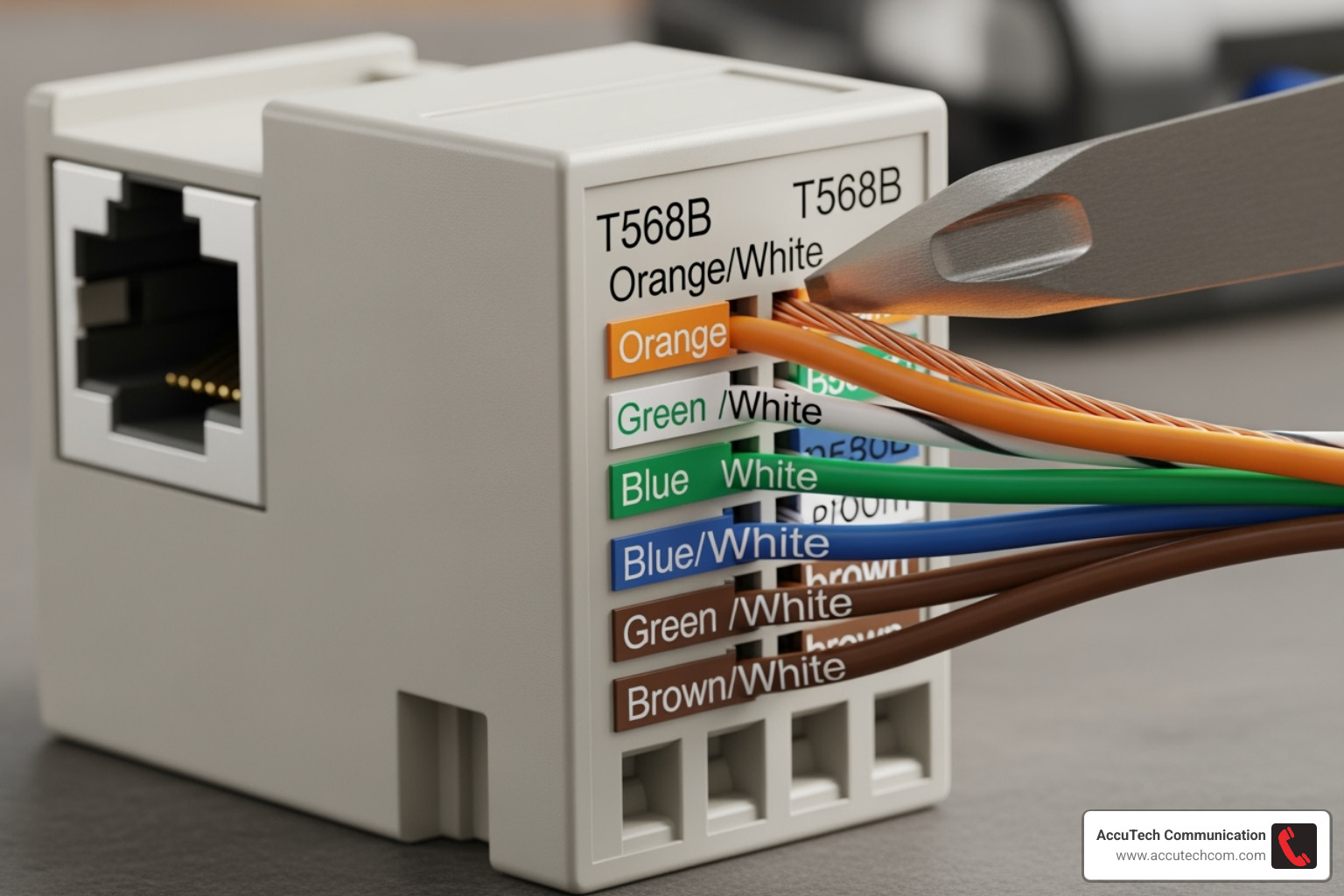
For home networks, the T568B wiring standard is most common. Consistency is key, so use the same standard on both ends of every cable. Here’s the process:
- Strip the Jacket: Carefully remove about an inch of the outer jacket with a cable stripper, being careful not to nick the inner wires.
- Arrange Wires: Untwist the pairs just enough to arrange them according to the T568B color code on the keystone jack.
- Punch Down: Place each wire into its slot and press firmly with a punch-down tool. This seats the wire and trims the excess.
- Assemble: Snap the keystone jack into the wall plate and secure the plate to the wall.
For more detailed guidance, see our Network Cable Wiring resource.
Creating a Central Hub with a Patch Panel
For any home data cable installation with multiple runs, a patch panel is highly recommended. Instead of crimping plugs on every cable, you terminate them at the back of the patch panel, creating a clean, organized hub.
This setup offers superior organization and flexibility. All in-wall cables are neatly terminated in one place. You then use short, pre-made patch cables to connect ports from the patch panel to your network switch. This makes troubleshooting, reconfiguring, or adding new equipment simple, as you only need to move the short patch cables. This modular approach is the standard for professional structured cabling systems. Learn more from our Structured Cabling Installation Contractors page.
Testing, Troubleshooting, and Best Practices
After the hard work of your home data cable installation, testing is a crucial final step to ensure everything performs as expected. Use a cable tester on each run to confirm all eight wires are connected correctly and to identify issues like crossed pairs or breaks. If a test fails, the most common causes are a loose wire in a keystone jack or a cable bent too sharply. Most issues can be fixed by re-terminating the connection. Also, check for link lights on your network switch, which confirm a successful connection.
Best Practices for a Flawless Installation
A professional-grade home data cable installation relies on best practices that ensure long-term reliability.
- Label Everything: Use a label maker to mark both ends of every cable (e.g., “Office Desk”). This saves immense time during future troubleshooting.
- Leave Service Loops: Coil a few extra feet of cable at the wall plate and patch panel. This slack allows for future re-terminations or adjustments.
- Handle Cables Gently: Avoid sharp bends and use Velcro straps instead of zip ties for bundling. This protects the internal wires and prevents signal degradation.
- Maintain Separation from Power: When data cables must cross electrical wires, do so at a 90-degree angle. Keep them separated by at least 8 inches whenever possible to prevent electromagnetic interference. For more details, see this guide on maintaining separation from electrical wiring.
How to Test Your New Network Cables
Properly testing your home data cable installation gives you confidence in your work.
- Basic Continuity Testers: These affordable “blinky” testers are perfect for verifying correct termination. They have a main and remote unit that light up sequentially to show a good connection.
- Cable Qualification Testers: These more advanced tools verify that your cables meet performance standards, such as confirming a Cat6 cable can deliver gigabit speeds. They can identify subtle issues that basic testers miss.
- The Real-World Test: The most satisfying test is plugging in a device. Solid link lights on the device and switch, followed by a successful internet speed test, confirm your hard work has paid off.
For professional certification, advanced cable qualification testers provide detailed performance reports.
DIY vs. Professional Installation: When to Call for Help
Deciding whether to DIY your home data cable installation or hire a professional depends on your project’s complexity, your available time, and your comfort with the tools required. A simple run in a home with an unfinished basement is very different from retrofitting a multi-story house with finished walls.
When to Consider a DIY Home Data Cable Installation
A DIY approach can be a rewarding, cost-effective option in the right circumstances:
- Simple Runs: The project involves straightforward runs, like from a basement to the first floor.
- Few Drops: You only need to install a few network ports.
- Easy Access: You have an unfinished basement or accessible attic, providing clear pathways.
- Technical Comfort: You are comfortable with basic home improvement tasks and using power tools safely.
- Budget Constraints: You want to save on labor costs, as materials are relatively inexpensive.
When to Hire a Professional for Home Data Cable Installation
For more challenging projects, hiring a professional ensures the job is done correctly and efficiently:
- Complex Retrofits: Running cables through finished walls in a multi-story home requires experience to avoid unnecessary damage.
- No Easy Access: Professionals have specialized tools and techniques for homes without an accessible attic or basement.
- Certified Performance: If you need guaranteed network performance for a home business or critical applications, a pro can test and certify the installation.
For homeowners in Massachusetts, New Hampshire, and Rhode Island, AccuTech Communications has delivered guaranteed, professional results since 1993. We have the experience to handle any project, from simple to complex. The decision comes down to balancing your skills with the project’s demands. There’s satisfaction in DIY, but peace of mind in knowing a professional has your back. Learn more about The Importance of Professional Cabling Installation for Your Business.
Frequently Asked Questions about Home Network Wiring
Here are answers to the most common questions we receive about home data cable installation.
Can I use existing coaxial (TV) cables for my network?
No. Coaxial cables are designed for TV signals and cannot support the high-speed, bi-directional data transmission that modern Ethernet networks require. The internal structure is completely different from the twisted-pair design of Ethernet cable. For a reliable, high-speed network, installing dedicated Ethernet cabling is the only effective solution.
What’s the maximum length for an Ethernet cable?
The maximum length for Cat5e, Cat6, and Cat6a Ethernet cable is 100 meters (328 feet) to maintain optimal gigabit speeds. Exceeding this distance leads to signal degradation, causing slow or intermittent connections. For higher 10 Gbps speeds, the maximum length for Cat6 cable is reduced to 55 meters, while Cat6a supports 10 Gbps over the full 100-meter distance. For best performance, always use the shortest possible cable run.
How do I future-proof my home network?
Future-proofing your network involves making smart choices during the initial installation to accommodate future technologies.
- Run Extra Cables: The labor to run one cable to a location is nearly the same as running four. Installing spare cables now provides flexibility for future devices without opening walls again.
- Use Cat6a Cable: While Cat6 is sufficient for today’s needs, Cat6a provides performance headroom by supporting 10 Gbps speeds over the full 100-meter channel, ensuring your network is ready for faster internet services.
- Install Conduit: Running cables through PVC conduit inside walls is the ultimate future-proofing strategy. It allows for easy replacement or addition of new cables later without major construction.
For applications requiring the highest bandwidth and longest distances, consider Fiber Optic Cable Installation Services.
Conclusion: Enjoy a Faster, More Reliable Home Network
Congratulations on completing your home data cable installation. You now have a network foundation that provides consistent gigabit speeds, changing your home into a high-performance digital hub. Your 4K streaming, online gaming, and remote work will be more stable and lag-free than ever.
Beyond speed, your new wired network is more secure, reliable, and future-proof than a wireless-only solution. You’ve invested in your home’s infrastructure and gained valuable skills in the process.
Of course, not every project is a simple DIY task. Complex retrofits or installations requiring certified performance often benefit from professional expertise.
For homeowners in Massachusetts, New Hampshire, and Rhode Island who want guaranteed results, AccuTech Communications has been the trusted choice since 1993. We bring decades of experience to ensure your network meets the highest professional standards. Whether you’ve completed your installation or need help with a challenging project, the investment in a wired network pays dividends for years to come.
Explore our comprehensive Data and Network Cabling services to see how we can create the perfect network solution for your home.
