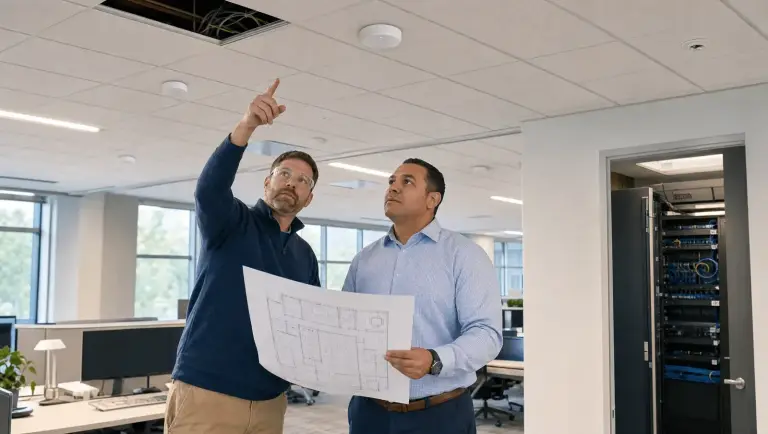
Why Your Business Network Cabling Services in MA Need a Serious Upgrade

Is Your Business Network Holding You Back? The Case for Modern Cabling
Business cabling solutions are the physical foundation that every voice call, video stream, file transfer, and security system in your building depends on, and most businesses in Massachusetts are running on infrastructure that was never designed for today’s demands.
Here’s a quick breakdown of what modern business cabling covers:
| Solution Type | Best For | Max Speed |
|---|---|---|
| Cat6A Copper | Office networks, PoE devices | 10 Gbps / 100m |
| Cat8 Copper | Data centers, server rooms | 25-40 Gbps / 30m |
| OM4 Multimode Fiber | Campus and inter-floor links | 100 Gbps / 150m |
| Single-Mode Fiber | Long-distance, inter-building | 10+ Gbps / 10km+ |
Your cabling plant is a small line item compared to your total network investment, but research suggests it can account for nearly 80% of your network’s overall efficiency. That’s a massive return on something most businesses treat as an afterthought.
Yet many commercial networks across Massachusetts, New Hampshire, and Rhode Island are still running on aging copper at 10/100 Mbps speeds. That’s like trying to run a modern warehouse on dial-up.
The problem isn’t just slow speeds. Disorganized, outdated, or improperly installed cabling causes:
- Frequent and unexplained network outages
- Bottlenecks that limit VoIP, cloud, and video performance
- Security vulnerabilities from unmanaged infrastructure
- Expensive emergency repairs instead of planned maintenance
- Real barriers to growth when you need to expand
If any of those sound familiar, this guide is for you.
I’m Corin Dolan, owner of AccuTech Communications, and we’ve been designing and installing business cabling solutions for commercial clients across Massachusetts, New Hampshire, and Rhode Island since 1993. In that time, I’ve seen how the right infrastructure transforms a business, and how the wrong one quietly costs one far more than the upgrade ever would have.
Understanding Structured Cabling Subsystems
When we talk about professional Business cabling solutions, we aren’t just talking about throwing some wires behind a wall. We are talking about a standardized architecture. Think of it like the plumbing in a skyscraper; it needs a hierarchical design to ensure that water (or in our case, data) reaches every floor with the same pressure and reliability.
By following a structured cabling service model, we create a unified digital ecosystem. This isn’t just about tidiness; it’s about scalability. A well-designed system allows you to add fifty new employees or a suite of high-def security cameras without ripping out your existing walls.
The 6 Core Components of Modern Infrastructure
To understand why your network behaves the way it does, you have to look at the six specific subsystems that make up a structured cabling plant:
- Entrance Facilities: This is the “handshake” point where your service provider’s line meets your building’s internal wiring. It includes the cables, hardware, and protection devices (like surge protectors) that transition external signals to your internal network.
- Equipment Rooms: The “brain” of your operation. This centralized space houses large equipment like servers, routers, and PBX telephone systems.
- Backbone Cabling: Also known as vertical cabling, this provides the connection between entrance facilities, equipment rooms, and telecommunications rooms. It’s the “spine” that carries the heaviest data loads across floors or between buildings.
- Telecommunications Rooms: These are smaller hubs located on individual floors that house the termination points for horizontal cabling.
- Horizontal Cabling: This is the “nervous system” that extends from the telecommunications room to the individual outlets in the work area.
- Work Areas: The final destination, where your computers, VoIP phones, and printers plug into the wall.
Why Structured Cabling Outperforms Point-to-Point
In the early days of networking, many offices used “point-to-point” cabling. If you needed a new computer, you ran a single wire from the server directly to that desk. While this works for a home office, in a commercial setting, it quickly leads to “spaghetti cabling”, a tangled mess that is impossible to manage.
Modern data and network cabling solves this by using a modular approach. Because everything is organized and labeled, troubleshooting takes minutes instead of hours. Industry data shows that while cabling is a small part of your IT budget, it contributes to roughly 80% of network efficiency. By reducing clutter and signal interference, you achieve minimal downtime and a much longer lifespan for your hardware.
High-Performance Business cabling solutions for Modern Enterprises
Choosing the right medium for your data is the most critical decision in the design phase. Should you go with copper or fiber? The answer usually depends on your bandwidth requirements, distance, and whether you need to power devices through the cable (PoE).
Copper Categories: From Cat6 to Cat8
Copper remains the workhorse of commercial network cabling because it is versatile and supports Power over Ethernet (PoE), which handles up to 90W to power your IP cameras and VoIP phones.
- Cat6A: This is currently the gold standard for most offices. It supports 10Gbps speeds up to 100 meters. It features better shielding than older versions, which helps eliminate “crosstalk” (interference from neighboring cables).
- Cat8: This is the heavy hitter, supporting speeds of 25Gbps to 40Gbps. However, it is limited to a distance of 30 meters, making it ideal for connecting servers within a data center rather than running to individual desks.
- Shielding (UTP vs. FTP): Unshielded Twisted Pair (UTP) is common, but in environments with high electrical interference (like near heavy machinery or large fluorescent lights), we often recommend Foiled Twisted Pair (FTP) for better protection.
Fiber Optic: The Gold Standard for Business cabling solutions
When distance or speed is the primary concern, fiber optic is the only way to go. Unlike copper, fiber uses light pulses to transmit data, making it completely immune to electromagnetic interference protection.
- Multi-mode Fiber (OM4): This is perfect for high-speed data within a single building or campus, supporting 100Gbps up to 150 meters.
- Single-mode Fiber (OS2): This is used for long-distance telecommunications, capable of carrying data for miles without losing signal strength.
Professional fiber optic cabling installation provides unmatched security because it is nearly impossible to “tap” into a light signal without being detected.
Strategic Benefits and ROI of Network Upgrades
An upgrade to your Business cabling solutions isn’t just a cost; it’s a strategic investment. Modern systems are designed for 99.99% uptime. When your cables are organized in racks with proper management, you also get better thermal efficiency, meaning your expensive servers don’t overheat because of “cable dams” blocking the airflow.
| Cable Type | Data Rate | Max Distance | Best Use Case |
|---|---|---|---|
| Cat6 | 1 Gbps | 100m | Small Office / Basic Internet |
| Cat6A | 10 Gbps | 100m | Modern Enterprise / Video / PoE |
| OM4 Fiber | 100 Gbps | 150m | Backbone / Data Centers |
Supporting Future Technologies with Business cabling solutions
We are moving into an era of “smart buildings.” Your cabling doesn’t just support laptops anymore; it supports:
- VoIP Systems: Crystal clear voice communication requires low-latency paths.
- IoT Devices: Sensors, thermostats, and lighting controls all need a reliable connection.
- Security Systems: High-definition 4K cameras require high-bandwidth low voltage cabling to transmit footage without lagging.
Cost Analysis and Long-Term Value
Disclaimer: All prices mentioned are average costs sourced from publicly available internet data and are not the actual prices of AccuTech Communications.
When budgeting for a network cabling installation, industry averages suggest a wide range, typically between $3,000 and $25,000+ for commercial projects. The final cost depends heavily on the number of “drops” (outlets), the type of cable used (Cat6A vs Fiber), and the complexity of the building’s architecture.
While the upfront cost of structured cabling is higher than a “quick fix” point-to-point job, the long-term value is found in reduced maintenance and the ability to upgrade your network speeds without having to rewire the entire building every five years.
Industry Standards and Professional Installation
To ensure your network performs as advertised, we adhere to strict international standards like ANSI/TIA-568. These standards dictate everything from the maximum length of a cable to the way it is terminated.
We also utilize advanced testing tools. Every copper link is verified using Fluke testing, and fiber runs undergo OTDR (Optical Time-Domain Reflectometer) testing to ensure there are no microscopic cracks or bad splices that could slow down your data.
Choosing a Professional Cable Installer Near Me
If you are looking for a cable installer near me, look for a company that employs RCDD (Registered Communications Distribution Designer) engineers. These professionals are trained to conduct thorough site surveys and provide “as-built” drawings. These drawings are essential, they are the map of your network, showing exactly where every wire goes, which saves a massive amount of time during future expansions.
Common Installation Challenges and How to Avoid Them
Even the best cables will fail if installed poorly. When we work with a network cable installer near me, we watch out for these common pitfalls:
- Improper Bending Radius: Fiber and high-end copper cannot be bent at sharp 90-degree angles. This “kinks” the signal and causes data loss.
- Cable Interference: Running data cables too close to power lines or fluorescent ballasts can cause massive signal corruption.
- Labeling Errors: If a cable isn’t labeled at both ends, it might as well be invisible when you’re trying to fix a problem.
- Airflow Obstruction: In server rooms, messy bundles of “slack” cable can block the cool air needed to keep your hardware running.
Frequently Asked Questions about Business Cabling
When should my business upgrade its cabling infrastructure?
You should consider an upgrade if you are experiencing frequent, unexplained network outages or slow data speeds that don’t improve with a faster ISP plan. Other triggers include a physical office expansion, moving to a new VoIP phone system, or migrating your core business functions to the cloud.
What is the difference between Cat6 and Cat6A?
The “A” stands for Augmented. While Cat6 is great for 1Gbps speeds, it can only handle 10Gbps over very short distances (about 37-55 meters). Cat6A is designed specifically to handle 10Gbps over the full 100-meter length and features much better shielding to prevent crosstalk.
How does proper cable management improve performance?
It’s all about physics. Proper management ensures cables aren’t crushed or stretched, which maintains signal integrity. It also optimizes airflow in equipment rooms, preventing hardware from throttling its speed due to heat. Finally, it makes troubleshooting much faster, reducing the time your business stays offline during a repair.
Conclusion
At AccuTech Communications, we believe that your business deserves more than just “wires in a wall.” Since 1993, we have been providing reliable cabling solutions for businesses across Massachusetts, New Hampshire, and Rhode Island.
Whether you are in a high-rise in Boston, a medical facility in Worcester, or a warehouse in Manchester, NH, we bring the expertise and competitive pricing needed to build a network that grows with you. Don’t let yesterday’s wiring hold back tomorrow’s growth. Reach out to us today to see how we can bring your infrastructure up to speed.