Flex Your Math Skills: Calculating Network Cable Capacity for 2-inch Conduit
Why Calculating Cable Capacity Matters for Your Network Infrastructure
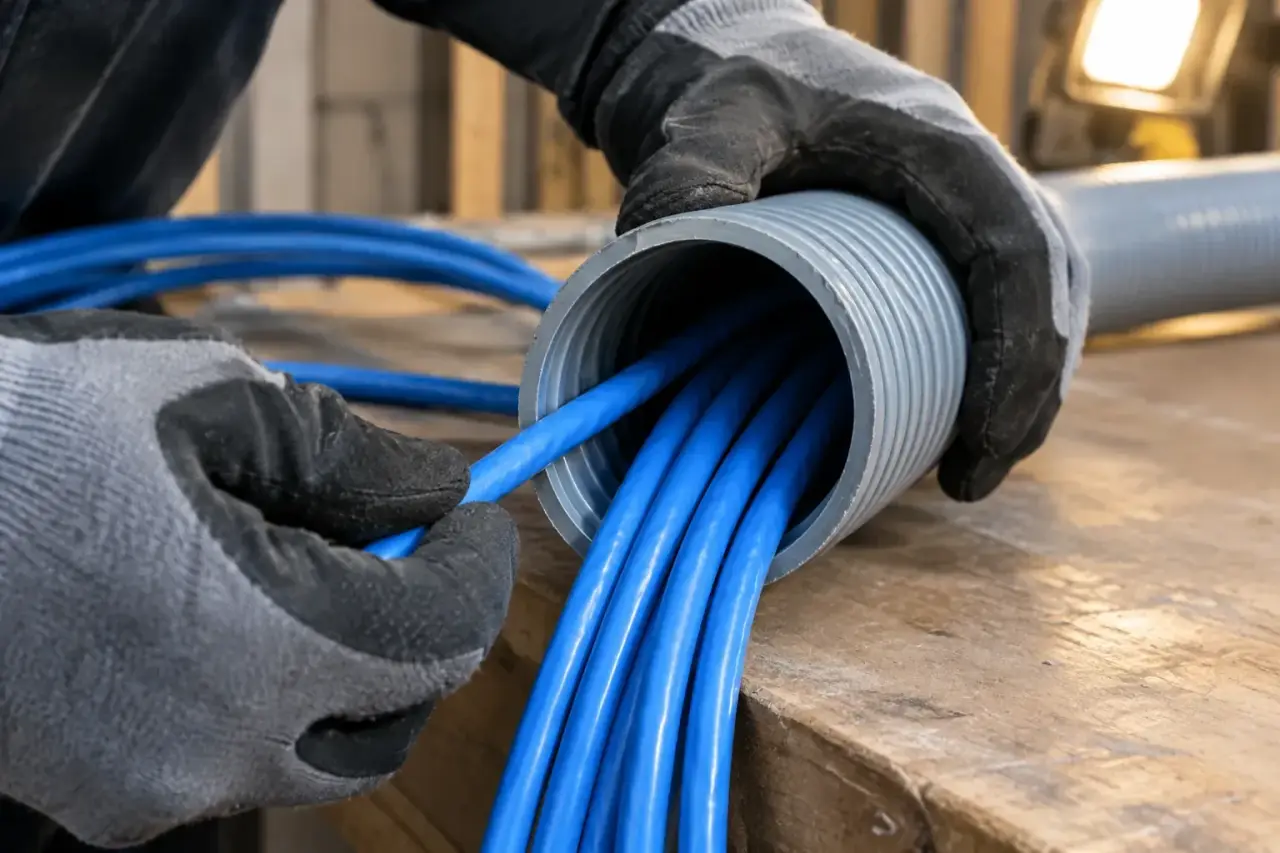
How many network cables in 2in flexible conduit is a question that keeps network administrators and facility managers up at night. The quick answer depends on your cable type and following industry standards:
Quick Reference for 2-Inch Flexible Conduit (40% Fill Rule):
- Cat5e cables: Approximately 35-40 cables
- Cat6 cables: Approximately 25-30 cables
- Cat6A cables: Approximately 15-20 cables
These numbers assume standard cable diameters and proper installation practices following National Electrical Code guidelines.
Getting this calculation wrong can lead to damaged cables, failed network performance, or costly reinstallation projects down the road. As one installer noted in a recent discussion: “The real question is not how many cables you can jam into a conduit physically–it’s how you can do it and end up with working cable in the end, with minimal hassle.”
Why does this matter so much? Overfilled conduit creates several problems:
- Cable jacket damage during installation
- Increased pulling tension beyond safe limits
- Poor heat dissipation affecting signal quality
- Impossible future upgrades or additions
The 40% fill rule isn’t just a suggestion, it’s based on decades of industry experience and electrical code requirements. This standard ensures your cables can be pulled safely, operate reliably, and leave room for future network growth.
I’m Corin Dolan, owner of AccuTech Communications, and I’ve been helping businesses across Massachusetts, New Hampshire, and Rhode Island solve complex cabling challenges since 1993. Over the years, I’ve seen countless projects where improper planning around how many network cables in 2in flexible conduit led to network failures and expensive do-overs.
The “Rules of the Road”: Understanding Conduit Fill Percentages
Think of conduit fill rules like speed limits on highways, they’re not suggestions, they’re safety standards that keep everything running smoothly. When you’re figuring out how many network cables in 2in flexible conduit you can safely install, these “rules of the road” become your best friend.
The National Electrical Code (NEC) sets the foundation for these standards, and the telecommunications industry through TIA/EIA standards has acceptd them wholeheartedly. These aren’t just bureaucratic guidelines, they’re based on decades of real-world experience with cable installations gone right (and unfortunately, gone wrong).
Here’s the thing: we never pack a conduit to its absolute physical limit. I’ve seen too many projects where someone thought “just one more cable will fit” and ended up with a nightmare installation. Overstuffed conduit leads to several serious problems.
Cable damage prevention is the big one. When you’re trying to pull cables through an overfilled conduit, you’re essentially asking for trouble. The cables scrape against each other and the conduit walls, damaging those protective jackets that keep your network signals clean and strong.
Heat dissipation matters more than you might think. Network cables don’t get as hot as power lines, but even small amounts of trapped heat can affect signal quality, especially with Power over Ethernet applications becoming more common.
Most importantly, following proper fill rules means leaving room for future cables. Networks grow, it’s practically a law of nature. When you stick to the standards now, you won’t have to tear everything apart later just to add a few more connections.
For a deeper understanding of network infrastructure basics, check out What is Network Cabling?
Why 40% is the Magic Number
The 40% fill rule isn’t some random number an engineer pulled out of thin air. It’s the sweet spot that balances maximum capacity with practical installation needs. After thirty years in this business, I can tell you it works.
When you follow the 40% rule, cable bundling happens naturally. The cables nestle together efficiently without being forced into unnatural positions. This natural bundling actually helps during installation, the cables move as a group rather than fighting each other.
Airflow within the conduit stays healthy. Even though data cables produce minimal heat, good air circulation contributes to long-term system reliability. Nobody wants to troubleshoot mysterious network issues that turn out to be heat-related.
The rule also prevents kinks in your cables. Network cables have carefully engineered twist rates and internal structures. Squeeze them too tight, and you can damage these critical characteristics. Pulling friction stays manageable too, your installation crew will thank you when the cables glide through smoothly instead of requiring a wrestling match.
Here’s something that surprises many people: a 40% full conduit can look 100% full. Network cables are flexible and they bunch together in ways that can fool your eyes. This is exactly why we calculate rather than guess.
Most importantly, following the 40% rule helps with ensuring signal integrity. Damaged or stressed cables can experience signal loss, crosstalk, and other performance issues that’ll drive you crazy trying to diagnose later.
The Nuances: Fill Percentages for Different Cable Counts
Here’s where things get interesting. The NEC doesn’t use a one-size-fits-all approach. NEC Chapter 9 actually specifies different fill percentages based on how many cables you’re installing, and there’s solid reasoning behind each number.
For 53% fill with 1 cable, you get more capacity because a single cable has no interaction with others. It’s just one smooth pull with no tangling or interference.
Drop to 31% fill for 2 cables, and here’s why: two cables can be tricky. They want to twist around each other during the pull, creating more friction and potential problems than you’d expect. It’s actually harder than pulling three or more cables in many cases.
Back up to 40% fill for 3+ cables, and the physics work in your favor again. Multiple cables tend to bundle together efficiently, almost like creating one larger, smoother unit for pulling purposes.
When you’re dealing with complex installations that might benefit from additional protection, understanding components like innerduct becomes valuable. Learn more about What is Innerduct and Why is it Important for Network Cabling Installation?
These percentage differences might seem small, but they make a huge difference in real-world installations. Follow them, and your cable pulls will be smooth and your network will perform reliably for years to come.
How Many Network Cables in 2in Flexible Conduit? A Step-by-Step Calculation
Let’s roll up our sleeves and figure out how many network cables in 2in flexible conduit you can actually fit. No more guessing games, we’re going to walk through the math together, and I promise it’s easier than you think.
The secret sauce here is understanding two key measurements: your cable’s outer diameter (OD) and your conduit’s inner diameter (ID). Once we know these numbers, we can calculate the cross-sectional area of each cable and compare it to the usable space inside your conduit.
Here’s the basic formula: we take the total cross-sectional area of all your cables and make sure it doesn’t exceed 40% of the conduit’s internal area. Simple, right?
For those who love precision (and who doesn’t?), I highly recommend using Belden’s Conduit Fill Calculator for precise numbers. It takes the guesswork out of complex calculations, especially when you’re mixing cable types.
Step 1: Identify Your Cable’s Outer Diameter
Not all network cables are created equal, some are chunky, others are sleek. The outer diameter is your starting point, and it varies more than you might expect between cable types.
Cat5e comes in at approximately 0.19 inches (4.8mm), it’s the lightweight champion of the networking world. Cat6 steps up to about 0.22 inches (5.6mm), thanks to its tighter wire twists and often an internal plastic spline that helps prevent crosstalk. Then there’s Cat6A, the heavyweight at approximately 0.29 inches (7.4mm), this beast is built for 10 Gigabit speeds and its robust construction shows.
Here’s something important: always check your manufacturer’s specs. I’ve seen cables labeled as Cat6 vary by several millimeters between brands. Some manufacturers make splineless Cat6 that’s slightly more flexible, while others stick with the traditional splined design. Both affect your fill calculations.
Pro tip: if you’re ordering cables specifically for a conduit run, ask your supplier for the exact OD measurements. That extra two minutes of research can save you hours of headaches later.
Step 2: A Practical Chart for 2-Inch Flexible Conduit
Now for the numbers you’ve been waiting for! Based on the 40% fill rule and real-world cable dimensions, here’s what you can typically fit in a 2-inch flexible conduit:
| Cable Type | Approximate Cable OD | Cables in 2″ Flexible Conduit (40% Fill) |
|---|---|---|
| Cat5e | 0.19″ (4.8mm) | 45-50 cables |
| Cat6 | 0.22″ (5.6mm) | 35 cables |
| Cat6A | 0.29″ (7.4mm) | 20 cables |
These numbers assume you’re following proper installation practices and the 40% fill rule we discussed earlier. These are estimates, your actual capacity might vary slightly depending on your specific cable brand and conduit manufacturer.
The difference between Cat5e and Cat6A is pretty dramatic, isn’t it? That’s why planning ahead matters so much. If you think you might upgrade to higher-category cables in the future, size your conduit accordingly now.
For detailed guidance on getting your conduit installation right from the start, check out our comprehensive Conduit Installation Guide. Trust me, a little extra planning upfront saves a lot of frustration down the road.
Beyond the Math: Practical Tips for a Flawless Cable Pull
Knowing how many network cables in 2in flexible conduit you can fit is just the beginning. The real challenge comes when you’re actually pulling those cables through the conduit without damaging them. After nearly three decades in this business, I can tell you that a successful cable pull is equal parts science and art.
The first rule I teach every technician is to respect the 25-pound pulling tension limit. Network cables aren’t rope, they’re delicate bundles of precisely twisted copper conductors. Pull too hard, and you’ll stretch or damage those internal wires, turning expensive cable into expensive scrap. If the pull feels like you’re wrestling a stubborn dog on a leash, stop and figure out what’s wrong.
Cable lubricant is your secret weapon for smooth pulls. I’m talking about the good stuff, synthetic wax-based lubricant that reduces friction dramatically. Don’t be stingy with it either. Apply it generously as the cables enter the conduit. Your arms will thank you, and more importantly, your cables will arrive intact.
Here’s a trick that separates the pros from the amateurs: stagger your cable ends when you tape them together for pulling. Instead of cutting all the cables to the same length, create a tapered “nose” by cutting them at different lengths. This smaller profile helps the bundle steer bends much more easily than a blunt, flat end that acts like a snow plow.
Never attempt a cable pull without using a pull string first. Install a strong nylon or polyester string in the conduit before you need it. Pro tip: use a shop vacuum to suck a lightweight string through, then use that to pull a heavier string, and finally your cables. It’s like building a bridge before you need to cross the river.
Minimizing bends in your conduit run isn’t just good practice, it’s essential for maintaining the cable capacity we calculated earlier. Every bend adds friction and makes your pull exponentially harder.
Choosing the Right Flexible Conduit
Not all flexible conduits play nicely with network cables. After years of troubleshooting damaged installations, we’ve learned which types work and which ones cause headaches.
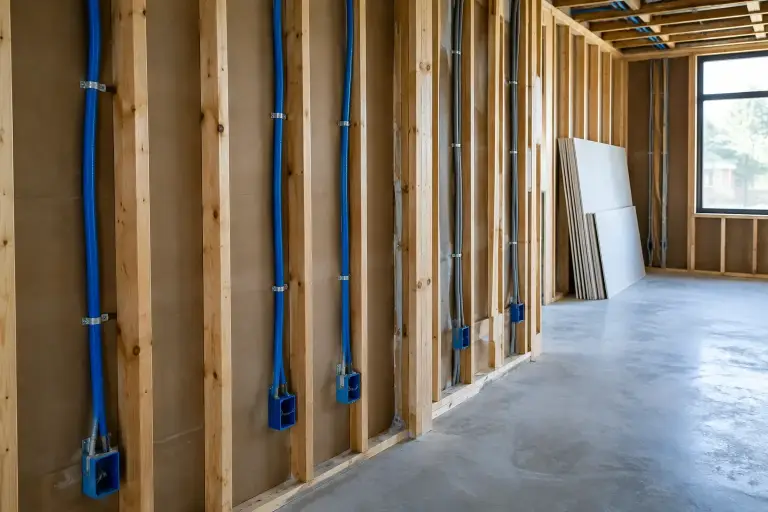
ENT (Electrical Nonmetallic Tubing), affectionately known as “smurf tube” because of its blue color, is our go-to choice for most network installations. It’s lightweight, flexible, and its smooth interior is gentle on cable jackets. The non-metallic construction also eliminates any electromagnetic interference concerns.
For outdoor or moisture-prone areas, LFNC (Liquid-tight Flexible Nonmetallic Conduit) provides excellent protection while maintaining the flexibility you need for complex routing.
But here’s what we strongly recommend avoiding: flexible metallic conduit (FMC). While it might look durable, FMC is a nightmare for network cables. The metallic coils have a nasty habit of creeping and shifting during cable pulls, which can damage cable jackets or create pinch points that make future additions impossible. The rough interior surface can abrade delicate network cable jackets, leading to performance issues down the road.
For projects requiring rigid conduit solutions, we also provide EMT Piping Services when flexibility isn’t needed.
Navigating Bends and Long Runs
Real-world conduit runs rarely follow straight lines. Dealing with bends and long distances requires adjusting your expectations about cable capacity and pulling techniques.
The maximum of two 90-degree bends rule isn’t just a suggestion, it’s the foundation that our earlier calculations are based on. Each additional bend dramatically increases friction and reduces the number of cables you can successfully pull.
When you must create bends, always use sweeping bends instead of sharp elbows. Think of it like the difference between a highway on-ramp and a sharp corner in a parking garage. Cables glide through sweeping curves but fight you every inch through sharp angles.
If your installation requires more than two bends, you’ll need to de-rate your capacity. This means reducing the number of cables you plan to pull or increasing your conduit size to compensate for the added difficulty.
For runs exceeding 100 feet or those with multiple bends, intermediate pull points become essential. These junction boxes or pull boxes break one impossible pull into several manageable ones. Trust me, trying to pull cables through 150 feet of conduit with three bends is a recipe for damaged cables and frustrated technicians.
The key to success is planning these practical considerations before you start calculating how many network cables in 2in flexible conduit you need. The math gives you the theoretical maximum, but real-world installation techniques determine whether you’ll actually achieve it.
Frequently Asked Questions about Network Cable in Conduit
Over the years, we’ve fielded countless questions about network cable installations. Some questions come up so often that I thought it would be helpful to address the most common ones here. These are the real-world concerns that keep facility managers and IT professionals up at night.
Can I run power and network cables in the same conduit?
This is probably our most frequently asked question, and the answer is a firm no. I can’t stress this enough, mixing power and network cables in the same conduit isn’t just a bad idea, it’s dangerous and illegal.
Here’s why this is such a critical rule. Signal interference (EMI) is your network’s worst enemy. Power cables create electromagnetic fields that can wreak havoc on your data signals. Imagine trying to have a quiet conversation next to a construction site, that’s what your network data experiences when it’s bundled with power cables.
The safety hazard is even more serious. If something goes wrong with that power cable, maybe the insulation gets damaged or there’s a short, suddenly your “harmless” network cables could become energized. That’s a shock hazard that could seriously hurt someone.
Most importantly, this practice violates the NEC code. Article 800 of the National Electrical Code explicitly prohibits mixing communications circuits with power circuits. Inspectors will fail your installation, and you could face legal liability if something goes wrong.
Separate pathways are required, always. It’s not negotiable, and it’s not worth the risk to try to save a few dollars on conduit.
Why is Cat6 cable thicker than Cat5e?
I get this question a lot when clients are planning their conduit fills. They’re surprised when I tell them they can fit fewer Cat6 cables than Cat5e cables in the same space.
The thickness difference comes down to performance engineering. Cat6 cables need tighter twists in their wire pairs to reduce crosstalk, that’s the interference between different wire pairs within the same cable. These tighter twists require more space and make the cable feel denser.
Many Cat6 cables also include a plastic spline or separator, that’s the cross-shaped piece running down the center of the cable. This separator keeps the four wire pairs from touching each other, which is crucial for maintaining signal quality at higher frequencies.
Some manufacturers also use thicker copper conductors or more robust insulation. While both Cat5e and Cat6 typically use 24 AWG wire, the extra layers of protection in Cat6 add to the overall diameter.
All these improvements serve a purpose, crosstalk prevention. While Cat5 cable was able to run at gigabit speeds, Cat6 gives you much more headroom and reliability, especially for demanding applications.
What are the risks of overfilling a 2in flexible conduit with network cables?
This question usually comes up when someone’s trying to squeeze “just a few more” cables into their conduit. I understand the temptation, conduit installation is expensive, and it seems wasteful to leave space unused. But overfilling creates problems that are far more costly than installing additional conduit.
Cable jacket abrasion is the most immediate concern. When you stuff too many cables into a conduit, they scrape against each other and the conduit walls during the pull. I’ve seen cables come out looking like they went through a cheese grater. Once that protective jacket is damaged, moisture and contaminants can get in and cause long-term reliability issues.
Exceeding bend radius is another serious problem. Every network cable has a minimum bend radius, the tightest curve it can handle without damaging the internal wire pairs. In an overfilled conduit, especially around bends, cables get forced into tighter curves than they can safely handle. This permanently damages the cable’s performance characteristics.
The increased pulling tension in an overfilled conduit often exceeds the cable’s 25-pound limit. When you stretch those copper conductors, you’re changing their electrical properties. Your expensive Cat6A cable might end up performing worse than basic Cat5e.
All this physical damage leads to signal degradation. You might see slower network speeds, intermittent connections, or complete outages. Your investment in high-quality cables becomes worthless if they’re damaged during installation.
Perhaps most frustrating is that overfilling makes future upgrades impossible. When you need to add cables or replace damaged ones, you’ll find it’s nearly impossible to work with an overfilled conduit. What should be a simple cable addition becomes a complete re-installation project.
When we calculate how many network cables in 2in flexible conduit can safely fit, we’re not just thinking about today, we’re planning for years of reliable network operation.
Conclusion: Get Your Cabling Right the First Time
After three decades in this business, I’ve learned that the question “how many network cables in 2in flexible conduit” is really about much more than just numbers. It’s about building network infrastructure that works reliably today and grows with your business tomorrow.
The math is straightforward once you know it. The 40% fill rule gives you roughly 45-50 Cat5e cables, 35 Cat6 cables, or 20 Cat6A cables in your 2-inch flexible conduit. But the real magic happens when you combine those calculations with proper installation techniques and quality materials.
I’ve seen too many network installations fail because someone tried to squeeze just a few more cables into an already-full conduit. The short-term savings never justify the long-term headaches. Damaged cable jackets, failed network connections, and impossible future upgrades turn what should be a valuable asset into a costly liability.
The practical techniques we’ve covered, using cable lubricant generously, respecting pulling tension limits, choosing the right flexible conduit type, and planning for sweeping bends rather than sharp elbows, these aren’t just nice-to-have extras. They’re the difference between a network that hums along quietly for years and one that causes constant frustration.
Heat dissipation and airflow within your conduit might seem like minor details, but they contribute to the long-term reliability that keeps your business running smoothly. When you follow the fill guidelines, you’re not just preventing installation problems, you’re ensuring your network maintains signal integrity for years to come.
Most importantly, proper conduit fill planning means leaving room for future cables. Your network needs will evolve, and having the flexibility to add capacity without tearing apart walls or ceilings is invaluable. It’s the kind of forward-thinking that separates professional installations from amateur attempts.
At AccuTech Communications, we’ve been helping businesses across Massachusetts, New Hampshire, and Rhode Island get their cabling right the first time since 1993. We understand that your network infrastructure is the foundation everything else builds on. When you need reliable service that stands the test of time, we’re here to help.
Ready to build a network infrastructure that grows with your business? Plan your Structured Cabling project with our experts today.