
How many network cables in conduit: Critical 40% Tips
Understanding Network Cable Conduit Capacity
Understanding how many network cables in conduit is crucial for a successful network installation. The right number prevents cable damage, ensures signal performance, and allows for future upgrades.
A common guideline is the ‘40% fill rule,’ which provides approximate capacities. For Cat6 cables, here’s a general idea:
| Conduit Size | Approx. Cat6 Cables |
|---|---|
| 1/2 inch | 3 |
| 3/4 inch | 5 |
| 1 inch | 8 |
| 1-1/4 inch | 14 |
| 1-1/2 inch | 19 |
| 2 inch | 32 |
These numbers are a starting point. Actual capacity varies with cable type, conduit material, bends, and Power over Ethernet (PoE) usage.
I’m Corin Dolan, owner of AccuTech Communications. With experience since 1993, I’ve helped businesses in Massachusetts, New Hampshire, and Rhode Island with their network cabling. This guide will explore the factors affecting how many network cables in conduit to help you make informed decisions.
The “40% Rule” and Other Fill Percentage Essentials
When planning your network, understanding ‘conduit fill percentages’ is crucial for safety, longevity, and performance. The National Electrical Code (NEC) sets the standard for these rules.
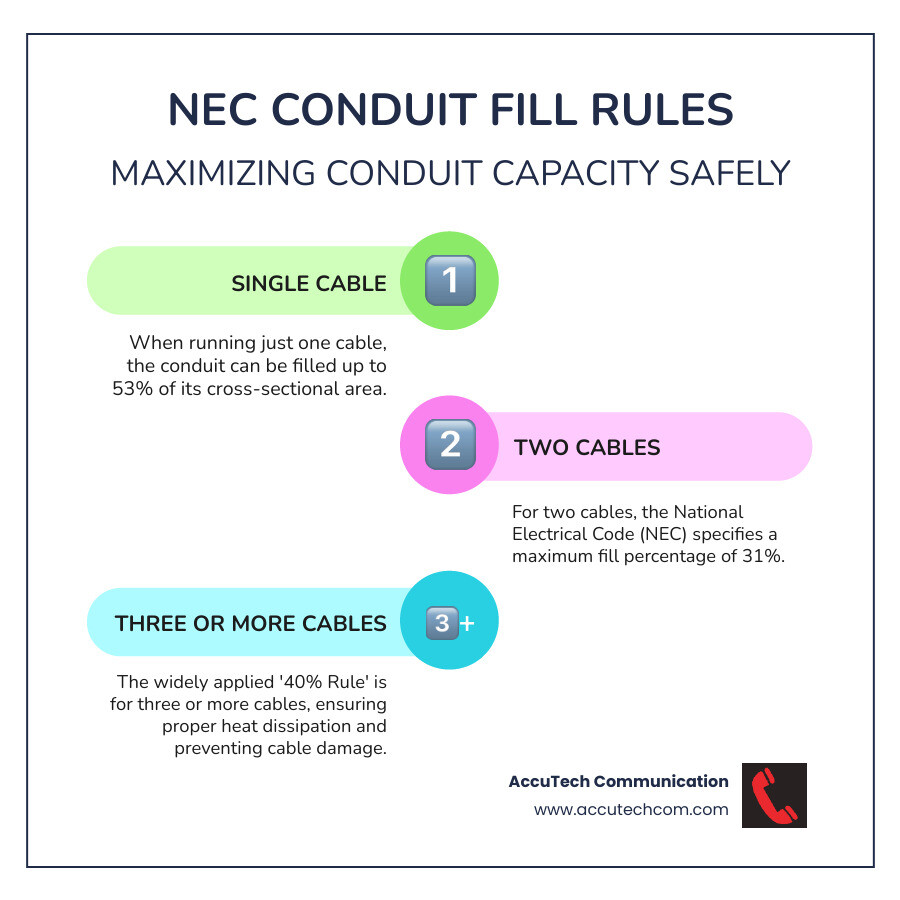
The NEC provides specific recommendations for how much of a conduit’s internal space can be filled by cables, which changes based on the cable count:
- One cable – up to 53% of the conduit’s area. A single cable is easy to pull and has plenty of space.
- Two cables – the fill percentage drops to 31% because the cables can wedge against each other, making them harder to pull.
- Three or more cables – the well-known 40% Rule applies. The total area of your cables should not exceed 40% of the conduit’s inner space.
Why the 40% Rule?
This rule is important for several key reasons:
- Heat Dissipation: Network cables, especially with Power over Ethernet (PoE), generate heat. Overfilling a conduit traps this heat, which can degrade cables, hurt performance, and pose a fire risk. The 40% rule ensures enough space for air to circulate.
- Cable Damage Prevention: Forcing too many cables into a conduit risks damaging the cable jackets and internal wires during the pull. This can cause slow speeds or connection drops. Proper fill gives cables space to move without damage.
- Reduced Pulling Friction: The 40% rule helps manage pulling friction. It makes pulls smoother, requires less effort, and reduces the chance of stretching or breaking cables.
- Future Additions: Planning ahead is smart. The 40% rule leaves space for future additions, so you won’t have to install new conduit for another network drop. This saves money and future-proofs your business.
That a conduit at 40% fill might look packed because cables don’t lay perfectly straight. The rule is based on cross-sectional area, not visual density. Adhering to these guidelines for your Low Voltage Cabling is key to a professional, reliable installation.
How to Calculate How Many Network Cables in Conduit
Calculating how many network cables fit in a conduit isn’t as daunting as it sounds. You can use manual calculations or online tools. The goal is to meet NEC fill percentages for a safe, smooth-running installation.

The Manual Calculation Method
The manual method involves calculating the cross-sectional area of your cables and the conduit. Here’s how:
- Find the Conduit’s Internal Area: Look up the internal diameter (ID) for your conduit size and calculate its area using
Area = π * (Radius)^2. - Get the Cable’s Outer Diameter (OD): The OD varies by cable type (Cat5e, Cat6, Cat6a), shielding, and manufacturer. Check the cable’s spec sheet or measure it for accuracy.
- Calculate the Cable’s Area: Use the same formula:
Area = π * (Cable OD/2)^2. - Apply the Fill Percentage: Multiply the conduit’s area by the correct NEC fill percentage (e.g., 40% for 3+ cables) to find the maximum allowable area for cables.
- Find the Number of Cables: Divide the maximum allowable cable area by a single cable’s area. Round down to the nearest whole number.
Cable Type Variation:
Different cable types have different diameters, which affects how many you can fit. Understanding What Are Ethernet Cables? is key.
- Cat5e: Generally the smallest diameter, allowing more cables per conduit.
- Cat6: Slightly larger than Cat5e, often due to an internal spine.
- Cat6a: Typically the largest, designed for 10 Gigabit Ethernet over 100 meters.
This diameter difference matters. For example, a 1-inch conduit might hold 8 Cat6 cables at 0.23″ OD, but only 7 at 0.25″ OD. Always check your cable’s specific OD for accuracy.
Using a Conduit Fill Calculator
If manual math isn’t for you, online conduit fill calculators simplify the process. You typically input your cable’s OD, conduit type, and conduit size, and the calculator does the math instantly. This is often the simplest and most accurate method. Many manufacturers offer these tools, like this Conduit Fill Calculator: Figure Sizing and Fill.
Quick Reference: How many network cables in conduit?
For a quick estimate, reference charts provide a guideline for common scenarios. These are approximations based on a 40% fill rule with typical Cat6 cable diameters. For critical jobs, always verify with your specific cable’s OD.
Here’s a general guideline for Cat6 cables (roughly 0.23-0.25 inches OD):
| Conduit Trade Size | Approximate Number of Cat6 Cables (40% Fill) |
|---|---|
| 1/2 inch | 3 |
| 3/4 inch | 5 |
| 1 inch | 8 |
| 1-1/4 inch | 14 |
| 1-1/2 inch | 19 |
| 2 inch | 32 |
Disclaimer on Estimates: These are estimates. The exact number can change based on the cable’s precise OD, conduit variations between manufacturers, and practical pulling considerations. Use these charts as a starting point and consider the other critical factors discussed in this guide.
Critical Factors That Change the Math
The 40% rule is a great starting point, but real-world factors can change how many cables you should fit in a conduit. Overlooking these can lead to damaged cables, difficult installations, and poor network performance.
Cable Diameter and Type
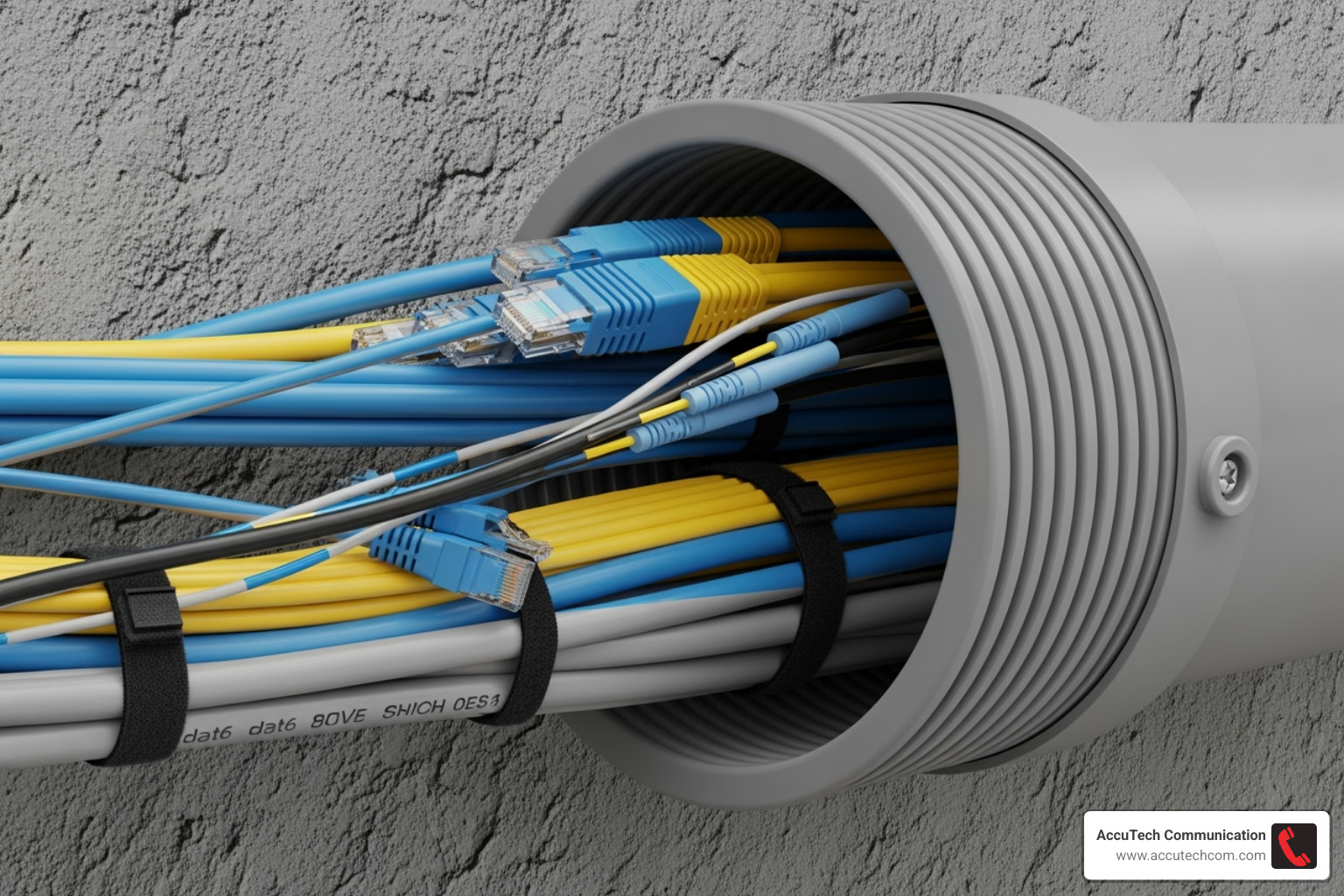
As mentioned, cable thickness varies and significantly impacts how many network cables in conduit you can install. Generally, Cat5e is the slimmest, followed by the thicker Cat6, and then the even bulkier Cat6a. A conduit that holds 10 Cat5e cables might only fit 7 Cat6 or fewer Cat6a cables.
Other factors also affect diameter. Shielded (STP) cables are thicker than Unshielded (UTP) ones, reducing the count. Jacket types (Plenum vs. Riser) and manufacturer variations also cause slight differences. Always check the cable’s data sheet for its exact OD.
While our focus is on copper, Fiber Optic Cable has a much smaller diameter, allowing more strands per conduit, but it has its own strict bend radius rules.
Conduit Type and Bends
The conduit’s material and path are also important.
- Conduit Material: Common types include EMT (metallic, good protection), PVC (non-metallic, often used outdoors but with some indoor restrictions), and RMC (heaviest-duty). Flexible Conduit is generally not recommended for long runs as it can increase friction and damage cables.
- Bends: Bends in a conduit run significantly increase pulling friction. As a rule, limit runs to no more than two 90-degree bends between pull points. More bends make the pull much harder and risk damaging cables. For runs with many bends, you may need to reduce the cable count (de-rate) or use a larger conduit. This is a key part of any Conduit Installation Guide.
The Impact of Power over Ethernet (PoE)
An often-overlooked factor is Power over Ethernet (PoE). If you plan to use it, the rules for how many network cables in conduit change significantly.
The NEC classifies PoE cables as power cables, which means stricter fill rules apply. The main reason is heat buildup. Bundled PoE cables generate significant heat in a conduit, which can degrade performance, reduce power efficiency, and pose a fire risk, especially with higher wattage PoE.
When calculating capacity for PoE cables, you must account for these thermal factors and follow the stricter NEC guidelines for both performance and safety.
Best Practices for Pulling Network Cables Through Conduit
Calculating how many network cables in conduit you can fit is the first step. The next challenge is pulling them without causing damage, a common issue in poorly executed installations.
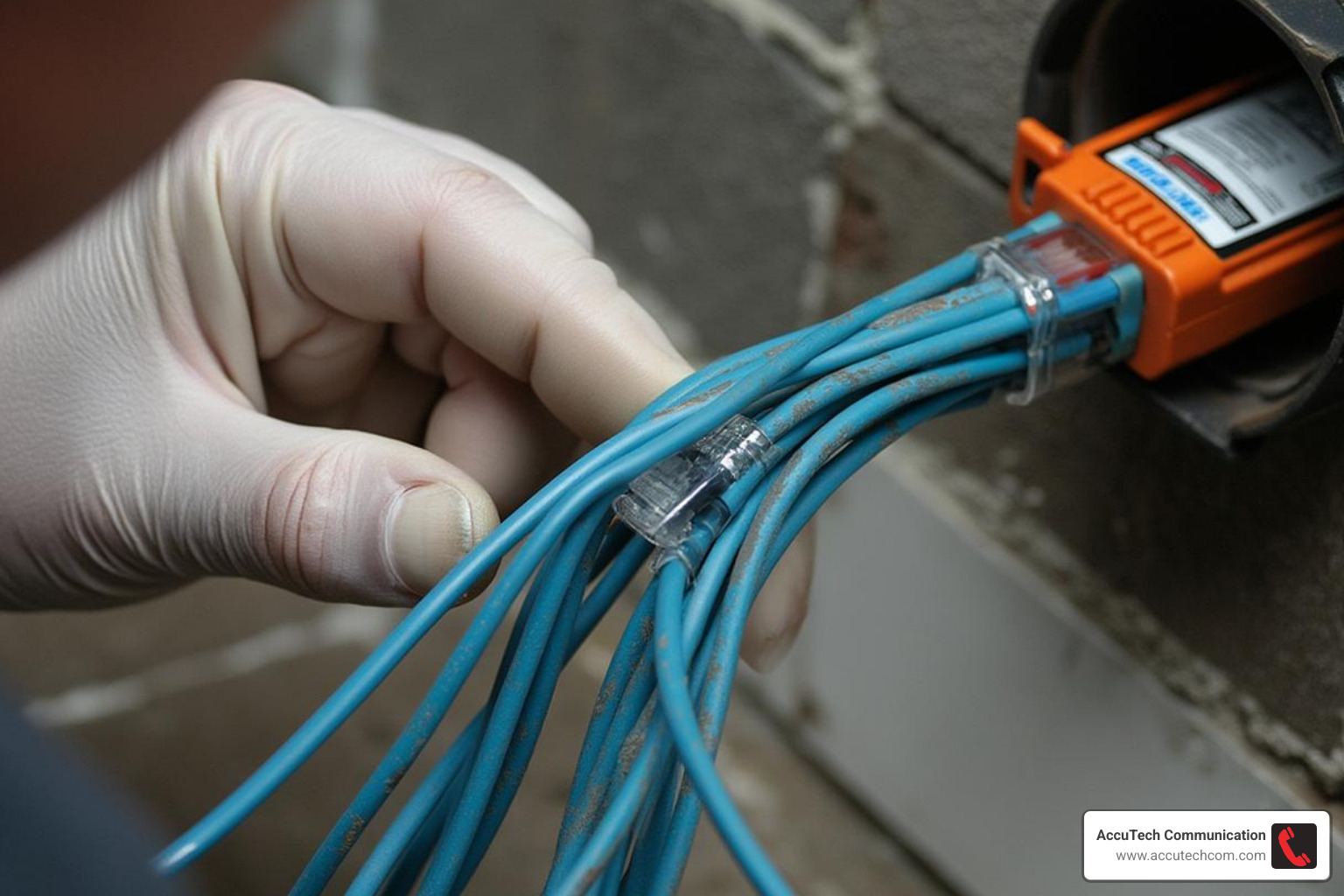
Here are some best practices for a successful cable pull:
- Plan Pull Points: For runs over 100 feet or with multiple bends, use intermediate pull points (like junction boxes) to reduce tension.
- Use a Pull String or Fish Tape: Thread a pull string or fish tape through the empty conduit first to guide the cables.
- Apply Cable Lubricant: Lubricant is essential, not optional. It dramatically reduces friction. Apply it generously as cables enter the conduit.
- Respect Pulling Tension: Network cables have a maximum pulling tension (typically 25 lbs). Exceeding it stretches the copper and ruins performance. Use a proper pulling grip to distribute force evenly.
- Support the Entry Point: Keep cables straight and supported where they enter the conduit to prevent jacket damage.
- Avoid Twists and Kinks: A single kink can degrade a cable’s performance. If you feel resistance, stop and investigate the cause instead of forcing the pull.
- Don’t Overstuff: If a pull is too difficult, even if the math works, use a larger conduit or reduce the cable count.
- Work as a Team: For complex pulls, have one person feed and lubricate cables while another pulls. Good communication is key.
These practices are fundamental to professional Structured Cabling and ensure your network performs reliably.
Frequently Asked Questions about Conduit for Network Cables
Here are answers to frequently asked questions about using conduit for network cables to help you plan your project.
What is the recommended minimum conduit size for network cables?
Based on industry standards, we recommend against using conduits smaller than 3/4 inch for communications cables. For modern setups with Cat6 or Cat6a, a 1-inch conduit is a better minimum. The extra space provides key benefits:
- Easier Pulls: Less friction makes pulling cables smoother and reduces the risk of damage.
- Future-Proofing: Extra space allows for future cable additions or upgrades without installing new conduit.
- Better Bend Radius: Larger conduits allow for gentler bends, which helps maintain signal quality by preventing kinks.
While 3/4-inch is the absolute minimum, we advise 1-inch or larger for easier installation, cable longevity, and future-proofing.
Can I run network and electrical wires in the same conduit?
The answer is NO. Mixing low-voltage network and high-voltage electrical wires in the same conduit is prohibited by the National Electrical Code (NEC) for critical safety and performance reasons:
- NEC Violation: The NEC prohibits sharing pathways for low- and high-voltage cables. Ignoring this is a fire hazard and a code violation.
- Signal Interference (EMI): Electrical wires generate electromagnetic interference (EMI) that can corrupt data signals, leading to slow speeds and an unreliable network.
- Safety Hazard: A fault in the electrical wiring could energize your network cables, creating a shock or fire hazard.
Always use separate conduit pathways for network and electrical cabling, a fundamental principle of safe Conduit for Electrical Wire installation.
Is it okay to run different low-voltage cables together, like Ethernet and Coax?
Yes. Unlike with electrical wiring, you can run different types of low-voltage communication cables together in the same conduit. This means you can bundle Ethernet cables with other low-voltage wiring like coaxial, speaker, and alarm system cables.
The main considerations are still the 40% fill rule (based on the combined area of all cables) and ensuring the conduit is large enough for an easy pull. Following these guidelines makes bundling low-voltage cables an efficient practice.
Conclusion: Plan Your Cabling for Performance and the Future
Understanding how many network cables in conduit is the first step toward building a robust and reliable network. Just like a house needs a solid foundation, your network relies on its cabling.
The “40% Rule” is a key guideline for protecting cables from damage, allowing for heat dissipation (especially with PoE), and leaving room for future growth. Proper calculation and planning for factors like bends and PoE are crucial to avoid network glitches and costly re-dos.
At AccuTech Communications, we believe in building networks that don’t just work today, but work brilliantly for years to come. Since 1993, we’ve been helping businesses across Massachusetts, New Hampshire, and Rhode Island plan and install top-notch cabling solutions. We pride ourselves on certified, reliable service, ensuring your network meets all the necessary codes and is perfectly set up for future expansion.
Ready to take the guesswork out of your network cabling? Let us help you lay down a foundation that supports all your communication needs, now and in the future.
Explore our professional Network Cabling Installation services and find how easy it can be to achieve a truly high-performing network.
