
How to Connect Fiber Optic Cable to Router: Top 5 Easy Steps
Open uping High-Speed Internet: How to Connect Fiber Optic Cable to Router
If you’re looking to understand how to connect fiber optic cable to router, you’ve come to the right place. Let’s address the steps immediately:
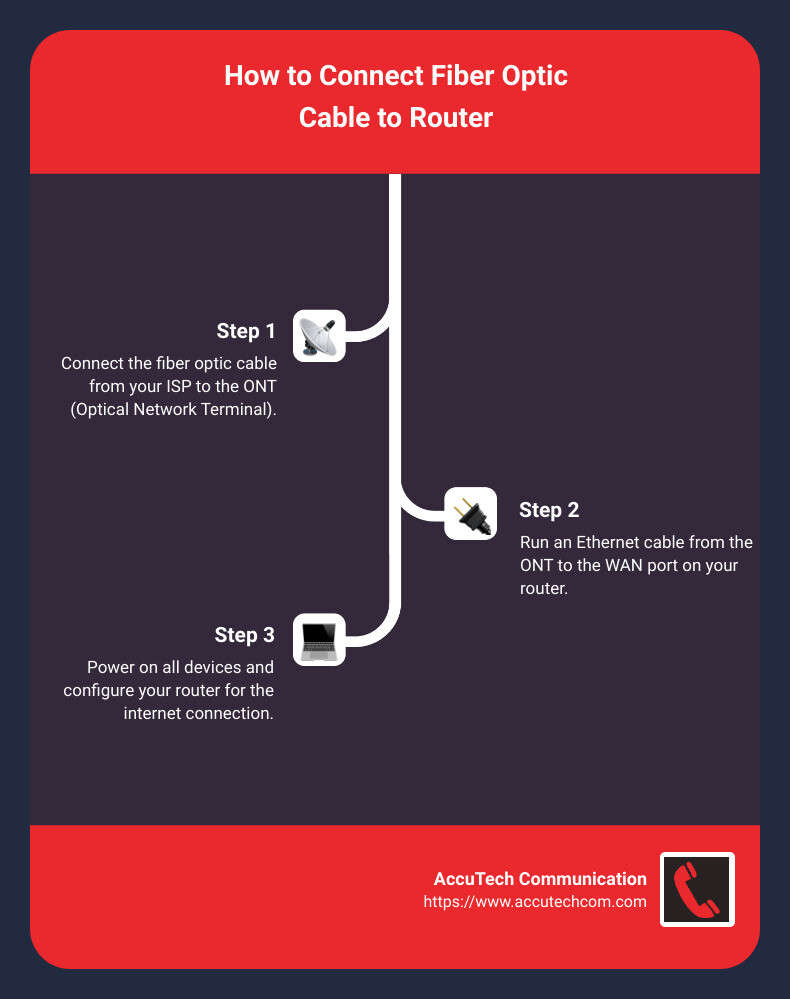
- Connect the fiber optic cable from your ISP to the ONT (Optical Network Terminal) provided.
- Run an Ethernet cable from the ONT to the WAN port on your router.
- Power on all devices and configure your router for the internet connection.
When it comes to high-speed internet, fiber optics is the gold standard. Not only does it allow for faster data transfer, but it’s also more reliable than traditional broadband. This is especially important for businesses that rely on consistent and high-performance connectivity.
Connecting a fiber optic cable to your router might sound complicated, but it’s straightforward with the right equipment. The key component you need is an ONT, which converts the optical signals from the fiber optic cable into an electrical signal that your router can understand.
I’m Corin Dolan, owner at AccuTech Communications. With over two decades of experience in business communications and network cabling, I’m committed to simplifying complex setups and ensuring seamless, high-speed internet connectivity for our clients.
Next, we’ll dive into the specific equipment you’ll need and further details about how to connect fiber optic cable to router.
What You Need to Connect Fiber Optic Cable to Your Router
Connecting a fiber optic cable to your router isn’t as complicated as it may sound. With the right equipment and a little guidance, you’ll be surfing at high speeds in no time. Here’s what you need:
Optical Network Terminal (ONT)
An Optical Network Terminal (ONT) is essential for converting the light signals from your fiber optic cable into electrical signals that your router can understand. Think of the ONT as the middleman between your fiber optic cable and your router.
Many Internet Service Providers (ISPs) will supply an ONT during installation. According to Reddit, the ONT connects directly to the fiber optic cable and provides an Ethernet port for your router. This device is often mounted on a wall to keep it secure and accessible.
Ethernet Cable
Once your ONT is set up, you’ll need an Ethernet cable to connect it to your router. The Ethernet cable will plug into the Ethernet port on your ONT and then into the WAN (Wide Area Network) port on your router.
For optimal performance, make sure to use a high-quality Ethernet cable, such as a Cat 6 or Cat 6a, which can handle speeds up to 10 Gbps. This ensures that you’re getting the most out of your fiber optic connection.
Fiber-Ready Router
Not all routers are created equal. To fully leverage your fiber optic internet, you’ll need a fiber-ready router. This means a router that can handle high-speed data transfer, typically at least 1 Gbps.
While some ONTs come with built-in routing capabilities, it’s often better to use your own high-quality router. This gives you more control over your network settings and can provide better performance. According to UTOPIA Fiber, you should look for a router that supports at least Wi-Fi 5 (802.11ac) or Wi-Fi 6 (802.11ax) for the best performance.

Summary of Required Equipment
- ONT: Provided by your ISP, converts fiber signals to Ethernet.
- Ethernet Cable: Cat 6 or Cat 6a recommended for high speeds.
- Fiber-Ready Router: Supports high-speed data transfer; Wi-Fi 6 recommended.
With these three items, you’re ready to connect your fiber optic cable to your router and enjoy blazing-fast internet speeds.
Next, we’ll walk you through the step-by-step process of how to connect fiber optic cable to router.
How to Connect Fiber Optic Cable to Router
Step-by-Step Connection Guide
Connecting your fiber optic cable to your router is straightforward if you follow these steps:
- Setup the ONT (Optical Network Terminal)
- Your ISP will provide the ONT. This device converts the fiber optic signal into an Ethernet signal.
- Mount the ONT: Secure it on a wall or place it in a stable location.
- Connect the Fiber Optic Cable: Insert the fiber optic cable from your ISP into the ONT’s designated port. Ensure it clicks in place.
- Connect the Ethernet Cable
- Choose the Right Cable: Use a Cat 6 or Cat 6a Ethernet cable for high-speed data transfer.
- Plug into ONT: Insert one end of the Ethernet cable into the GE1 port on the ONT.
- Plug into Router: Connect the other end to the ‘Internet’ or ‘WAN’ port on your router.
- Configure the Router
- Power On: Turn on your router and wait for it to boot up.
- Access Router Settings: Open a web browser and enter the router’s IP address (usually found on the router’s label).
- Set Up Wi-Fi: Follow the setup wizard to configure your Wi-Fi network. Change the default username and password to secure your network.
Troubleshooting Common Issues
Connection Errors
– Check Cables: Ensure all cables are securely connected. Loose cables can cause connectivity issues.
– Restart Devices: Power cycle your ONT and router by unplugging them for 30 seconds and then plugging them back in.
– Verify Ports: Make sure the Ethernet cable is connected to the correct ports on both the ONT and the router.
Speed Tests
– Run a Speed Test: Use an online speed test tool to check your internet speed. Connect your computer directly to the ONT for the most accurate results.
– Compare Speeds: Ensure the speeds match what your ISP promised. If not, contact your ISP for support.
Indicator Lights
– ONT Lights: The WAN light on your ONT should flash while connecting and turn solid green once connected.
– Router Lights: The ‘Internet’ or ‘WAN’ light on your router should be solid green. If it’s off or red, there might be a connection issue.
By following these steps and troubleshooting tips, you should be able to successfully connect your fiber optic cable to your router and enjoy high-speed internet.
Next, we’ll discuss whether you need a special router for fiber optic connections and what features to look for.
Do You Need a Special Router for Fiber Optic?
When it comes to fiber optic internet, using the right equipment can make a big difference. Let’s break down what you need to know.
Fiber-Ready Routers
Fiber-ready routers are designed to handle the high speeds that fiber optic internet offers. These routers often support speeds up to 1 Gbps or more. If you’re looking to get the most out of your fiber connection, make sure your router can handle these speeds.
A good rule of thumb is to check the specifications of your router. Look for terms like “Gigabit Ethernet” and “fiber-ready.” Many modern routers will state their compatibility with fiber optic internet right on the box.
Optical Network Terminal (ONT)
An Optical Network Terminal (ONT) is crucial for any fiber optic connection. The ONT is provided by your Internet Service Provider (ISP) and acts as a modem for fiber optic cables. It converts the light signals from the fiber optic cable into electrical signals that your router can understand.
Here’s how it works:
1. The fiber optic cable connects to the ONT.
2. The ONT then connects to your router using an Ethernet cable.
Some ISPs may offer ONTs with built-in router capabilities, but these can often be configured to disable the router functions if you prefer to use your own.
Gbps Capability
For fiber optic internet, Gbps capability is essential. This means your router should support speeds of at least 1 Gbps. Higher-end routers can even support up to 10 Gbps, which is great for future-proofing your network.
Tip: When purchasing a router, look for labels like “AX” or “Wi-Fi 6.” These are indicators of the latest technology, which supports higher speeds and better performance.
By ensuring you have a fiber-ready router, a properly functioning ONT, and Gbps capability, you can maximize the benefits of your fiber optic internet connection.
Next, we’ll explore how to improve your home network with fiber optic, including optimizing router placement and understanding the benefits.
Enhancing Your Home Network with Fiber Optic
Benefits of Fiber Optic Internet
Fiber optic internet offers blazing fast speeds, best reliability, and incredible bandwidth. Here’s why these benefits matter for your home network:
- Speed: Fiber optic internet can reach speeds up to 10 Gbps. That’s 10 times faster than the best cable internet! This means downloading large files, streaming 4K videos, and online gaming will be seamless and almost instantaneous.
- Reliability: Unlike traditional copper cables, fiber optic cables are less prone to interference and signal loss. This means you’ll experience fewer outages and more consistent performance, even during peak usage times.
- Bandwidth: With fiber, multiple devices can connect to the internet without slowing down your network. This is perfect for households with many smart devices, from laptops and tablets to smart TVs and IoT gadgets.
Optimizing Router Placement
To get the most out of your fiber optic connection, router placement is key. Here’s how to ensure your router is in the best spot:
- Central Location: Place your router in a central location in your home. This helps evenly distribute the Wi-Fi signal to all areas.
- Lift Your Router: Position your router on a high shelf or mount it on the wall. This can improve signal strength and coverage.
- Avoid Obstacles: Keep your router away from thick walls, metal objects, and electronic devices like microwaves. These can interfere with the Wi-Fi signal.
- Accessibility: Make sure your router is easily accessible for troubleshooting and maintenance. Avoid placing it in a closed cabinet or behind large furniture.
By following these tips, you can maximize the speed, reliability, and bandwidth of your fiber optic internet, ensuring a smooth and fast connection for all your devices.
Next, let’s answer some frequently asked questions about connecting fiber optic cables.
Frequently Asked Questions about Connecting Fiber Optic Cables
How do I connect my fiber optic cable to an Ethernet router?
To connect a fiber optic cable to an Ethernet router, you will need a media converter. A media converter changes the optical signal from your fiber optic cable into an electrical signal that your Ethernet router can understand.
- Connect the fiber optic cable from your ISP to the media converter’s optical port.
- Connect an Ethernet cable from the media converter’s Ethernet port to the WAN port on your Ethernet router.
Ensure your Ethernet cable is at least Cat 5e to support high-speed data transfer.
What cable do I need to connect fiber to my router?
To connect fiber to your router, you primarily need two types of cables:
- Fiber Optic Cable: This connects from your ISP’s Optical Network Terminal (ONT) to the media converter.
- Ethernet Cable: This connects from the media converter to your router’s WAN port.
Using a Cat 5e or Cat 6 Ethernet cable ensures you can handle speeds up to 1 Gbps or more.
Can I connect a fiber optic cable to a wireless router?
Yes, you can connect a fiber optic cable to a wireless router, but you need a fiber modem (also called an ONT) to do so. Here’s how:
- Attach the fiber optic cable to the fiber modem’s optic port.
- Connect an Ethernet cable from the modem’s LAN port to the WAN port on your wireless router.
This setup allows your wireless router to receive the converted electrical signal and distribute it as Wi-Fi.
Media Converters and Polarity Flipping
Media converters are essential for converting fiber optic signals to Ethernet. Ensure the polarity of the fiber optic cables is correct; otherwise, the signal won’t transmit properly. Many media converters have indicators to help you confirm the correct polarity.
Openreach Modem and Fiber Modem
An Openreach modem or any fiber modem (ONT) is critical for connecting fiber optic cables to routers. They convert the optical signal into an electrical signal that your router can use. Make sure your modem is compatible with your ISP’s network.
Wireless Capabilities and Fiber Routers
When choosing a router, look for one with advanced wireless capabilities like Wi-Fi 6 to maximize the speed and efficiency of your fiber connection. A fiber router often includes built-in ONT functionality, but these are generally provided by ISPs and not widely available for consumer purchase.
By understanding these components and following these steps, you can successfully connect your fiber optic cable to both Ethernet and wireless routers, ensuring a fast and reliable internet connection.
Next, let’s explore more about the benefits and optimization of fiber optic internet.
Conclusion
Connecting your home to a fiber optic network is one of the best ways to future-proof your internet experience. With the ever-increasing demand for higher speeds and more reliable connections, fiber optic technology ensures you stay ahead of the curve.
Fiber optic internet offers unparalleled speed, reliability, and bandwidth, making it ideal for everything from streaming and gaming to remote work and smart home devices. But to truly harness these benefits, you need to know how to set up your network correctly. This includes using the right equipment like an ONT, Ethernet cables, and a fiber-ready router.
At AccuTech Communications, we specialize in helping you get the most out of your fiber optic installation. Our expert technicians are trained to provide comprehensive solutions custom to your needs, ensuring your network is set up for optimal performance.
Ready to upgrade your home network with cutting-edge fiber optic technology? Contact us today to get started!
By following the steps outlined in this guide, you can enjoy a seamless, high-speed internet experience that meets all your needs—and then some.
