
Network Cable Conduit Between Floors 2025: Safe Setup
Why Network Cable Conduit Between Floors Is Essential for Modern Buildings
Network cable conduit between floors provides a protected pathway for your building’s network infrastructure, enabling safe cable runs between different levels while ensuring future expandability. Proper installation is a long-term asset for any multi-floor building.
Key Benefits:
- Protection: Shields cables from physical damage and environmental hazards.
- Future-proofing: Allows easy addition of new cables without wall damage.
- Code Compliance: Meets critical building and fire safety requirements.
- Organization: Keeps cables neat and accessible for maintenance.
Common Conduit Types:
- EMT (Electrical Metallic Tubing): Metal conduit for maximum protection.
- PVC: Cost-effective and corrosion-resistant plastic conduit.
- ENT (Flexible): “Smurf tube” for tight spaces and bends.
Installation requires careful planning, attention to building codes, and proper firestopping of all floor penetrations to prevent fire spread. When running data cables near power lines, conduit provides essential EMI shielding to protect signal integrity, even though modern Ethernet uses differential signaling to minimize interference.
I’m Corin Dolan, owner of AccuTech Communications. For over 30 years, my team has helped businesses across Massachusetts, New Hampshire, and Rhode Island install reliable network cable conduit between floors. We’ve seen that proper conduit installation is one of the best investments you can make in your building’s infrastructure.

Why Use Conduit for Inter-Floor Network Cabling?
Running network cables between floors requires more than just the cable itself. Using network cable conduit between floors is a smart investment in your building’s digital future and network performance. The benefits are significant and address key aspects of a reliable infrastructure.

The Core Benefits Explained
Installing network cable conduit between floors is a game-changer for several reasons:
- Future-Proofing and Simplified Upgrades: Technology evolves quickly. What works today may not be sufficient tomorrow. Conduit creates a dedicated pathway that makes adding or replacing cables—like upgrading from Cat6 to fiber optics—a simple task without costly and messy wall demolition.
- Physical Damage Protection: Network cables are vulnerable to damage from construction, pests, and general wear. Conduit acts as a durable shield, protecting your investment from physical stress, moisture, and dust that can degrade performance.
- Reduced Signal Interference (EMI/RFI): Conduit provides physical separation from power lines, which is a best practice for preventing electromagnetic interference (EMI). While modern Ethernet cables have built-in resistance, this extra layer of protection ensures optimal signal integrity. If data and power lines must cross, they should do so at a 90-degree angle.
- Organization and Aesthetics: Conduit keeps cabling neatly contained and routed, preventing tangled messes. This organization simplifies troubleshooting and maintenance, and a clean, professional installation with hidden cables improves a property’s aesthetics and value.
- Building Code Compliance: Fire safety codes, such as the National Electrical Code (NEC), have strict rules for running cables between floors. Unsealed penetrations can allow fire and smoke to spread rapidly. Properly installed and sealed conduit is essential for meeting these critical safety standards.
For more detailed information on comprehensive cabling solutions, explore our expertise in Cable Infrastructure.
When to Consider Conduit Alternatives
While conduit is the gold standard, some situations may call for other solutions:
- Specialized Environments: Air plenums (spaces for air circulation) require plenum-rated cables, which are designed with a fire-resistant jacket that produces less smoke. While conduit can still be used, these cables are often permitted without it in such spaces.
- Historic Buildings: In buildings with plaster walls or significant architectural details, installing conduit may be too destructive. Surface-mounted raceways can be a practical alternative.
- Temporary Installations: For short-term needs like events or temporary offices, the investment in conduit may not be justified. Managed surface-run cables or wireless solutions are often more suitable.
- Performance Needs: For non-critical connections where drilling is impossible, alternatives like MoCA (Ethernet over coax), Powerline adapters, or mesh Wi-Fi can work. However, for the highest speed and reliability, a hardwired connection through conduit remains superior.
For solutions custom to your specific building and networking needs, don’t hesitate to Contact AccuTech for custom solutions.
Planning Your Multi-Floor Conduit Installation
The success of installing network cable conduit between floors hinges on meticulous planning. A detailed strategy is essential for efficiency, safety, and optimal performance.
Assessing the Pathway and Structure
Before drilling, thoroughly assess the building’s structure to identify the best pathway. This involves:
- Inspecting Access Points: Check attics and basements for clear runs and potential obstructions like wiring, plumbing, or HVAC ducts.
- Identifying Wall Construction: Determine if walls are wood-framed, metal-studded, or masonry to select the right tools and techniques.
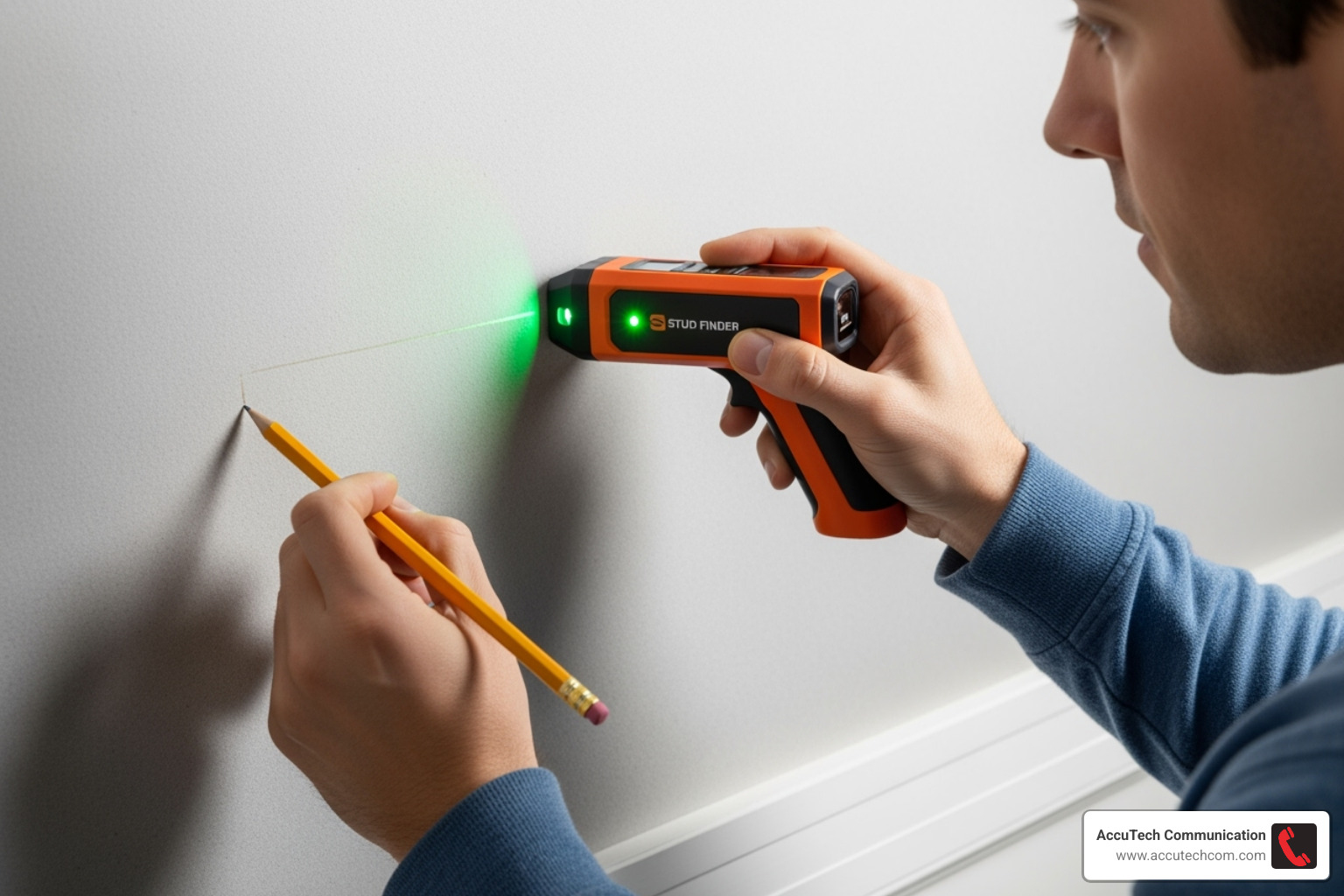
- Locating Framing: Use a stud finder to locate vertical studs and horizontal top and sole plates. Drilling through these plates is almost always necessary for vertical runs.
- Avoiding Obstructions: Never run low-voltage cables in HVAC ducts, as this often violates fire codes. Identify and plan around all existing plumbing and electrical lines.
For more insights into comprehensive network design, refer to our guide on Structured Cabling Systems.
Essential Tools and Materials
Having the right tools is paramount for a safe and efficient installation. Key items include:
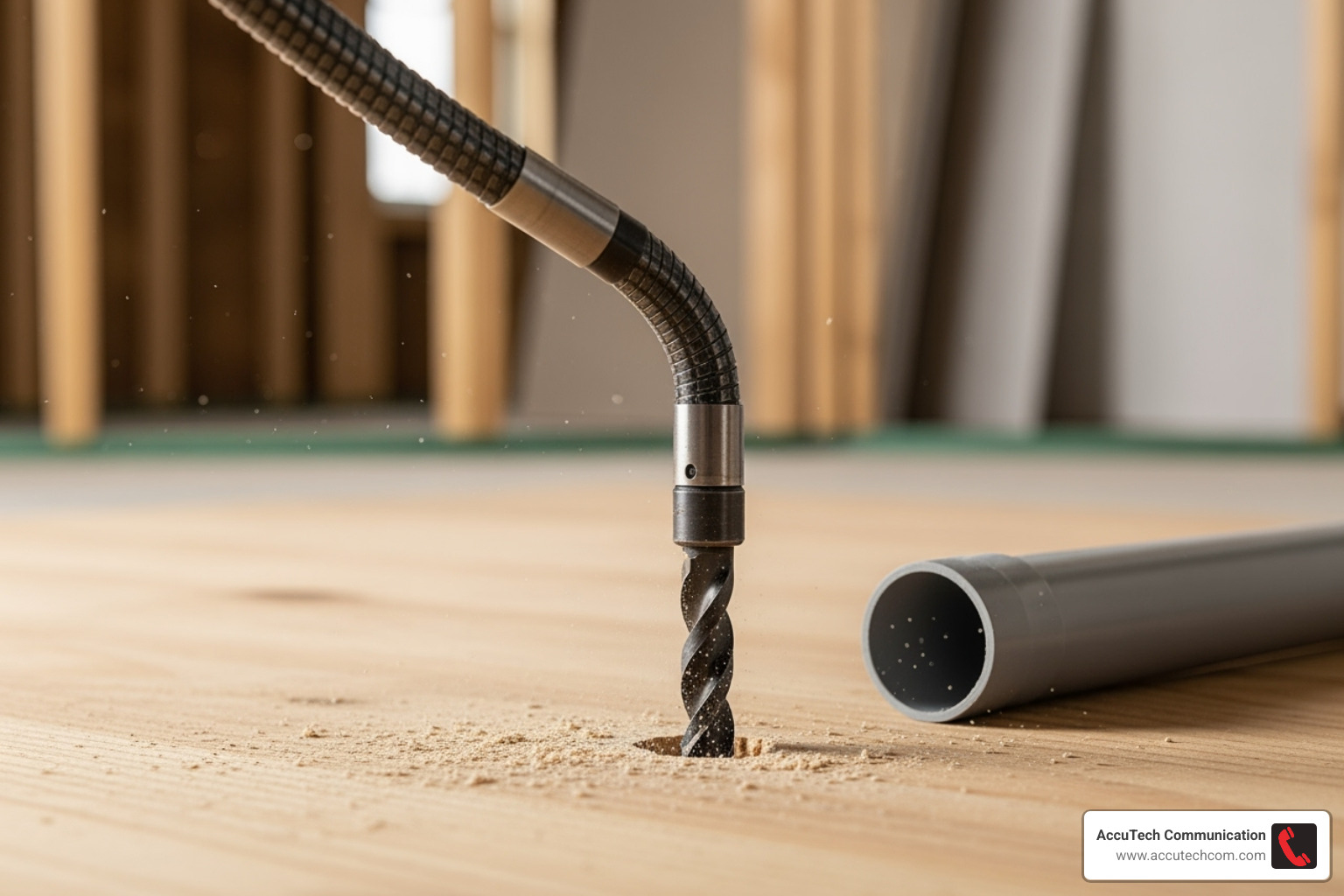
- Power Drill with long auger or flex bits for drilling through framing.
- Fish Tape or Glow Rods for navigating wall cavities and pulling cable.
- Pull String to leave in the conduit for future additions.
- Stud Finder to locate framing and avoid hidden pipes or wires.
- Drywall Saw and Conduit Cutter.
- Personal Protective Equipment (PPE): Safety glasses and gloves are non-negotiable.
- Firestop Caulk or Putty for sealing all floor penetrations.
Choosing the Right Conduit Type
Selecting the appropriate conduit is crucial for durability and code compliance. For vertical runs, riser-rated conduit is often required to meet fire codes.
| Conduit Type | Pros | Cons | Ideal Application |
|---|---|---|---|
| EMT (Metal) | – High impact resistance – Non-combustible – Excellent EMI shielding |
– Heavier and more rigid – Requires special tools for bending |
Commercial/industrial settings and exposed areas requiring high protection. |
| PVC (Plastic) | – Lightweight and cost-effective – Corrosion and moisture resistant – Easy to cut and join |
– Less impact resistant – Can’t be used in extreme heat |
Residential, underground, and corrosive environments. |
| ENT (Flexible) | – Highly flexible and lightweight – Easy to install in tight spaces – Can be bent by hand |
– Offers least physical protection – Not for exposed areas |
Concealed spaces within walls and ceilings where flexibility is key. |
We also offer specialized EMT Piping Services for robust metal conduit installations.
Step-by-Step Guide to Installing Network Cable Conduit Between Floors
With a solid plan and the right tools, you can begin the installation. This process requires precision and patience for a clean, reliable, and future-proof network infrastructure.
Step 1: Mapping and Marking Your Route
Carefully measure and mark the exact spots where the conduit will enter and exit each floor.
- Align Holes: Use a plumb bob to ensure your drill points are vertically aligned between floors, as walls may not be perfectly stacked.
- Plan for Bends: Network cables require gentle bends to protect signal integrity. Use “sweep elbows” (large-radius 90-degree bends) instead of sharp plumbing-style elbows.
- Avoid Obstructions: Use a stud finder to confirm your path is clear of electrical wiring, plumbing, and HVAC ducts. Cross any power lines at a 90-degree angle to minimize interference.
For complex vertical cabling systems like this, understanding the bigger picture of Backbone Cabling is incredibly helpful.
Step 2: Safely Drilling the Vertical Pathway
Drilling through structural elements requires the right tools and a focus on safety.
- Drill Pilot Holes: Start with a small pilot hole to verify your exit point before committing to a larger hole.
- Use Proper Bits: Use long auger or flex bits to drill clean holes through the top and sole plates of the wall framing.
- Clear Debris: Ensure the pathway is free of wood chips or insulation that could snag cables.
- Create Access: Cut wall plate access holes large enough to work comfortably.
Step 3: Installing the Conduit
With the pathway clear, install the conduit.
- Cut and Assemble: Cut conduit sections to length and assemble them with couplers as needed.
- Secure the Conduit: Use straps and clamps to secure the conduit firmly to the building’s structure. This prevents movement during cable pulling and ensures long-term stability.
- Use Sweep Elbows: Always use sweep elbows for turns to prevent cable damage.
For advanced protection and organization of your cabling, AccuTech Communications also offers specialized Innerduct Installation Services.
Step 4: Pulling the Network Cable
This is the final step in creating your new data pathway.
- Use a Pull String: Feed a pull string through the conduit first, then securely attach it to your network cables.
- Use Fish Tape: For longer runs, fish tape helps guide the pull string and cables through the conduit.
- Lubricate if Needed: For tight or long runs, specialized cable lubricant reduces friction and prevents damage to the cable jacket.
- Pull Extra Cable: It’s wise to pull more cables than you currently need to simplify future expansion.
- Avoid Snags: Pull steadily and smoothly. If you feel resistance, stop and investigate to prevent tangles or damage.
Proper pulling technique is vital for performance, complementing the interference resistance provided by Differential signaling.
Fire Safety and Building Code Compliance
Compliance with fire safety regulations is the most critical aspect of installing network cable conduit between floors. It is essential for protecting lives and property and ensuring your network is not a fire hazard.

The Critical Role of Firestopping
Any penetration through a fire-rated floor or wall must be properly firestopped to prevent the spread of fire and smoke. Unsealed holes between floors act like chimneys, allowing flames and toxic gases to travel rapidly, which is a serious code violation.
All gaps around conduits must be sealed with approved materials like fire-rated caulk or putty pads. These materials expand with heat, sealing the opening to maintain the fire barrier. While materials like mineral wool can be used as a fire block, always consult your local inspector for approved firestopping methods and products. For general wiring tips, you can review this guide to wiring your house.
Understanding Cable Ratings and Local Codes
Cable choice is critical for fire safety. Cables are rated based on their fire resistance:
- Plenum (CMP): Required for air-handling spaces (plenums). They have jackets that produce minimal smoke and fumes when burned.
- Riser (CMR): Designed for vertical runs between floors in non-plenum spaces to prevent fire from spreading vertically along the cable.
- General Purpose (CM/CMG): Suitable for horizontal runs on a single floor but not for vertical risers unless enclosed in appropriate conduit.
The National Electrical Code (NEC) provides the standard for safe installations, but local building inspector requirements in Massachusetts, New Hampshire, or Rhode Island are the final authority. Always check local codes and determine if a low-voltage permit is required before starting work.
Addressing Common Installation Challenges
- Misaligned Walls: Walls may not stack perfectly between floors, requiring horizontal conduit runs in ceilings or floors to connect vertical sections.
- Hidden Obstructions: Unexpected pipes or wiring may require rerouting the conduit.
- Pulling Through Occupied Conduit: Adding cables to an existing run can be difficult due to friction and tangling. Cable lubricant is highly recommended.
- Strain Relief: For long vertical runs, proper strain relief at the top and bottom is necessary to support the cable weight and prevent damage.
Frequently Asked Questions about Inter-Floor Conduit
Here are answers to the most common questions we receive about installing network cable conduit between floors.
How big should the conduit be for network cables?
Proper sizing is key to future-proofing your network. A best practice is the 40% fill ratio rule, meaning cables should not occupy more than 40% of the conduit’s internal space. This prevents binding during pulls and leaves room for future additions.
Always plan for future capacity by installing a larger conduit than you currently need. For multi-floor vertical runs (risers), 1-inch to 2-inch conduit is common. A 2-inch conduit can hold a dozen or more Cat6 cables, providing ample space for future growth. Thicker cables like Cat6A require more space, so consult a conduit fill chart for your specific cable type.
Can I run power cables in the same conduit as network cables?
No, absolutely not. Running high-voltage power and low-voltage data cables in the same conduit is a serious safety issue and a code violation in most jurisdictions. Furthermore, power cables create electromagnetic interference (EMI) that can disrupt network signals, leading to slow speeds and data errors.
Always keep power and data cables in separate conduits. If they must cross, they should do so at a 90-degree angle to minimize interference.
Do I need conduit for low-voltage network cable?
While not always mandatory by code for low-voltage cable in residential settings, using conduit is a highly recommended best practice. In commercial buildings, it is often required, especially for vertical runs between floors.
The benefits of protection from physical damage and easy future access for upgrades make conduit a wise investment. It prevents costly wall repairs later and ensures the long-term reliability and expandability of your network infrastructure.
Secure Your Building’s Future with Professional Installation
A properly installed network cable conduit between floors is a permanent asset that adds lasting value to your building’s infrastructure. It is the backbone for your technology, designed to serve you reliably for decades.
While a DIY approach is possible, ensuring compliance with local building codes across Massachusetts, New Hampshire, and Rhode Island requires professional expertise. Each jurisdiction has unique requirements and inspection standards. Improperly sealed floor penetrations can create fire hazards, and poorly planned routes can limit future expansion, leading to costly rework and code violations.
At AccuTech Communications, we have steerd these challenges for businesses and property owners since 1993. Our team understands the nuances of local codes, from specific firestopping methods to the quirks of older New England buildings. We design and install conduit systems that meet today’s needs and anticipate tomorrow’s growth.
The peace of mind from a certified, professional installation is invaluable. When we complete your network cabling installation, you can be confident that every detail is handled correctly—from proper firestopping to optimal conduit sizing.
Invest in an infrastructure that will serve you well into the future. Professional installation ensures your network cable conduit between floors is a reliable foundation for your technology, done right the first time.
