
Network Cable Conduit: 1 Stop Chaos!
Why Network Cable Conduit is Essential for Modern Business Infrastructure
Network cable conduit is a protective tubing system that houses and organizes your Ethernet cables, shielding them from physical damage, moisture, and interference. Here’s what you need to know:
What it is:
- Protective tubing (PVC, metal, or flexible) that encases network cables
- Available in various sizes from 1/2-inch to 4-inch diameter
- Acts as a highway system for your data cables
Why businesses use it:
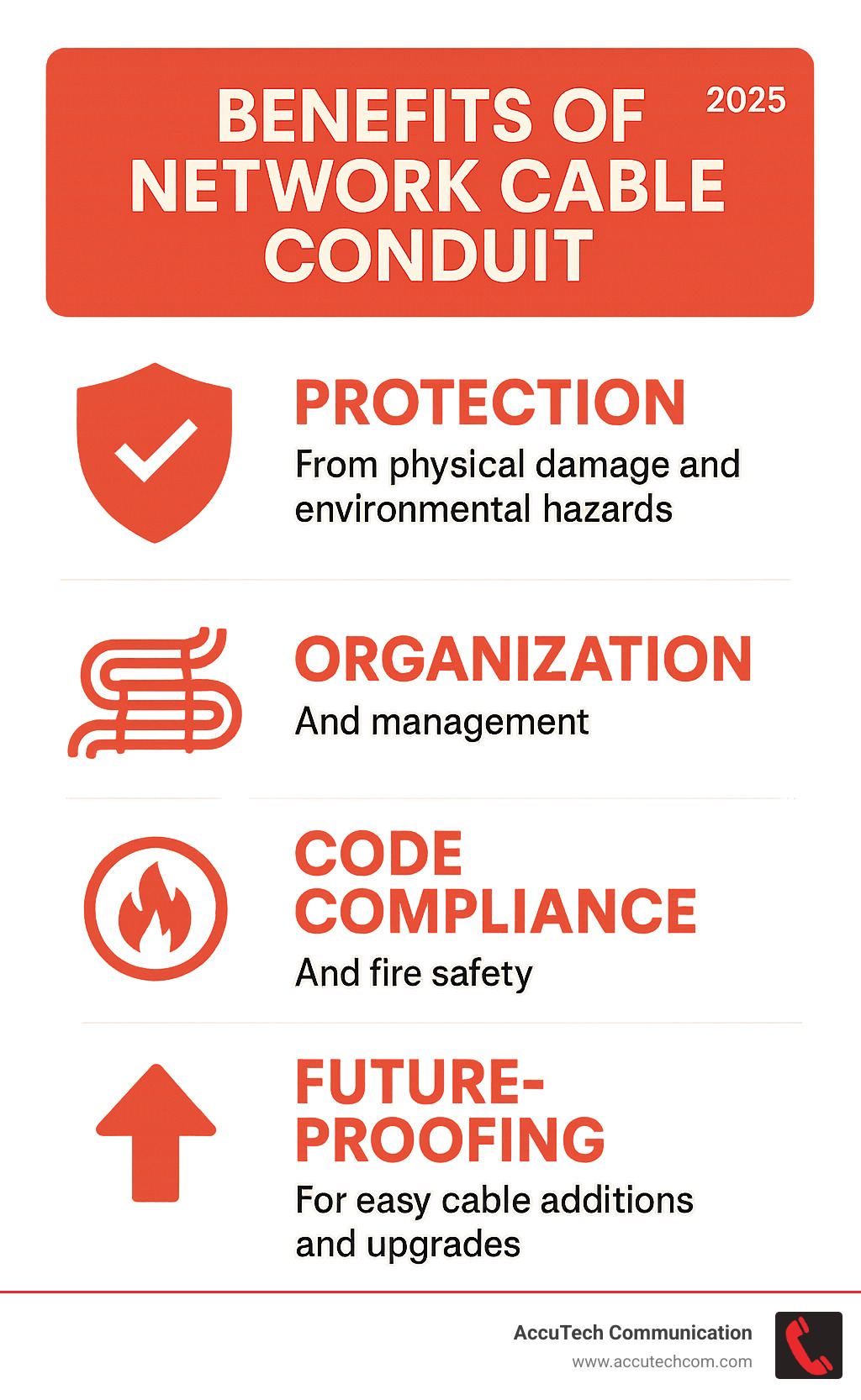
- Protection – Shields cables from damage, moisture, and rodents
- Organization – Keeps cables neat and prevents tangling
- Safety – Meets fire codes and separates low-voltage from power lines
- Future-proofing – Makes adding new cables easy without tearing up walls
Common applications:
- Outdoor security camera installations
- Connecting separate buildings
- Underground cable runs
- Areas prone to physical damage or vandalism
If you’ve ever seen a messy tangle of cables behind a server rack or worried about exposed wiring getting damaged, conduit solves these problems. As one forum user noted about their outdoor camera installation: “Running in conduit will make it so much easier for this old goat to quickly get the wiring in place.”
The real question isn’t whether you can run cables without conduit – it’s whether you should. For most business applications, especially those requiring reliable uptime, conduit transforms cable chaos into organized, protected infrastructure.
I’m Corin Dolan, owner of AccuTech Communications, and I’ve been installing network cable conduit systems across Massachusetts, New Hampshire, and Rhode Island for over 30 years. From healthcare facilities requiring zero downtime to manufacturing plants with harsh environments, proper conduit selection and installation is critical for long-term network reliability.
What is Network Cable Conduit and Why Do You Need It?
Think of network cable conduit as armor for your cables. It’s a protective tube that wraps around Ethernet and other low-voltage cables, keeping them safe. Its main purpose is to protect cables from physical damage, moisture, UV rays, and even vandalism.
Physical protection is the most obvious benefit. Cables in walls, underground, or across ceilings are vulnerable to damage from construction, building settlement, or accidents. Conduit provides a crucial shield. For outdoor installations, moisture protection is critical. Properly sealed conduit creates a watertight environment, extending the cable’s life. Conduit also provides UV resistance, acting like sunscreen for outdoor cables and preventing their jackets from cracking over time. For security, metal conduit helps prevent vandalism by making it much harder to cut camera cables.
Common applications where conduit is essential include:
- Outdoor security cameras: Running Power over Ethernet (PoE) cables in conduit protects your investment and ensures reliability.
- Connecting buildings: Underground conduit protects against rocks, ground movement, and rodents.
Crucially, conduit future-proofs your network. It creates a permanent pathway, making it easy to pull new cables for future upgrades without tearing into walls. For more detailed information about planning your cable infrastructure, check out our Cable Infrastructure services.
Key Benefits of Using Conduit
Beyond protection, network cable conduit delivers benefits that impact your business operations:
- Cable Organization: Neat, organized cables are easier to trace, troubleshoot, and maintain.
- Simplified Upgrades: Instead of tearing into walls, you can pull new cables through existing conduit, saving time and money.
- Increased Safety: Conduit eliminates tripping hazards from exposed cables and keeps workspaces professional.
- Fire Code Compliance: Properly sealed conduit penetrations prevent the spread of fire and smoke between floors, a non-negotiable requirement in commercial buildings.
- Separation from Power Lines: Running data cables alongside electrical wires can cause interference. Metal conduit provides excellent electromagnetic interference (EMI) shielding when needed.
- Improved Network Reliability: Protected cables last longer and perform better, which means less downtime for your business.
For more information about our professional low-voltage installation services, visit our Low Voltage Cabling page.
Choosing the Right Type of Network Cable Conduit
Choosing the right network cable conduit is critical. The ideal choice depends on the installation environment, the level of protection needed, and your budget. While cost is a factor, opting for the cheapest solution can lead to more expensive problems like damaged cables and network downtime. We always consider if the installation is indoors or outdoors, underground or above ground, and if it will face physical abuse.
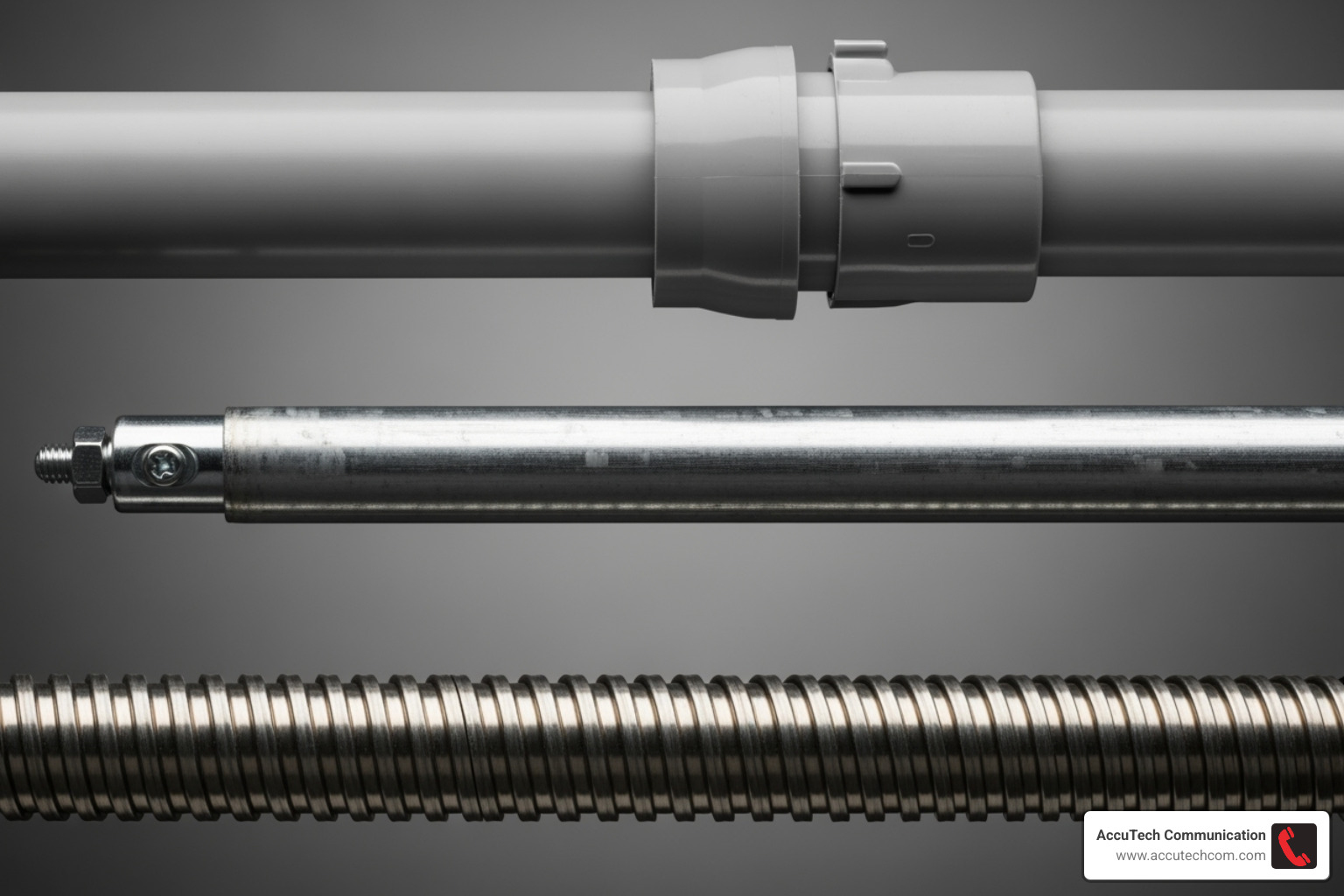
Here’s how the three main types stack up:
| Feature | PVC (Polyvinyl Chloride) Conduit | Metal Conduit (EMT – Electrical Metallic Tubing) | Flexible Conduit (ENT – Electrical Nonmetallic Tubing) |
|---|---|---|---|
| Cost | Low | Medium | Low to Medium |
| Durability | Good (corrosion, moisture) | Excellent (physical impact, fire) | Good (flexible, but less physical protection) |
| Ease of Installation | Very Easy (lightweight, cuts easily, glues) | Moderate (requires bending tools, more rigid) | Very Easy (bends easily, lightweight) |
| EMI Shielding | None (no reflection issues) | Excellent | None |
| Best Use Case | Residential, light commercial, underground, wet areas | Commercial, industrial, high physical impact, fire-rated areas | Tight spaces, frequent bends, existing structures |
PVC (Polyvinyl Chloride) Conduit
PVC conduit is a cost-effective and versatile choice, ideal for most residential and light commercial jobs. It’s lightweight and easy to install; it can be cut with a regular saw and joined with solvent cement. A key advantage for network cables is that non-metallic PVC doesn’t cause electromagnetic interference (EMI). It’s also resistant to moisture and chemicals, making it perfect for underground runs. For detailed guidance on underground installations, check out our guide on how to install underground electrical conduit.
Metal Conduit (EMT)
When maximum protection is needed, we use metal conduit like EMT (Electrical Metallic Tubing). We recommend EMT for commercial and industrial settings like warehouses, where cables face physical threats. Its fire resistance is also crucial for meeting commercial building codes. The inherent EMI shielding of metal conduit is beneficial in electrically noisy environments. While more expensive and requiring specialized tools, EMT is the best choice for maximum protection. For comprehensive commercial installations, you can learn more about our EMT Piping Services.
Flexible Conduit (ENT)
Flexible conduit, or ENT (Electrical Nonmetallic Tubing), also known as “smurf tube,” is the solution for installations with many obstacles or tight corners. It’s lightweight and bends easily without special tools, making it perfect for navigating around existing pipes or through cramped spaces in older buildings. While it offers less physical protection than metal, its flexibility simplifies difficult routing, often resulting in a faster installation.
How to Determine the Correct Conduit Size and Fill Capacity
Choosing the correct conduit size is critical. Undersizing conduit can lead to damaged cables and impossible installation pulls. The industry standard is the 40% Rule from the National Electrical Code (NEC), which dictates that cables should fill no more than 40% of the conduit’s internal area.
This remaining 60% isn’t wasted space. It’s essential for:
- Heat Dissipation: Power over Ethernet (PoE) cables generate heat. The extra space allows air to circulate, preventing heat buildup that can degrade network performance and cause premature cable failure.
- Preventing Cable Damage: The space keeps pulling tension below the 25-pound limit for Ethernet cables, protecting the delicate twisted pairs inside.
- Future-Proofing: Leaving space simplifies future expansion. Sizing up your conduit from the start is a smart investment for when you need to add more cameras, access points, or other devices.
For comprehensive planning that accounts for future growth, explore our Structured Cabling Services.
A Practical Guide to Sizing Your Network Cable Conduit
Here are some practical sizing guidelines for network cable conduit:
- For a single Cat6 cable, a 1/2-inch conduit works fine.
- When you need two Cat6 cables, step up to 3/4-inch conduit. While you might fit them in 1/2-inch, the pull will be difficult.
- Planning for three to four cables? Go with 1-inch conduit to avoid headaches.
- Working with Cat6a cables? These are thicker, so always size up from what you’d use for regular Cat6.
Always remember: oversizing conduit is a small upfront cost that saves significant labor expenses during future network expansions. It’s much cheaper to install the right size conduit once than to run new conduit later.
A Step-by-Step Guide to Installation
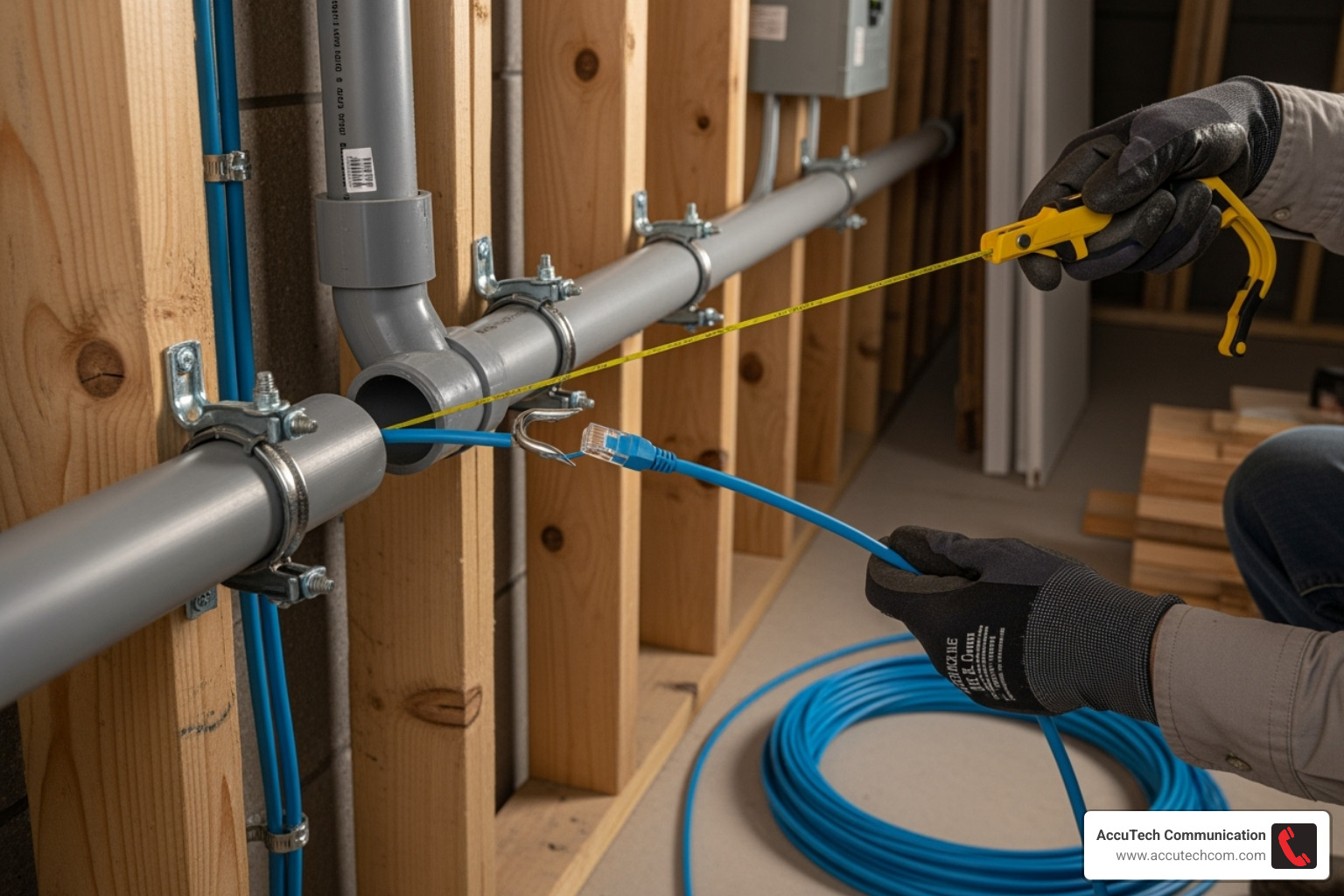
Properly installing network cable conduit is a methodical process. Like building a highway for your data, careful planning is the key to a reliable system that lasts for years.
Step 1: Plan Your Route and Gather Materials
First, plan your route. Sketch the entire path, noting all turns and obstacles. Measure the path, adding 10% extra conduit for adjustments, and plan for sweeping bends instead of sharp 90-degree turns. Gather your materials: the conduit, fittings (couplers, elbows), mounting straps, fish tape, cable lubricant, a pipe cutter, and your network cable.
Step 2: Assemble and Secure the Conduit
Next, assemble the conduit. Cut sections to your measured lengths and deburr the cut edges to prevent them from slicing the cable jackets. Join PVC sections with solvent cement and metal conduit with the appropriate couplings. Secure the conduit with mounting straps every 10 feet and within 3 feet of any fitting. This prevents sagging, which can stress cables. For long or complex runs, use pull boxes (LBs) to break up the pull into manageable segments.
Step 3: Pull and Terminate the Cables
Now, pull the cable. Feed the fish tape through the completed conduit. Securely attach the cables to the fish tape, staggering them if pulling multiple cables. Apply cable lubricant generously to the cables before pulling to make the process smooth.
Pull with steady, consistent tension. If you feel significant resistance, stop and investigate the cause to avoid damaging the cable. Once pulled, terminate the cables using TIA 568A or 568B standards. Clean, properly crimped connections are essential for performance, even with modern Ethernet’s differential signaling. Finally, test every connection with a cable tester to catch any issues.
Best Practices for a Flawless Installation
Getting your network cable conduit installed properly is only half the battle – the real magic happens when you follow the professional practices that separate a good installation from a great one. After three decades of installations across New England, I’ve learned that these details make all the difference between a system that works and one that works flawlessly for years to come.

Best Practices for Network Cable Conduit Installation
- Pull a pull string: Always pull a durable string along with your initial cable run. This makes adding cables in the future incredibly easy.
- Manage your bends: The NEC allows a maximum of 360 degrees of bends between pull points, but for easier pulling, we recommend limiting runs to two 90-degree bends per 100 feet. Use sweeping bends instead of sharp elbows whenever possible to reduce cable stress.
- Seal penetrations: Any conduit passing through a fire-rated wall or floor must be sealed with firestop materials to prevent the spread of fire and smoke, as required by building codes.
- Account for temperature expansion: For outdoor PVC runs, use expansion joints on long runs to prevent the conduit from buckling in the heat or pulling apart in the cold.
- Support the conduit properly: Secure horizontal runs at least every 10 feet and within 3 feet of fittings to prevent sagging.
- Separate data and power cables: Running them in the same conduit violates safety codes and can degrade network performance. If they must run parallel, keep them in separate conduits.
- Adhere to NEC guidelines: Following the National Electrical Code ensures your installation is safe, legal, and reliable.
These practices ensure a professional-grade infrastructure that will serve your business reliably for decades.
Frequently Asked Questions about Network Cable Conduit
After three decades of installing network cable conduit systems across New England, here are the answers to the questions we hear most often.
How many Cat6 cables can fit in a 3/4-inch conduit?
Following the 40% fill rule, you can comfortably fit 2 to 4 Cat6 cables in a 3/4-inch conduit. In our experience, two Cat6 cables is the sweet spot. This allows for an easy pull and leaves room for heat dissipation. While you might physically squeeze in more, it makes pulling difficult and risks damaging the cables. For four or more cables, we strongly recommend upgrading to 1-inch conduit.
Should I use metal or PVC conduit for my Ethernet cables?
The choice depends on your environment. Use PVC for most residential and light commercial indoor applications, as it’s inexpensive, easy to work with, and won’t cause electromagnetic interference (EMI). Use metal conduit (EMT) for industrial settings, high-traffic areas, or where fire codes demand superior physical and fire protection. Metal’s EMI shielding can also be an advantage in electrically noisy environments.
Do I need conduit for outdoor Ethernet cable runs?
Yes. While you can use direct-burial cable without it, conduit is highly recommended for all outdoor runs. It provides crucial protection from shovels, rocks, and rodents. The key benefit is future serviceability; instead of digging up your yard to replace a damaged cable, you can simply pull a new one through the existing conduit. It also protects cables from long-term damage from UV rays and moisture, extending the life of your network.
Conclusion
Properly installed network cable conduit is not just an accessory; it’s the foundation of a reliable, organized, and future-proof network. Just as you protect electrical wiring in a building, your business’s digital lifeline deserves the same.
Conduit provides three key advantages:
- Protection: It keeps your cables safe from physical damage, moisture, and rodents.
- Organization: It eliminates cable spaghetti and tangled messes.
- Future-proofing: It simplifies later upgrades without costly demolition.
Whether you choose budget-friendly PVC for an office or robust metal conduit for an industrial environment, the investment pays dividends in reliability and peace of mind. Proper sizing, correct installation techniques, and adherence to code are all critical for a successful project.
For complex projects or to ensure certified, code-compliant results for your business in Massachusetts, New Hampshire, or Rhode Island, the professional technicians at AccuTech Communications are ready to help. We’ve been protecting and organizing network infrastructure since 1993, and we know how to build systems that last. Learn more about our Structured Cabling Services and let us help you create a network foundation that truly supports your business goals.
