
Why Pulling Network Cable Through Conduit Matters for Your Business
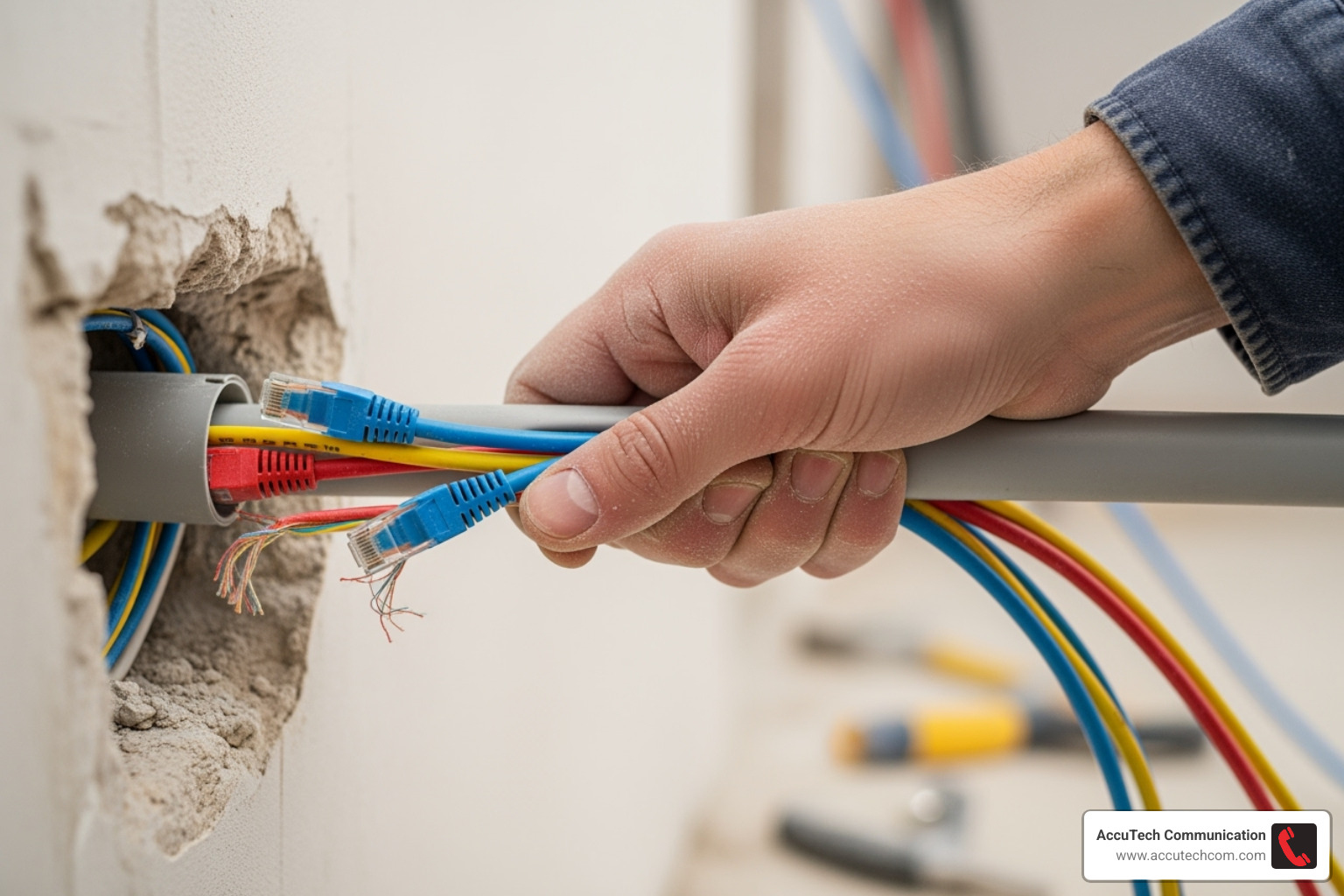
Pulling network cable through conduit is the backbone of professional network installations, protecting your valuable data infrastructure from physical damage, moisture, and electromagnetic interference. Whether you’re upgrading an existing system or building new infrastructure, understanding the proper techniques can save you time, money, and frustration.
Quick Answer for Pulling Network Cable Through Conduit:
- Choose your method – Fish tape for short runs, vacuum method for long runs with bends
- Prepare properly – Inspect conduit, measure cable with 10% extra length, gather tools
- Use lubricant – Apply cable-pulling lubricant to reduce friction and prevent damage
- Pull steadily – Maintain consistent tension, avoid jerky movements
- Work in pairs – One person feeds cable, another pulls from opposite end
- Leave pull string – Always pull a new string for future cable additions
The process involves selecting the right conduit type (PVC for most applications, metal for EMI protection), choosing appropriate network cable (Cat6 for most business needs, Cat6a for higher performance), and following proper pulling techniques to avoid damage. Success depends heavily on preparation and using the correct tools.
For conduit runs longer than 100 feet or those with multiple bends, consider using pull boxes every 100 feet to make the job manageable. Never exceed 40% conduit fill to ensure easy pulls and proper heat dissipation.
I’m Corin Dolan, owner of AccuTech Communications, and I’ve been helping businesses across Massachusetts, New Hampshire, and Rhode Island with their network infrastructure needs since 1993. My team and I have extensive hands-on experience with pulling network cable through conduit in everything from healthcare facilities to manufacturing plants, ensuring reliable connectivity that meets industry standards.
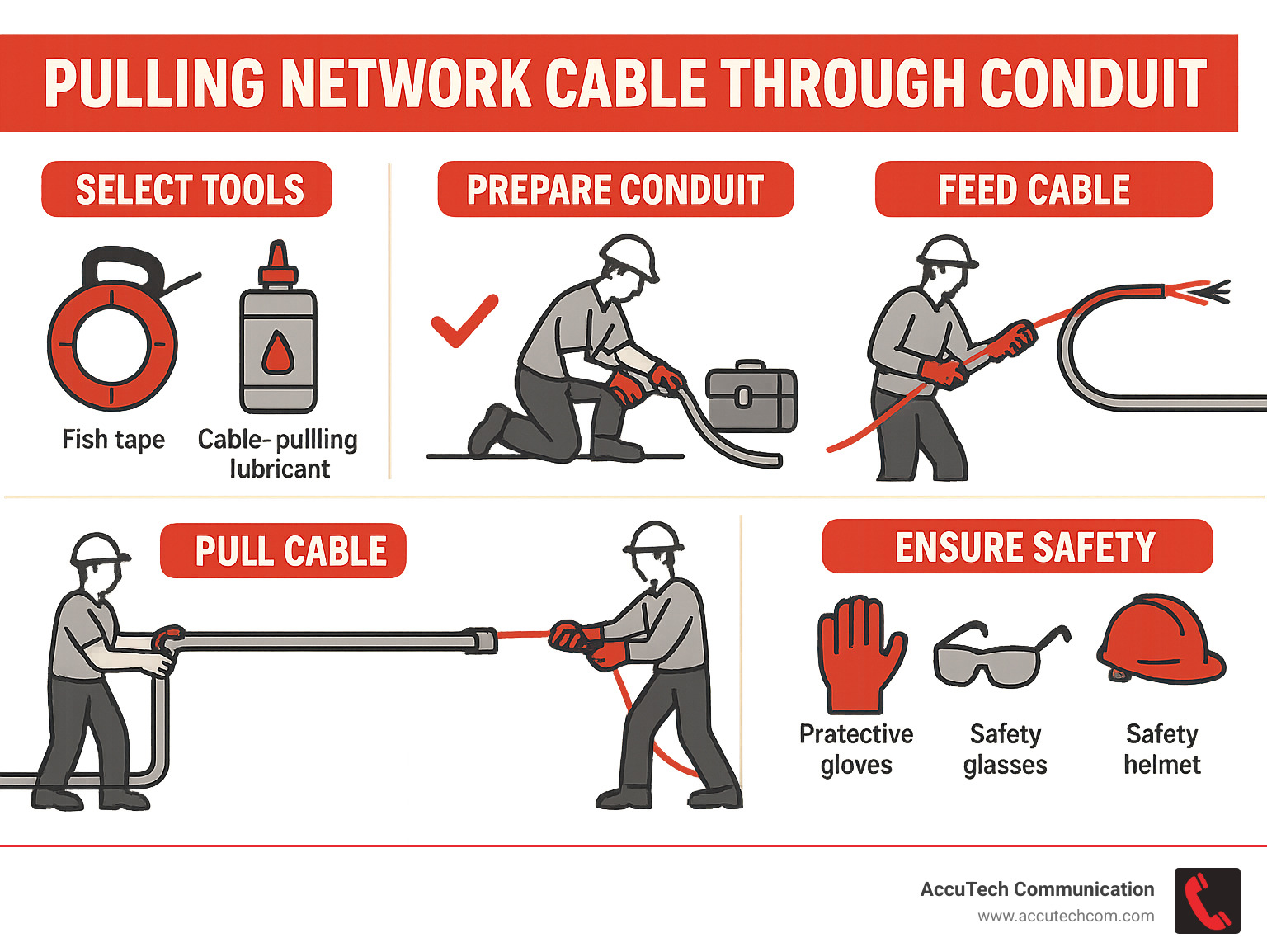
Simple pulling network cable through conduit word guide:
Pre-Pull Essentials: Planning Your Conduit and Cable Run
Before touching a cable, meticulous planning is paramount. This phase of pulling network cable through conduit focuses on understanding why we use conduit, picking the right cable and conduit types, and preparing for future needs.
Why Use Conduit for Network Cables?
You might wonder, “Why go through the trouble of pulling network cable through conduit?” The answer lies in the protection and long-term benefits it provides for your network infrastructure.
Physical Protection: Conduit shields delicate network cables from accidental cuts, crushing, and other physical damage. This is critical in busy commercial areas, construction zones, or anywhere cables might be exposed to machinery.
Moisture and Chemical Resistance: PVC and other conduit types are excellent at resisting moisture and chemicals. This prevents water intrusion that can degrade cable performance or cause system failure, especially for outdoor or underground installations.
EMI Shielding (Electromagnetic Interference): Metal conduits, like Electrical Metallic Tubing (EMT), help block electromagnetic interference (EMI) from nearby power lines or electrical equipment. This ensures cleaner data signals and more reliable data transmission.
Code Compliance: In many commercial settings, local and national electrical codes (like the NEC) mandate the use of conduit for low-voltage cabling runs, particularly inside walls, ceilings, or underground, to ensure safety.
Organization and Aesthetics: Conduit provides a neat and organized pathway for your cables, improving the overall look of the installation and simplifying maintenance and troubleshooting.
Easy Upgrades and Future-Proofing: This is a major benefit. By installing conduit with a pull string inside, you can easily add or upgrade cables in the future without disruptive construction, saving significant time and money.
Choosing the Right Network Cable for Conduit
The type of network cable you choose directly impacts your network’s performance and longevity. When pulling network cable through conduit, consider these factors:
Category (Cat6, Cat6a, Fiber Optic):
- Cat6: The standard for most modern business networks, supporting speeds up to 1 Gbps over 100 meters. It’s a reliable workhorse for typical office needs.
- Cat6a: For higher performance needs, like 10 Gbps over 100 meters, Cat6a is the choice. It’s thicker and less flexible than Cat6 due to improved shielding, which must be factored into conduit sizing.
- Fiber Optic: For distances over 275 feet or when maximum speed and immunity to electrical interference are required, fiber optic cable is the solution. It’s ideal for connecting buildings or running near heavy machinery. We can help you determine your needs with our What Is A Network Cable services.
Environmental Ratings (Outdoor-Rated, Direct Burial):
- Outdoor-Rated (CMX): These cables have UV- and moisture-resistant jackets, essential for any outdoor runs, even within conduit.
- Direct Burial: For underground installations, this cable has extra water-resistant features, like a gel filling or water-blocking tape, to protect against inevitable moisture in underground conduits.
Shielded (STP) vs. Unshielded (UTP):
- UTP (Unshielded Twisted Pair): The most common type for indoor use. It’s flexible and sufficient for most environments without significant EMI.
- STP (Shielded Twisted Pair): Features an extra foil or braid shield. We recommend STP in areas with high EMI (near large motors or fluorescent lights) or for aerial runs between buildings. STP requires proper grounding.
For more on outdoor solutions, see our Outdoor Network Cable guide.
Selecting the Best Conduit for the Job
Choosing the right conduit material and size is critical for an easy pull and a durable installation.
You’ll typically choose between PVC (plastic) and Metal (like EMT). PVC conduit is affordable, lightweight, and easy to install without special tools. It’s also corrosion-resistant, making it ideal for underground or wet locations. Metal conduit (EMT) is tougher and offers superior impact resistance and EMI shielding. It’s the preferred choice for commercial or industrial settings where physical protection is paramount.
Conduit Sizing: This is crucial. We follow the National Electrical Code (NEC) guideline of a 40% fill ratio. This means cables should not occupy more than 40% of the conduit’s internal space. This reduces friction, prevents overheating, and leaves room for future cable additions. A slightly larger conduit is a wise investment. For example, a 3/4-inch PVC conduit is a good choice for two Cat6 cables.
Bend Radius: Sharp bends are the enemy of a smooth cable pull.
- Try to limit any single run to two 90-degree bends.
- The NEC allows a maximum of 360 degrees of bends between pull points, but we recommend staying between 180-270 degrees for easier pulls.
- Always use gradual “sweep” bends instead of sharp elbows to reduce friction and stress on the cables.
Planning for Longevity: For durable underground installations, our Underground Electrical Conduit solutions are built to last.
Gearing Up: Tools and Materials for the Pull
Successfully pulling network cable through conduit requires the right tools. Having quality equipment on hand turns a potentially frustrating job into a smooth, professional one.
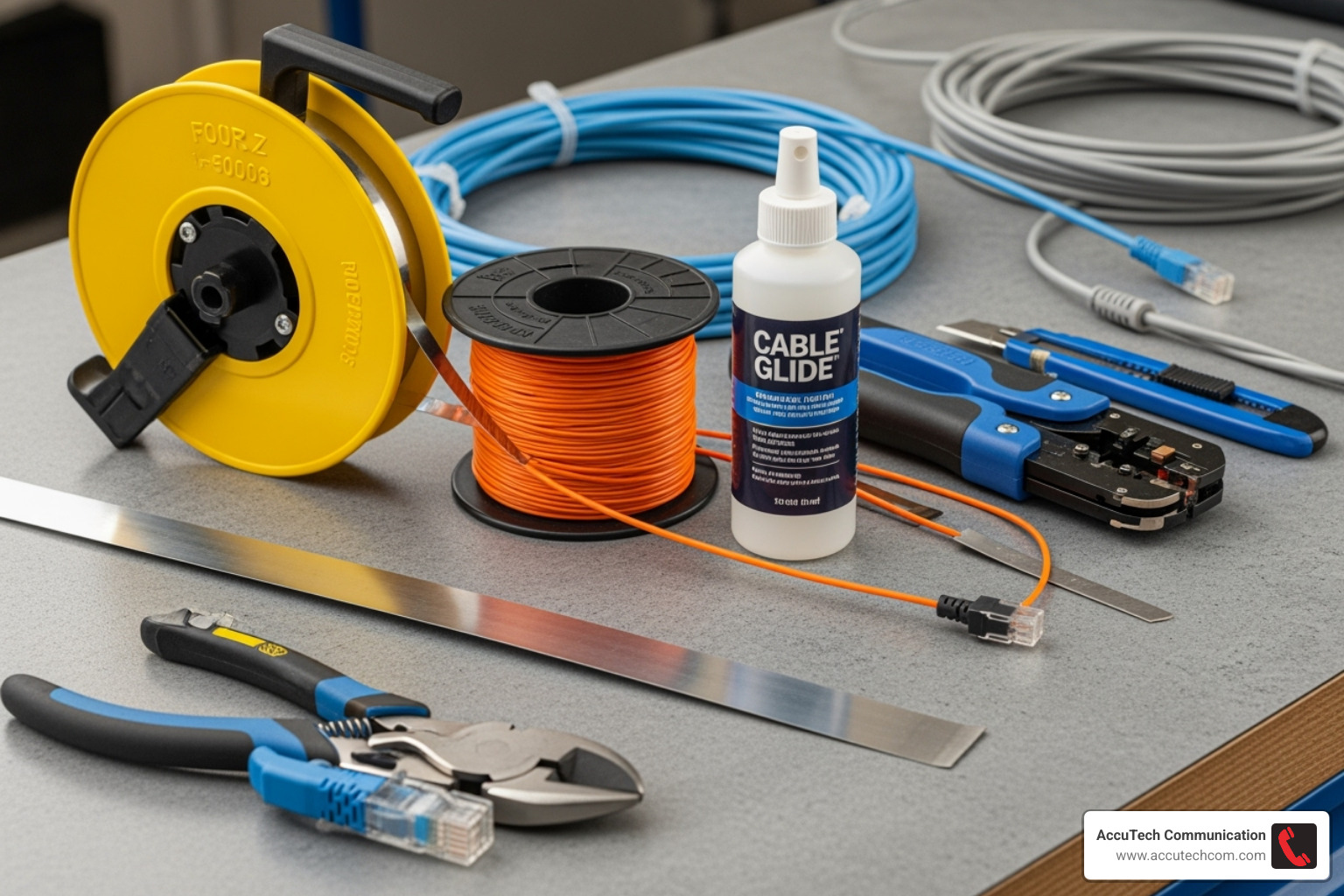
Essential Pulling Tools
The right tools make all the difference in a cable pull.
- Fish Tape: A flexible metal or fiberglass wire (non-conductive fiberglass is safer) used to steer the conduit and pull the cable through.
- Pull String or Mule Tape: For longer or more complex runs, a strong nylon Pull string/Mule tape is essential. We always leave an extra string in place for future additions.
- Conduit Mouse and Vacuum/Blower: This method uses a foam piston (mouse) attached to a pull string, which is then sucked or blown through the conduit with a shop vacuum or compressed air. It’s highly effective for long runs with bends.
- Cable Pulling Lubricant: This non-conductive gel is essential for reducing friction and preventing damage to the cable jacket. Apply it liberally as the cable enters the conduit. Never use household lubricants, as they can degrade the cable insulation.
- Pulling Grips and Attachment Methods: Use a secure knot or specialized pulling grips to attach the cable(s) to the pull string. For multiple cables, stagger their ends and tape them into a smooth, tapered shape to prevent snags.
Cabling and Termination Supplies
After pulling network cable through conduit, you’ll need these supplies to complete the installation.
- Network Cable: Choose Cat6, Cat6a, or fiber optic based on performance needs and environment (e.g., outdoor-rated).
- Keystone Jacks: These modular connectors terminate the cable at wall plates or patch panels, creating clean, professional connection points.
- Patch Panel: A centralized panel where all keystone jacks are mounted, simplifying connections to network switches and future changes.
- RJ45 Connectors: Used for terminating cables that plug directly into devices.
- Essential Hand Tools: A cable stripper for clean jacket removal, a punch-down tool for seating wires into keystone jacks, and a crimper for attaching RJ45 connectors.
- Network Tester: A crucial tool to verify continuity, correct wiring (wiremap), and performance after termination. A professional tester like a Fluke MicroScanner² can save hours of troubleshooting.
Investing in quality tools ensures a professional result and saves time.
The Main Event: A Step-by-Step Guide to Pulling Network Cable Through Conduit
This is where preparation meets execution. Pulling network cable through conduit requires patience, precision, and teamwork.
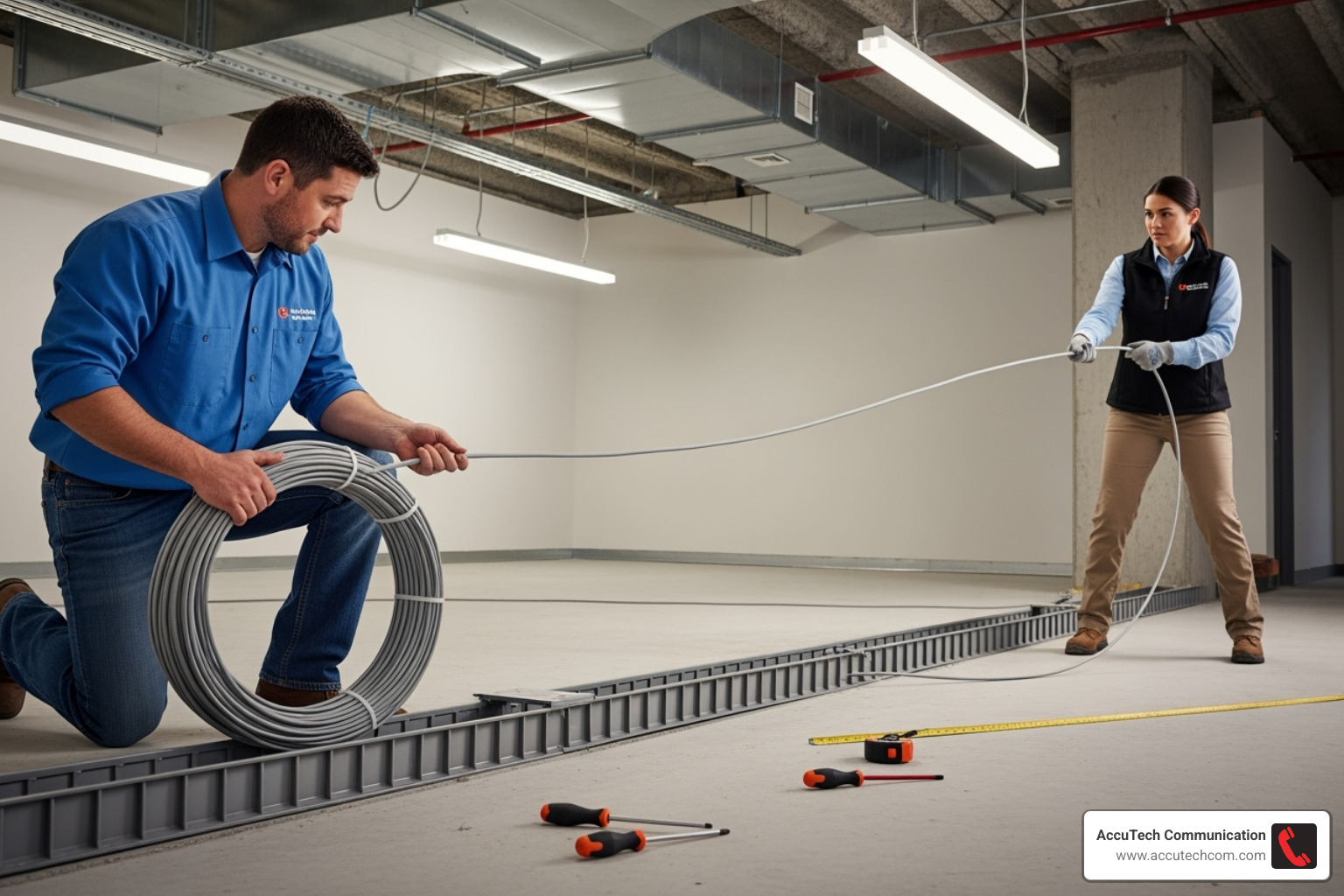
Step 1: Preparing the Conduit and Cable
A smooth pull starts with good preparation.
- Inspect the conduit at both ends for any debris or obstructions. A clear path is essential.
- Deburr the conduit ends after cutting to remove sharp edges that can damage cable jackets. Install bushings for a smooth entry point.
- Measure your cable length, adding extra for service loops (about two feet at each end) and for bends (about one foot per 90-degree bend). The most expensive cable is one that’s too short.
- Set up your cable spool on a reel jack so it can unwind smoothly without tangling.
Step 2: Choosing Your Method for pulling network cable through conduit
Select the right technique for the job.
- Fish Tape Method: Ideal for most standard runs. Push the fish tape through the conduit, attach the cable securely, and pull it back.
- Vacuum/Blower Method: Best for long runs or those with multiple bends. Use a shop vacuum or compressed air to move a conduit mouse (with a pull string attached) through the pipe. Use the string to pull in a stronger mule tape, and then the cable.
- Using Existing Wire: If there’s an old, unused cable in the conduit, you can use it as a pull string. Attach your new cable and a new pull string to the old one, and pull it all through.
For complex installations, our Innerduct Installation Services can provide additional organization and protection.
Step 3: Executing the Pull and Avoiding Damage
Technique and teamwork are key to a successful pull.
- Secure your cable attachment to the pull string. Use a proper knot, like a clove hitch, and wrap the connection with electrical tape to create a smooth, snag-free “torpedo” shape. This video on how to tie cable to a pull string offers a good demonstration.
- Stagger multiple cables by taping their ends at different points along the pull string. This creates a tapered bundle that moves more easily through the conduit.
- Apply cable lubricant liberally as the cable enters the conduit. This is not the place to be stingy; good lubrication is critical for reducing friction and preventing jacket damage.
- Maintain steady, consistent tension during the pull. Avoid jerky movements, which can stress the cable or cause snags. If you feel significant resistance, stop and investigate the cause.
- Communicate with your partner. The person feeding the cable and the person pulling must work in sync to prevent binding and damage.
- Leave a new pull string for the future. This is a hallmark of professional installation. As you pull your cable, pull a new mule tape or string along with it. Secure it at both ends. This simple step makes future upgrades infinitely easier.
Post-Pull: Termination, Testing, and Final Touches
You’ve successfully pulled the cable, but the job isn’t done. Proper termination and testing are crucial to turn that hard work into a reliable, high-performing network connection.
Terminating Your Network Cable
Termination is how the raw cable connects to your network equipment. It must be done correctly.
- Wiring Standards: We follow T568A or T568B wiring standards. The key is to use the same standard on both ends of a cable run for proper communication.
- RJ45 Connectors: For direct connections to devices, we use RJ45 connectors. This involves stripping the cable, arranging the wires in the correct order, and using a crimper to secure the connector.
- Keystone Jacks and Patch Panels: For structured cabling, we prefer Keystone Jacks. The cable’s conductors are “punched down” into color-coded slots on the jack. These jacks then snap into a Patch Panel, which acts as a central hub for all your network drops. This creates a clean, organized, and easily managed system. Learn more about our professional Data Cable Installation process.
The Final Check: Testing for Success
Testing after pulling network cable through conduit is a non-negotiable step. It verifies that your installation is functional and performs to standard.
- Continuity Test: A basic check to ensure all eight conductors inside the cable have an unbroken connection from end to end.
- Wiremap Verification: This critical test confirms that the wires are connected in the correct order at both ends according to the T568A/B standard. Incorrect wiring is a common cause of network problems.
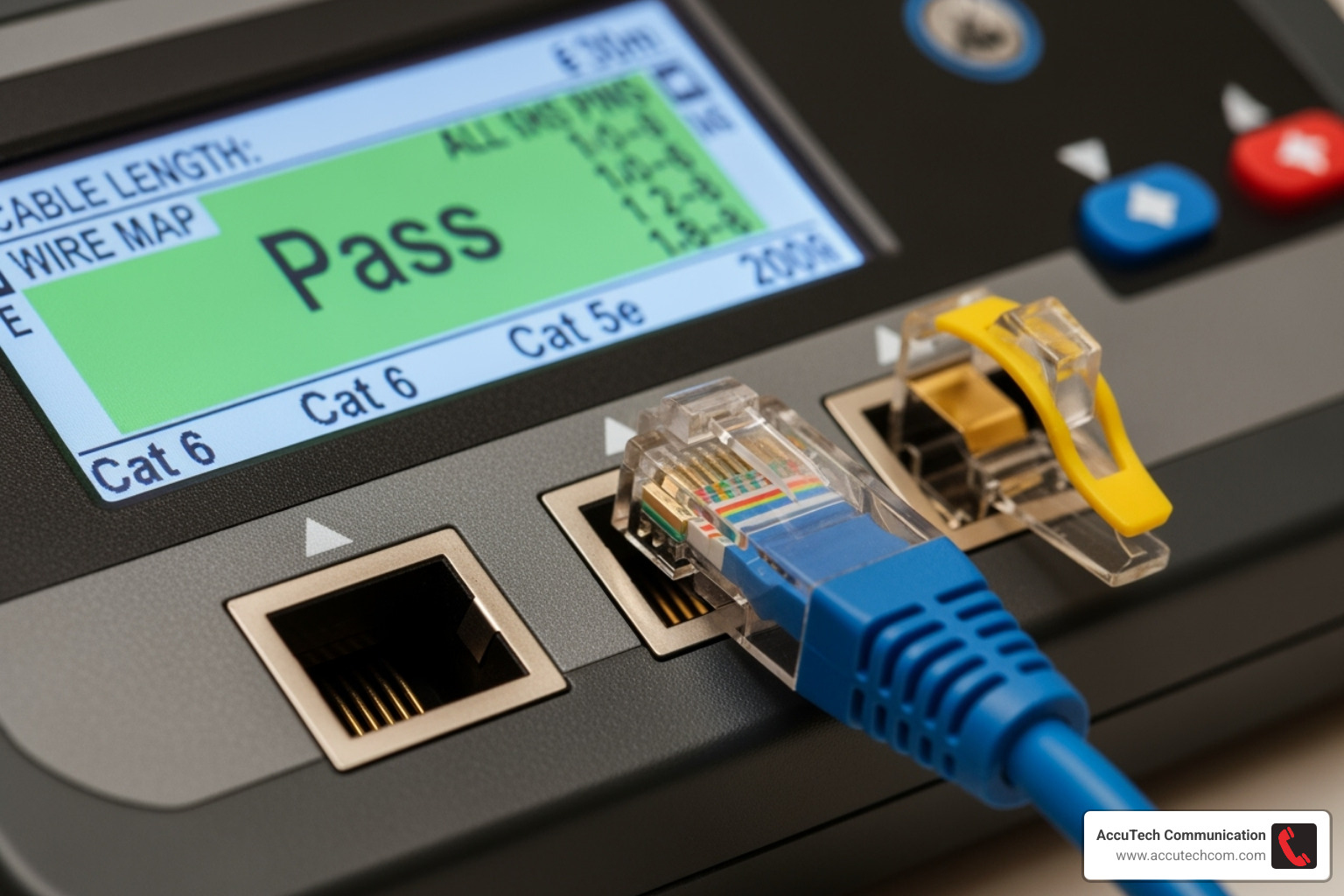
- Cable Certification: For professional installations, we use advanced Cable Certifiers. These tools measure cable length, verify the wiremap, and test for performance metrics like signal integrity and crosstalk. A “Pass” result from a certifier guarantees the quality of the installation.
If a test fails, the certifier helps diagnose the problem (e.g., a poor termination or a kink in the cable), allowing for a quick fix. A successful test confirms your cable is ready for reliable service. For end-to-end robust network infrastructure, explore our Structured Cabling Services.
Frequently Asked Questions about Pulling Network Cable Through Conduit
Over our decades of experience, we’ve answered many questions about pulling network cable through conduit. Here are some of the most common ones.
Can you run power and network cables in the same conduit?
The short answer is no. It is generally against National Electrical Code (NEC) regulations for safety reasons. More importantly for your network’s health, power cables generate electromagnetic interference (EMI) that can disrupt data signals, leading to slow speeds, data errors, and dropped connections. Always use separate conduits for high-voltage electrical lines and low-voltage data cables to ensure safety and performance.
How many 90-degree bends can you have in a conduit run?
The National Electrical Code (NEC) limits a single conduit run to a total of 360 degrees of bends between pull points (e.g., four 90-degree bends). However, for a much easier pull that protects the cable from stress, we strongly recommend limiting total bends to 180-270 degrees whenever possible. Using long, sweeping bends instead of sharp 90-degree elbows is also a best practice, as it significantly reduces friction. For runs with unavoidable bends, installing intermediate pull boxes breaks the pull into shorter, more manageable sections.
Do I need to use lubricant for pulling network cable through conduit?
While you might manage without it on a very short, straight run with a single cable, our professional advice is yes, absolutely use it. Cable-specific lubricant dramatically reduces friction, which makes the pull significantly easier and, most importantly, prevents damage to the cable jacket. A frayed or torn jacket can compromise the cable’s performance and lifespan. Using lubricant is a small step that prevents major headaches and is essential for a professional installation.
Your Blueprint for a Flawless Network Connection
You’ve made it! After planning, gearing up, and executing the pull, you now understand that pulling network cable through conduit is so much more than just threading wire through a tube. It’s truly an investment in your business’s future, laying down the groundwork for reliable, lightning-fast connectivity.
By understanding the “why” behind using conduit – from crucial physical protection and organization to future-proofing your infrastructure – you’re building a network that lasts. And by choosing the right materials, gathering the proper tools, and executing each pull with care and precision, you’re ensuring that foundation is as strong as it can be. A successful pull means your valuable cables are protected, your network experiences minimal downtime, and you have a robust system ready for whatever technological advancements come next.
For those complex projects, large-scale deployments, or simply when you want the job done absolutely right the first time, you don’t have to go it alone. The certified professionals at AccuTech Communications are here to help! Based right here in Massachusetts, we’ve been serving businesses across Massachusetts, New Hampshire, and Rhode Island since 1993. We bring decades of hands-on experience and a deep commitment to quality to every single installation. For expert assistance with your networking infrastructure, don’t hesitate to explore our Structured Cabling Services. We’re ready to be your trusted partner!