
Wireless Network Security Issues and Solutions: Top 5 Fixes
“`markdown
Wireless network security issues and solutions are crucial topics for businesses navigating today’s hyper-connected digital landscape. As the number of devices connected to the internet grows exponentially, so does the potential risk for data breaches and cyber threats. Here’s a quick look at some pressing issues and effective solutions:
- Common Issues:
- Signal overreach — Unsecured signals extending beyond the intended area.
- Encryption hacks — Cybercriminals cracking security codes to access data.
- Unauthorized access — Intruders gaining entry into private networks.
- Top Solutions:
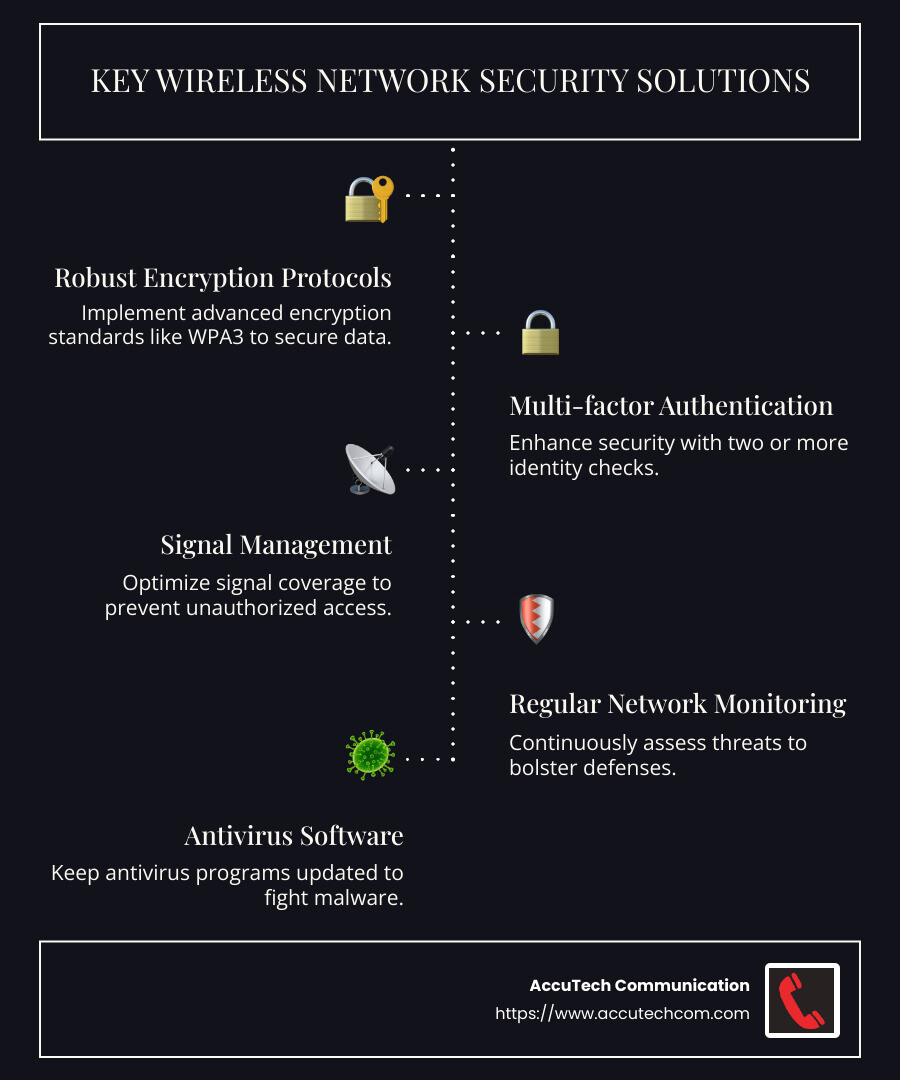
- Robust encryption protocols — Employ strong encryption standards like WPA3.
- Multi-factor authentication (MFA) — Use two or more identity checks to improve security.
- Signal management — Balance signal coverage to avoid leaving openings for hackers.
- Regular network monitoring — Constant threat assessment to fortify defenses.
- Antivirus software — Regularly updated defenses against malware on devices and public networks.
My name is Corin Dolan, owner at AccuTech Communications, and with decades of experience in the field, I have consistently helped businesses across Massachusetts, New Hampshire, and Rhode Island lift their network security measures.
“`markdown
Understanding Wireless Network Security Issues
Wireless networks offer convenience but come with their own set of security challenges. Let’s explore some of the most common wireless network security issues you might face.
Piggybacking and Wardriving
Imagine your neighbor using your Wi-Fi without permission. That’s piggybacking. It’s a sneaky way for unauthorized users to hop onto your network, potentially slowing down your internet or worse, accessing your sensitive data.
Then there’s wardriving. This is when tech-savvy individuals drive around neighborhoods looking for unsecured networks to exploit. They use laptops and powerful antennas to find vulnerable Wi-Fi signals.

Evil Twin Attacks
Picture this: you’re at a coffee shop and connect to “Free Coffee Wi-Fi.” But what if that network is a trap? An evil twin attack involves cybercriminals setting up a fake Wi-Fi network that looks legitimate. When you connect, they can intercept your data, including passwords and credit card numbers.
Wireless Sniffing
Wireless sniffing is like eavesdropping on your Wi-Fi conversations. Hackers use sniffing tools to capture unencrypted data transmitted over wireless networks. If your network isn’t properly secured, sensitive information could be at risk.
Unauthorized Access
Leaving your network open is like leaving your front door open uped. Unauthorized access occurs when intruders gain entry to your network without permission. This can lead to data theft, malware installation, and other malicious activities.
To combat these issues, it’s crucial to implement strong security measures. In the next section, we’ll explore the top solutions to protect your wireless network from these threats.
“`
Top 5 Wireless Network Security Solutions
To protect your wireless network from threats like packet sniffing, rogue access points, spoofing attacks, and encryption cracking, implementing robust security solutions is essential. Let’s explore the top five strategies to safeguard your network:
1. Encryption
Encryption is your network’s first line of defense. It scrambles data so that only authorized users can read it. The most common protocols are WPA2 and WPA3. While WPA2 provides strong protection with AES encryption, WPA3 offers even stronger encryption and improved security features against attacks. Always ensure your router is set to use the highest available encryption standard to prevent unauthorized access to your data.
Authentication
Authentication ensures that only authorized users can connect to your network. Implementing strong password policies is crucial. Consider using multi-factor authentication (MFA), which requires two or more verification factors, such as a password plus a fingerprint or a code sent to your phone. This adds an extra layer of security, making it harder for unauthorized users to access your network.
Access Control
Access control is like having a bouncer at the entrance of your network. By applying access control rules, you can define which users or devices can connect to your network and what level of access they have. This can be based on user roles, device types, or explicit access rights. Implementing access control helps ensure that only trusted users and devices can access your network.
Device Security
Securing the devices that connect to your network is crucial. This involves maintaining up-to-date antivirus software, regularly updating operating systems, and restricting the use of administrator credentials. Identifying and allowing only trusted devices to connect to your network is a key step in device security. This helps prevent unauthorized access and ensures that your network remains secure.
Intrusion Detection
Intrusion detection is your network’s alarm system. Integrated Intrusion Detection and Prevention Systems (IDPS) monitor your network for unusual activity or security breaches. These systems can detect and respond to unauthorized access attempts, malware infections, and other threats in real time. By catching and blocking suspicious activities, you can keep your network safe from potential intruders.
By implementing these wireless network security solutions, you can protect your network from common threats like packet sniffing, rogue access points, and encryption cracking. With strong security measures in place, you’ll be better equipped to safeguard your sensitive data and keep unauthorized users at bay.
Next, we’ll dig into advanced techniques that can further improve your wireless network security.
Essential Best Practices for Wireless Network Security
Implementing wireless network security issues and solutions is crucial to protect your data from unauthorized access and cyber threats. Here are some essential best practices to ensure your network remains secure:
Change Default Passwords
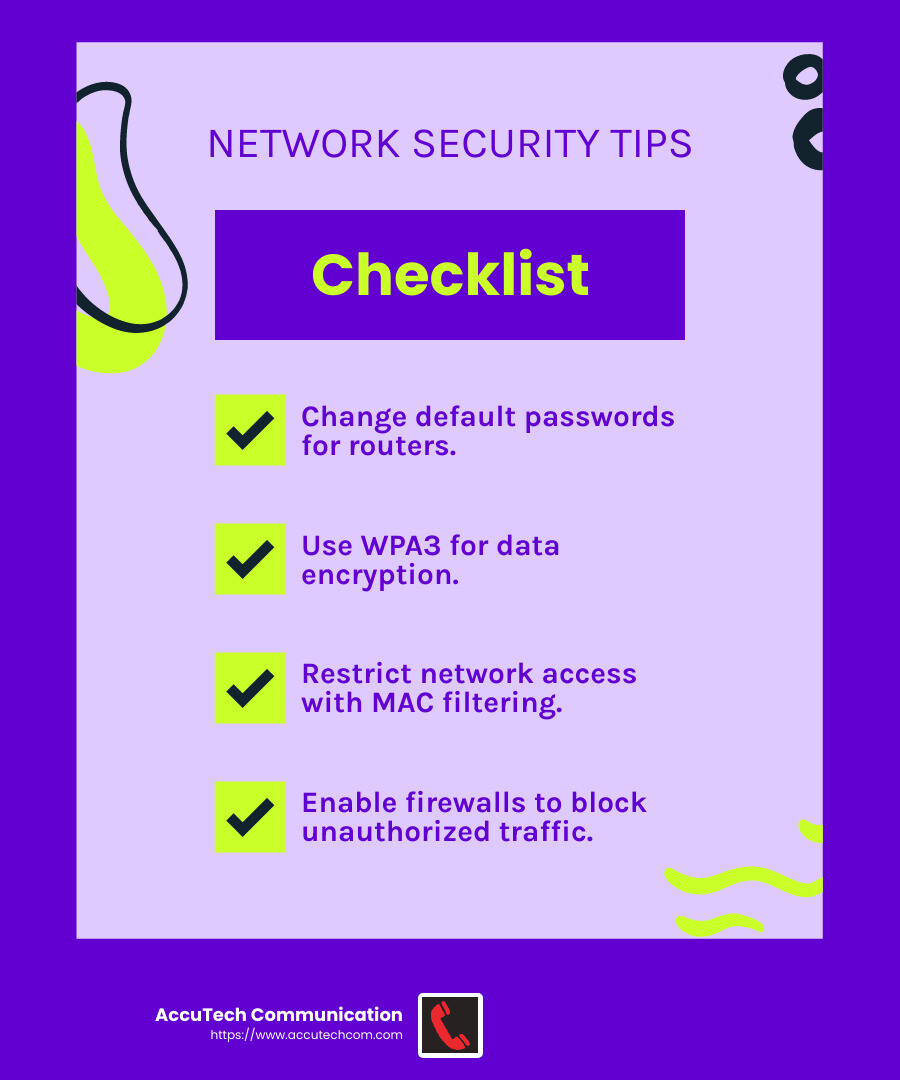
Many routers come with default passwords that are easy to guess. Changing these passwords is a simple yet effective way to secure your network. Use a strong password that includes a mix of upper and lowercase letters, numbers, and symbols. The Department of Homeland Security recommends using a password that is at least 20 characters long.
Restrict Access
Restricting access to your network is like locking your front door. Set up access control measures to ensure only authorized users and devices can connect. Consider using MAC address filtering, which allows you to specify which devices can join your network. This keeps unauthorized devices at bay.
Encrypt Data
Encryption is key to protecting the data transmitted over your network. Use the latest encryption standards, such as WPA3, to secure your wireless communications. This ensures that even if data is intercepted, it remains unreadable to anyone without the decryption key.
Protect Your SSID
Your service set identifier (SSID) is the name of your Wi-Fi network. Avoid using personal information in your SSID, and consider hiding it from public view. This makes it harder for attackers to identify and target your network. Changing your SSID from the default also prevents potential attackers from identifying your router’s manufacturer and exploiting known vulnerabilities.
Install Firewalls
A firewall acts as a barrier between your network and potential threats. Enable the firewall on your router to block unauthorized traffic and protect against malicious attacks. You can choose between network-based firewalls, which protect entire networks, or host-based firewalls that secure individual devices.
By following these best practices, you can significantly improve the security of your wireless network. Next, we’ll explore advanced techniques to further bolster your network’s defenses.
Wireless Network Security Issues and Solutions
Wireless networks face unique challenges that can put your data at risk. Understanding these wireless network security issues and solutions is crucial to keeping your information safe.
Packet Sniffing
Packet sniffing is like eavesdropping on your network. Attackers use tools to capture and analyze the data packets traveling over your wireless network. This can expose sensitive information, like passwords or credit card numbers.
Solution: Use strong encryption protocols, such as WPA3, to encrypt the data on your network. This makes intercepted data unreadable without the correct decryption key. Additionally, employ a Virtual Private Network (VPN) to add an extra layer of security by encrypting all data between your device and the VPN server.
Rogue Access Points
A rogue access point is an unauthorized device connected to your network. These can be set up by attackers to intercept data or gain access to your network resources.
Solution: Regularly scan your network for unauthorized access points using network findy tools. LogicMonitor, for example, offers automatic device findy and can alert you to any suspicious devices. Ensure your network is protected with strong access controls and monitor for unusual activity.
Spoofing Attacks
Spoofing attacks occur when someone pretends to be a legitimate user or device on your network. This can lead to unauthorized access and data theft.
Solution: Implement strong authentication methods, such as two-factor authentication (2FA), to verify the identity of users and devices. This adds an extra step to ensure only authorized users can access your network. Additionally, consider MAC address filtering to limit network access to known devices.
Encryption Cracking
Encryption cracking involves breaking the encryption used to protect your wireless network. This can expose all the data being transmitted, putting sensitive information at risk.
Solution: Always use the latest encryption standards, like WPA3, which offer stronger security than older protocols like WEP or WPA2. Regularly update your router’s firmware to patch any known vulnerabilities and ensure your network is protected against the latest threats.
Understanding and addressing these wireless network security issues is key to safeguarding your data. Next, we’ll explore advanced techniques to further bolster your network’s defenses.
Enhancing Wireless Network Security with Advanced Techniques
Keeping your wireless network secure requires more than just basic measures. Advanced techniques can significantly improve your network’s security and protect your data from cyber threats. Let’s explore some effective strategies.
Two-Factor Authentication (2FA)
Two-factor authentication adds an extra layer of security to your network by requiring not just a password, but also a second form of verification, like a code sent to your phone. This makes it much harder for unauthorized users to gain access, even if they have your password.
To set up 2FA, access your wireless router’s configuration page and enable this feature. Download an authenticator app like Google Authenticator or Authy to help manage your codes.
VPN Usage
A Virtual Private Network (VPN) encrypts all data transmitted between your device and the internet, making it much harder for hackers to intercept and read your information. This is particularly useful when using public Wi-Fi networks, where security is often weaker.
Consider using a reputable VPN service to add this layer of security. It not only encrypts your data but also masks your IP address, enhancing your privacy online.
MAC Filtering
MAC filtering allows you to specify which devices can connect to your network. Each device has a unique MAC address, and by allowing only pre-approved addresses, you can prevent unauthorized devices from accessing your network.
To implement MAC filtering, access your router’s settings and add the MAC addresses of your trusted devices. This method acts as a gatekeeper, ensuring only known devices can connect.
WPA3 Security
WPA3 is the latest in wireless security protocols, offering stronger protection than its predecessors. It uses advanced encryption methods to keep your data safe and includes features that make it easier to connect devices securely.
Ensure your router supports WPA3 and enable it in the settings. If you’re using older equipment, consider upgrading to take advantage of this improved security.
Disabling Remote Administration
Remote administration allows you to manage your router from anywhere, but it can also be a vulnerability if not properly secured. Disabling this feature prevents unauthorized users from accessing your router’s settings remotely.
To disable remote administration, log into your router’s configuration page and turn off this feature. This simple step can protect your network from external threats.
By incorporating these advanced techniques, you can significantly strengthen your wireless network’s security. Next, we’ll address some frequently asked questions about wireless network security to further clarify common concerns.
Frequently Asked Questions about Wireless Network Security
What are the security issues of wireless networks?
Wireless networks face several security challenges. One major issue is denial of service (DoS) attacks, where attackers flood the network with traffic, causing it to slow down or crash. Spoofing is another concern, where attackers impersonate legitimate devices to gain unauthorized access. Session hijacking involves taking control of a user’s session, which can lead to data theft.
How to improve wireless network security?
Improving wireless network security involves several key steps:
- Change default passwords: Many routers come with default passwords that are easy to guess. Always change these to strong, unique passwords to prevent unauthorized access.
- Install antivirus software: Protect your devices from malware by installing reputable antivirus software. This can detect and remove threats before they affect your network.
- Keep software updated: Regularly update your router’s firmware and device software to patch any security vulnerabilities. Outdated software can be an easy target for attackers.
What are the major threats to wireless networks?
Wireless networks are vulnerable to various threats:
- Configuration problems: Incorrectly configured networks can expose vulnerabilities that attackers can exploit. Ensure your network settings are properly configured and secure.
- Passive capturing: Attackers can intercept unencrypted data being transmitted over the network. Using strong encryption protocols like WPA3 can help protect your data.
- Evil twin attacks: In these attacks, a malicious actor sets up a fake access point with a stronger signal to trick users into connecting. Once connected, the attacker can steal sensitive information. Always verify the legitimacy of the network before connecting.
By understanding these wireless network security issues and solutions, you can better protect your network and data. Stay vigilant and proactive in securing your wireless environment.
Conclusion
At AccuTech Communications, we understand that network security is more crucial than ever. With the rise of cyber threats, businesses need a partner they can rely on for robust and secure solutions. That’s where we come in.
Our commitment to certified, reliable service ensures your network infrastructure is not just built for performance but also fortified against potential security breaches. We’ve been serving businesses across Massachusetts, New Hampshire, and Rhode Island since 1993, providing top-notch network cabling, business phone systems, and data center technologies.
Competitive pricing is part of our promise. We believe that quality service shouldn’t break the bank. Our solutions are designed to be both effective and affordable, giving you peace of mind without straining your budget.
When it comes to safeguarding your business, don’t settle for anything less than the best. Choose AccuTech Communications for a partner that prioritizes your security and success.
For more information on how we can support your business with secure and efficient network solutions, explore our network cabling services.
Your network is the backbone of your business; let us help you make it stronger.
