
Data Center Installation: 5 Steps to Success
Why Data Center Installation Is the Foundation of Modern Business Operations
Data center installation is the process of designing, building, and deploying the critical infrastructure that powers today’s digital economy. At its core, a data center is a centralized facility housing an organization’s IT equipment—servers, storage systems, networking gear, and the supporting infrastructure needed to keep them running 24/7.
Key Components of Data Center Installation:
- Facility Infrastructure – Power systems, cooling, fire suppression, physical security
- IT Equipment – Servers, storage, network switches, routers, cables
- Supporting Systems – Backup power (UPS, generators), environmental monitoring
- Cabling Infrastructure – Structured cabling systems connecting all components
- Security Measures – Physical access controls and cybersecurity protocols
The stakes are high. A modern data center can consume about 100 megawatts of power—enough to supply roughly 80,000 homes. A single outage can halt business operations, making proper installation absolutely critical.
Whether building a small server room or a massive enterprise facility, the principles are the same: reliable power, effective cooling, robust security, and a structured cabling system that can scale for future growth.
My name is Corin Dolan, and I’ve been helping businesses across Massachusetts, New Hampshire, and Rhode Island build reliable communication infrastructure for over 30 years. Through AccuTech Communications, I’ve overseen countless data center installation projects, from small business server rooms to complex enterprise facilities.
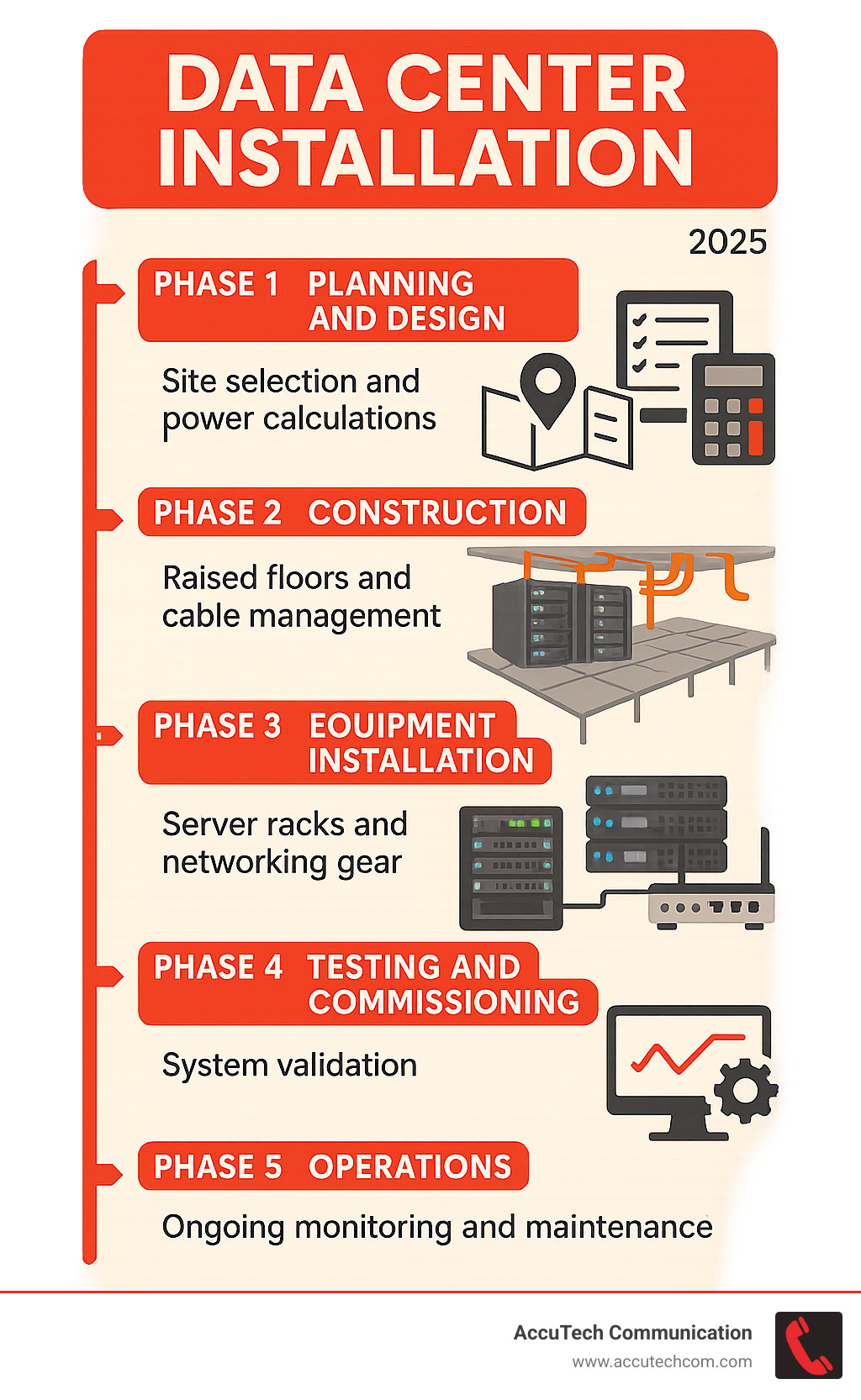
Data center installation terms at a glance:
Phase 1: Blueprint for Success – Planning and Design
Planning a data center installation is like designing a specialized house that must run perfectly 24/7 for decades, handling immense electricity and heat. Everything in later phases depends on getting this planning right. Rushing this stage leads to costly problems, while smart planning saves headaches and money.
Site selection is your first big decision. It involves finding a location safe from floods and natural disasters. Critically, power and cooling capacity are often more limiting than physical space. You need reliable power availability from your local utility and fast, reliable network connectivity from multiple providers.
Scalability planning is perhaps the most important consideration. Your business will grow, and your data center must grow with it. That’s why we focus on Data Center Infrastructure Design that can expand without a complete rebuild.
Regulatory compliance and budgeting round out the planning essentials. Depending on your industry, you might need to meet standards like HIPAA or SOX. Understanding the Data Center Build Out Cost upfront helps ensure your vision aligns with reality.
Understanding Data Center Tiers and Standards
When discussing data center reliability, the Uptime Institute Tiers provide a roadmap for uptime and redundancy.
Tier I facilities have a single path for power and cooling with no backup components. Tier II adds redundant components like backup UPS systems and generators, but still has one path for power distribution.
Tier III is more sophisticated, with multiple independent paths for power and cooling, allowing for maintenance with no downtime. Tier IV is the gold standard, with complete fault tolerance built into every component.
The ANSI/TIA-942 standard provides detailed guidelines for telecommunications infrastructure, while various ISO standards ensure best practices across security and operations.
| Uptime Institute Tier | Uptime (Annual) | Redundancy Level | Cost Implication |
|---|---|---|---|
| Tier I | 99.671% | Single Path | Lower |
| Tier II | 99.741% | Redundant Components | Medium |
| Tier III | 99.982% | Concurrently Maintainable | Higher |
| Tier IV | 99.995% | Fault Tolerant | Highest |
Calculating Power and Cooling Requirements
Accurate power and cooling calculations are crucial. Every piece of IT equipment generates heat that must be managed. Miscalculations lead to equipment failures and excessive cooling bills.
We start with an IT workload analysis to understand your equipment’s specific power consumption needs. Most modern server racks draw between 7 kW to 10 kW, but high-density equipment can push much higher.
PUE (Power Usage Effectiveness) measures efficiency by dividing total facility power by IT equipment power. A PUE under 1.5 is considered very good.
For cooling calculations, we convert watts of heat to BTU per hour, then to tons of cooling capacity needed. Our Data Center Cooling Technologies approach ensures you have the right cooling solution for your power density.
The Influence of Modern IT Models
Business technology has changed, and data center installation planning must reflect this. The single, large server room model is often replaced by more flexible approaches.
Today’s businesses often blend on-premise infrastructure with colocation facilities. On-premise offers complete control but requires significant investment, while colocation lets you rent space in professionally managed facilities.
Hybrid architecture, combining private data centers with public cloud services, has become the norm. This approach offers a balance of control and flexibility.
Edge computing pushes data centers closer to where data is created and used, often requiring several smaller locations. Private cloud implementations bring cloud-like agility to your own infrastructure.
The key is infrastructure planning for evolving business needs. Your data center design should accommodate these different models, giving you the flexibility to adapt as technology and business requirements change.
Phase 2: The Core of the Build – A Step-by-Step Data Center Installation Process
With the blueprint complete, we begin the physical data center installation. This phase transforms months of planning into a tangible facility designed to keep your business running 24/7.
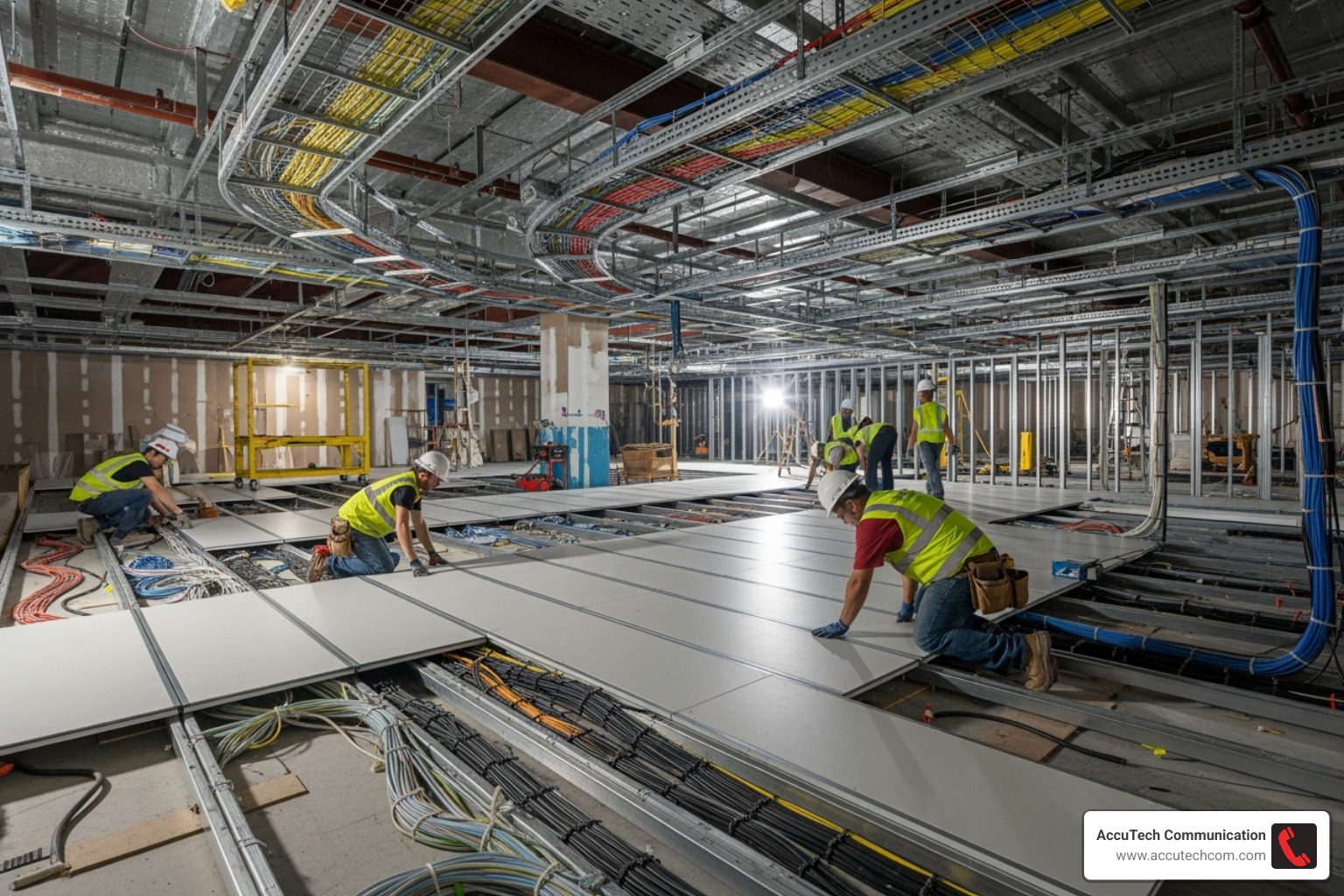
The first step is installing raised floors. These create essential underfloor space for cabling and for cool air to flow efficiently to equipment.
Proper rack and cabinet selection is next. While standard 19-inch racks are common, wider 800mm options provide more room for cabling and improve airflow, making a significant difference in management and cooling.
Power is managed through Power Distribution Units (PDUs), which monitor and control individual outlets. These are paired with Uninterruptible Power Supply (UPS) systems for instant backup during power flickers. For longer outages, backup generators take over.
Safety is paramount. We install advanced fire suppression systems that use clean agents instead of water, which would destroy your equipment. These systems detect and extinguish fires without harming sensitive electronics.
This careful orchestration is what separates a professional approach to Building a Data Center from a simple server closet. Each component works in concert to create a resilient, efficient environment.
Arranging Equipment for Optimal Airflow
Poor airflow management leads to inefficiency and overheating. The key to preventing this is hot aisle/cold aisle containment.
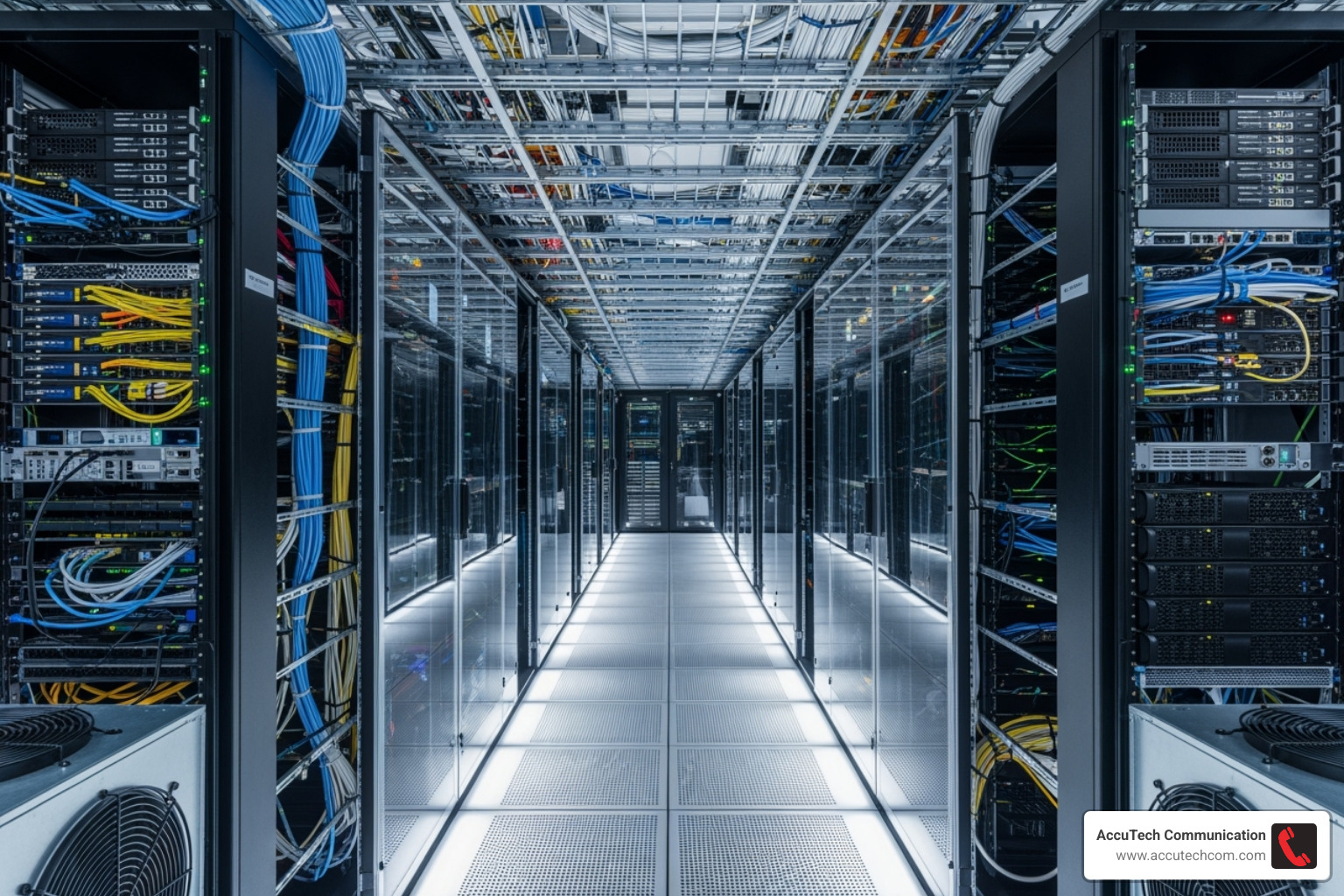
The concept is simple: we arrange the server rack layout in alternating rows. Cold air flows down one aisle (the cold aisle) and is drawn through the front of the servers. The heated air exhausts into the hot aisle behind the racks, where it is captured and returned to the cooling system.
Airflow management also involves using blanking panels to cover empty spaces in racks. This prevents cooled air from bypassing your equipment, which dramatically improves cooling efficiency.
Proper equipment arrangement prevents hotspots that can degrade server performance or cause hardware failures. This ensures your cooling systems work efficiently, your servers run cooler, and your electricity bills remain under control.
Best Practices for Data Center Installation and Cabling
Cabling is the data center’s nervous system, where professional attention to detail is paramount. Poorly managed cables can hinder airflow and maintenance.

We start every installation with structured cabling, an organized approach that supports current needs and future growth. This improves airflow, simplifies troubleshooting, and makes future upgrades easier.
We use cable trays and ladder racks to create organized pathways for cables, keeping them off the floor and out of the airflow path. These pathways ensure a proper bend radius for both copper and fiber optic cabling, which is critical for performance.
Cable labeling is a small detail that is a lifesaver during maintenance. Every cable is clearly labeled at both ends, eliminating guesswork when tracing a connection.
The difference between DIY and professional cabling is significant. Our systematic approach, detailed in our Data Center Cabling Infrastructure: Complete Guide, ensures your infrastructure can grow with your business. And should you ever need to relocate, our expertise in Moving a Data Center makes the transition much smoother.
Phase 3: Powering On – IT Infrastructure and Security
With the physical foundation in place, we begin powering on the data center installation. This phase transforms racks and cables into a functioning digital engine for your business.
The process starts with server installation, or “rack and stack.” Each server must be mounted for optimal airflow, with careful attention to weight distribution and accessibility.
Next are the network switches and routers, which manage information flow. We also deploy Storage Area Networks (SAN), creating dedicated, high-speed pathways for data storage.
Essential IT hardware includes servers, storage devices (SAN/NAS), network switches, routers, and firewalls. This is housed in racks and cabinets and connected with fiber and copper cabling. Power is managed by PDUs and backed up by UPS systems, while NICs and optical transceivers enable high-speed connections.
Once connected, network configuration begins. We set up IP addresses, VLANs, and routing protocols to ensure all devices can communicate correctly.
Modern installations often use Software-Defined Networking (SDN) principles with tools like FRR and SONiC on whitebox switches. This makes the network programmable and adaptable without physical rewiring, integrating with control planes via APIs like Redfish and supporting PXE booting for streamlined deployment.
Implementing a Multi-Layered Security Strategy
A data center is a digital Fort Knox, and its security cannot be an afterthought. Our data center installation approach includes multiple layers of physical and digital protection.
Physical security starts at the perimeter with reinforced walls and controlled entry points. Access control systems, from badges to biometric scanners, ensure only authorized personnel get inside. A mantrap—a secure chamber between two interlocking doors—is highly effective at preventing unauthorized entry.
24/7 surveillance with modern cameras and motion detectors creates a comprehensive monitoring network, often supplemented by on-site security personnel.
On the digital side, cybersecurity measures are equally robust. Powerful firewalls control traffic, while Intrusion Detection Systems (IDS) and Intrusion Prevention Systems (IPS) scan for and block threats. We also implement anti-malware solutions and maintain detailed activity logs for regular audits to ensure compliance and identify potential security gaps.
The goal is to create an intelligent security ecosystem that adapts to threats while allowing business operations to flow smoothly.
Phase 4: Ongoing Excellence – Management and Maintenance
Powering on the servers isn’t the finish line; it’s the start of ongoing management. A successful data center installation requires a long-term partnership to maintain operational excellence.
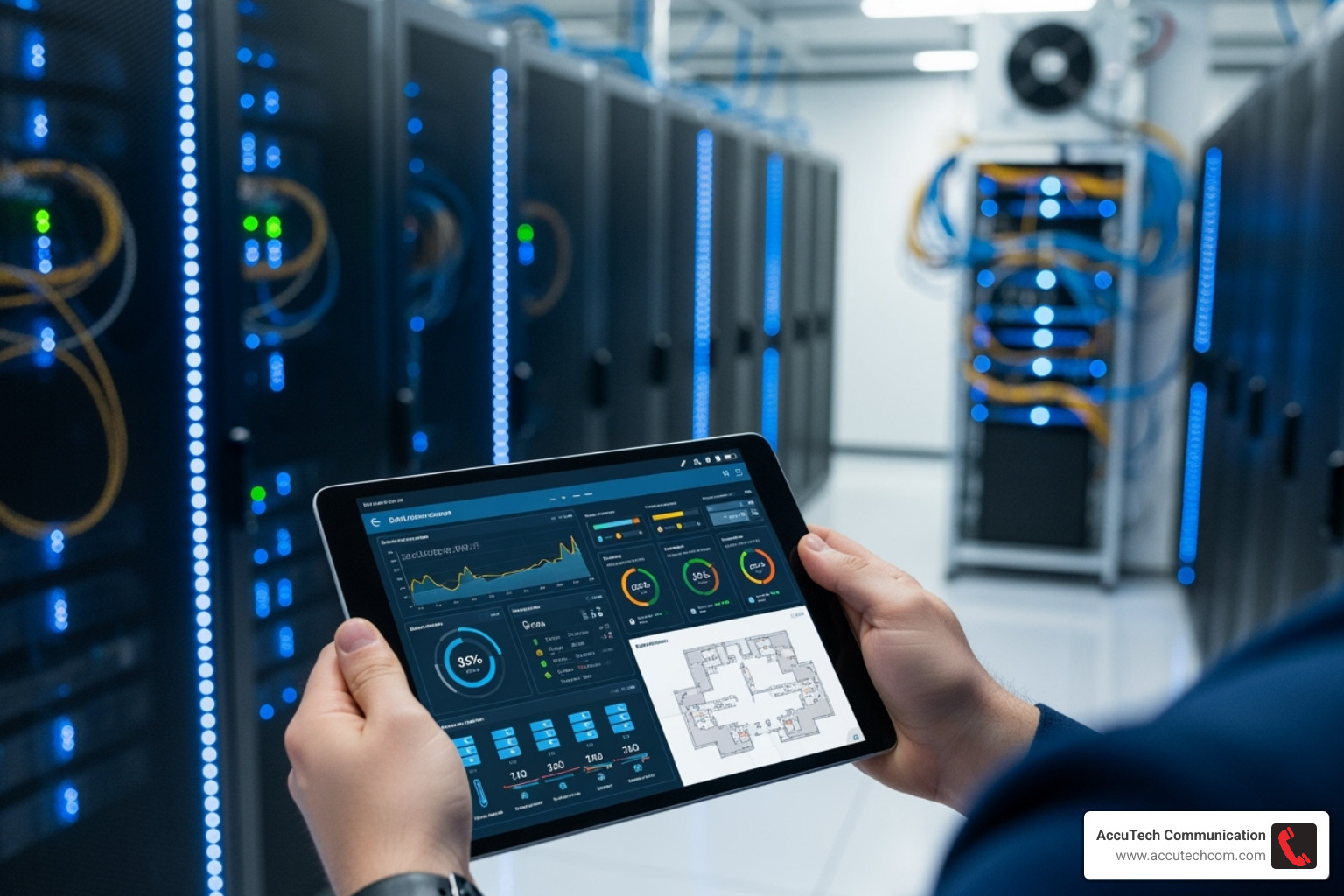
Like a high-performance car, a data center requires proactive maintenance schedules to prevent issues before they occur. These checkups keep cooling systems efficient, power infrastructure stable, and IT equipment updated with the latest firmware and security patches.
Our tiered support approach ensures issues are resolved efficiently. Simple problems are handled by our first-tier team, while complex issues escalate to specialists who know your specific setup.
Disaster recovery planning is essential for true preparedness. We help set up redundant power, implement automated backups, and regularly test these systems to ensure they work when needed. For major changes, our Data Center Migration Plan ensures smooth transitions.
Capacity management ensures your data center grows with your business. We monitor usage, predict future needs, and help you scale up before you experience performance bottlenecks.
The Role of DCIM in a Modern Data Center
Data Center Infrastructure Management (DCIM) provides a complete, real-time picture of your data center’s operations, eliminating guesswork.
Real-time monitoring tells you exactly what’s happening at any moment. If a cooling system is working too hard or power consumption is creeping up, you’ll know immediately.
Asset management through DCIM tracks every server, switch, and cable from installation to retirement, making it easy to find available space or check a device’s warranty status.
Environmental monitoring keeps a constant watch on temperature and humidity. Servers require a precise environment; too hot or too humid can cause performance throttling or damage.
Power monitoring tracks energy consumption, calculates your PUE (Power Usage Effectiveness), and identifies opportunities for greater efficiency and sustainability.
Modern DCIM systems also enable automation that responds to changing conditions faster than a human can. For example, a cooling system can adjust automatically to an increased server load. This helps us maintain the Service Level Agreements (SLAs) that keep your business running, delivering on our uptime promises.
Frequently Asked Questions about Data Center Installation
What are the fundamental components of a data center?
A data center has two main parts: facility infrastructure and IT equipment. The facility infrastructure includes the physical building, robust power systems (UPS, generators), cooling systems (HVAC, chillers), multi-layered security (access control, surveillance), and fire suppression. The IT equipment includes servers for computing, storage devices (SANs) for data, and network switches and routers for connectivity, all linked by structured cabling.
How long does a data center installation take?
A data center installation timeline depends on the project’s scope. A small server room refresh may take a few weeks, while a new, large-scale facility can take 12-24 months or more, including planning and permitting. For typical multi-rack deployments, the on-site installation phase itself takes about 6-14 days. Realistic planning is key, as rushing the process can lead to issues. It’s always better to take the time to do it right.
What are the biggest challenges during a data center installation?
The biggest challenges in data center installation are ensuring scalability, flexibility, and resilience. Planning for future growth is difficult but essential. A primary challenge is power and cooling capacity planning, which is often more restrictive than physical space. Miscalculations can be costly. Other major problems include budget management due to high upfront costs, and the coordination of multiple vendors and contractors. Maintaining uptime during upgrades and meeting security standards also add complexity. With experienced partners, these challenges are manageable.
Conclusion
When you step back and look at a completed data center installation, there’s something almost magical about it. What started as blueprints and calculations has become a humming, powerful foundation for your entire business operation. But getting there? That’s where the real work happens.
Strategic planning isn’t just about picking the right equipment or finding a good location. It’s about understanding your business needs today and tomorrow. We’ve seen too many companies build data centers that work perfectly for their current setup, only to find themselves scrambling for space and power just two years later. That’s why we focus so heavily on scalability from day one.
The meticulous execution part is where experience really shows. Every cable has to be perfectly routed. Every power connection needs to be rock-solid. The cooling has to work flawlessly, even during those brutal New England summers. One small mistake during installation can cascade into major problems down the road.
What sets apart a truly successful data center installation is the commitment to future-proofing. Technology changes fast – what seemed cutting-edge five years ago might be outdated today. By designing with flexibility and resilience built in, your data center becomes an asset that grows with your business rather than holding it back.
Partnering with experts makes all the difference. Data center installation isn’t a DIY project. Between the complex power calculations, the intricate cooling requirements, the structured cabling standards, and the multi-layered security needs, there are simply too many moving parts for anything less than professional expertise.
For over 30 years, AccuTech Communications has been helping businesses across Massachusetts, New Hampshire, and Rhode Island build data centers that stand the test of time. We’ve seen technology trends come and go, but our commitment to quality installation and reliable service has remained constant.
Your business deserves a digital foundation that won’t let you down. Contact us to discuss your data center build out and let’s build something that will serve your company for decades to come.
