
Business Security Cameras: Top 5 Best Systems in 2024
Importance of Security Camera Systems for Small Businesses
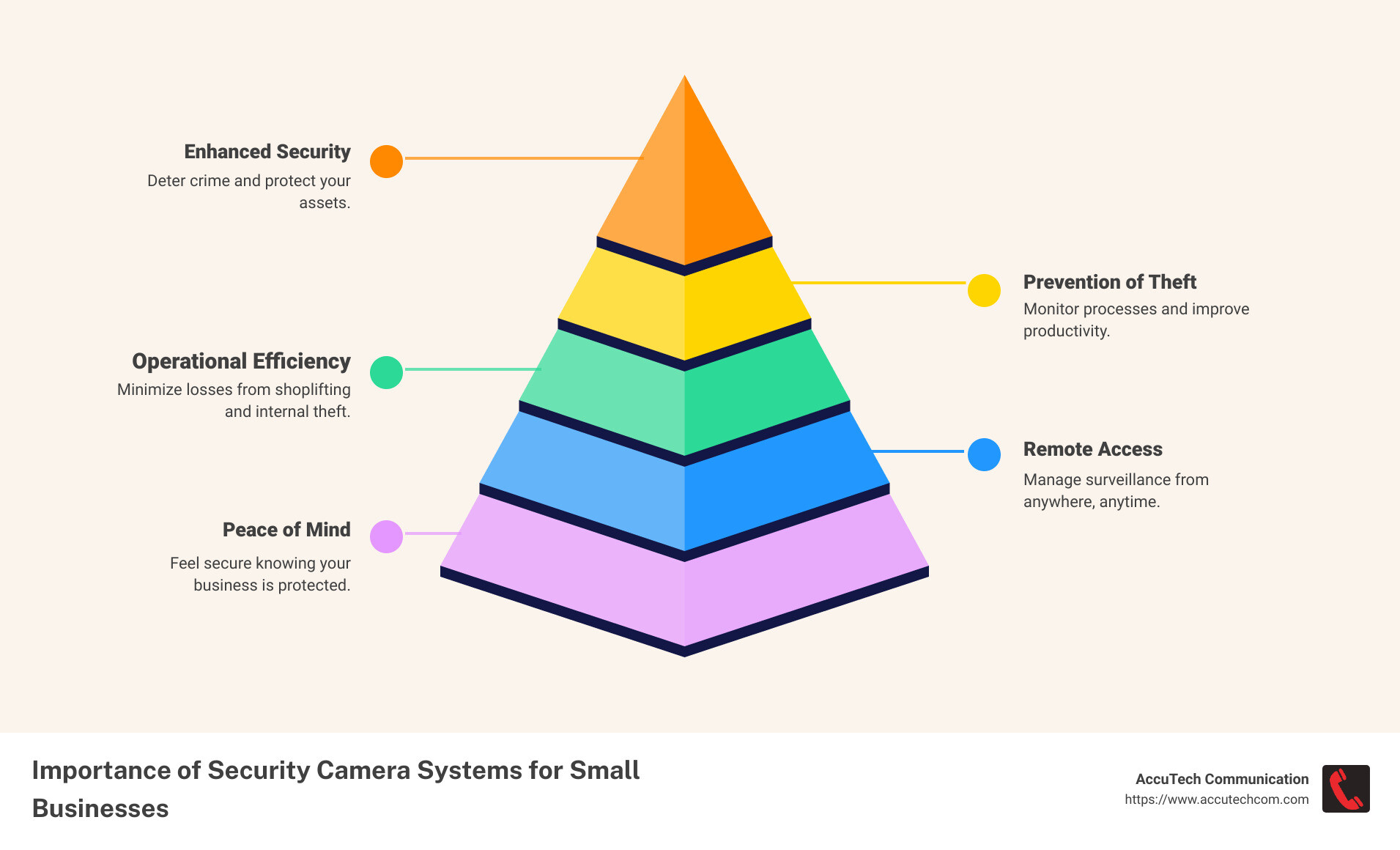
Investing in business security cameras isn’t just a good idea—it’s crucial for the safety, efficiency, and overall success of any small business. Here’s what you need to know right off the bat:
- Improved Security: Deter crime and protect your assets.
- Prevention of Theft: Minimize losses from shoplifting and internal theft.
- Operational Efficiency: Monitor processes and improve productivity.
- Remote Access: Manage surveillance from anywhere, anytime.
For many small businesses, security camera systems not only provide peace of mind but also tangible benefits in operational efficiency and crime prevention. Whether you run a retail store, a warehouse, or an office, having a reliable surveillance system can help you safeguard your business and optimize everyday operations. According to a University of Florida National Retail Security Survey, small businesses lose between $25,000 to $33,000 every minute to shoplifters. Imagine how much of this could be mitigated by simply installing the right surveillance system.
My name is Corin Dolan, and I’ve been in the business communications and security sector for decades. At AccuTech Communications, we’ve custom business security camera solutions to meet the unique needs of various industries, from healthcare to retail. Let’s dive into why integrating these systems can be game-changing for your small business.
Understanding Business Security Cameras
Types of Security Cameras
When it comes to business security cameras, there are several types to consider, each with its own set of advantages. Here’s a quick rundown:
- Analog Cameras: These are the traditional, wired cameras that connect to a DVR (Digital Video Recorder) via coaxial cables. They are reliable and cost-effective but offer lower resolution compared to modern options.
- Digital IP Cameras: These cameras provide high-definition video and connect over the internet, allowing for remote access. They are more versatile and offer better image quality than analog cameras.
- PTZ Cameras: PTZ stands for Pan-Tilt-Zoom. These cameras can be controlled to move in any direction and zoom in on specific areas. They are ideal for large spaces like parking lots.
- Bullet Cameras: Designed for outdoor use, these cameras are built to withstand harsh weather conditions. They have a long-range viewing capability, making them perfect for monitoring entrances and perimeters.
- Dome Cameras: These are typically used indoors and offer a wide-angle view. Their dome shape makes them less obtrusive and harder for potential intruders to tamper with.
Key Features to Consider
Choosing the right business security camera system involves looking at key features that will meet your specific needs:
- Resolution: Higher resolution cameras, like those offering 4K quality, provide clearer and more detailed footage. This is crucial for identifying faces or license plates.
- Night Vision: Many cameras come with infrared (IR) capabilities that allow them to capture clear video in low-light conditions. This is essential for 24/7 monitoring.
- Weather Resistance: For outdoor cameras, make sure they are weatherproof and can withstand varying temperatures and conditions.
- AI Capabilities: Modern cameras often come with AI features like motion detection and facial recognition. These can reduce false alarms and provide more accurate monitoring.
How to Choose the Right Security Camera System
Choosing the right business security cameras for your small business can be a game-changer. Let’s break down the key steps to make the best choice.
Assessing Your Business Needs
1. Coverage Area:
Determine the areas you need to monitor. Is it just the main entrance, or do you need to cover the entire perimeter? For example, if you own a retail store, you might need cameras in the lobby, aisles, and stockrooms. A comprehensive assessment helps in figuring out the number and type of cameras needed.
2. Specific Risks:
Identify the unique risks your business faces. Are you more concerned about theft, vandalism, or unauthorized access? For instance, a parking lot might require PTZ cameras due to their wide coverage and zoom capabilities, while an indoor lobby might benefit from 360-degree cameras for comprehensive monitoring.
3. Business Operations:
Consider how your business operates. Do you have high customer traffic? Are there specific times when security is more critical? Understanding your operational needs will help you choose cameras that can handle high activity and provide clear footage even during peak hours.
Selection Criteria for Security Cameras
1. Video Quality:
High-definition video is crucial for clear and detailed footage. Choose cameras with at least 1080p resolution. This ensures you can identify faces and details, which can be vital in case of an incident.
2. Storage Options:
Decide between local storage (DVR or NVR systems) and cloud storage. Local storage is reliable and doesn’t depend on internet connectivity, but cloud storage offers remote access and better protection against data loss. For instance, Camius systems offer high-capacity storage with upgrade capabilities.
3. Ease of Use:
Opt for systems with user-friendly interfaces. This makes it easier for your team to manage and operate the system. Features like plug-and-play installation can save time and reduce setup complexity.
4. Integration Capabilities:
Ensure the system can integrate with other security measures like alarms and access control systems. This provides a cohesive security solution and improves overall effectiveness. Integrated systems allow for centralized control, making it easier to manage security from a single interface.
Installation Tips
1. Professional vs. DIY:
Decide whether to hire professionals or do it yourself. Professional installation ensures optimal placement and configuration, but DIY can save costs. For businesses with complex needs or large areas, professional installation is often worth the investment.
2. Placement:
Strategically place cameras to cover all critical areas. For outdoor cameras, ensure they are weather-resistant and have good night vision capabilities. Indoor cameras should be placed where they can capture the most activity without being obstructed.
3. Maintenance:
Regular maintenance is key to ensuring the longevity and reliability of your security system. Schedule periodic checks to clean lenses, ensure connections are secure, and update firmware. This helps in preventing issues before they become significant problems.
Understanding these factors will help you choose the right security camera system custom to your business needs, ensuring comprehensive coverage and improved security.
Next, we will explore the cost considerations for small business security cameras, including initial and ongoing costs.
Cost Considerations for Small Business Security Cameras
When investing in business security cameras, understanding the costs involved is crucial. Let’s break down both initial and ongoing expenses to help you plan your budget effectively.
Initial Costs
Hardware:
The upfront cost for security camera hardware can vary significantly. Basic analog cameras might start as low as $59.99, while advanced IP cameras with high-definition video and features like two-way audio can reach up to $469.00.
Installation:
Installation costs can also add up, especially for wired systems. The complexity of running cables and setting up multiple cameras can make professional installation more expensive. While DIY options are available, professional installation ensures optimal placement and system integration.
Software:
A Video Management System (VMS) is essential for managing your cameras and footage. Some VMS options come with the hardware, while others might require a separate purchase. Make sure your VMS integrates well with your cameras for seamless operation.
Ongoing Costs
Maintenance:
Regular maintenance is necessary to keep your system running smoothly. This includes cleaning camera lenses, ensuring connections are secure, and updating firmware. Some companies offer maintenance contracts, which can be a worthwhile investment to avoid unexpected issues.
Upgrades:
Technology evolves, and so do your security needs. Plan for periodic upgrades to your system to incorporate new features like AI-powered analytics or improved resolution. This might involve additional hardware or software purchases.
Cloud Storage Fees:
If you opt for cloud storage, consider the monthly or annual fees. Cloud storage offers benefits like remote access and offsite backup, but it’s essential to factor these costs into your budget. Some systems offer local storage options that can help reduce ongoing expenses.
Budget Planning
Cost vs. Benefit:
Assess the cost against the benefits each feature brings. For example, while high-definition cameras might be more expensive, they provide clearer footage that can be crucial in identifying incidents. Similarly, advanced analytics can save time and improve security efficiency, justifying their higher cost.
Long-term Investments:
Think of your security camera system as a long-term investment. A well-planned system can deter crime, improve operational efficiency, and improve safety, which can save money in the long run.
By carefully considering these factors, you can choose a security camera system that fits your budget and meets your business needs.
Business Security Cameras: Enhancing Safety and Operations
Real-time Monitoring and Alerts
Real-time monitoring is a game-changer for small businesses. It allows you to keep an eye on your business 24/7. Live feeds from your business security cameras can be accessed anytime, ensuring that you are always aware of what’s happening on your premises.
Incident alerts are another crucial feature. Advanced systems can send you instant notifications if something unusual is detected, such as motion in restricted areas. This is especially useful for preventing theft and ensuring quick responses to emergencies.
Mobile access makes real-time monitoring even more convenient. With a single app, you can view live and recorded video from anywhere. This flexibility ensures you’re never out of touch with your business, even when you’re on the go.
Leveraging Video Analytics
Video analytics take your security to the next level. These advanced features help you make sense of the data captured by your cameras.
Motion detection can pinpoint unusual activity, reducing the time you spend reviewing footage. Facial recognition can identify individuals, enhancing security and streamlining operations. For instance, you can quickly spot unauthorized personnel or recognize repeat customers.
Traffic patterns analysis can also be incredibly valuable. By understanding how people move through your store, you can optimize layouts and improve customer experience. Advanced analytics can even generate reports on heat mapping, queue monitoring, and occupancy tracking, providing insights that go beyond basic security.
Benefits of Remote Access
Remote access is all about flexibility and control. With cloud-based systems, you can manage your security cameras from any device, anywhere in the world. This is particularly beneficial for businesses with multiple locations.
Real-time response is another significant advantage. If an alert is triggered, you can immediately check the live feed and take necessary action, whether it’s contacting authorities or addressing the issue yourself.
Multi-location management becomes seamless with remote access. You can monitor all your business sites from a single dashboard, ensuring consistent security measures across all locations. This centralized control simplifies operations and improves overall security.
By leveraging these features, business security cameras not only protect your assets but also improve operational efficiency and customer satisfaction. Next, we’ll answer some frequently asked questions about business security cameras to help you make informed decisions.
Frequently Asked Questions about Business Security Cameras
What’s the Difference Between Security and Surveillance Cameras?
Security cameras and surveillance cameras are terms often used interchangeably, but they have distinct differences.
Security cameras (also known as CCTV cameras) are primarily used for monitoring specific areas in real-time. They transmit video signals to a set of monitors or recording devices. These cameras are ideal for real-time interventions like spotting a shoplifter or monitoring employee activity.
Surveillance cameras, on the other hand, often operate on an IP network. They send video footage to a remote location where the data is stored and analyzed. These cameras are more suited for long-term monitoring and data collection, such as tracking traffic patterns or analyzing customer behavior.
Functionality:
– Security Cameras: Real-time monitoring, immediate alerts.
– Surveillance Cameras: Long-term data storage, remote access.
Usage:
- Security Cameras: Retail stores, office entrances, parking lots.
- Surveillance Cameras: Large venues, government facilities, schools.
What Are the Best Commercial Cameras for Small Businesses?
When choosing the best business security cameras for small businesses, consider the specific needs and constraints of your operation. Here are some top recommendations:
Camius 4K Series: Known for its crystal-clear video quality and advanced features like AI-powered video analytics and motion detection. Ideal for both indoor and outdoor use.
Bullet Cameras: Great for outdoor surveillance. They are weather-resistant and have a long-range viewing capability.
Dome Cameras: Perfect for indoor use. They offer a wide-angle view and are discreet, making them suitable for monitoring large areas like retail floors.
4K Wireless Battery-Operated Cameras: Ideal for businesses where wiring is not feasible. They offer high-definition video and are easy to install.
Key Features to Look For:
– Resolution: Higher resolution means clearer footage. Aim for at least 1080p, but 4K is preferable.
– Night Vision: Essential for 24/7 monitoring.
– Weather Resistance: Important for outdoor cameras.
– AI Capabilities: Features like facial recognition and motion detection can improve security.
How Much Does It Typically Cost to Install Security Cameras in a Small Business?
The cost of installing business security cameras can vary widely based on several factors. Here’s a breakdown:
Initial Costs:
– Hardware: Cameras can range from $20 to $400+ each.
– Installation: Professional installation costs around $100 to $200 per camera.
Ongoing Costs:
– Maintenance: Regular upkeep to ensure the system functions correctly.
– Upgrades: Updating software or replacing outdated hardware.
– Cloud Storage Fees: If you opt for cloud storage, expect to pay a monthly fee.
Factors Influencing Cost:
– Number of Cameras: More cameras mean higher costs.
– Type of Cameras: Advanced features like AI and 4K resolution will increase the price.
– Installation Complexity: Difficult installations (e.g., high ceilings, large areas) can cost more.
Budgeting Tips:
– Assess Your Needs: Determine the number of cameras and types needed.
– Compare Options: Look at both DIY and professional installation.
– Plan for the Long Term: Consider future upgrades and maintenance in your budget.
By understanding these factors, you can make an informed decision and choose the best security camera system for your small business.
Next, we’ll dig into the Conclusion to summarize the key points and help you make a well-informed decision for your business security needs.
Conclusion
Choosing the right business security cameras for your small business is a crucial decision. With the right system, you can protect your assets, ensure the safety of your employees, and even improve your operational efficiency. Here’s a quick summary to help you make an informed choice:
- Assess Your Needs: Understand the specific requirements of your business. How large is your coverage area? What are the specific risks you face? Tailor your security system to these needs.
- Evaluate Key Features: Look for high-resolution cameras, night vision capabilities, and weather resistance. Advanced features like AI-powered analytics and remote access can also be beneficial.
- Consider Costs: Take into account both initial costs (hardware, installation, software) and ongoing costs (maintenance, upgrades, cloud storage fees). Plan your budget accordingly to avoid surprises.
- Installation Options: Decide between professional installation and DIY. Professional installation ensures optimal placement and setup, but DIY can save costs if you’re comfortable with the technology.
At AccuTech Communication, we specialize in providing customized security camera solutions custom to your business needs. Whether you require a comprehensive system for a large facility or a simple setup for a small office, our team is here to help.
We offer a wide range of services, including structured cabling, network setup, and ongoing maintenance to ensure your system runs smoothly. Our expertise in network cabling can improve the reliability and effectiveness of your security system.
Ready to improve your business security? Contact us for a free consultation and let us help you find the perfect solution for your business.
By making an informed decision and choosing the right security camera system, you can safeguard your business and gain peace of mind.
