
Installing an ethernet port: Easy 2025 Guide
Why a Hardwired Connection Beats Wi-Fi Every Time
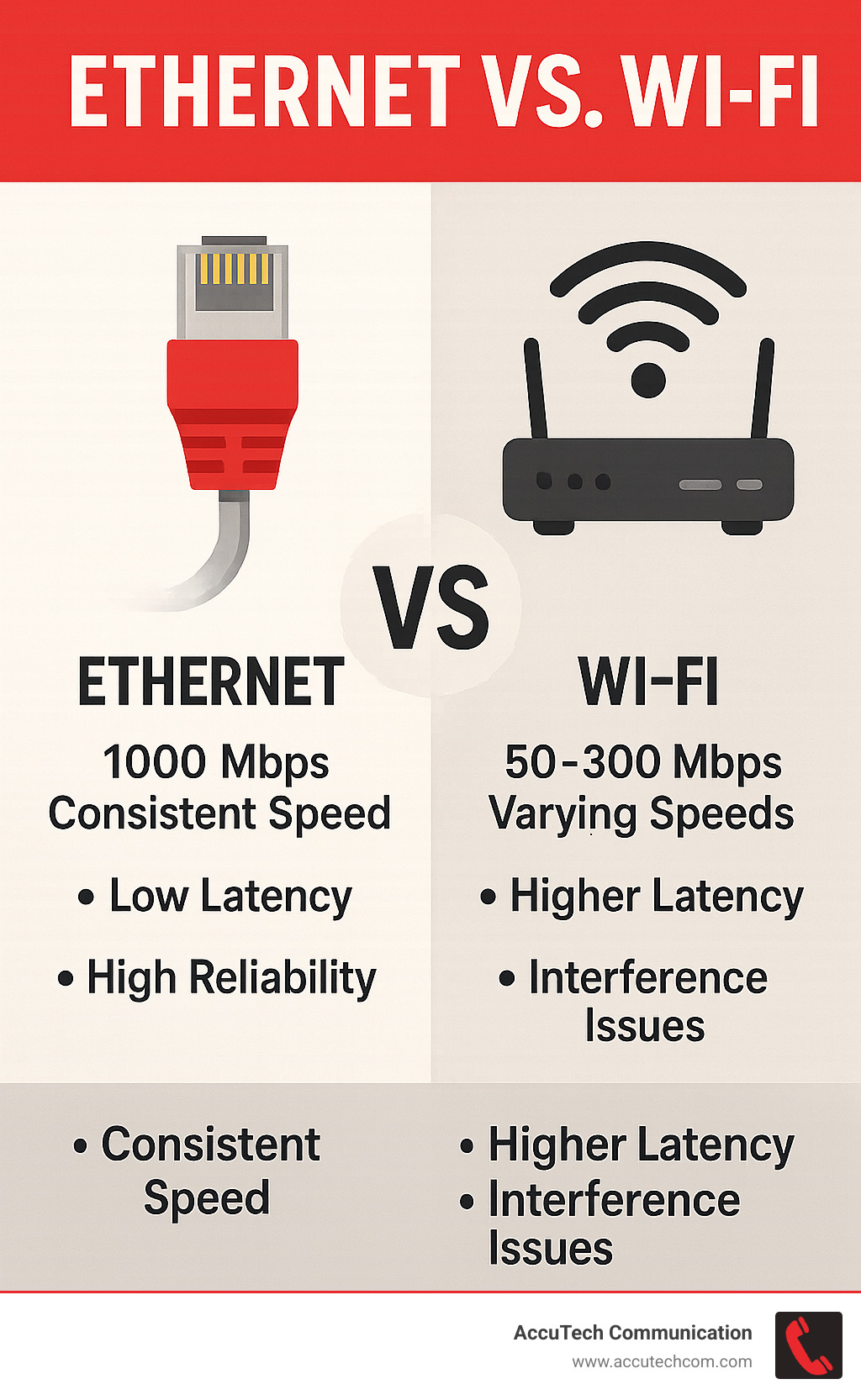
Installing an ethernet port in your wall provides faster speeds, better reliability, and more stable connections than Wi-Fi. Here’s what you need to know:
Key Steps for Installing an Ethernet Port:
- Plan your location – Choose spots near devices that need reliable connections
- Gather tools – Cable, keystone jacks, wall plates, punch-down tool, fish tape
- Run the cable – Through walls, avoiding electrical interference
- Terminate the cable – Connect wires to keystone jack using T568B standard
- Install wall plate – Mount securely for professional finish
- Test connection – Verify all 8 wires work properly
While wireless connections offer convenience, they can be frustratingly unreliable – especially when working from home, streaming high-definition content, or supporting multiple devices simultaneously. Ethernet connections are generally faster and more reliable than Wi-Fi, providing stable connections with higher data transfer rates that make them ideal for activities requiring consistent speed like online gaming, streaming, and large file transfers.
The maximum distance for standard ethernet cables is 100 meters (328 feet), and modern Cat6 cables support speeds up to 10 Gbps over short distances with 250 MHz bandwidth. This makes them perfect for businesses that need dependable network infrastructure without the interference issues that plague wireless networks.
I’m Corin Dolan, owner of AccuTech Communications, and I’ve been installing an ethernet port and structured cabling systems for businesses across Massachusetts, New Hampshire, and Rhode Island since 1993. My experience with everything from healthcare facilities to manufacturing plants has taught me that a properly installed wired connection is the foundation of any reliable network infrastructure.
Installing an ethernet port vocab explained:
Before You Begin: Planning Your Ethernet Port Installation
While Wi-Fi offers convenience, installing an ethernet port provides the rock-solid connection needed for demanding tasks. For working from home, streaming 4K content, or competitive gaming, a wired connection delivers superior speed, reliability, and security that wireless can’t match.

Planning is everything when installing an ethernet port. This is about creating a network connection that will serve you well for years, not just running a cable from A to B.
Location matters. Consider how close your new port will be to your router or network switch. Shorter cable runs mean a stronger, cleaner signal. Also, think about where you’ll actually use the connection—a poorly placed port is frustrating.
For a clean look, position your new ethernet outlet near an existing electrical outlet. This keeps things tidy and simplifies installation by following existing wall cavities.
Avoiding interference is crucial for signal quality. Ethernet cables can pick up electromagnetic interference from electrical lines, slowing your connection. Keep your cable runs away from electrical wiring when possible. If you must cross an electrical line, do so at a right angle to minimize interference.
Planning your cable route requires some detective work. Attics, basements, and crawl spaces offer hidden pathways to run cables without tearing up walls. For multi-story installations, you’ll likely need to drill through floor plates or ceiling joists.
Ethernet cables max out at 100 meters (328 feet), so plan your route to stay within this limit. Learn more about your options in our guide on Different Types of Computer Cables.
Gathering Your Tools and Materials
Having the right tools on hand prevents a frustrating afternoon. It’s crucial to gather everything before you start.
Here’s what you’ll need: bulk ethernet cable (Cat6 is the sweet spot for most homes), keystone jacks to terminate the cable, and wall plates to house everything neatly. You’ll also need a low-voltage mounting bracket to secure it all to your drywall.
For tools, a punch-down tool is essential for seating and trimming the wires in the keystone jack. A good wire stripper removes the cable’s outer jacket without damaging the internal wires. You’ll need a drywall saw for cutting the wall opening and a stud finder to avoid studs.
Fish tape is invaluable for pulling cables through walls, and a drill with various bits handles any necessary holes. Finally, a cable tester verifies that everything works correctly when you’re done.
Choosing the Right Ethernet Cable
Your choice of ethernet cable affects long-term network performance. While connectors and the 100-meter limit are standard, internal construction varies significantly.
| Cable Type | Max Speed (Gbps) | Bandwidth (MHz) | Max Distance (100m) | Best for… |
|---|---|---|---|---|
| Cat5e | 1 | 100 | Yes | Basic home networking, cost-effective gigabit connections |
| Cat6 | 1 (10 Gbps < 55m) | 250 | Yes | Future-proofing, better interference resistance, balanced performance |
| Cat6a | 10 | 500 | Yes | 10 Gigabit Ethernet over full distance, maximum future-proofing |
Cat5e works fine for basic gigabit internet and most home applications. It’s the most budget-friendly option.
Cat6 offers the best balance for most installations. It provides excellent gigabit performance with better interference resistance than Cat5e and can handle 10 Gigabit speeds over shorter distances, making it great for future-proofing.
Cat6a is the premium choice for maximum performance and complete future-proofing. It supports 10 Gigabit Ethernet over the full 100-meter distance.
Your network performs only as well as its weakest link. If you choose Cat6a cable, ensure your keystone jacks and patch panels are also Cat6a rated. For more details, check our guide on Network Cable for Gigabit Ethernet.
Step-by-Step Guide to Installing an Ethernet Port
Now it’s time to actually installing an ethernet port in your wall. After planning and preparation, you can transform your vision into reality. We’ll guide you through each step for a smooth, professional installation.
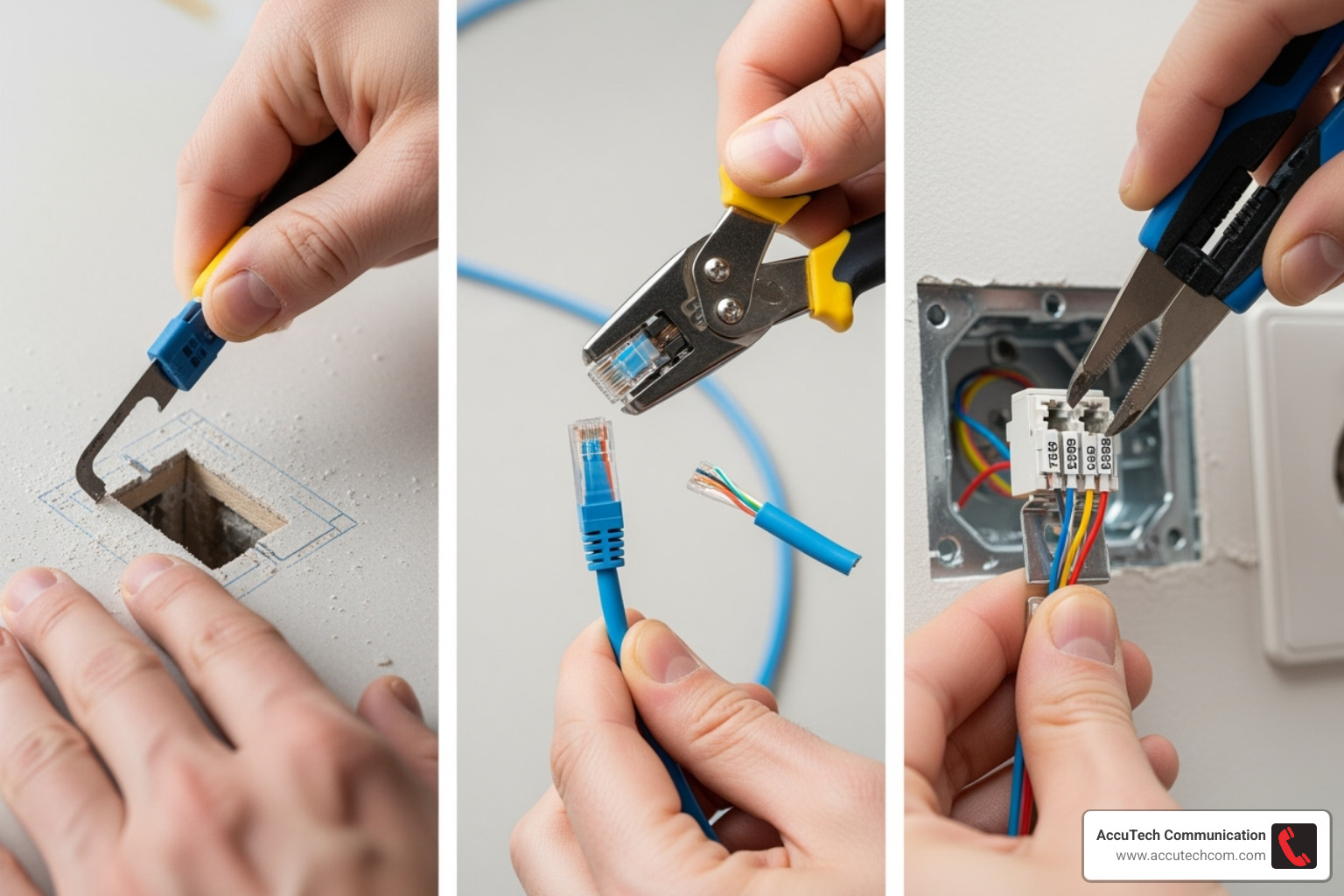
Before you begin, let’s talk safety. Always turn off the power to any nearby electrical circuits at your breaker box before cutting into walls. This simple step prevents a nasty shock.
Use your stud finder to locate studs near your planned installation spot. Before making major cuts, drill a small pilot hole to check for hidden plumbing pipes or electrical lines. Finding a water pipe with your drywall saw is a costly mistake!
Step 1: Mark and Cut the Opening
This is where your careful planning pays off as you create the opening for your new ethernet connection.
Use your stud finder to locate studs near your chosen spot. Position your outlet between two studs or alongside one, depending on your mounting bracket. Once you’ve found the perfect location, hold your low-voltage mounting bracket against the wall and use it as a template. Trace the inside edge with a pencil to create your cutting guide.
With the power off, carefully cut along your traced line with a drywall saw or sharp utility knife. A clean, precise cut makes the rest of the job easier and yields a professional finish. If positioning your new outlet near existing electrical outlets, try to maintain consistent spacing for a cleaner look.
Step 2: Run the Ethernet Cable Through the Wall
Running cable through walls can seem tricky, but fish tape makes it manageable.
If you need to run cable between floors or through wall cavities, you’ll likely need to drill guide holes through the top or bottom plates of your walls. Use a drill with a long bit (a 1/2-inch diameter works well for ethernet cable) and drill clean holes.
Now, feed the fish tape from your wall opening to your access point (basement, attic, or crawl space). Once the tape reaches its destination, securely attach your ethernet cable to the end with electrical tape. Ensure the connection is solid so the cable doesn’t detach inside the wall.
Here’s a crucial tip: avoid running ethernet cables parallel to electrical lines for long distances, as this can degrade network performance. If you must cross an electrical line, do it at a 90-degree angle to minimize interference.
Once the cable is pulled through, leave plenty of slack at the outlet end—about 6 to 12 inches. This extra length provides room to work and makes future adjustments easier.
Step 3: Terminate the Cable with a Keystone Jack
This precision step connects the raw cable to the keystone jack that will serve your devices.
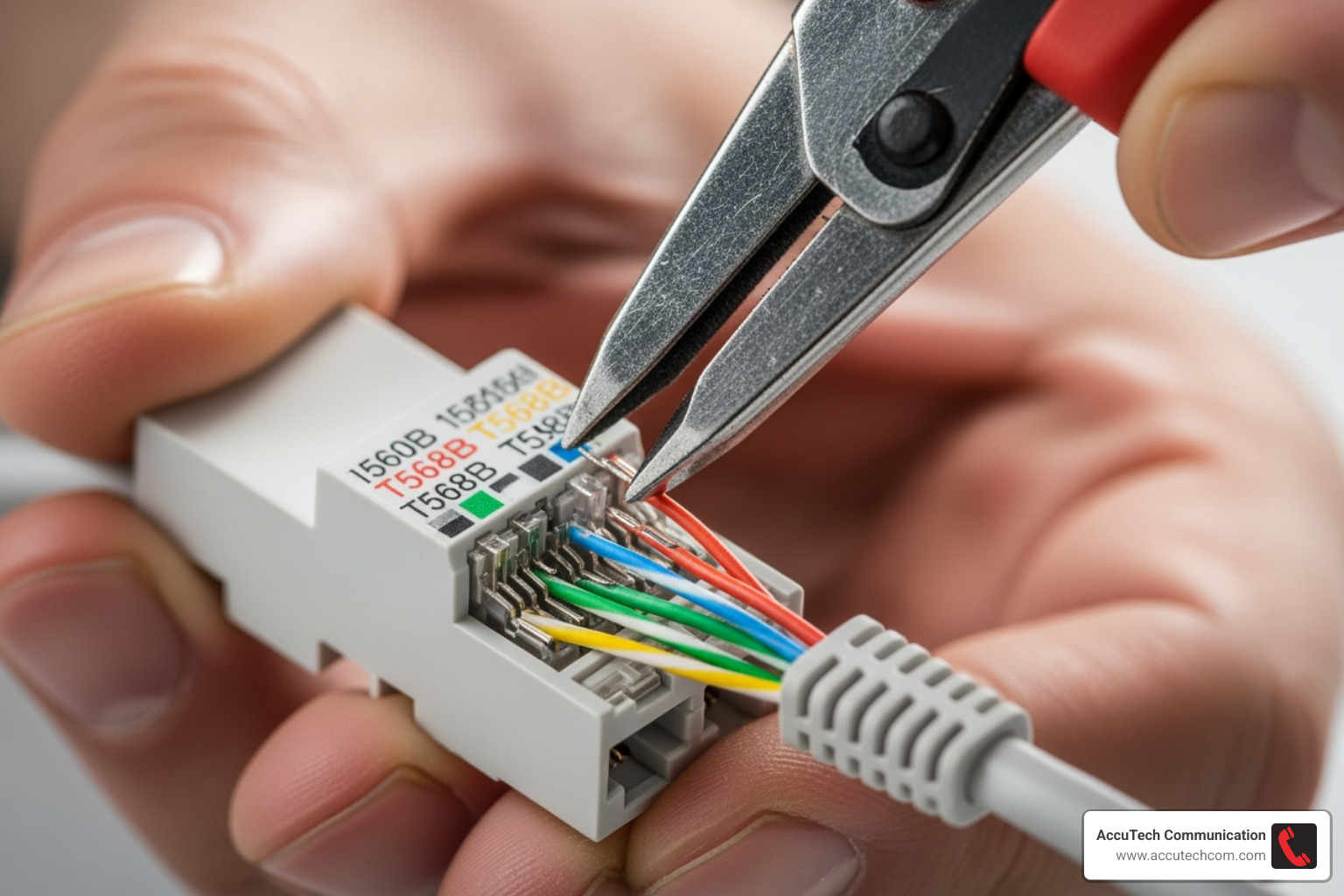
Use your wire stripper to carefully remove 1 to 2 inches of the outer jacket from the cable end. Work gently to avoid nicking the inner wires. Once the jacket is off, you’ll see four twisted pairs of colorful wires. Gently untwist and straighten them, but only as much as necessary.
Now, arrange the eight wires according to the T568A or T568B wiring standard. T568B is more common in North America, so we recommend sticking with it for consistency. The key is using the same standard on both ends of your installation.
Most keystone jacks have the T568B color code printed on them: White/Orange, Orange, White/Green, Blue, White/Blue, Green, White/Brown, Brown. Align each wire with its corresponding color slot on the jack.
Using your punch-down tool, firmly push each wire into its designated slot. The tool will seat the wire properly and trim any excess for a clean finish. Apply good pressure to ensure solid, reliable connections. For more technical details, check our guide on What is an Ethernet Cable?.
Step 4: Install the Wall Plate and Finish the Job
This final step brings everything together for a clean, professional appearance.
Once your keystone jack is terminated, snap it into your ethernet wall plate. Most jacks click right into place.
Next, secure your low-voltage mounting bracket in the wall opening. For an “old-work” bracket, the tabs will clamp onto the drywall from behind. Ensure it’s sitting flush and secure.
Finally, gently tuck any excess cable back into the wall and screw the wall plate onto the mounting bracket. Don’t overtighten the screws; you want the plate snug against the wall without cracking it.
Step back and admire your work! You’ve successfully completed installing an ethernet port that will provide reliable, high-speed connectivity for years to come.
Finalizing Your Installation: Testing and Troubleshooting
You’ve pulled cables, punched down wires, and mounted your wall plate. Before you celebrate your installing an ethernet port victory, one crucial step remains: making sure everything works. Testing is essential for ensuring you have a rock-solid connection that won’t let you down.
It’s much easier to fix a wiring issue now while your tools are out than to troubleshoot connection problems months from now.
How to Test Your New Ethernet Port
A dedicated cable tester is the best way to verify your new port is working perfectly and to confirm proper wiring.
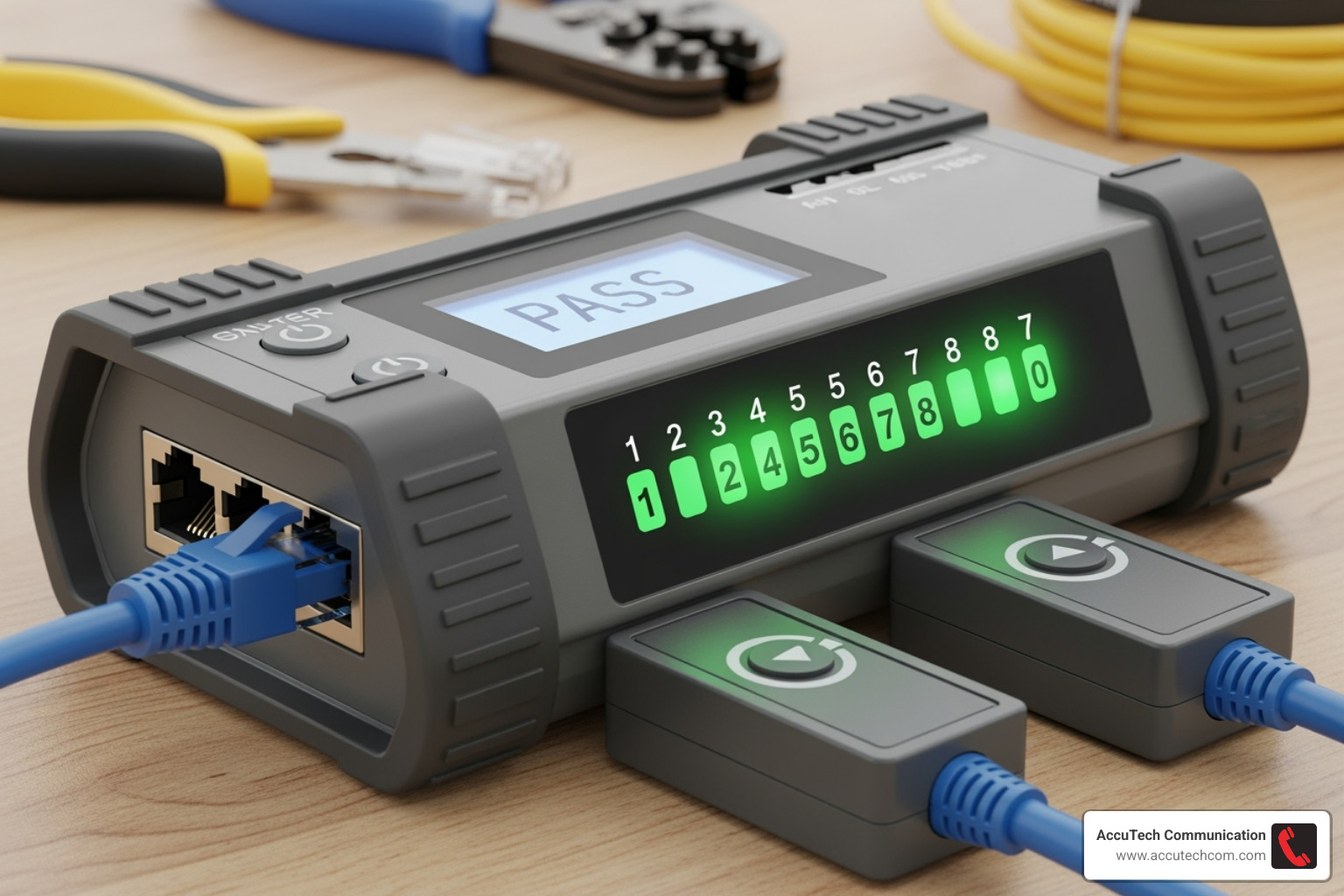
Start by connecting the tester to your new port. Plug one end of a patch cable into your wall port and the other into your Ethernet Cable Tester. Then connect another patch cable from your router or switch to the tester’s other port.
The tester will light up, showing which wires are properly connected. You want to see all 8 wires showing continuity—this means your punch-down work was successful and all wire pairs are correctly connected. If any lights are missing or out of sequence, you’ll know which wires need attention.
Once your cable tester gives you the thumbs up, it’s time for a real-world test. Connect a device like your laptop directly to the new port with a standard patch cable. Then run a speed test by visiting Test your connection speed to confirm you’re getting the speeds you expect.
If everything checks out, congratulations! You’ve successfully completed your ethernet port installation.
Common Troubleshooting Steps
If things don’t work perfectly on the first try, here’s how to troubleshoot the most common issues.
No connection or slow speeds usually point to a wiring problem. Start by checking your physical connections—make sure all patch cables are firmly seated at both the wall port and your router or device. A loose connection is often the culprit.
If connections are solid but issues persist, re-terminate the keystone jack. Remove the jack from the wall plate, strip the cable jacket again, and re-punch down each wire. Double-check that you’re following the T568B color code exactly and that each wire is fully seated.
Next, inspect for damaged cable along the entire run. Look for any kinks, cuts, or places where the cable might have been pinched during installation. Cable damage can cause connection problems.
Finally, test with a different patch cable. Sometimes the issue isn’t your new installation but a bad patch cable. Swap in a known-good cable to rule this out.
Most connection issues come down to these basics, and with a little patience, you’ll have your new ethernet port running perfectly.
DIY vs. Hiring a Pro: Cost and Considerations
So you’ve learned the ins and outs of installing an ethernet port—but should you do it yourself? This decision involves evaluating project complexity, your comfort with tools, and your time commitment, not just cost.
Some folks love the satisfaction of a weekend project, while others would rather spend their Saturday doing anything else than fishing cables through walls. Both approaches are valid.
The Cost of Installing an Ethernet Port
Let’s be real about what you’re looking at financially.
Going the DIY route means your biggest upfront cost is tools, not materials. The cable, keystone jacks, wall plates, and mounting brackets are affordable. However, specialized tools like a quality punch-down tool, wire stripper, fish tape, and a reliable cable tester can add up.
The good news is that these are one-time investments. If you plan to wire multiple rooms eventually, the math starts working in your favor.
Professional installation typically ranges from budget-friendly to moderately expensive per port. The final cost depends on factors like your cable run’s difficulty, whether you’re dealing with multiple floors, and your local market.
What you’re really paying for is expertise, speed, and peace of mind. A pro can often complete in a few hours what might take you an entire weekend. For help finding qualified installers, check out Network Cable Installation Near Me.
When to Hire a Professional for Installing an Ethernet Port
While installing an ethernet port can be a satisfying DIY project, some situations call for professional help.
Complex cable runs are the big one. If you’re looking at multiple floors, navigating through brick or old plaster walls, or dealing with fire-rated walls, a professional has the experience and tools to handle these challenges safely.
Limited access can turn a simple project into a nightmare. No attic or basement access means working entirely within finished walls—definitely advanced territory. Similarly, if you’re uncomfortable with the tools or techniques, there’s no shame in calling for backup.
For business installations or complex home networks, the stakes are higher. Professional cabling companies provide certified installations that meet industry standards like ANSI/TIA/EIA. They also provide complete documentation, test results, and warranties—crucial for business environments where network reliability impacts productivity.
Since Ethernet is low-voltage wiring, you don’t need a licensed electrician. However, ensuring quality work means avoiding common pitfalls. You can learn about them in our guide on 5 Common Mistakes to Avoid When Installing Network Cabling.
At AccuTech Communications, we’ve been helping businesses across Massachusetts, New Hampshire, and Rhode Island with their network cabling needs since 1993. Whether you choose DIY or professional installation, the goal is the same: a reliable, high-speed connection.
Frequently Asked Questions About Ethernet Port Installation
Installing an ethernet port brings up lots of questions, and we’ve heard them all over the years. Let me share the answers to the ones that come up most often.
Is a wired Ethernet connection really better than Wi-Fi?
Absolutely, yes! While Wi-Fi wins hands down for convenience, a wired connection beats it in almost every performance category that matters.
Speed is the most obvious advantage. Your Ethernet connection delivers consistent speeds that match your internet plan, while Wi-Fi often gives you a fraction of what you’re paying for. Stability is another huge win – no more dropped video calls or buffering during the good parts of your show. Lower latency means less delay, which gamers especially appreciate, but it also makes video conferencing feel more natural and responsive.
Think of it this way: Wi-Fi is like taking the scenic route with traffic lights, while Ethernet is your dedicated express lane. For anything ideal for critical tasks like working from home, streaming 4K content, or online gaming, that express lane makes all the difference.
What’s the difference between T568A and T568B wiring?
T568A and T568B are two wiring standards that determine how you arrange the eight colored wires inside your Ethernet cable when connecting them to a keystone jack.
The pinout difference for green and orange pairs is really the only thing that sets them apart – these two wire pairs swap positions between the standards. Here’s the thing though: they’re functionally identical. A cable wired with T568A on both ends works exactly the same as one wired with T568B on both ends.
T568B is more common in the US, so we typically recommend sticking with it for consistency. The most important rule? Consistency is key – always use the same standard on both ends of your cable run. Mixing them up won’t break anything, but it’s good practice to pick one and stick with it throughout your installation.
Can I run Ethernet cables myself, or do I need an electrician?
You absolutely can! DIY is possible for simple runs, and it’s actually quite rewarding when you get that first successful connection.
Since Ethernet is low-voltage wiring doesn’t require an electrician – it’s not like the high-voltage electrical work that needs special licensing. For straightforward installations like running a cable from your basement to a room directly above, many homeowners handle it just fine.
That said, professionals are recommended for complex jobs to ensure quality and avoid damage. If your project involves multiple floors, tricky wall structures, or areas where you can’t easily access the cable path, calling in someone with experience can save you time, frustration, and potentially costly mistakes.
The peace of mind factor is real too. When we install Ethernet ports professionally, you get proper testing, documentation, and the confidence that everything meets industry standards. Sometimes that’s worth the investment, especially for business applications where reliability is crucial.
Conclusion: Enjoy Your High-Speed Wired Connection
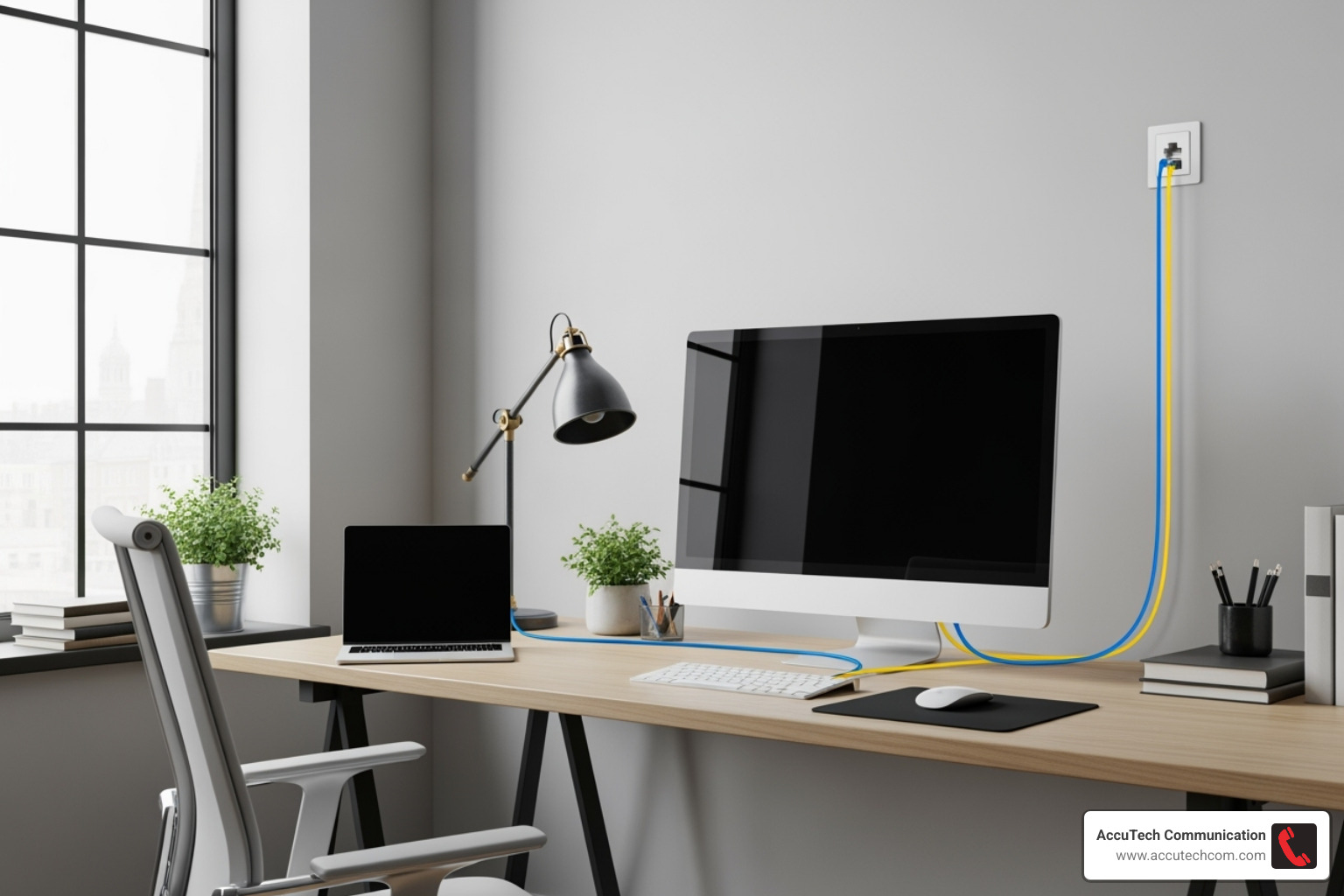
Congratulations! You’ve successfully completed installing an ethernet port and created a rock-solid foundation for your network. You now have faster speeds, better reliability, and a more stable connection than any Wi-Fi setup could provide.
The difference will be immediately noticeable. Your video calls will be clearer, large file downloads will be faster, and online gaming will feel more responsive with lower latency. Streaming multiple 4K videos simultaneously will be no problem at all.
Beyond the technical benefits, there’s a tangible sense of accomplishment that comes with upgrading your home’s infrastructure with your own hands. Every time you plug a device into that wall port, you’ll be reminded of your successful project.
Of course, not every project is suited for the DIY approach. If you’re dealing with complex runs, challenging wall structures, or simply want the peace of mind that comes with professional installation, that’s where we come in.
For businesses or complex residential projects in Massachusetts, New Hampshire, or Rhode Island, AccuTech Communications brings over 30 years of experience to ensure your network infrastructure is done right the first time. We provide certified, reliable connections with complete documentation and testing—the kind of professional-grade installation that forms the backbone of serious network systems.
Whether you’ve tackled this project yourself or are considering professional installation, you’re investing in technology that will serve you well for years. Welcome to truly high-speed, reliable networking! For comprehensive network solutions, explore our Structured Cabling Services to see how we can build the perfect network foundation for your needs.
