
Lan Cable Tester: Top Picks 2025
Why Network Reliability Starts with the Right Testing Tools
A LAN cable tester is an essential diagnostic tool that verifies the integrity and performance of network cables by checking for common faults like opens, shorts, miswires, and split pairs. Here are the main types you’ll encounter:
Basic Verification Testers
- Test continuity and wiremap with LED indicators
- Ideal for simple pass/fail testing
- Price range: $30-50
Advanced Qualification Testers
- Verify network speeds and PoE functionality
- Test active network connections
- Price range: $200-800
Professional Certification Testers
- Meet TIA/ISO standards for new installations
- Generate detailed compliance reports
- Price range: $2,000-8,000+
Network downtime costs businesses an average of $5,600 per minute according to industry studies. Whether you’re troubleshooting connectivity issues or certifying new installations, the right testing equipment prevents costly outages and ensures your infrastructure performs as designed.
“If you’re having connection problems on your devices, then the problem may be a faulty LAN cable,” notes technical documentation from leading network equipment manufacturers. Regular cable testing identifies issues before they impact operations.
I’m Corin Dolan, owner of AccuTech Communications, and I’ve been helping businesses across Massachusetts, New Hampshire, and Rhode Island maintain reliable network infrastructure since 1993. Throughout my career installing and troubleshooting structured cabling systems, I’ve seen how the right LAN cable tester can save hours of diagnostic time and prevent network failures.
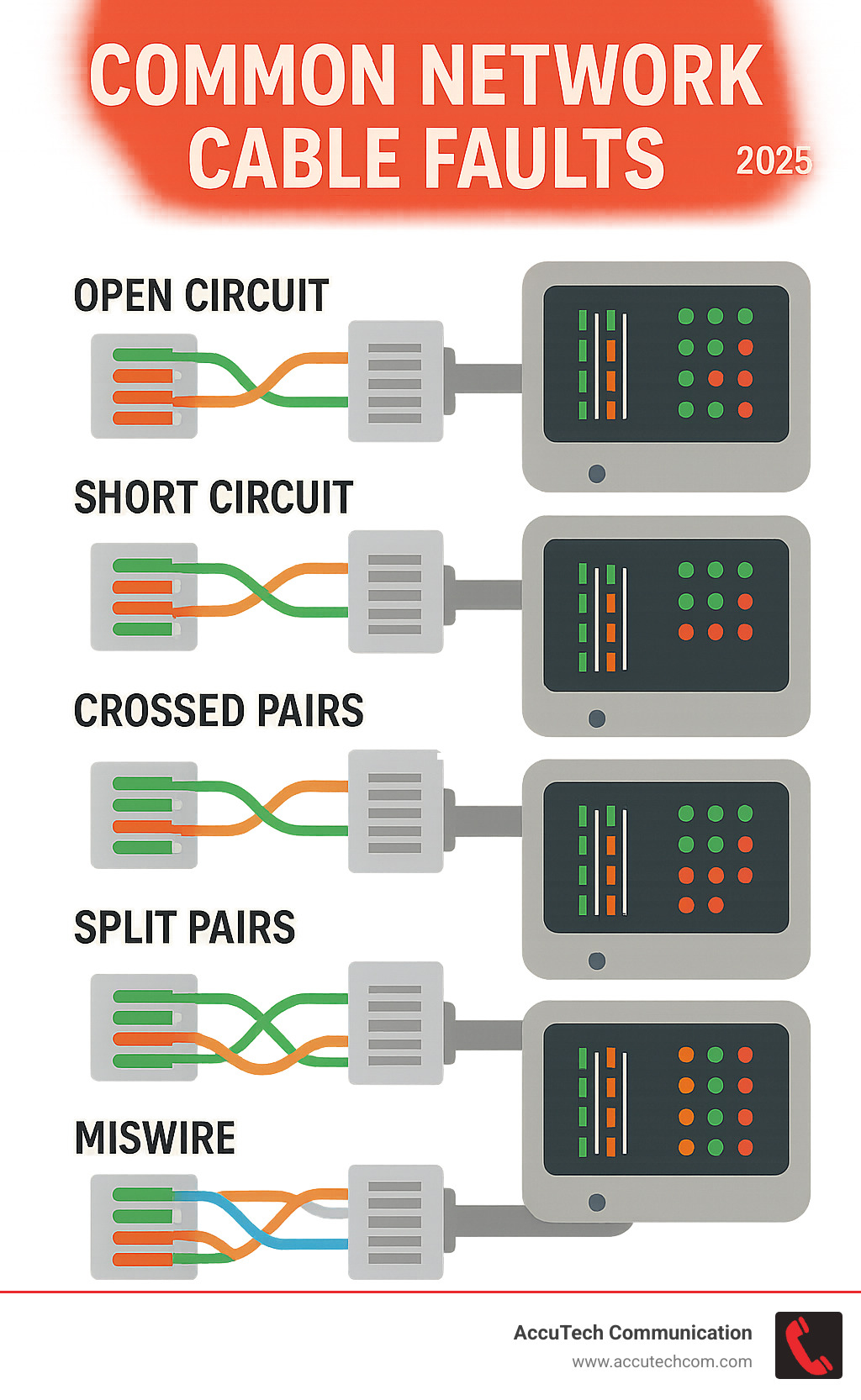
Lan cable tester terms simplified:
What is a LAN Cable Tester and Why Do You Need One?
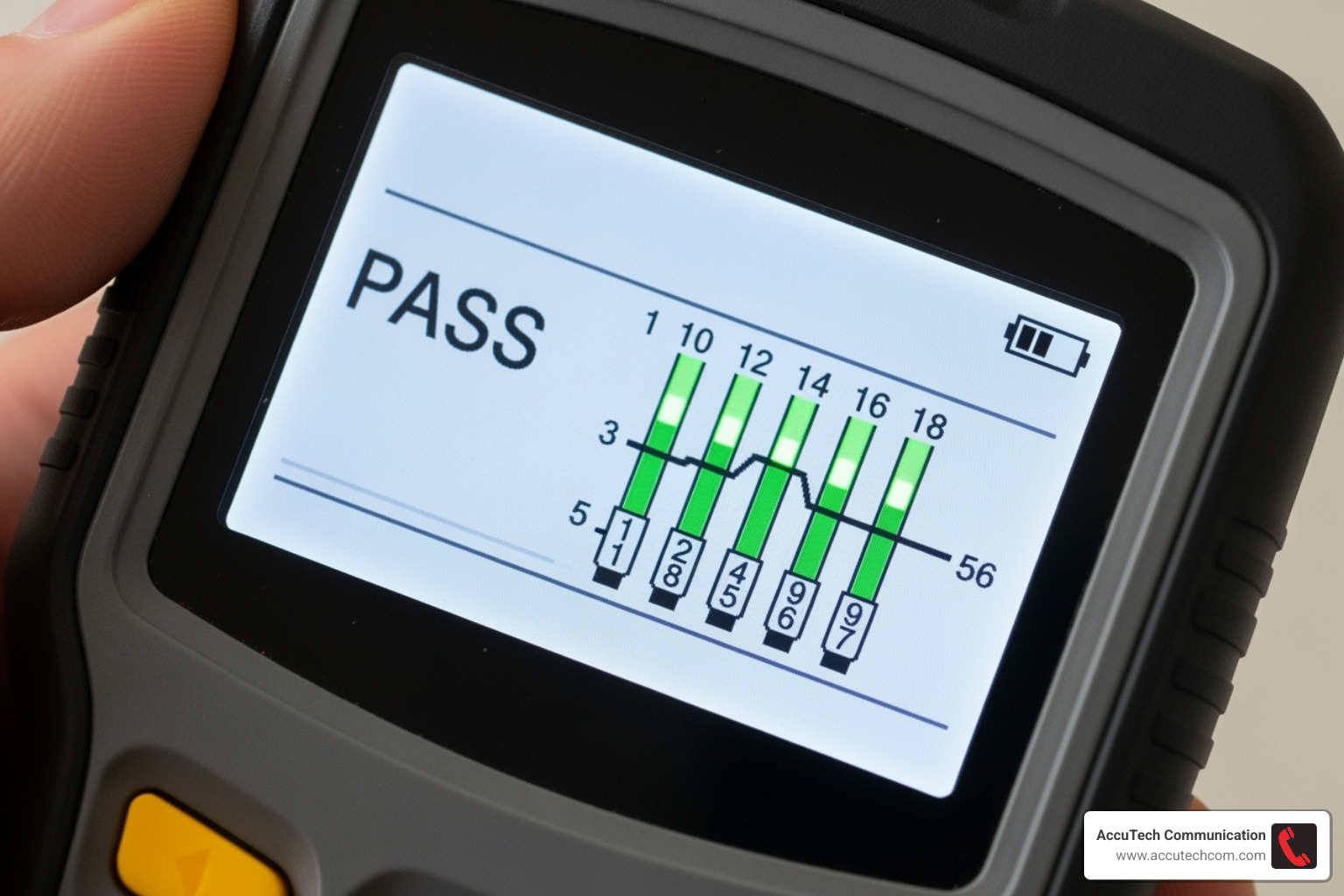
A LAN cable tester is your network’s best friend – a specialized device that checks whether your Ethernet cables are wired correctly and ready to carry data reliably. Think of it as giving your cables a quick physical exam to make sure everything’s connected properly.
The primary function is straightforward: fault identification. These handy tools send electrical signals through each wire in your cable and analyze what comes back. It’s like having a conversation with your cable – if it doesn’t respond correctly, you know something’s wrong.
Network downtime prevention is where these testers really shine. Instead of scratching your head wondering why the internet is crawling or devices won’t connect, you can quickly determine if the cable is the culprit. This saves hours of troubleshooting time and prevents those frustrating “try turning it off and on again” moments.
When it comes to troubleshooting connectivity issues, a LAN cable tester works by detecting several common problems. Opens occur when a wire is completely broken – the signal hits a dead end and can’t complete its journey. Shorts happen when wires that should stay separate decide to touch each other, creating electrical chaos.
Miswires are particularly sneaky because the cable might seem fine, but the wires are connected in the wrong order at one end. It’s like having a phone conversation where everyone’s talking, but nobody’s listening to the right person. For proper cable configuration, check out our guide on Ethernet Cable Wiring.
Split pairs represent one of the more subtle faults that can drive you crazy. The wires are connected, but they’re not properly paired together as they should be. This creates signal interference that gets worse as network speeds increase – your cable might work fine for basic connectivity but fail miserably when you need high-speed data transfer.
Whether you’re installing new cables or troubleshooting existing ones, a LAN cable tester eliminates the guesswork. Instead of swapping cables randomly hoping to find the problem, you get definitive answers about what’s working and what isn’t. It’s the difference between being a network detective and just throwing darts in the dark.
Choosing the Right Type of Tester for the Job
Just as you wouldn’t use a wrench for every task, not all LAN cable testers are created equal. The market offers a range of testers, each designed for different levels of testing and specific needs. Understanding these distinctions is key to choosing the right tool for your specific tasks, from simple home network checks to professional installations.
Basic Verification LAN Cable Tester
These are the entry-level champions of the LAN cable tester world, often characterized by their simplicity and affordability. We like to call them the “continuity cops” of your network.
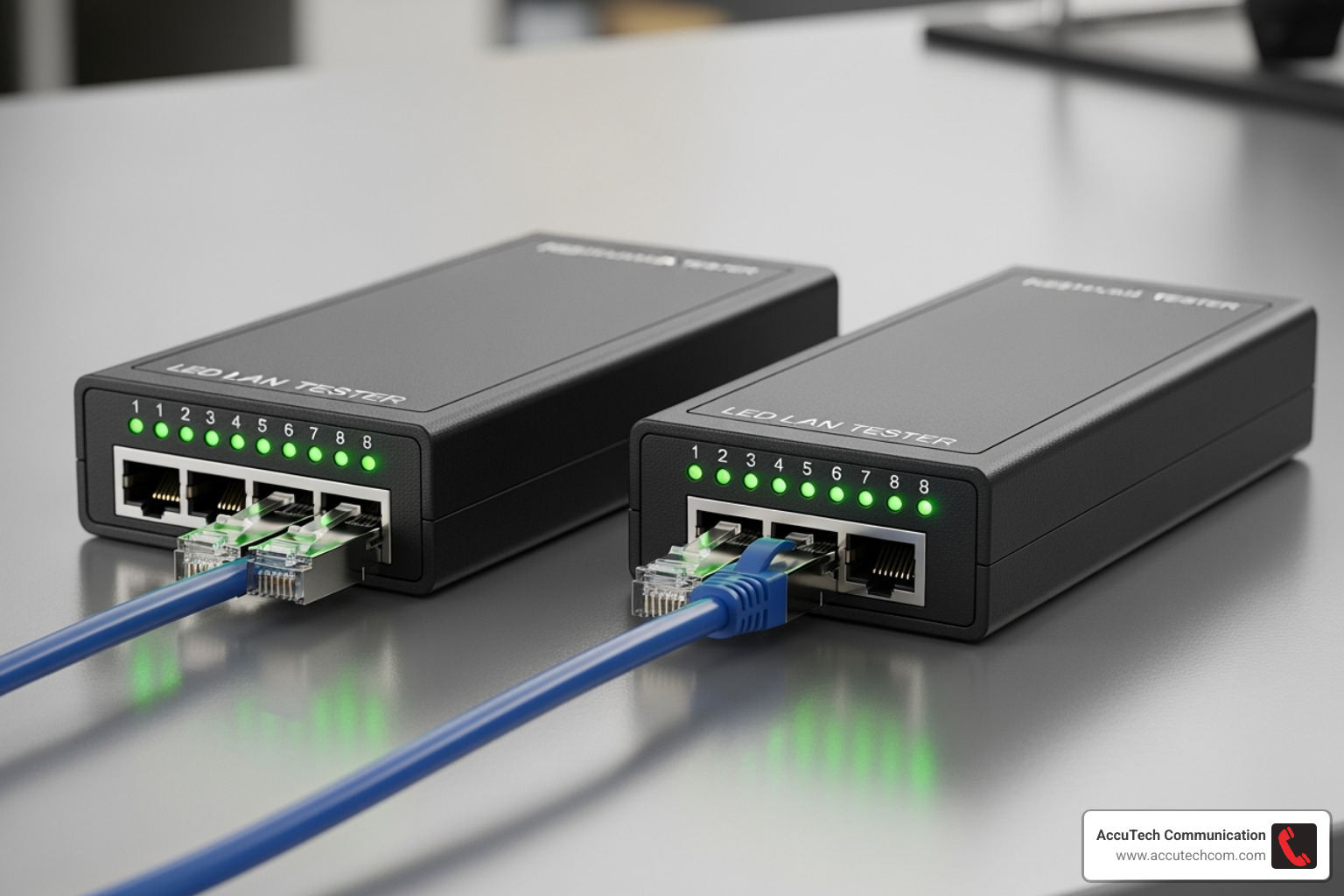
A basic verification tester primarily performs continuity testing and checks the wiremap. It usually consists of a main unit and a remote unit. You plug one end of the cable into the main unit and the other into the remote. When you power it on, a series of LEDs light up, typically in sequence (1-2-3-4-5-6-7-8, plus G for ground). If the sequence is correct and all lights illuminate, your cable has continuity and the wires are mapped correctly. If lights are missing or out of sequence, you’ve found a fault.
These testers are ideal for DIY enthusiasts, small office environments, or anyone needing quick, simple pass/fail results. They’re perfect for checking newly crimped cables, or for diagnosing obvious breaks or miswires in existing ones. Many compact models, like the Klein Tools LAN Explorer, feature LED indicators for Pass, Miswire, Open-Fault, Short-Fault, and even Shield status, supporting CAT3, CAT5e, and CAT6/6A cables with RJ11, RJ12, and RJ45 connectors. While highly useful, some “crappy” testers might not limit the current sent through data lines, so always use a tester you trust.
Advanced Qualification Testers
Stepping up from basic verification, qualification testers go a significant step further. These devices don’t just tell you if a cable is connected; they tell you what an existing cabling link can support.
Qualification testers are designed to assess if your cabling can handle specific network speeds and technologies, such as Gigabit Ethernet (1000BASE-T) or Voice over IP (VoIP). They can also help isolate whether a network issue is due to the cabling itself or a network protocol problem. For example, if you’re experiencing slow speeds, a qualification tester might tell you if your Cat5e cable can actually support Gigabit Ethernet or if it’s struggling.
Many advanced testers also include Power over Ethernet (PoE) testing capabilities, verifying if the correct voltage is present and if the Power Sourcing Equipment (PSE) is providing enough power for connected devices. Some, like the Pockethernet, can even detect link speeds up to 10 Gigabit Ethernet, perform network findy (identifying devices using protocols like CDP and LLDP), and conduct ping tests. These features are invaluable for troubleshooting active networks, helping identify not just cable faults but also potential noise issues or bandwidth limitations.
For a comprehensive guide on testing your Ethernet cables, our partners at iFixit provide excellent insights on How to test an Ethernet Cable.
Professional Certification Testers
At the top tier of LAN cable tester capabilities are professional certification testers. These are the heavyweights, providing the most rigorous and detailed analysis of network cabling.

Certification testers are the only tools that provide definitive “Pass” or “Fail” information in accordance with industry standards set by organizations like TIA (Telecommunications Industry Association) and ISO/IEC (International Organization for Standardization). This is critical for new installations, especially for structured cabling manufacturers who often require certification results to validate warranties. When we install commercial data cabling, such as for our clients in Marlborough, MA, or Worcester, MA, these testers are indispensable.
These testers measure a wide array of performance parameters beyond simple continuity and wiremap, including:
- Near-End Crosstalk (NEXT): Measures signal interference between wire pairs at the near end of the cable.
- Return Loss: Measures the signal reflections caused by impedance mismatches along the cable.
- Attenuation: Measures the loss of signal strength over the length of the cable.
- Length: Accurately measures the cable’s length.
- Propagation Delay and Skew: Measures how long it takes for a signal to travel down the cable and the difference in travel time between different pairs.
Tools like the Fluke Networks DSX CableAnalyzer series are prime examples of certification testers. They generate detailed PDF reports that document every aspect of the cable’s performance, providing undeniable proof that the installed cabling meets the highest standards. AccuTech Communications uses professional-grade equipment, such as Level IV NEXT/FEXT PairScanners for CAT5E/6/6A and OTDRs or MicroTest CertiFiber equipment for Fiber Optic installations, to certify and verify our work, ensuring our clients’ networks are future-proof and reliable. You can learn more about our commitment to quality on our Commercial Data Cabling page.
Key Features to Compare in a LAN Cable Tester
Beyond the basic type, specific features determine a tester’s versatility and power. Here are the key functions to look for when making your selection.
When you’re shopping for a LAN cable tester, it’s easy to get overwhelmed by the technical specifications and feature lists. Think of it like buying a car – you need to know which features are must-haves versus nice-to-haves based on how you’ll actually use it. Let me walk you through the essential capabilities that separate a basic tool from one that will truly serve your networking needs.
Core Testing Capabilities
Every decent LAN cable tester should master the fundamentals before getting fancy with advanced features. These core capabilities form the foundation of reliable cable testing.
The wiremap function is absolutely essential – it’s like having a GPS for your cable’s internal wiring. This feature verifies that each wire connects to the correct pin at both ends of your cable. You’d be surprised how often cables get miswired during installation, especially when someone’s rushing to finish a project. A clear wiremap display, whether through LED indicators or a screen, instantly shows you if wire 1 goes to pin 1, wire 2 to pin 2, and so on.
Cable length measurement using TDR technology is where things get really interesting. Time-Domain Reflectometry sounds fancy, but it’s actually quite simple – the tester sends a signal down your cable and times how long it takes to bounce back. This tells you exactly how long your cable is, or more importantly, how far away that break or short circuit is hiding. When you’re dealing with cables running through walls or ceiling spaces, this feature can save you hours of detective work.
The tone generator and cable tracing capability is your best friend when you’re staring at a rat’s nest of identical cables. The tester sends an audible tone down a specific cable, and you use a probe to “listen” for that tone at patch panels or wall jacks. It’s like playing a high-tech game of Marco Polo with your network cables! This feature becomes invaluable during Low Voltage Structured Cabling projects where organization is key.
Advanced Features for a Modern LAN Cable Tester
Today’s networks demand more than basic connectivity – they need to support power delivery, high speeds, and complex diagnostics. Modern LAN cable tester units rise to meet these challenges with sophisticated features that would have seemed like science fiction just a few years ago.
PoE verification has become crucial as more devices rely on Power over Ethernet. Your IP cameras, wireless access points, and VoIP phones all need both data and power through that single cable. A quality tester doesn’t just detect if PoE is present – it identifies the PSE type detection, measures actual voltage levels, and confirms the power class. Some advanced models even test under load conditions to ensure your device will get the juice it needs to operate reliably.
Link speed detection takes the guesswork out of network performance troubleshooting. Instead of wondering why your “gigabit” connection feels sluggish, the tester connects to an active port and shows you the actual negotiated speed. This feature quickly reveals whether your problem is the cable, the switch port, or something else entirely.
The port blinker feature might sound simple, but it’s absolutely brilliant in practice. Ever tried to figure out which port a cable plugs into when you’re looking at a switch with 48 identical ports? The tester makes the corresponding port’s LED flash, eliminating the guesswork. It’s one of those features that makes you wonder how you ever lived without it.
DHCP test capabilities help diagnose network connectivity issues beyond just the physical cable. The tester can request an IP address from your network’s DHCP server, confirming that the entire chain from cable to network services is working properly.
Modern testers often include smartphone integration, turning your phone into a powerful network diagnostic tool. Apps provide intuitive interfaces for complex tests and can generate detailed reports on the spot. Some even offer cloud reporting capabilities, automatically storing your test results and making them easy to share with clients or team members.
These advanced features transform a basic continuity checker into a comprehensive network diagnostic platform, essential for professional Data Cable Installation work where thoroughness and documentation matter.
How to Properly Use a LAN Cable Tester
Using a LAN cable tester might seem intimidating at first, but it’s actually quite straightforward once you know the steps. Think of it like checking your car’s oil – a simple process that can save you from major headaches down the road!
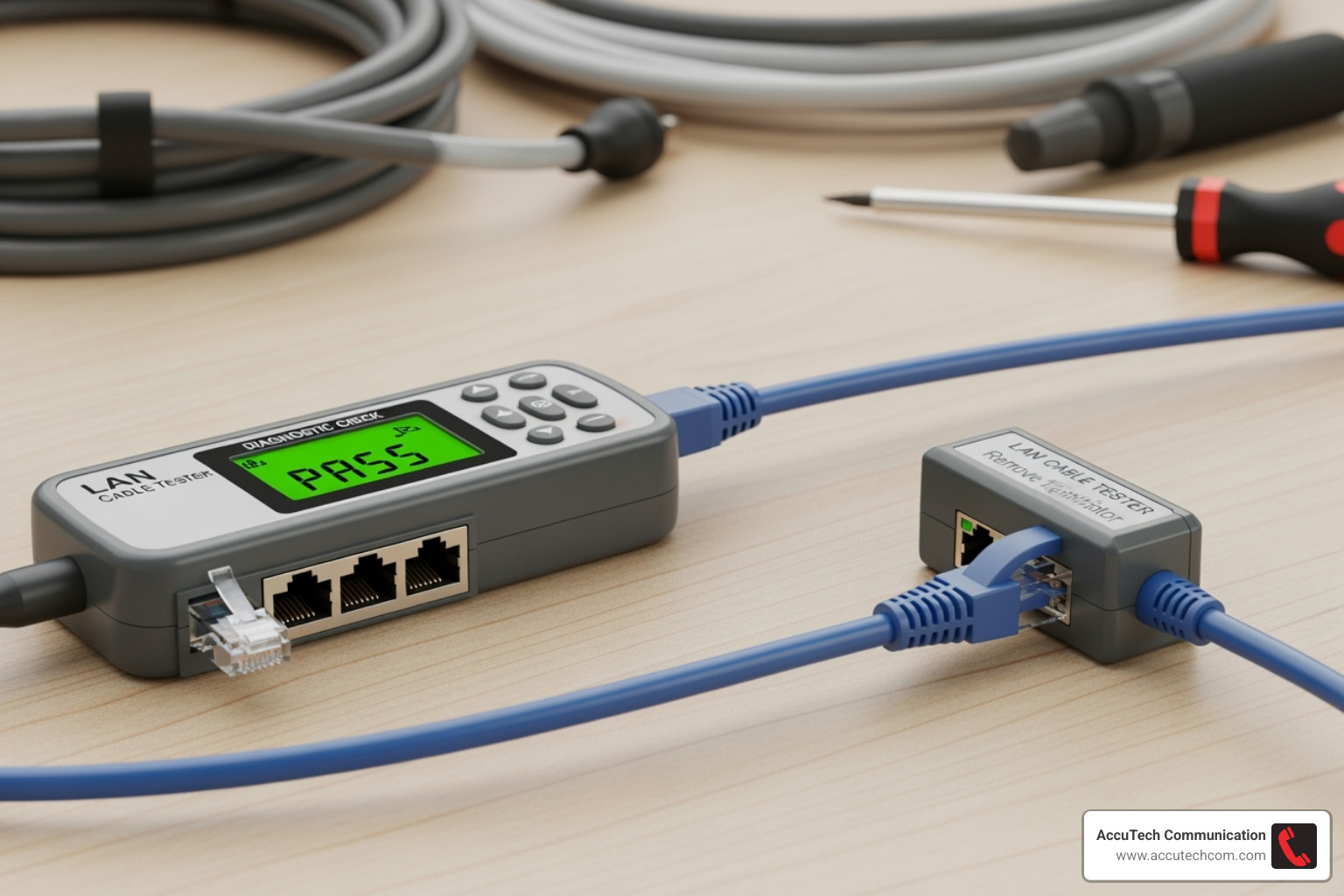
Getting Started: Check Your Batteries First
Before diving in, make sure your tester has fresh batteries. Most LAN cable testers run on a 9V battery, and low power can give you false readings – nobody wants to chase ghost problems! Gather the cable you want to test and find a clear workspace where you can see both the main unit and remote clearly.
Here’s the most important safety rule: always test non-energized cables. Make sure your cable isn’t plugged into any active network equipment like routers, switches, or computers. While PoE testing is fine if your tester supports it, you should never test cables carrying electrical power unless you’re using specialized equipment designed for that purpose.
Connecting Your Tester the Right Way
The connection process depends on what you’re testing. For a standalone patch cable, plug one end into the main unit (often marked “TX” or “Master”) and the other end into the remote unit (usually labeled “RX” or “Remote”). Many testers cleverly store the remote unit inside the main body – no more hunting for lost pieces!
Testing installed cables works a bit differently. Connect the main unit to your wall jack, then walk to the patch panel or other end of the cable run with the remote unit. This lets you test those long cable runs hidden in walls and ceilings without playing hide and seek.
Running Your Test and Reading the Results
Power on your tester and let it work its magic. Basic testers will automatically cycle through each wire, showing a sequence of flashing LEDs numbered 1 through 8, plus sometimes “G” for ground. Advanced testers display detailed information on their screens.
Understanding what your tester is telling you is crucial. With basic LED testers, a pass result shows all LEDs lighting up in perfect sequence on both units – like a well-choreographed light show. An open fault means one or more LEDs stay dark, indicating a broken wire or poor connection. The number of the unlit LED tells you exactly which wire has the problem.
Short faults show up as multiple LEDs lighting simultaneously or in weird patterns – this means wires are touching when they shouldn’t be. Miswires are trickier; the LEDs light up but in the wrong order, like 1-2-4-3-5-6-7-8 instead of proper sequence. The wires connect, but they’re going to the wrong places.
Advanced testers with displays make life easier by showing clear “Pass” or “Fail” messages along with detailed wire maps, length measurements, and specific fault locations. They might tell you something like “Open on Pair 3/6 at 25 meters” – now that’s helpful information!
Safety Precautions That Matter
We can’t stress this enough: handle your cables and testers safely. When unplugging Ethernet cables, always press down on the plastic tab before pulling – yanking cables out damages connectors and ports. It’s like forcing a key in a lock; you’ll just break something.
Split pairs can be sneaky troublemakers. Your basic tester might show a pass, but your network still runs slowly. This fault requires more advanced equipment to detect, which is why having the right level of tester for your needs matters.
Following these steps will help you effectively diagnose cable problems and keep your network running smoothly. For more detailed guidance on specific RJ45 testing procedures, check out our comprehensive guide on How to Use RJ45 Network Cable Tester.
Frequently Asked Questions about LAN Cable Testers
Network professionals and DIY enthusiasts alike often have questions about LAN cable testers and what they can actually do. Let me clear up some of the most common misconceptions and help you understand what to expect from these handy diagnostic tools.
Can a basic LAN cable tester measure cable length?
Here’s the honest answer: most basic LED-based LAN cable testers cannot accurately measure cable length. These simpler models are workhorses for continuity and wiremap verification – they’ll tell you if a wire is connected and where it’s connected, but they’re not equipped to measure distance.
Cable length measurement requires more advanced models with Time-Domain Reflectometry (TDR) technology. Think of TDR as sending a tiny electrical scout down the cable who times how long it takes to bounce back from the end or any obstacle. The tester sends a precise electrical pulse and measures the reflection time, then calculates the distance based on the known signal speed through the cable.
This feature becomes incredibly valuable when you’re troubleshooting long cable runs hidden in walls or need to verify that your installation meets the length specifications required by network standards. If you’re dealing with a break somewhere in a 200-foot run, TDR can tell you it’s at the 127-foot mark – saving you from tearing apart the entire installation.
What’s the difference between a LAN cable tester and a multimeter?
This question comes up frequently, and it really highlights why investing in a proper LAN cable tester makes sense for anyone serious about network diagnostics.
A multimeter is like a Swiss Army knife for electrical work – versatile and useful for many tasks. When set to continuity mode, it can check if individual wires have breaks by testing each of the eight wires in an Ethernet cable one by one. But that’s where the similarities end.
A multimeter simply cannot verify correct wire pairing – it won’t catch if your twisted pairs are maintained properly or if you have a 568A versus 568B wiring mismatch. More importantly, it’s blind to split pairs, which is one of the most common and performance-killing faults in network cables. Split pairs occur when wires from different pairs get incorrectly grouped together, and while a multimeter might show continuity, your network performance will suffer dramatically.
A dedicated Ethernet Cable Tester goes far beyond basic connectivity. It measures signal quality, crosstalk between wire pairs, signal attenuation, and return loss – all critical factors that determine whether your cable can actually handle high-speed data transmission. It’s the difference between knowing a garden hose doesn’t have holes and knowing it can handle the water pressure needed for your sprinkler system.
Do I need a tester for pre-made patch cables?
While pre-made patch cables typically come from the factory tested and are generally reliable, testing them is absolutely a best practice, especially in professional environments where network reliability isn’t negotiable.
Manufacturing defects, though rare, do slip through quality control processes. More commonly, cables can suffer damage during shipping – they get kinked, stepped on, or bent too sharply, creating internal breaks or shorts that aren’t visible from the outside.
In a professional environment, every cable in a link should be verified to ensure the entire connection performs as expected. Your network is only as strong as its weakest component. If you’re installing a high-performance Cat6a network, a single faulty patch cable can drag the entire connection down to Cat5e performance levels.
From a troubleshooting perspective, knowing your patch cables are already verified saves enormous time. When connectivity issues arise, you can immediately eliminate patch cords as potential culprits and focus your diagnostic efforts on other network components.
This verification approach is especially critical for businesses where network downtime translates directly to lost productivity and revenue. Taking a few minutes to test every cable component prevents hours of frustrating troubleshooting later.
Conclusion
Think of a LAN cable tester as your network’s health monitor – it’s the difference between guessing what’s wrong and knowing exactly how to fix it. Whether you’re dealing with a simple patch cable that won’t connect or certifying a complex multi-floor installation, having the right testing tool transforms frustrating network mysteries into straightforward solutions.
The beauty of investing in proper testing equipment lies in its preventive power. A LAN cable tester doesn’t just diagnose problems after they occur; it helps you catch issues before they bring down your network. That miswired cable that might work fine today could cause intermittent failures tomorrow, costing your business precious downtime and productivity.
From our three decades of experience serving businesses across Massachusetts, New Hampshire, and Rhode Island, we’ve seen how the right diagnostic approach saves both time and money. A quality LAN cable tester pays for itself the first time it helps you avoid hours of troubleshooting or prevents a network outage during a critical business operation.
Of course, even the best testing equipment is only as good as the expertise behind it. When your network infrastructure needs professional attention, you want technicians who understand both the tools and the standards. That’s exactly what we provide at AccuTech Communications – certified professionals who use industry-leading testing equipment to ensure your network performs flawlessly from day one.
Whether you’re planning a new installation in Worcester, expanding your network in Framingham, or troubleshooting connectivity issues in Nashua, our team brings the experience and equipment needed to get it right. We don’t just install cables; we certify them to meet the highest industry standards, giving you confidence in your network’s reliability.
Ready to ensure your network infrastructure is built to last? Explore our comprehensive Network Cabling Services and find how proper installation and testing create the foundation for years of reliable connectivity. For complete peace of mind, check out our full range of Structured Cabling Services – because your business deserves a network that works as hard as you do.
