
Network Cable PVC Conduit: Ultimate 2025
Why PVC Conduit is the Smart Choice for Your Network Cables
When running network cables outdoors, protecting them is key. A network cable pvc conduit offers an excellent solution for this.
Here’s why PVC conduit is essential for your outdoor network cables:
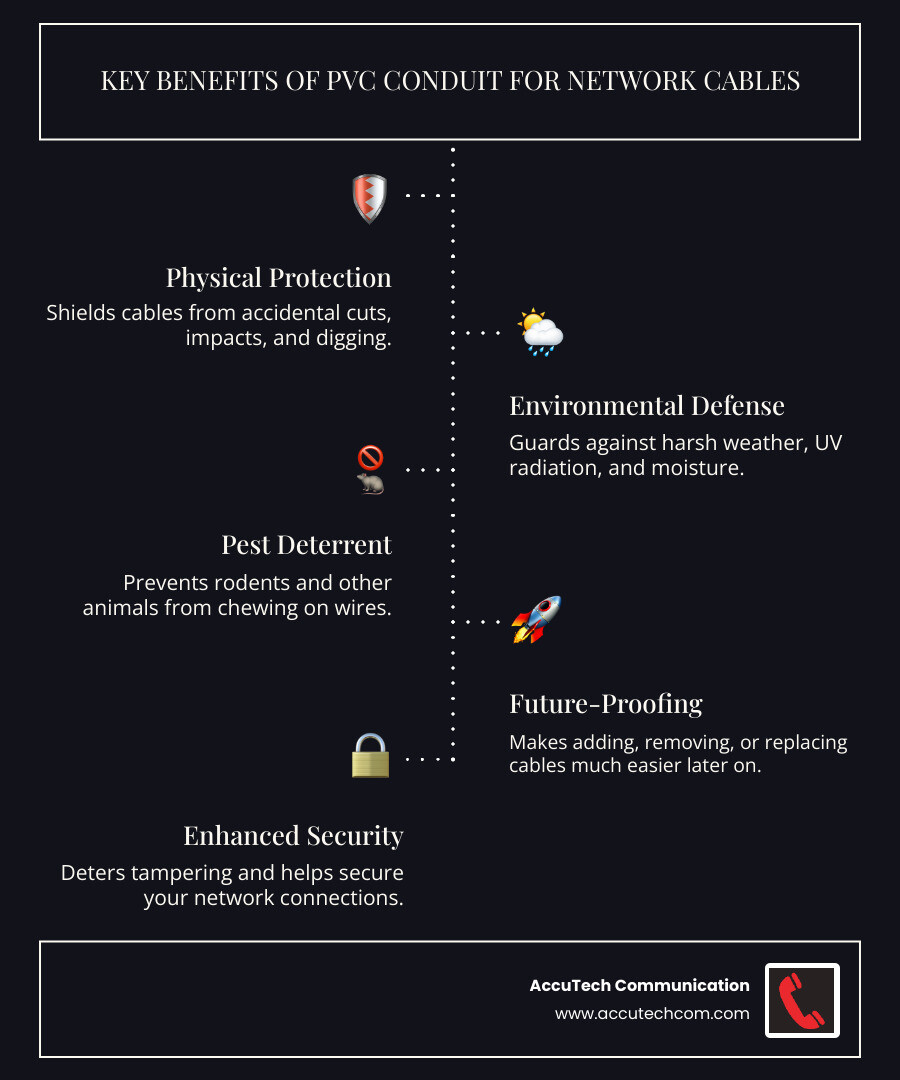
- Physical Protection: Shields cables from accidental cuts, impacts, and digging.
- Environmental Defense: Guards against harsh weather, UV radiation, and moisture.
- Pest Deterrent: Prevents rodents and other animals from chewing on wires.
- Future-Proofing: Makes adding, removing, or replacing cables much easier later on.
- Improved Security: Deters tampering and helps secure your network connections.
This guide will walk you through everything you need to know about using PVC conduit for your network cables. From choosing the right type to installation best practices and essential safety tips, we’ve got you covered.
I’m Corin Dolan, owner of AccuTech Communications. With my experience, I’ve seen how network cable pvc conduit can simplify outdoor installations and protect your crucial network infrastructure.
Protection from the Elements
Outdoor environments are harsh. Sunlight, rain, and temperature extremes can destroy unprotected cables. An indoor cable’s jacket can rot away in just a couple of years outdoors, leading to network failure.
A proper network cable pvc conduit shields cables from harmful UV radiation, preventing the outer jacket from cracking. While PVC has UV blockers, painting it can add extra protection. Moisture is another threat. Rain and humidity cause corrosion and signal loss. Conduit provides a watertight barrier, but you must seal the ends to prevent condensation and moisture ingress, especially underground.
Temperature swings also affect performance. Heat increases a copper cable’s resistance, reducing signal quality and effective length. Conduit helps by providing physical protection, allowing the cable to operate within its temperature limits.
Using a network cable pvc conduit for any cable run outdoors—even with outdoor-rated cables—is the key to a long-lasting, reliable network. It significantly extends the cable’s life and provides peace of mind.
Shielding Against Physical Threats and Pests
A network cable pvc conduit provides a robust physical barrier against accidental damage from lawnmowers, shovels, or other impacts. It’s a durable shell that’s far superior to simply tucking wires behind siding.
Pests like rodents can chew through cables, causing outages. Conduit acts as an effective deterrent, making your cables an unappealing target. It also adds a layer of security against vandalism, as a cable inside a PVC pipe is much harder to cut or damage than an exposed one.
For areas prone to high impact, [PVC Schedule 80 Rigid Conduit ](https://www.atkore.com/products/conduit/pvc-schedule-80-rigid-conduit) is a smart choice. Its thicker walls offer superior protection in challenging environments.
Future-Proofing and Simplified Upgrades
A key benefit of network cable pvc conduit is future-proofing. Without it, adding or replacing a cable means re-trenching or fishing new lines through walls—a major headache.
With conduit, upgrades are simple. By slightly oversizing your conduit, you create a pathway for future additions, like more Cat6 cables or a [Fiber Optic Cable](https://accutechcom.com/fiber-optic-cable/). This foresight saves labor and disruption.
Easily pulling new cables through existing conduit avoids costly re-trenching. Leaving a pull string inside after the initial installation makes future swaps even simpler. This adaptability saves time, money, and frustration, making your network infrastructure ready for evolving needs.
For more information on optimizing your network, explore our insights on [More info about Network Cable](https://accutechcom.com/network-cable/).
Choosing the Right Network Cable PVC Conduit and Cabling
Choosing the right network cable pvc conduit and cabling from the start prevents future headaches. Selecting the wrong type or size can lead to performance issues and difficult upgrades. Let’s cover the basics to ensure your installation is built to last.
Selecting the Correct PVC Conduit Type
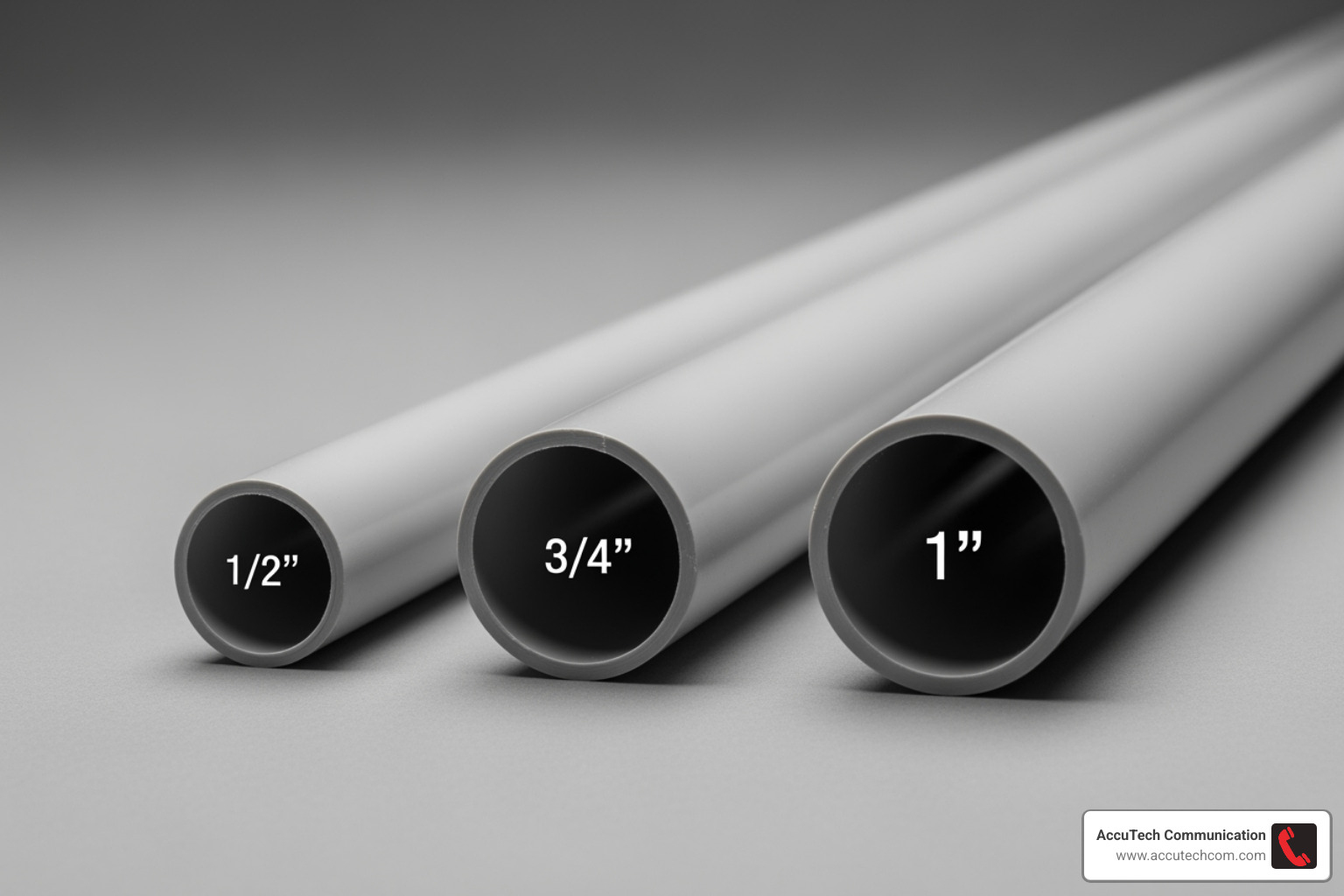
The two main types of PVC conduit are Schedule 40 and Schedule 80. The key difference is wall thickness, which affects durability and cost.
Schedule 40 PVC is the standard for most residential and buried applications. Its thinner walls make it more economical while still offering solid protection. It’s naturally UV resistant, but a coat of paint can extend its life and help it blend in.
Schedule 80 PVC is the heavy-duty option. Its thicker walls provide superior impact resistance, making it ideal for exposed areas near driveways or in high-traffic zones. The higher upfront cost is justified by its improved durability.
Here’s how they stack up:
| Feature | Schedule 40 PVC | Schedule 80 PVC |
|---|---|---|
| Wall Thickness | Standard, thinner wall | Thicker wall |
| Durability | Good for most buried/protected applications | Superior, high impact resistance |
| Cost | More economical | Higher cost |
| Best Use Cases | Residential, general purpose, buried | Commercial, industrial, exposed, high-traffic areas |
| UV Resistance | Good (can be improved with paint) | Good (can be improved with paint) |
Both types are non-corrosive and non-conductive, making them safe for network cables. Your choice depends on balancing budget with the level of physical protection required.
Sizing Your Network Cable PVC Conduit for Today and Tomorrow
A common mistake is using conduit that’s too small. Cramming cables makes pulling them difficult and risks damage. The industry standard is a 40% fill ratio, meaning cables should not take up more than 40% of the conduit’s internal area. Exceeding this limit leads to excessive friction and potential cable damage during installation.
This ratio prevents heat buildup from friction that can damage cable jackets and, more importantly, leaves room for future additions. Trying to pull cables through an overfilled conduit is extremely difficult and time-consuming.
Our practical advice: always go one size bigger than you think you need. The minimal extra cost is worth it when you need to add a cable later.
For Cat6 cables, follow these practical guidelines:
- One cable in 1/2-inch conduit
- Two cables in 3/4-inch conduit
- Three to five cables in 1-inch conduit
- Six to eight cables in 1.25-inch conduit
We recommend using a minimum of 3/4-inch conduit, especially for runs with bends, to ensure you have enough space. For more detailed guidance on proper installation techniques, check out our More info about a Conduit Installation Guide.
Choosing the Right Ethernet Cable
Even inside a network cable pvc conduit, using the right cable is crucial for outdoor installations.
Outdoor-rated (CMX) jackets are essential. Standard indoor PVC jackets will deteriorate outdoors. CMX cables use LLDPE or HDPE jackets that resist UV rays and moisture.
For water protection, you have two options. Water block tape offers basic protection, but gel-filled cables provide a superior moisture barrier. The gel filling is messy but ideal for buried or damp locations.
Regarding shielded (STP) vs. unshielded (UTP) cable, UTP is sufficient for most applications and easier to install. STP is necessary only in environments with high electromagnetic interference (EMI) and requires proper grounding to be effective.
Temperature affects performance. Heat increases copper’s resistance, degrading the signal. The standard 328-foot Ethernet length limit must be reduced in hot environments. For reliable performance, limit outdoor runs to 250 feet for unshielded cable and 275 feet for shielded cable.
For longer distances or runs between buildings, consider More info about Types of Cables like fiber optic, which is immune to temperature and can span much greater distances.
The Ultimate Installation Guide: From Trench to Termination
Now that we’ve covered the “why” and “what” of network cable pvc conduit, let’s get into the “how.” A proper installation ensures your network is robust and reliable. While it might seem straightforward, paying attention to the details can save you headaches down the line.
Step 1: Planning and Preparation
Proper planning is the foundation of a successful project and saves time and frustration later.
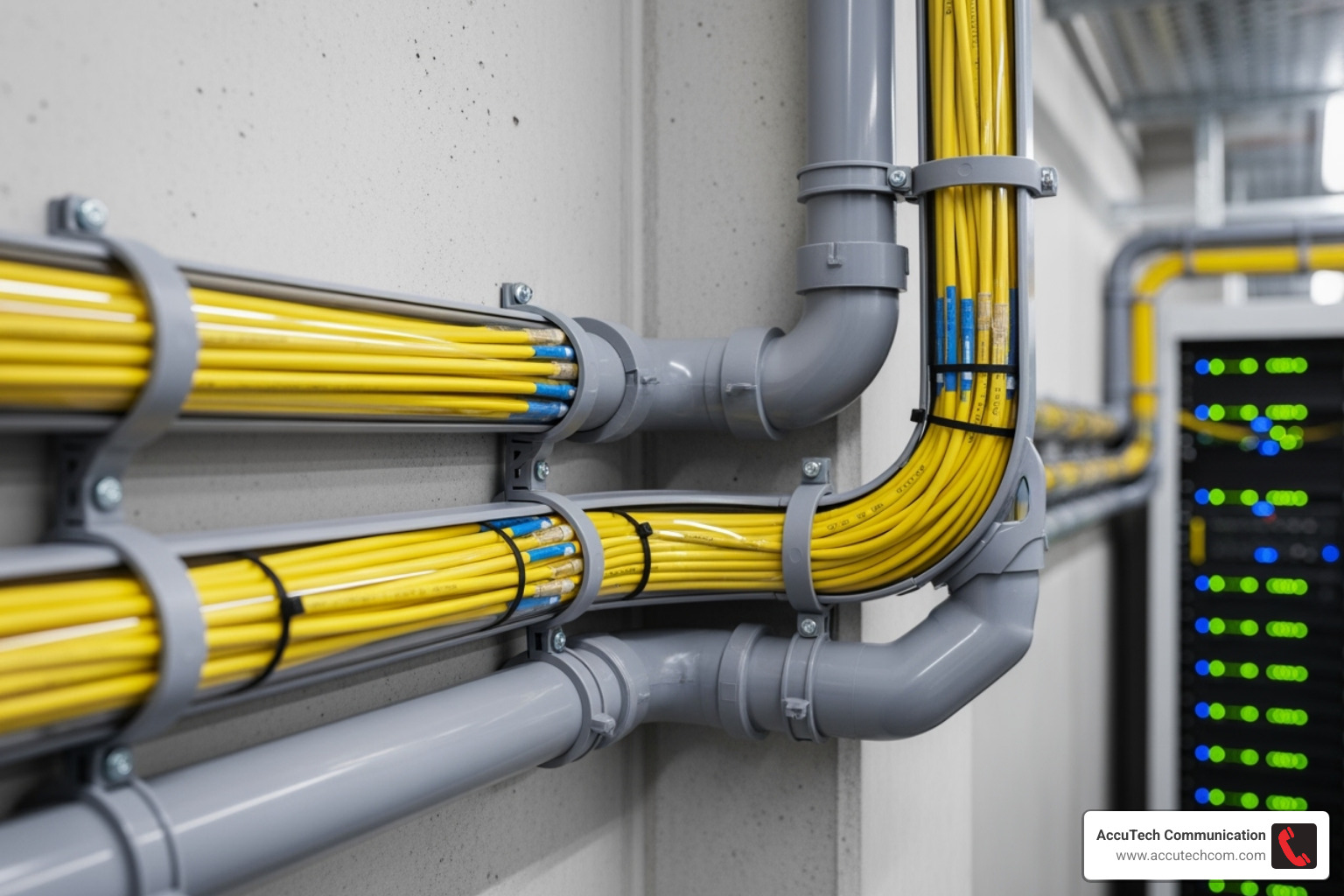
Map the route first. Identify entry/exit points and any obstacles. Minimize bends, as too many sharp turns make pulling cable extremely difficult. A continuous conduit segment should not exceed 100 feet or have more than two 90-degree bends. For longer or more complex runs, plan for intermediate pull points.
Call 811 before you dig. This free, essential safety step is required by law in most areas to mark underground utility lines.
When creating your materials list, measure carefully and add extra footage. Remember the old saying: “the most expensive cable in the world, on a per foot basis, is the one that is 1 inch too short!” Your list should include PVC conduit, cement, gentle sweeping bends, couplings, weatherproof junction boxes, and your chosen Ethernet cable.
For complex projects requiring professional expertise, consider our More info about Low Voltage Installer services.
Step 2: Assembling and Laying the Conduit
With your plan solid and utilities marked, it’s time to get your hands dirty.
Digging the trench requires thought about depth. For most residential applications, bury your conduit at least 10 inches deep, though 18 inches is better for areas with heavy traffic or landscaping. A deeper trench also provides better temperature stability. Keep the trench bottom smooth and remove sharp rocks.
Cutting and joining PVC is straightforward. A dedicated PVC cutter gives cleaner cuts than a hacksaw. When using PVC cement, apply it liberally to both the fitting and the conduit, then twist the pieces together firmly to create a watertight seal.
The secret to easy cable pulling is using gentle sweeping bends instead of sharp 90-degree elbows. These long-radius curves dramatically reduce friction.
If any portion of your conduit is exposed above ground, secure it with straps at regular intervals to prevent sagging and protect against impacts.
Step 3: Pulling the Network Cable
With good preparation, pulling cable can be a smooth process.
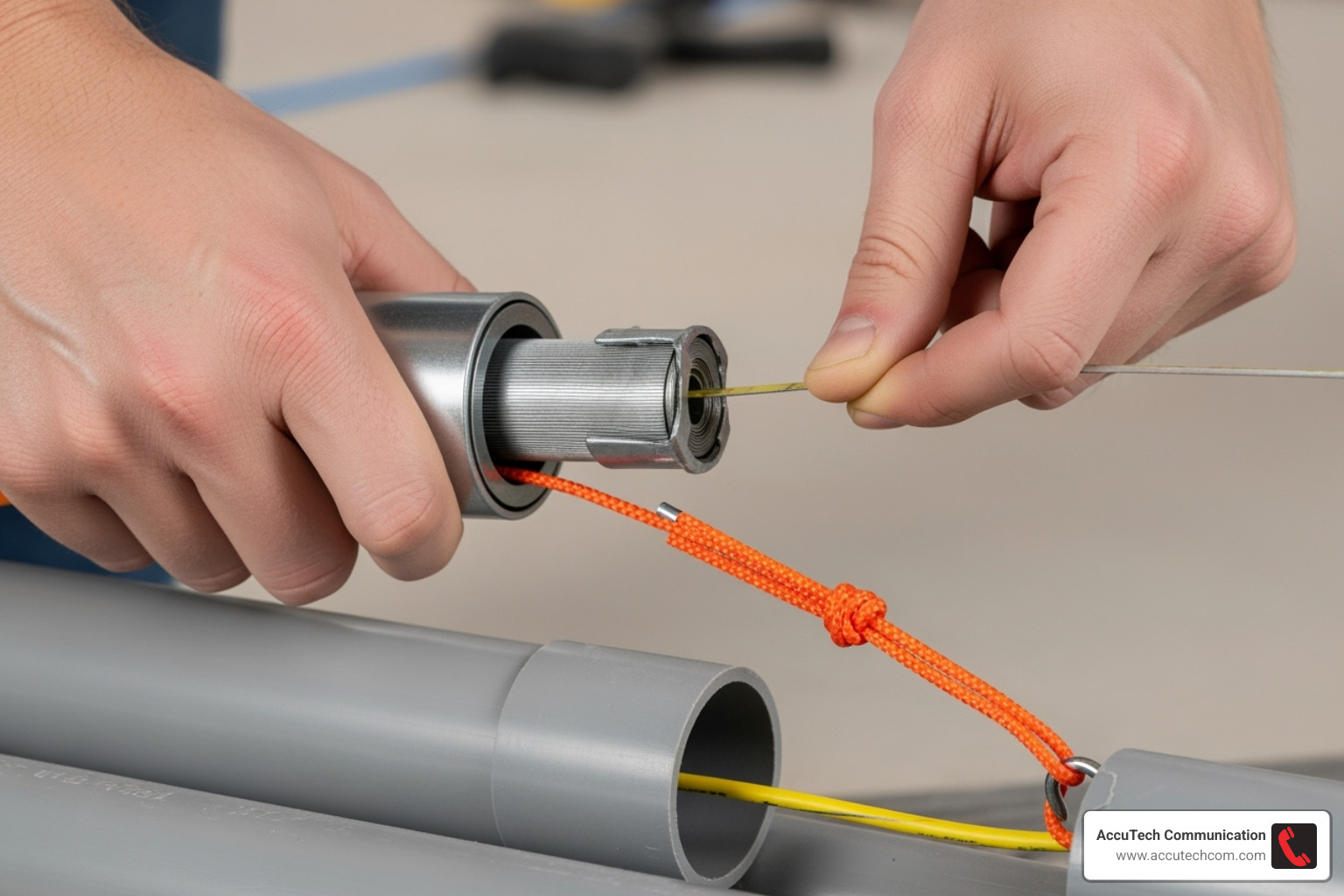
Use a fish tape to run a strong pull string (nylon or polyester) through the conduit. Attach your network cables to the string, using a swivel to prevent twisting and jacket damage.
For long runs or those with bends, use a synthetic wax-based cable lubricant. Apply it to the cable jacket as it enters the conduit to reduce friction and prevent damage.
To prevent kinks and snags, keep the cable straight as it enters the conduit. Do not exceed the 25-pound maximum pulling tension for Ethernet cable. If it gets stuck, work it back and forth gently instead of forcing it.
Teamwork is essential for long pulls. One person should feed the cable (and apply lubricant) while another pulls. Clear communication between them is crucial for a smooth pull.
Step 4: Finishing and Sealing the Run
You’re in the home stretch! These final steps ensure your installation is weatherproof and professional.
Terminating cables properly is crucial for signal integrity. Whether installing RJ45 connectors or punching down to a patch panel, clean and precise terminations prevent intermittent connection issues.
For outdoor devices like security cameras, weatherproof junction boxes are essential at the conduit’s end. These enclosures protect terminations from the elements.
The final critical step is sealing conduit ends with duct seal. This non-hardening putty prevents water, moisture, and pests from entering your conduit system. Apply it generously around each cable where it exits the conduit.
For comprehensive professional installation services, explore our More info about Cabling Installation options.
Code, Safety, and Electrical Protection
Installing network cable pvc conduit might look straightforward, but there’s more to it than meets the eye. Understanding electrical codes, prioritizing safety, and protecting your network from electrical hazards isn’t just good practice – it’s essential for keeping your property and everyone around it safe. Trust me, cutting corners here isn’t worth the risk.
Navigating Electrical Codes (NEC)
The National Electrical Code (NEC) might seem like a dry topic, but it’s actually your best friend when it comes to fire prevention and safety. Published by the National Fire Prevention Association (NFPA 70), these guidelines exist for one crucial reason: saving lives and property.
Article 800 is your go-to section for data and network cables. While low-voltage wiring doesn’t always require conduit under NEC rules, following these standards is smart, even for residential projects. You might not face an inspection for your home network, but why take chances with safety?
Here’s where things get interesting: NEC 300.18 requires raceways to be installed as complete systems between connection points. There’s an exception for “short sections” used purely for physical damage protection. This means if you’re just protecting a vulnerable spot where your cable crosses under a driveway, you’re generally in good shape. But for longer exposed runs, a complete conduit system is the way to go.
Inter-building runs are where the NEC gets particularly strict, and for good reason. Section 800.113 states that unmarked OSP (Outside Plant) or CMX-rated Ethernet cables can’t enter a structure more than 50 feet unless they’re sealed within medium weight threaded metallic conduit. Even if your local authority hasn’t adopted every NEC guideline, treating them as law is always the smart move.
One rule that’s absolutely non-negotiable: never run low-voltage data cables in the same conduit as electrical wiring. This isn’t just a suggestion – it’s explicitly prohibited by NEC/NFPA 70 and local codes. Mixing them creates interference issues and, more seriously, a significant fire hazard. Always use separate conduit pathways for your network cable pvc conduit and electrical wiring. For more details on electrical conduit applications, check out our guide on [More info about a Conduit for Electrical Wire](https://accutechcom.com/conduit-for-electrical-wire/).
Protecting Your Network from Electrical Dangers
Even with the best conduit protection, outdoor network cables face unique electrical challenges that can fry your expensive equipment faster than you can say “lightning strike.”
Lightning and surge protection should be at the top of your priority list for outdoor runs. Lightning doesn’t need a direct hit to cause problems – even nearby strikes can induce thousands of volts on long cable runs. While Ethernet devices typically provide isolation up to around 3000 volts, Mother Nature can easily exceed this limit. For outdoor runs, especially those carrying Power over Ethernet (PoE), installing Ethernet surge protectors on both ends of your cable is like buying insurance for your network equipment.
If you’ve chosen shielded Ethernet cable (STP) for your outdoor installation, proper grounding becomes critical. The shield must be correctly bonded to ground through shielded connectors and patch panels. Here’s the catch: improperly grounded shields can actually create ground loops, introducing noise and potentially melting cables during fault conditions. This complexity is why unshielded cable (UTP) is often the better choice unless you’re dealing with significant environmental interference.
Ground loops occur when multiple ground paths create voltage differences that induce current and interfere with signals. The simplest way to avoid them? Stick with unshielded Ethernet cable whenever possible. If shielded cable is necessary due to interference concerns, ensure careful, single-point grounding to prevent these issues.
Don’t forget about Electrostatic Discharge (ESD) either. Outdoor cables can build up static electricity, especially in dry conditions, leading to ESD events that damage sensitive network equipment. Quality surge protectors help guard against ESD as well as lightning-induced surges.
For a comprehensive understanding of different conduit applications and their safety considerations, take a look at this [A Comprehensive Guide to Cable Conduit Types and Their Applications ](https://plascopipes.com/a-comprehensive-guide-to-cable-conduit-types-and-their-applications/).
When it comes to electrical safety and code compliance, it’s always better to err on the side of caution. Your network’s reliability and everyone’s safety depend on getting these fundamentals right.
Frequently Asked Questions about Network Cable in PVC Conduit
It’s completely normal to have questions when planning an outdoor network project! We get a lot of common inquiries about running network cables in network cable pvc conduit. So, let’s dive into some of the most frequently asked questions and clear things up so you can tackle your project with confidence.
How many Cat6 cables can I fit in a 3/4-inch or 1-inch PVC conduit?
This is a fantastic question, and the answer really impacts how smooth your installation will go! While a 3/4-inch conduit can technically squeeze in up to 5 Cat6 cables, we’ll be honest: it’s going to be a very, very tight pull. You might find yourself struggling and risking damage to the cables.
For a much easier installation and, crucially, to leave room for future additions, we strongly recommend a 1-inch conduit if you’re planning on running 5 or more Cat6 cables. This extra space makes a world of difference. It’s all about that 40% fill ratio – meaning your cables should only take up about 40% of the conduit’s internal space. Sticking to this rule ensures your cables pull easily, prevents any damage during installation, and gives you that vital flexibility for future expansion. Trust us, the minimal extra cost for the larger conduit is well worth the saved frustration!
Do I need to use outdoor-rated Ethernet cable if it’s inside PVC conduit?
You’re thinking smart by asking this! While your network cable pvc conduit does an amazing job protecting your cables from UV rays and moisture, we highly recommend treating your outdoor installation with the utmost care. Think of it this way: using an outdoor-rated (CMX) or direct-burial cable inside the conduit gives you a fantastic second layer of defense.
Why bother with this extra step? Because accidents happen. If your conduit ever gets damaged, cut, or compromised, that outdoor-rated cable will be there to pick up the slack. It’s designed to withstand the elements, ensuring maximum longevity for your network. We know some folks might say their indoor cable lasted years in conduit, but an indoor cable’s sheath simply isn’t built for the long haul outdoors, even if it’s protected. It can become brittle over time, and if the conduit ever fails, so will your network. For true peace of mind and long-term reliability, always opt for cable specifically designed for outdoor environments.
What is the maximum recommended length for an outdoor Ethernet run in conduit?
When it comes to outdoor Ethernet runs, especially in warmer climates, keeping an eye on your cable length is key to maintaining good signal integrity. We generally advise limiting unshielded Cat6 cable runs to about 250 feet and shielded Cat6 cable runs to around 275 feet.
Why these specific numbers? It comes down to something called “temperature de-rating.” As copper cables heat up (and outdoor cables certainly can!), their resistance increases, which can weaken your signal. Beyond these recommended lengths, especially for runs between buildings or across long distances, copper cable just becomes less reliable. When you hit those longer stretches, or if you need rock-solid performance over vast distances, it’s time to consider a game-changer: Fiber Optic Cable. Fiber is immune to electromagnetic interference and temperature effects, allowing for runs of thousands of feet without any signal degradation. It’s the ultimate solution for those really long hauls!
Conclusion
Phew! We’ve covered a lot of ground, haven’t we? Our journey through network cable pvc conduit has hopefully shown you just how vital this often-overlooked component is for any outdoor network installation. It’s more than just a plastic tube; it’s a guardian for your critical connections.
We’ve explored how PVC conduit stands as a robust shield, protecting your cables from everything Mother Nature throws at them – harsh UV rays, torrential rain, and even curious critters looking for a snack. Beyond protection, it’s a master of efficiency, allowing you to future-proof your network with ease. Need to add another cable? No problem! A well-installed conduit makes upgrades and repairs a breeze, saving you time and headaches down the road.
The key takeaway? Proper planning and meticulous installation are the cornerstones of a successful project. From calling 811 before you dig to choosing the right conduit size and cable type, every step contributes to the long-term reliability of your network. When done right, your outdoor network will be “smooth sailing” for years to come, providing the reliable connectivity you depend on.
While DIY projects can be rewarding, some jobs simply call for the pros. For complex projects, extensive inter-building runs, or if you simply want the peace of mind that comes with a perfectly executed installation, don’t hesitate to reach out. Our team of certified professionals at AccuTech Communications is ready to help. Since 1993, we’ve been serving businesses in Massachusetts, New Hampshire, and Rhode Island, building a reputation for reliable service and an unwavering commitment to quality.
Ready to ensure your network infrastructure is installed to the highest standard? Let us help you lay the foundation for a robust and reliable network.
Get expert help with your Structured Cabling Installation
Like us on Facebook!
