
Network Installers: Top 10 Expert Reviews in 2024
Why Professional Network Installers Are Essential for Businesses
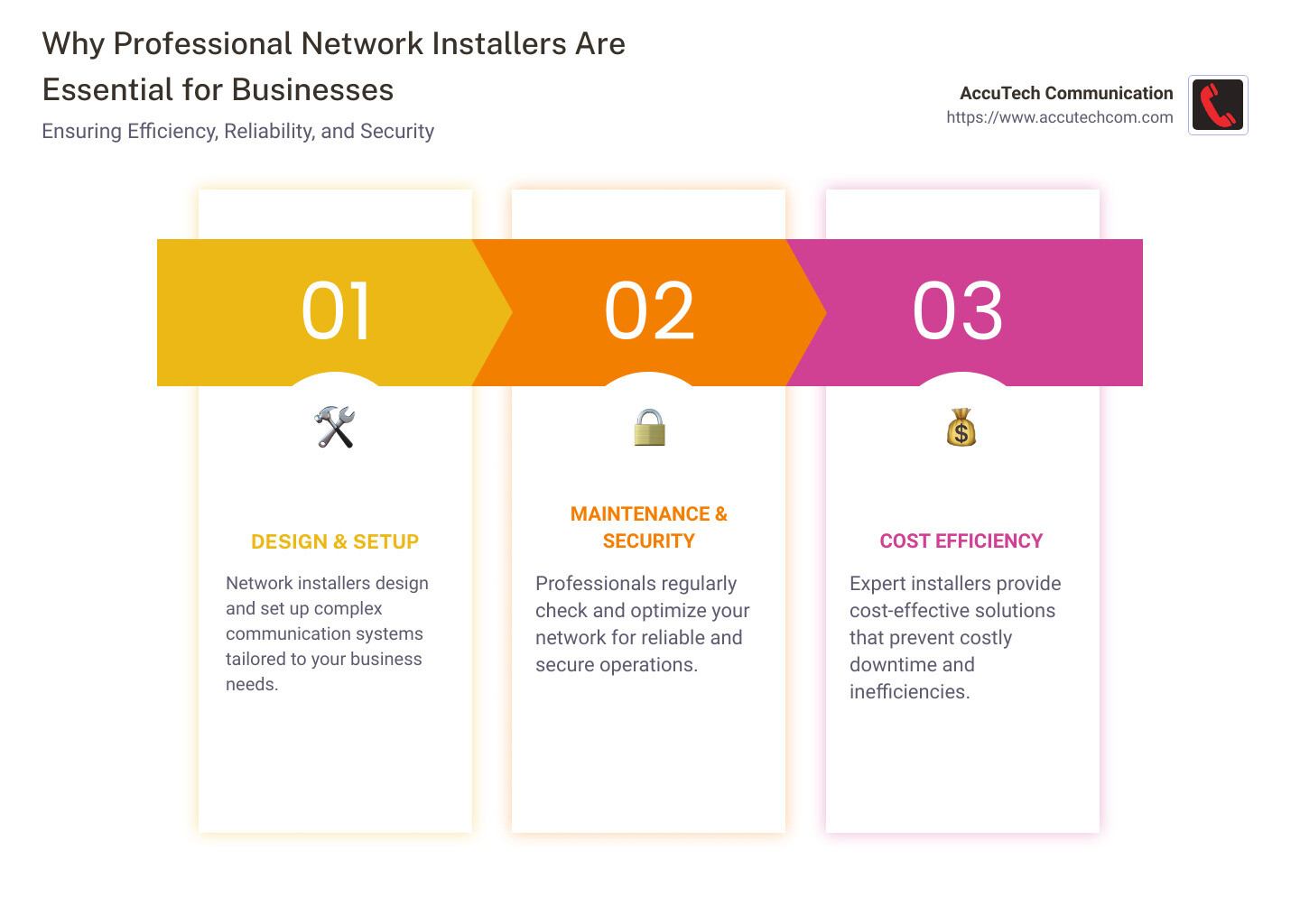
Professional network installers play a crucial role in today’s tech-driven corporate world. If you oversee a business, hiring professional network installers can significantly improve the efficiency and reliability of your communication infrastructure. Here’s a quick summary of what you can expect:
- Overview: Network installers design, set up, and maintain complex communication systems.
- Importance: Efficient networks are vital for smooth operations, ensuring quick data transfer and secure communication.
- Scope: Services range from cabling and Wi-Fi setups to fiber optic installations.
When the backbone of your business is effective communication, having a robust network is non-negotiable. Professionals ensure that every element of your network – from data cables and Wi-Fi systems to fiber optics – operates seamlessly. Poor installation can lead to dropped calls, slow internet, and compromised security, affecting your bottom line and customer satisfaction.
I’m Corin Dolan, the owner of AccuTech Communications. With over two decades of experience in network installation, my team and I specialize in custom solutions that keep your business running efficiently.
Network installers word list:
– cable installations
– data cable installation
– network cabling contractor
What is Network Installation?
Network installation is the process of setting up the hardware and software necessary to create a communication network within a business or organization. This includes everything from laying cables to configuring network devices.
Components of Network Installation
The components involved in network installation can be broken down into several key areas:
- Cabling: This includes Ethernet cables, fiber optic cables, and coaxial cables. The type of cable used depends on the network’s specific needs and the distance data needs to travel.
- Hardware: Essential hardware includes routers, switches, modems, and access points. These devices manage and direct data traffic, ensuring efficient and secure communication.
- Network Devices: Computers, servers, printers, and other devices that will connect to the network. Each of these devices needs to be properly configured to communicate effectively.
- Software: This includes the necessary operating systems and network management software that helps monitor and control network activity.
Hardware and Equipment
Let’s break down some of the critical hardware and equipment involved in network installations:
- Routers: Routers direct data packets between devices on a network and between different networks. They are crucial for connecting to the internet.
- Switches: Switches connect multiple devices on the same network within a building or campus. They help manage data traffic efficiently.
- Modems: Modems are used to connect a network to the internet. They modulate and demodulate signals for data transmission.
- Access Points: These are used in wireless networks to allow devices to connect to the network without cables.
- Patch Panels: These are used in structured cabling systems to organize and manage cables. They make it easier to connect and disconnect devices.
- Racks and Cabinets: These provide organized housing for network equipment, ensuring easy access and maintenance.
Types of Cables
Different types of cables are used depending on the requirements of the network:
- Cat 5e Wiring: Suitable for small-to-medium-sized networks.
- Cat 6 and Cat 6a Wiring: Ideal for high-performance networks and data centers.
- Fiber Optic Cabling: Perfect for high-speed data transfer over long distances.
- Coaxial Cabling: Commonly used for video and other applications.
Importance of Proper Installation
Proper installation is crucial for the efficiency and reliability of a network. Poor installation can lead to numerous issues:
- Dropped Connections: Bad cabling or faulty hardware can cause frequent disconnections.
- Slow Speeds: Improper configuration can lead to slow data transfer rates.
- Security Risks: Inadequate security measures can leave the network vulnerable to attacks.
By ensuring that all components are installed correctly and using high-quality equipment, professional network installers can create a robust and reliable network that meets the specific needs of a business.

Next, we’ll explore the role of professional network installers and how they ensure that your network is set up for optimal performance and security.
The Role of Professional Network Installers
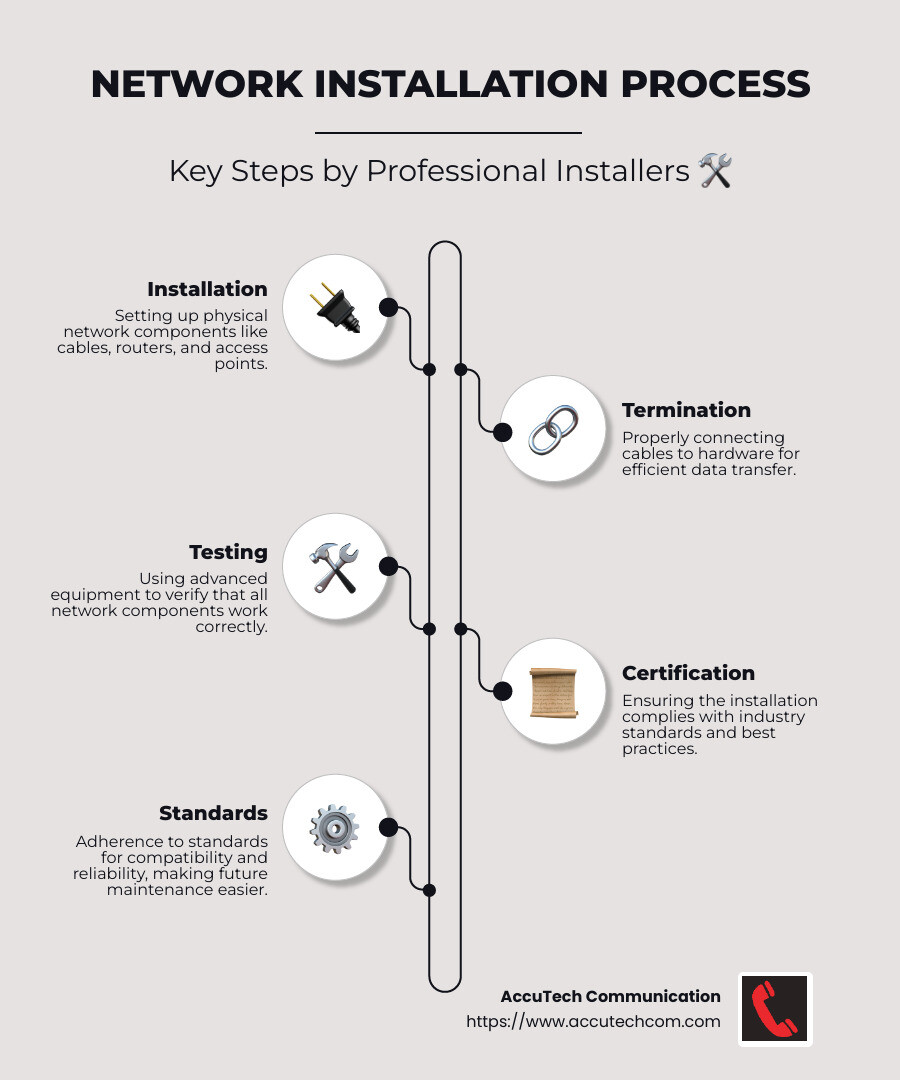
Professional network installers play a vital role in ensuring your network is set up correctly for optimal performance and security. They handle various tasks, including installation, termination, testing, certification, and adherence to industry standards.
Installation
Installation involves setting up all the physical components of the network. This includes laying cables, setting up routers, switches, modems, access points, and other network devices. For instance, when AccuTech Communication installs a network, they ensure every cable is correctly placed and every device is properly configured. This meticulous attention to detail helps avoid issues like dropped connections and slow speeds.
Termination
Termination is the process of properly connecting cables to the appropriate hardware. This step is crucial for ensuring data can travel efficiently through the network. AccuTech’s technicians are skilled in terminating various types of cables, such as Cat 5e, Cat 6, and fiber optic cables, ensuring reliable and high-speed data transfer. Proper termination also involves organizing cables in patch panels and racks, making future maintenance easier.
Testing
After installation and termination, testing is essential to ensure all components are working correctly. AccuTech uses advanced testing equipment to verify that each cable and device meets performance specifications. This step can identify potential issues before they become significant problems. For example, cable testing can reveal if a cable is damaged or improperly connected, allowing for immediate corrective action.
Certification
Certification involves verifying that the network installation complies with industry standards. AccuTech’s technicians are trained and certified to follow the latest networking standards and best practices. This certification process provides peace of mind, knowing that your network is built to last and can handle your business’s demands. Certification also often comes with warranties, adding an extra layer of security to your investment.
Standards
Adhering to standards is crucial for ensuring compatibility and reliability. AccuTech follows industry standards like those set by the Telecommunications Industry Association (TIA) to ensure their installations are up to par. Using standardized methods and materials means your network will be compatible with future upgrades and expansions. This adherence to standards also helps in troubleshooting and maintaining the network, as standardized setups are easier to diagnose and repair.
Next, we’ll look at the costs associated with network installation and how to budget for your new network.
Costs Associated with Network Installation
Understanding the costs associated with network installation is crucial for budgeting effectively. Here’s a breakdown of what you can expect and the factors that influence these costs.
Average Costs
The cost of network installation can vary widely based on several factors. However, some typical expenses include:
- Cabling: The largest expense is usually the cabling itself. For instance, running 2,000 feet of CAT-6 cable with up to eight connections can cost between $2,000 and $3,000.
- Wall Plates: These cost around $10 to $25 each.
- Network Switches: These range from $10 to $100.
- Ethernet Ports: Each port typically costs $10 to $25.
- Modems: These range from $50 to $100.
- Routers: These can cost between $80 and $120.
Factors Influencing Cost
Several factors can influence the overall cost of your network installation:
- Labor Cost: The average labor rate for a network installation professional ranges from $50 to $100 per hour. This can vary based on your location, the company you hire, and the size of your network.
- Network Size: Larger networks require more cabling and equipment, thus increasing the cost. For example, a small office may need less cabling and fewer devices compared to a large corporate campus.
- Difficulty of Installation: Installing a network in a new building is generally easier and cheaper than in an older building. Older buildings may require more extensive work to run cables through existing walls.
- Pre-Existing Components: If some parts of the network already exist, this can reduce costs since less work is needed.
Cost Efficiency
Investing in a well-installed network can save money in the long run. Here’s how:
- Quality Materials: Using high-quality cables and equipment can prevent future issues like slow speeds and dropped connections. For example, AccuTech Communication uses top-grade materials to ensure long-lasting performance.
- Professional Installation: Hiring professional network installers ensures the job is done right the first time, reducing the need for costly repairs or upgrades. AccuTech’s meticulous attention to detail during installation helps avoid common pitfalls.
- Testing and Certification: Proper testing and certification ensure that your network meets industry standards. This reduces the likelihood of future issues and can come with warranties, adding an extra layer of security to your investment.
Next, we’ll explore how to choose the right network installer to ensure your network is set up for success.
How to Choose the Right Network Installer
Selecting the right network installer is crucial for a successful and reliable network setup. Here are some key factors to consider:
Experience
Look for installers with a solid track record. Experienced installers can handle complex projects and foresee potential issues. For example, AccuTech Communication has been serving businesses since 1993, showcasing their long-standing expertise in the field.
Certification
Certified installers follow industry standards and best practices. Opt for installers who are certified by reputable organizations. For instance, AccuTech’s technicians are trained on the latest networking standards and installation practices, ensuring high-quality workmanship.
Reviews
Customer reviews can provide insights into an installer’s reliability and service quality. Positive feedback from previous clients is a good indicator. For example, many clients have praised AccuTech Communication for their excellent service and reliability, highlighting the importance of timely and professional service.
Services Offered
Evaluate the range of services provided. A good network installer should offer comprehensive solutions, including:
- Consultation and Design: Planning and layout of your network infrastructure.
- Cable Management: Efficient organization and management of cables.
- Patch Panel Installation: Setting up centralized hubs for network connectivity.
- Rack and Cabinet Installation: Secure housing for network equipment.
- Testing and Certification: Ensuring all cables meet performance specifications.
AccuTech Communication offers a broad spectrum of services, from structured cabling to wireless networking solutions, ensuring all your network needs are covered.
Selecting the right network installer involves careful consideration of experience, certification, customer reviews, and the range of services offered. With these factors in mind, you can ensure your network is set up for optimal performance and reliability.
Next, we’ll dig into the types of network installations to help you understand the options available for your specific needs.
Types of Network Installations
Wired Network Installation
Wired networks are the backbone of reliable and high-speed data transmission. They involve various types of cables and setups to ensure robust connectivity.
Ethernet
Ethernet cables, like Cat5e, Cat6, and Cat6a, are common in many businesses. They provide fast and stable connections for computers, printers, and other devices. Cat6a cables, for instance, are ideal for high-performance networks and data centers due to their ability to handle higher bandwidths.
Fiber Optic
Fiber optic cabling is the gold standard for high-speed data transfer, especially over long distances. It uses light to transmit data, making it faster and more reliable than traditional copper cables. This type of cabling is perfect for large enterprises and data centers that require rapid data transfer and minimal signal loss.
Structured Cabling
Structured cabling is a standardized approach to cabling infrastructure. It involves a comprehensive system of cables and hardware that supports multiple hardware uses. This method ensures a flexible and scalable network that can grow with your business needs.
Wireless Network Installation
Wireless networks offer the convenience of mobility and ease of access. They are essential for modern businesses that rely on Wi-Fi for daily operations.
Wi-Fi Setup
Setting up a Wi-Fi network involves more than just plugging in a router. A professional network installer will perform a Wi-Fi site survey to evaluate the best locations for access points, ensuring optimal coverage and performance. This step is crucial to avoid dead zones and interference.
Access Points
Wireless Access Points (WAPs) are devices that allow wireless devices to connect to a wired network. Proper installation and configuration of these access points are vital for seamless connectivity. AccuTech Communication’s field techs are skilled in both installing and configuring these devices to ensure they meet your business needs.
Signal Optimization
Signal optimization is about enhancing the strength and reliability of your Wi-Fi signal. This involves strategic placement of access points, using the right equipment, and sometimes even upgrading existing infrastructure. Proper signal optimization can significantly improve your network’s performance and user experience.
Understanding the types of network installations available helps you make informed decisions about your network setup. Whether you choose wired or wireless options, each type has its benefits and specific use cases.
Next, we’ll explore the planning and implementation process to ensure your network is designed and installed for maximum efficiency and security.
Planning and Implementing a Network Installation
Planning and implementing a network installation involves several key steps to ensure a robust and secure network. Let’s break down the process into four main parts: Site Assessment, Network Design, Installation Process, and Security Configuration.
Site Assessment
The first step in any network installation is a thorough site assessment. This involves:
- Evaluating the physical space: Understanding the layout of the building, including walls, floors, and ceilings, which can affect cabling routes and Wi-Fi signal strength.
- Identifying potential interference: Recognizing sources of interference such as other electronic devices, structural materials, and even neighboring networks.
- Assessing current infrastructure: Reviewing any existing cabling, network devices, and power sources to determine what can be reused or needs upgrading.
A detailed site assessment helps in crafting a network plan that suits your specific environment and needs.
Network Design
Once the site assessment is complete, the next step is network design. This involves:
- Creating a blueprint: Designing a detailed layout of the network, including the placement of cables, access points, and network devices.
- Selecting the right equipment: Choosing the appropriate types of cables (like Cat6a or fiber optic) and devices (such as routers and switches) based on the network requirements.
- Planning for scalability: Ensuring the network can easily expand to accommodate future growth or new technologies.
Effective network design is crucial for building a network that is both efficient and scalable.
Installation Process
The installation process is where the actual setup happens. This includes:
- Running cables: Installing Ethernet or fiber optic cables according to the network design plan. This step requires precision to avoid signal loss and interference.
- Installing network devices: Setting up routers, switches, and access points. Proper installation ensures that all devices work together seamlessly.
- Configuring the network: Setting up network settings, such as IP addresses, subnet masks, and routing protocols, to ensure all devices communicate effectively.
AccuTech Communication’s skilled technicians ensure that every component is installed correctly and efficiently.
Security Configuration
The final step is security configuration. This involves:
- Setting up firewalls: Installing and configuring firewalls to protect the network from unauthorized access and cyber threats.
- Implementing encryption: Using encryption protocols to secure data transmission across the network.
- Establishing access controls: Setting up user authentication and access controls to ensure that only authorized personnel can access specific parts of the network.
- Regular updates and patches: Keeping all network devices and software updated to protect against vulnerabilities.
Proper security configuration is essential for safeguarding your network against potential threats.
By following these steps, you can ensure that your network is planned and implemented for maximum efficiency and security. Next, we’ll dig into the importance of maintenance and troubleshooting to keep your network running smoothly.
Maintenance and Troubleshooting
Once your network is up and running, keeping it in top condition is crucial. Regular checks, timely upgrades, and effective problem solving can prevent downtime and ensure smooth operations. Here’s what you need to know:
Regular Checks
Regular checks are essential for maintaining network health. This involves:
- Routine inspections: Periodically check cables, connections, and network devices to ensure everything is functioning correctly.
- Performance monitoring: Keep an eye on network performance metrics like speed, latency, and uptime. Tools and software can help automate this process.
- Security audits: Regularly audit your network security settings to identify and fix vulnerabilities. This includes checking firewalls, encryption protocols, and access controls.
By conducting regular checks, you can catch potential issues before they become major problems.
Upgrades
Technology evolves rapidly, and so should your network. Upgrades are vital for keeping your network current and efficient. Consider:
- Hardware upgrades: Replace outdated routers, switches, and other network devices with newer models that offer better performance and security features.
- Software updates: Keep your network software and firmware updated to benefit from the latest features and security patches.
- Capacity expansion: As your business grows, you may need to upgrade your network to handle increased traffic. This could involve adding more access points, increasing bandwidth, or upgrading to higher-capacity cables like Cat6a or fiber optic.
Upgrades ensure your network can meet the demands of modern business operations.
Problem Solving
Despite best efforts, issues can still arise. Knowing how to troubleshoot effectively is key. Here’s how to tackle common problems:
- Identify the issue: Use diagnostic tools to pinpoint the problem. Common issues include slow speeds, dropped connections, and security breaches.
- Check physical connections: Ensure all cables are securely connected and not damaged. Sometimes, a loose cable can cause significant issues.
- Reboot devices: A simple reboot of routers, switches, and other network devices can often resolve connectivity issues.
- Consult logs: Review system logs for error messages or unusual activity that could indicate the root cause of the problem.
- Seek expert help: If the issue persists, don’t hesitate to contact professional network installers. Their expertise can save you time and prevent further complications.
Effective problem solving minimizes downtime and keeps your network running smoothly.
By staying proactive with regular checks, timely upgrades, and efficient problem solving, you can maintain a robust and reliable network.
Next, let’s explore the latest network installation technologies and innovations that can further improve your network’s performance and security.
Network Installation Technologies and Innovations
In the changing world of technology, staying current with the latest advancements is crucial. Here are some cutting-edge network installation technologies and innovations that can significantly improve your network’s performance and security:
Cloud Solutions
Cloud solutions have revolutionized network installation and management. By leveraging cloud technologies, businesses can:
- Simplify management: Cloud-based tools allow for centralized network management, making it easier to monitor and control network activities from anywhere.
- Improve scalability: Cloud solutions can easily scale up or down based on your business needs, providing flexibility and cost savings.
- Improve reliability: Cloud services often come with built-in redundancy and failover mechanisms, ensuring high availability and minimal downtime.
Example: Companies like AccuTech Communication use cloud solutions to offer robust and scalable network installations.
Internet of Things (IoT)
The Internet of Things (IoT) is changing how networks are designed and used. IoT refers to the interconnected network of devices that communicate and share data. Here’s how IoT impacts network installations:
- Increased connectivity: IoT devices require reliable and high-capacity networks to function effectively. This often involves installing more access points and using advanced cabling like Cat6a or fiber optic.
- Improved monitoring: IoT devices can provide real-time data on network performance, helping to quickly identify and address issues.
- Automation: IoT enables automation of network management tasks, reducing the need for manual intervention and improving efficiency.
Fact: The proliferation of IoT devices means that businesses must invest in robust network infrastructure to support the increased data traffic.
Security Improvements
With the rise of cyber threats, security improvements are more important than ever. Modern network installations incorporate advanced security features to protect against breaches and data loss. Key security improvements include:
- Encryption: Ensuring all data transmitted over the network is encrypted to prevent unauthorized access.
- Firewalls and intrusion detection systems: Installing robust firewalls and intrusion detection systems to monitor and block malicious activities.
- Regular security audits: Conducting frequent security audits to identify and mitigate vulnerabilities.
Statistic: According to a recent study, businesses that implement comprehensive security measures experience 40% fewer data breaches.
By integrating these network installation technologies and innovations, businesses can achieve a more efficient, scalable, and secure network.
Next, let’s discuss how AccuTech Communications can be your trusted partner in achieving these advanced network solutions.
AccuTech Communications: Your Trusted Partner in Network Installation
When it comes to network installation, choosing the right partner can make a world of difference. AccuTech Communications stands out for its certified service, competitive pricing, and unwavering quality commitment.
Certified Service
AccuTech Communications prides itself on employing highly trained and certified professionals. Our team includes Leviton Certified Installers who are selected based on their expertise and professionalism. Leviton certification ensures that our installers are trained on the latest networking standards and installation practices. This means:
- High-quality workmanship: Our installers provide top-notch service backed by proven industry expertise.
- Adherence to standards: We follow the latest standards, technologies, and installation practices to ensure your network is future-proof.
- Peace of mind: Our certified installers offer industry-leading product and performance warranties, giving you added assurance.
Competitive Pricing
We understand that budget is a significant concern for businesses of all sizes. That’s why AccuTech Communications offers competitive pricing without compromising on quality. Our pricing structure is designed to provide the best value for your investment:
- Transparent quotes: We offer clear and detailed quotes, so you know exactly what you’re paying for.
- Cost-effective solutions: Our services are designed to maximize performance while minimizing costs, ensuring you get the best bang for your buck.
- Flexible options: Whether you need a simple Wi-Fi setup or a complex fiber optic installation, we offer solutions custom to your needs and budget.
Quality Commitment
Quality is at the core of everything we do at AccuTech Communications. Our commitment to quality ensures that your network installation is reliable, efficient, and built to last:
- Top-notch materials: We use only the best products and materials for our installations, ensuring long-term reliability and performance.
- Rigorous testing: Every installation undergoes thorough testing and certification to meet industry standards.
- Ongoing support: Our commitment doesn’t end with installation. We offer regular maintenance, troubleshooting, and upgrade services to keep your network running smoothly.
Client Testimonial: “Working with AccuTech for over nine years has been a pleasure. The AccuTech team is responsive, courteous, and understands the medical necessity of telephony in our healthcare environment. I would recommend AccuTech to any business in need of telecommunications wiring!” – Client Review
With AccuTech Communications, you’re not just getting a service provider; you’re gaining a trusted partner dedicated to your network’s success. Ready to experience the difference? Let’s dive into the frequently asked questions about network installers.
Frequently Asked Questions about Network Installers
What does a typical network installation cost?
The cost of a network installation can vary based on several factors. On average, installing an Ethernet network in a home or office can range from $2,000 to $3,000. This includes the physical process of running cables, which is often the largest expense. Here are some components that can affect the overall cost:
- Cabling: The price of the cables themselves can vary. High-quality cables, like Cat 6 or fiber optic, tend to be more expensive.
- Labor: Professional network installers charge between $50 and $100 per hour. The complexity of the installation can influence the total labor cost.
- Network Components: Items such as wall plates ($10-$25 each), network switches ($10-$100), Ethernet ports ($10-$25 each), modems ($50-$100), and routers ($80-$120) add to the overall expense.
Factors like the size of the network, difficulty of installation (e.g., new construction vs. existing buildings), and any pre-existing components can also influence the final cost. For more detailed pricing information, check out this Forbes article.
How do network installers ensure system security?
Network security is a top priority for professional network installers. Here’s how they ensure your system is secure:
- Secure Configuration: Installers configure your network to include strong passwords, encryption, and firewalls.
- Regular Updates: Keeping software and firmware updated is crucial. Installers set up automatic updates to protect against the latest threats.
- Physical Security: Proper cable management and secure installation of network components reduce the risk of tampering.
- Testing and Certification: After installation, thorough testing ensures that all security measures are functioning correctly.
AccuTech Communications, for instance, follows stringent security protocols to ensure your network is protected from potential threats.
What are the latest trends in network installation technology?
Network installation technology is constantly evolving. Here are some of the latest trends:
- Cloud Solutions: More businesses are leveraging cloud-based services for scalability and flexibility.
- Internet of Things (IoT): The integration of IoT devices requires robust and secure network installations to handle increased connectivity demands.
- Security Improvements: With rising cyber threats, advanced security measures like AI-driven threat detection are becoming standard.
- Wireless Innovations: Improved Wi-Fi standards (like Wi-Fi 6) offer faster speeds and better performance in high-density environments.
Staying updated with these trends ensures that your network is not only current but also future-proof. For a deeper dive into these technologies, AccuTech Communications offers insights and services custom to modern network needs.
By addressing these frequently asked questions, we hope to clarify some common concerns and highlight the importance of choosing the right network installers. Ready to learn more? Let’s move on to our next section.
Conclusion
In summary, network installers play a crucial role in setting up and maintaining the backbone of modern business communications. From planning and installation to maintenance and troubleshooting, their expertise ensures that your network runs smoothly and securely.
AccuTech Communications has been a trusted partner in network installation since 1993, serving businesses across Massachusetts, New Hampshire, and Rhode Island. Our certified and reliable service, combined with competitive pricing, makes us the go-to choice for all your network cabling needs.
Call to Action
Are you ready to upgrade your network infrastructure? Contact AccuTech Communications today for a comprehensive consultation. Our experts are here to design and implement a solution custom to your business needs.
Contact Information
Reach out to us or visit our network cabling installation page to request an estimate. Your network is the backbone of your business—let us help you make it stronger.
