A Comprehensive Guide to Surveillance Cameras

What Are Cameras Video Surveillance Systems: And Why Does Your Business Need One?
Cameras video surveillance systems have become one of the most important tools for protecting commercial properties in 2026. Here is a quick overview of what they are and why they matter:
- What they are: Networks of IP cameras, recorders, and software that capture, store, and analyze video across your facility
- Who they’re for: Businesses of all sizes, from small offices to large multi-site facilities
- Core benefits: Theft reduction, liability protection, operational visibility, and real-time alerts
- Key system types: Dome, bullet, PTZ, panoramic, and multi-sensor cameras
- Storage options: Local NVR, cloud, or hybrid cloud
- AI features: Person detection, vehicle classification, facial recognition, and active deterrence
Security threats to commercial properties are not slowing down. According to industry data, businesses using video surveillance report an average 51% reduction in theft and shrinkage. Meanwhile, the global video surveillance market is projected to reach $83.7 billion by 2028, a clear signal that organizations everywhere are investing heavily in smarter, more capable systems.
Modern surveillance has moved far beyond passive recording. As one industry observer put it: “What used to be passive recording is now active analysis.” Today’s systems use AI, edge processing, and cloud connectivity to give business owners and security teams actionable intelligence in real time, not just footage to review after an incident.
Whether you manage a single commercial building or multiple facilities across Massachusetts, New Hampshire, and Rhode Island, choosing the right surveillance infrastructure requires understanding the full landscape, from camera types and cabling to storage, compliance, and AI features.
I’m Corin Dolan, owner of AccuTech Communications, and I’ve spent over three decades designing and deploying video surveillance cabling infrastructure for commercial clients across New England. In this guide, I’ll walk you through everything you need to make a confident, well-informed decision for your business.
Key Types of Cameras Video Surveillance Systems
Selecting the right hardware for your business begins with understanding the physical design and operational strengths of different camera form factors. Placing the wrong type of camera in a critical area can leave you with blind spots, poor image quality, or high maintenance costs.
To help you visualize your options, here is a quick comparison of the most common commercial camera types:
| Camera Type | Primary Strengths | Best Use Cases | Coverage Range |
|---|---|---|---|
| Dome Camera | Vandal-resistant, discreet design, difficult to redirect | Office hallways, lobbies, retail floors, entryways | Medium / Wide |
| Bullet Camera | Visible deterrent, long-range focus, easy to adjust | Loading docks, parking lots, building perimeters | Long / Narrow |
| PTZ Camera | Pan, tilt, and optical zoom; active tracking | Large yards, warehouses, stadiums, active monitoring | Long / Variable |
| Panoramic / Fisheye | 360-degree coverage, zero blind spots, single cable run | Open-plan offices, retail centers, warehouse intersections | Ultra-Wide |
Dome Cameras
Dome cameras are the workhorses of indoor commercial security. Housed in a durable, dome-shaped casing, these cameras are highly vandal-resistant and blend seamlessly into office ceilings. Their design makes it difficult for onlookers to tell exactly where the lens is pointing, which acts as an excellent psychological deterrent. They are perfect for high-traffic areas like lobbies, corridors, and customer service desks.
Bullet Cameras
With their prominent, cylindrical design, bullet cameras are designed to be noticed. If you want a clear, visible deterrent on the exterior of your building, bullet cameras are the ideal choice. They excel at pointing down long, narrow pathways, such as fence lines, building perimeters, and loading docks. Many models feature motorized varifocal lenses, allowing technicians to adjust the zoom and focus remotely during setup.
For businesses looking to implement a comprehensive security framework, combining these camera types into a unified CCTV for Business network is the most effective approach.
Multi-Sensor Hardware
For larger areas, installing multiple single-lens cameras can quickly inflate your cabling and licensing costs. This is where multi-sensor hardware comes in. Multi-sensor cameras house several independent camera lenses within a single physical housing.
A prime example of this technology is the Axis P3747-PLVE Panoramic Camera, which features four independent 5 MP sensors with remote pan, tilt, roll, and zoom (PTRZ) capabilities. This allows a business to monitor four different directions simultaneously using only a single network cable run, one network switch port, and a single software license.
Panoramic and Fisheye Cameras Video Surveillance
Fisheye and panoramic cameras provide a unique solution for businesses that need complete situational awareness without the cost of installing dozens of individual cameras. By utilizing an ultra-wide stereographic lens, a single fisheye camera can capture a 180-degree or 360-degree field of view.
One of the standout performers in this category is the Hanwha Vision XNF-9013RV Fisheye Camera. This 12-megapixel powerhouse provides complete 360-degree coverage with absolutely zero blind spots.
But how do you make sense of a distorted, circular “bubble” image? Modern surveillance software uses a process called dewarping. Dewarping technology takes the circular fisheye footage and digitally flattens it in real time, allowing users to view the space as a series of normal, undistorted flat images or virtual pan-tilt-zoom windows.
In large commercial spaces like warehouses, open-plan offices, and retail showrooms, a single strategically placed fisheye camera can replace up to four traditional fixed cameras, drastically reducing infrastructure costs.
Multi-Sensor and PTZ Cameras Video Surveillance
While panoramic cameras excel at general situational awareness, they sometimes lack the pixel density required to identify fine details, like a license plate or a person’s face, at a distance. That is where Pan-Tilt-Zoom (PTZ) cameras and advanced multi-sensor systems shine.
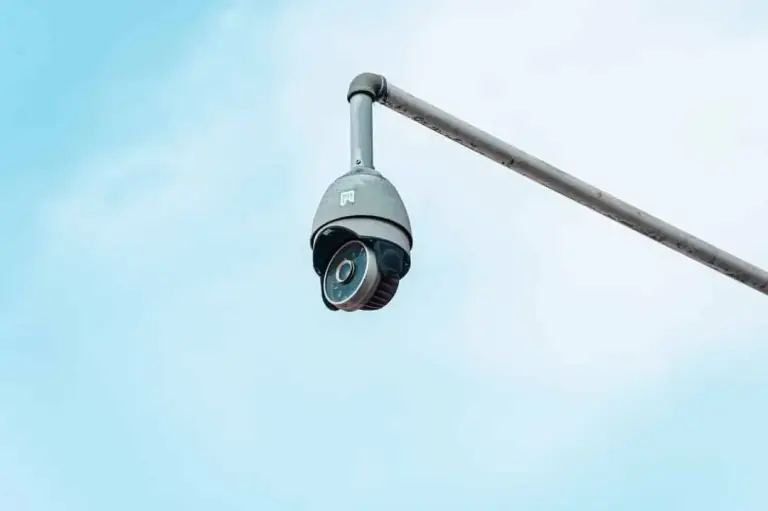
PTZ cameras allow security operators (or automated AI tracking systems) to actively pan, tilt, and zoom in on specific activities. High-end PTZ units offer up to 30x or 40x optical zoom, allowing you to read a badge or license plate from hundreds of feet away.
Furthermore, systems like the MOBOTIX M ONE Smart IP Camera combine German engineering with edge-based AI analytics. These smart systems can automatically detect an unauthorized vehicle or individual on your perimeter, trigger the PTZ to lock onto the target, and track their movement across the property while sending an instant alert to your security team. This active tracking turns your surveillance system from a passive recording tool into a proactive defense mechanism.
Wired vs. Wireless Commercial Surveillance Systems
When planning a commercial cameras video surveillance deployment, one of the first infrastructure decisions you must make is whether to go with a wired or wireless system. While wireless systems are popular in residential settings, commercial properties require a level of reliability and security that wireless technology rarely satisfies.
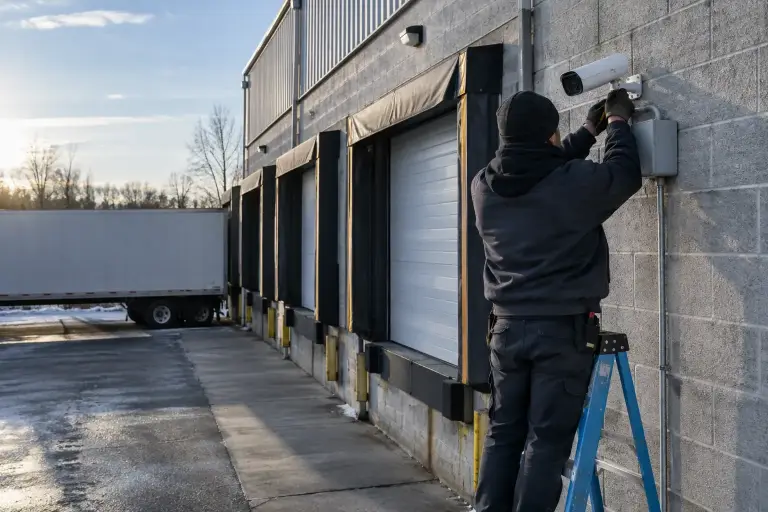
For any business serious about its security, a professionally installed wired network is the gold standard. To learn more about how these physical systems are deployed, check out our guide on Surveillance Camera Installation.
The Reliability of PoE and Wired Infrastructure
Wired commercial surveillance systems rely on Power over Ethernet (PoE) technology. PoE allows a single Category 6 (Cat6) copper network cable to carry both high-speed digital video data and electrical power to the camera simultaneously.
The advantages of a PoE-wired infrastructure are unmatched:
- Continuous 24/7 Recording: Wired systems do not need to “sleep” to save battery power. They record high-definition, high-frame-rate video continuously without interruption.
- Enterprise Stability: Because they are physically plugged into network switches, wired cameras are immune to wireless signal dropouts, radio frequency interference, and local Wi-Fi congestion.
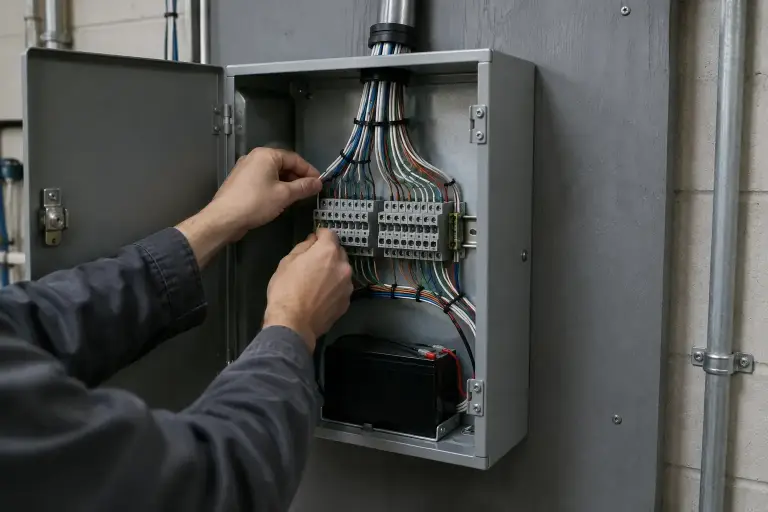
- Centralized Power: All cameras connect back to a central PoE switch. By backing up this switch with an Uninterruptible Power Supply (UPS) in your IT closet, your entire security system will keep recording even during a total power outage.
If you are looking for a complete, robust wired system, enterprise-grade packages like the ANNKE H800X PoE System offer 4K resolution across multiple channels, utilizing PoE cabling to deliver rock-solid stability and zero-latency video streams to your local network video recorder (NVR).
Wireless Limitations in Commercial Environments
Wireless security cameras can be tempting due to their perceived ease of installation, but they introduce severe vulnerabilities and operational headaches in a business setting:
- Bandwidth Congestion: High-definition video streams are massive. Running multiple 4K wireless cameras over your business Wi-Fi will quickly choke your network, slowing down your employee devices, POS systems, and VoIP phones.
- Signal Dropouts and Interference: Thick concrete walls, metal support beams, and heavy machinery common in commercial buildings degrade Wi-Fi signals, leading to dropped frames or lost footage.
- Battery Maintenance: Battery-powered wireless cameras are highly impractical for businesses. Changing batteries on a dozen cameras mounted fifteen feet high on an exterior wall is a labor-intensive chore.
- Security Vulnerabilities: Wireless signals can be easily jammed or intercepted by tech-savvy intruders using inexpensive Wi-Fi jamming equipment. A wired cable run inside a protective conduit cannot be jammed.
Essential Features of Modern Business Security Cameras
The capabilities of modern security cameras have grown exponentially over the last few years. When selecting hardware for your facility, you should look beyond basic video recording and focus on features that enhance clarity, usability, and proactive security. For a deeper look at your options, explore our dedicated page on Commercial Security Cameras.
To ensure your system is future-proof, prioritize these essential features:
- Ultra-HD 4K Resolution: More pixels mean more detail. 4K resolution (8 megapixels) allows you to zoom in digitally on recorded footage to identify faces, currency denominations, and license plates without losing forensic clarity.
- True Wide Dynamic Range (WDR): Commercial entryways often have glass doors that let in bright sunlight, creating harsh backlighting. Standard cameras will render indoor subjects as dark silhouettes. True WDR (120 dB or higher) balances extreme light and dark areas, ensuring clear faces in all lighting conditions.
- Low-Light and Color Night Vision: Traditional infrared night vision produces grainy, black-and-white images. Advanced low-light sensors, such as the technology found in the Hikvision DS-2CD2666G2T-IZS, can capture full-color, high-definition video in near-total darkness (down to 0.003 Lux), preserving critical details like the color of an intruder’s clothing or vehicle.
- IP67 Weatherproofing and IK10 Vandal Resistance: Outdoor cameras must withstand the harsh New England winters and scorching summers. Look for an IP67 rating (protection against dust and water submersion) and an IK10 rating (protection against high-impact physical vandalism).
AI-Powered Analytics and Active Deterrence
Traditional motion detection is notorious for triggering false alarms. A blowing leaf, a passing shadow, or a spider crawling across the lens can send an alert to your phone at 3 AM.
Modern AI-powered analytics solve this problem. By using deep-learning algorithms, today’s cameras process video at the edge (directly on the camera chip) to classify objects in real time. They can instantly distinguish between a human, a vehicle, an animal, or a piece of debris. This technology reduces false alarms by up to 90%, ensuring that when you get an alert, it actually deserves your attention.
Furthermore, active deterrence features transform cameras from passive observers into active defenders. When a camera’s AI detects a human crossing a virtual perimeter after hours, it can immediately:
- Flash built-in red and blue strobe lights.
- Sound a localized siren.
- Broadcast a pre-recorded audio warning (e.g., “Warning, you are in a restricted area. Authorities have been notified.”).
- Send an instant push notification with a video clip to your mobile device or monitoring center.
Cloud vs. Local Storage for Enterprise Video
Deciding where to store your video footage is a balancing act between bandwidth, security, and hardware costs. Let’s compare the three primary storage architectures used in commercial settings today:
1. Local Storage (NVR/Server)
Your cameras send video over your local network to a physical Network Video Recorder (NVR) or server located in your IT closet.
- Pros: No monthly subscription fees; unlimited high-speed local bandwidth; 24/7 continuous recording of dozens of 4K cameras without affecting your internet speed; total physical control over your data.
- Cons: If an intruder steals or damages the physical NVR, your footage is gone; requires ongoing hardware maintenance.
2. Cloud Video Storage
Your cameras stream video directly over your internet connection to a secure off-site cloud server.
- Pros: No physical recording hardware to maintain or protect from theft; easy remote access from anywhere; unlimited scalable storage capacity.
- Cons: Requires massive internet upload bandwidth; high ongoing monthly subscription fees; if your internet connection goes down, your cameras stop recording.
3. Hybrid Cloud Storage
A hybrid cloud system combines the best of both worlds. Cameras store footage locally on built-in, high-end industrial SD cards (onboard edge storage) while simultaneously syncing compressed event clips and metadata to the cloud.
- Pros: Zero single point of failure (if the internet goes down, the camera still records to its internal storage); low bandwidth usage; fast local playback.
- Cons: Higher initial hardware cost per camera.
Legal and Compliance Considerations in New England
Before installing any cameras video surveillance system, you must navigate the complex web of state privacy laws and workplace regulations. Failing to comply with local laws can lead to severe civil lawsuits, union disputes, and inadmissible evidence in court.
If you are planning a system for your facility, understanding the legal landscape is critical. Here is a summary of key legal guidelines across New England:
- Massachusetts: Under the Massachusetts Security Camera Laws, you must respect the “reasonable expectation of privacy.” Cameras are strictly prohibited in areas like restrooms, locker rooms, changing areas, and employee breakrooms. Additionally, Massachusetts is a two-party consent state for audio recording. Capturing audio conversations without the explicit consent of all parties is a felony. Therefore, audio recording features on commercial cameras should almost always be disabled by default.
- Rhode Island: When selecting a system, the Rhode Island Security Camera Selection Guide emphasizes the importance of clear signage. While you do not need permission to record video in public or common business areas, placing highly visible signs indicating that video surveillance is in progress protects your business from invasion of privacy claims.
- New Hampshire: As detailed in the New Hampshire Legal Considerations guide, employers may use video surveillance to monitor workplace productivity and safety, but they must inform employees of the cameras’ presence. Covert or hidden cameras in the workplace are highly restricted and can easily violate state wiretapping and privacy statutes.
When designing an office security camera system, a professional integrator will help you position cameras to maximize security while respecting employee privacy and local laws.
Understanding Commercial Video Surveillance Costs
When budgeting for a commercial-grade surveillance system, it is important to look beyond the price tag of the cameras themselves. The total cost of ownership (TCO) of an enterprise system includes several interconnected components. For a detailed breakdown of how to budget for these systems, see our guide on understanding business security costs.
Your total investment will typically consist of:
- Hardware Costs: Cameras, NVR/servers, network switches, mounting brackets, and backup power supplies.
- Cabling Infrastructure: High-quality Cat6 copper cabling, conduit, patch panels, and pathway construction.
- Installation Labor: Professional mounting, aiming, focusing, and network configuration.
- Software Licensing: Video Management Software (VMS) licenses, which may be a one-time fee or an annual subscription.
- Ongoing Maintenance: Periodic lens cleaning, firmware updates, and hardware troubleshooting.
Average Pricing and Budgeting for Businesses
Because commercial properties vary wildly in size and complexity, pricing is highly customizable. To give you a realistic idea of the market landscape, let’s look at some industry averages sourced from public internet data.
Please note: All prices mentioned below are average industry costs compiled from public online data in 2026 and do not represent the actual pricing or quotes of AccuTech Communications.
- Small Office Setup (4-8 Cameras): A typical system for a small commercial space utilizing local NVR storage generally ranges from $2,500 to $7,500 for hardware, cabling, and professional installation.
- Medium Business / Retail Store (16-24 Cameras): For a medium-sized facility requiring a mix of dome, bullet, and panoramic cameras, along with structured cabling and POE switches, average costs range from $8,000 to $24,000.
- Large Enterprise / Warehouse (48+ Cameras): Large-scale deployments involving multi-sensor cameras, active PTZs, fiber optic backbones, and enterprise VMS software can range anywhere from $20,000 to $60,000+ depending on the complexity of the physical layout and retention requirements.
By planning your cabling infrastructure properly from day one, you can easily scale your system in the future without having to rip out and replace your underlying network.
Frequently Asked Questions about Video Surveillance
Do commercial security cameras require a monthly subscription?
No. If you choose a traditional local storage system utilizing a physical Network Video Recorder (NVR), you do not need to pay monthly cloud subscription fees. Your video is recorded and stored locally on surveillance-grade hard drives that you own. However, if you choose a cloud-native surveillance platform or opt for cloud backup, you will need to pay ongoing monthly or annual licensing fees per camera channel.
What is the difference between NVR and DVR systems?
The difference lies in how they process and transmit video data:
- NVR (Network Video Recorder) Systems: Use modern IP (Internet Protocol) cameras. The cameras themselves process, compress, and encode the video data, then send a digital stream over standard Cat6 Ethernet cables to the NVR. NVR systems support ultra-high resolutions (4K and beyond), advanced AI analytics, and remote power delivery (PoE).
- DVR (Digital Video Recorder) Systems: Use older, analog cameras. The cameras send raw, uncompressed video signals over thick coaxial cables to the DVR, which then compresses and digitizes the footage. DVR systems are more limited in resolution and lack modern smart features.
Why is professional installation recommended over DIY for businesses?
While DIY kits are popular for residential use, they are not designed to meet the rigorous demands of a business environment. Professional installation ensures:
- Certified Structured Cabling: Proper cable runs that comply with local building codes, fire safety regulations, and telecommunication standards.
- Optimized Camera Placement: Strategic positioning to eliminate blind spots, maximize lighting conditions, and comply with state privacy laws.
- Network Security and Integration: Ensuring your cameras do not expose your business network to cybersecurity threats, and integrating them with your existing access control or phone systems.
- Warranty and Support: Access to ongoing maintenance, troubleshooting, and manufacturer warranty fulfillment.
Conclusion
Investing in a commercial-grade cameras video surveillance system is one of the smartest decisions you can make to protect your business assets, reduce liability, and streamline your daily operations. However, a surveillance system is only as reliable as the cabling infrastructure that supports it.
Since 1993, AccuTech Communications has been the trusted structured cabling and commercial technology partner for businesses across Massachusetts, New Hampshire, and Rhode Island. Based in Massachusetts, we pride ourselves on delivering reliable service, competitive pricing, and an unwavering commitment to quality.
Whether you need to rewire an outdated analog camera system, cable a brand-new IP camera network, or run high-performance fiber optic cabling to support a large-scale facility, our team of experienced technicians is here to help.
Ready to secure your commercial property with a professional, future-proof surveillance system? Request an estimate for your commercial video surveillance system today, and let us design a solution tailored to your business needs.